Install DbSchema
Download DbSchema for Windows, macOS or Linux, then run the installer for your system. DbSchema comes with its own Java, so you install nothing else.
Download DbSchema
The download page offers these packages:
| System | Installer | Other packages |
|---|---|---|
| Windows | .exe | .zip, .msi, and an .exe for ARM-64 |
| macOS | .dmg | .tgz |
| Linux | .sh | .deb, .rpm, .tar.gz, and a .tar.gz for ARM-64 |
Take the installer unless you have a reason to choose another package.
Install on Windows
- Run the downloaded
.exefile. - Follow the steps of the installer, where you can choose the installation folder.
- Start DbSchema from the Start menu.
Install on macOS
- Open the
.dmgfile. - Start the DbSchema installer inside it, and follow its steps.
- Start DbSchema from the Applications folder.
Install on Linux
- Make the installer executable, then run it:
chmod +x dbschema_linux_*.sh ./dbschema_linux_*.sh - Follow the steps of the installer.
On Debian or Ubuntu you can install the .deb package instead, and on Fedora or Red Hat the .rpm package.
Start DbSchema for the first time
DbSchema opens the Welcome Screen. From there you connect to a database, design a new schema, or open a sample project.
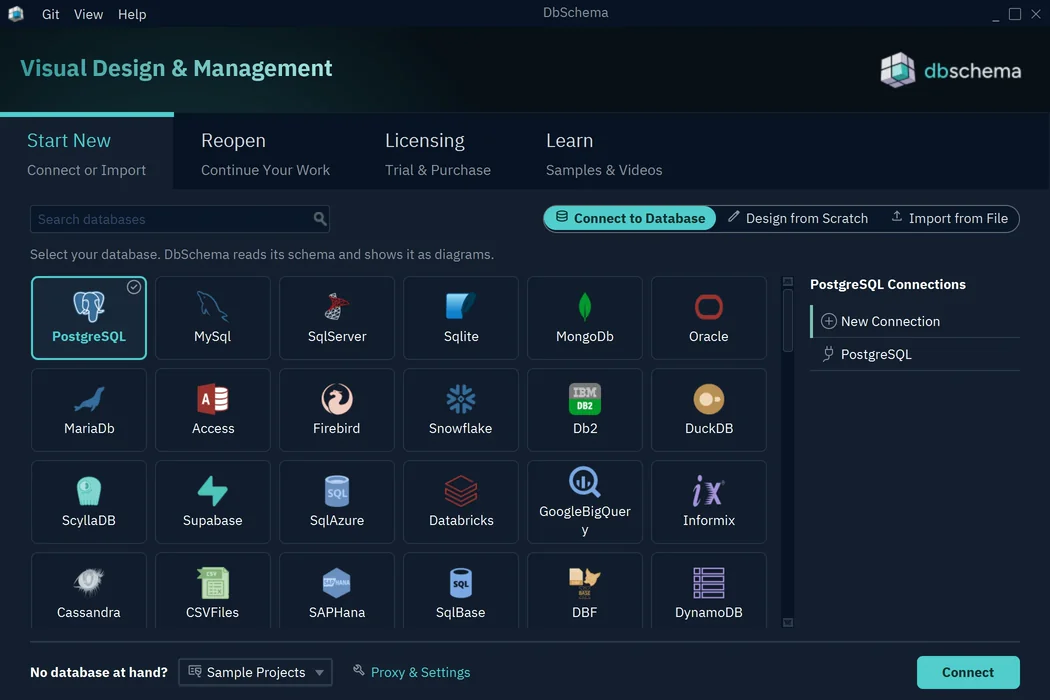
A new installation starts with a 15-day trial of DbSchema Architect, which has every feature. After the trial, DbSchema continues as the free Community edition. See Welcome Screen for each option.
Register a license
If you bought a license, choose Help → Register License. You can register with a license key or with your DbSchema account. See Licensing for every way to register.
Update DbSchema
DbSchema checks for a new release when it starts. To check now, choose Help → Software Updates → Check For Updates.
To change how often DbSchema checks, choose Help → Software Updates → Settings and pick a Schedule:
- On every start, the setting of a new installation
- Daily, Weekly or Monthly
- Never, which turns the check off
The Help menu is in the project window, so open or create a model first.
On Windows, DbSchema keeps the schedule for each Windows user. On a shared computer, every user sets their own.
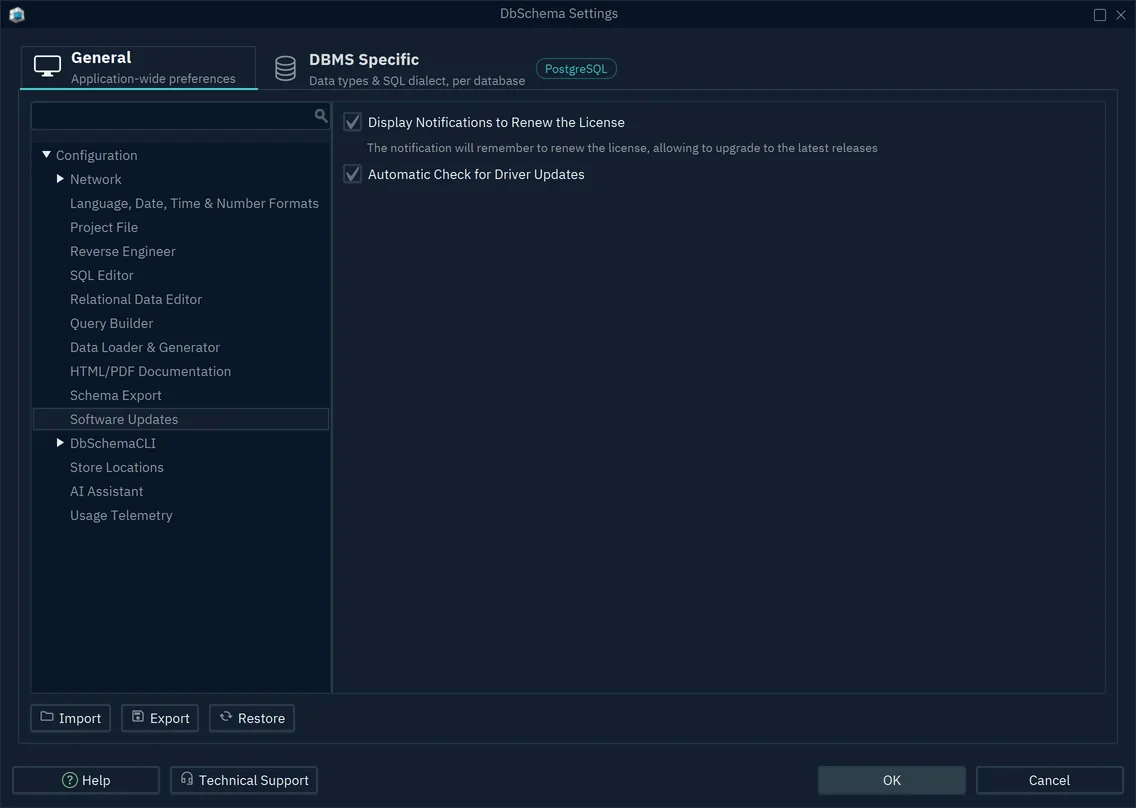
Two more update options are in Edit → Settings → Software Updates:
- Automatic Check for Driver Updates: look for newer JDBC drivers.
- Display Notifications to Renew the License: remind you when your license no longer covers new releases.
If an update fails to install from inside DbSchema, download the installer from the download page and run it over the existing installation.
Install an earlier version
The download page links to Previous Releases, which lists every release with the date it was released on. Download the installer of the version you need and run it.
A perpetual license runs every version released before its upgrade period ended. See Licensing.
Deploy DbSchema in a company
- Unattended installation. The Windows installer runs without questions with
-q, and-dirchooses the installation folder:dbschema_windows_<version>.exe -q -dir "C:\Program Files\DbSchema"The MSI package installs for the current user. It runs silently with
msiexec /i dbschema_windows_<version>.msi /qn. - Update checks for every user. On Windows, the schedule is the registry value
updateSchedule0607-8447-0273-3287underHKEY_CURRENT_USER\SOFTWARE\ej-technologies\install4j\installations. The valueneverturns the check off, andstart,daily,weeklyandmonthlyset the other schedules. Set it for each user, for example with a logon script or a Group Policy preference. - Proxy and certificates. DbSchema downloads JDBC drivers and checks for updates and licenses over HTTPS. Behind a corporate proxy or a firewall that inspects TLS, set them up as described in Firewall, proxy and SSH tunnel.
- Licenses. For a team, a floating license needs no key files on the computers.
- Memory and graphics. Java options, such as the memory limit or software rendering for remote desktops, are set in
DbSchema.vmoptions. See Memory and Java Options.
What DbSchema keeps in your home folder
DbSchema keeps its settings and downloads in the .DbSchema folder of your home folder.
The uninstaller leaves this folder in place, so a reinstalled DbSchema finds them again.
| Folder | Content |
|---|---|
config | Settings, proxy and SSH configurations, certificates, settings for each database |
connections | Saved connections and, when you tick Remember, their passwords |
drivers | Downloaded JDBC drivers |
logs | Log files, also shown in Help → Output Logs |
To keep this folder elsewhere, for example on a drive that every computer can reach, create config/DbSchema.properties in the installation folder with the line DbSchema.config.path=<folder>. DbSchema then uses <folder>/.DbSchema.
Common problems
How do I turn off update checks for all users?
Each Windows user has their own schedule. Set Never in Help → Software Updates → Settings for each user, or set the registry value described in Deploy DbSchema in a company.
Where do I get the version before the last update?
From Previous Releases. Install it over the current version.
DbSchema runs out of memory or paints slowly over Remote Desktop
Both are settings in DbSchema.vmoptions. See Memory and Java Options.