Design Model Overview
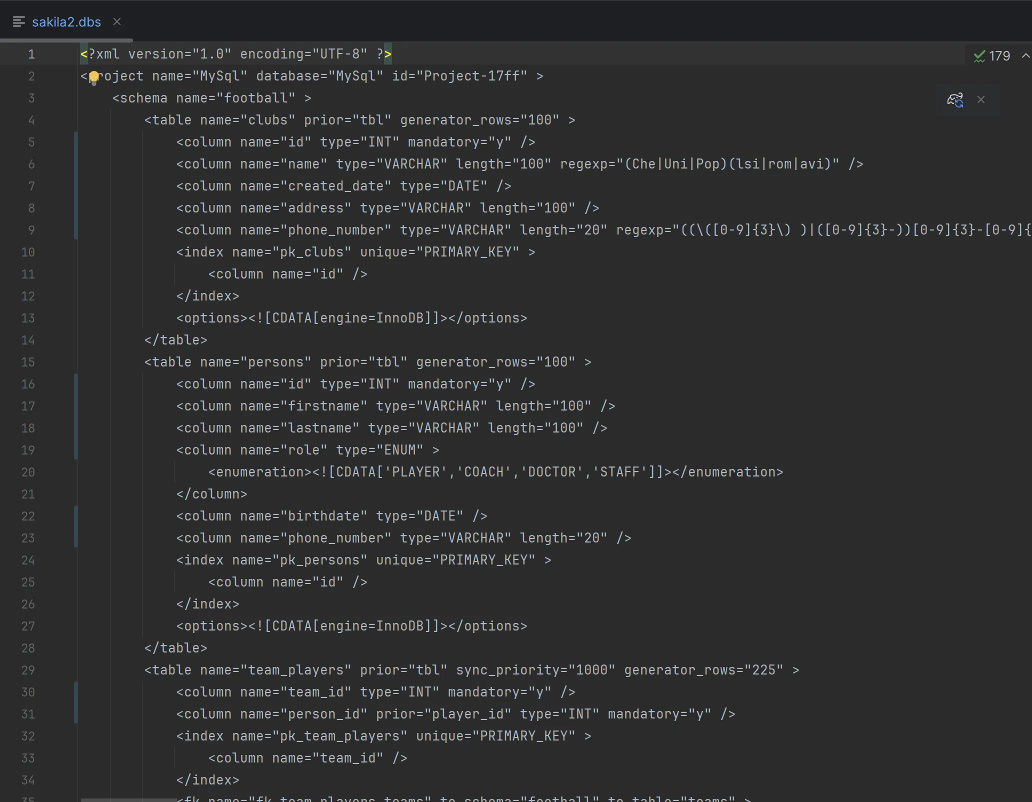
DbSchema maintains its own design model — a local copy of your schema stored as an XML .dbs file. This model is completely independent of any database, which means you can open, edit, and share it without a live connection.
What the Design Model Is
- Format: XML, human-readable, openable in any text editor.
- Database-independent: the same model can be deployed to MySQL, PostgreSQL, SQL Server, and other RDBMS.
- Persistent: contains your schema structure, diagrams, virtual foreign keys, and comments. Everything is preserved between sessions.
Online vs Offline Mode
DbSchema can work in two modes:
- Online (connected): every schema change you make is immediately applied to the database. Executed statements are listed in the SQL History pane on the left.

- Offline (disconnected): changes are saved only to the design model file. No statements are sent to the database.

Switch between modes at any time from the connection menu — choose Disconnected to go offline and continue designing without a database.
Working Offline Then Reconnecting
A common workflow is to design offline, then reconnect when you are ready to apply changes:
- Make schema changes while disconnected — they are saved to the
.dbsfile. - Reconnect to the database.

- Click Refresh Model from Database to detect differences.
- Review each difference in the Synchronization Dialog and choose to apply it to the database, update the model, or generate a migration script.
Converting the Schema to a Different RDBMS
You can retarget an existing model to a different database engine:
- Open Model → Model Properties.
- Select the new database from the RDBMS field.
- DbSchema shows a preview of how each data type will be converted.
- Confirm and save the model to a new file.
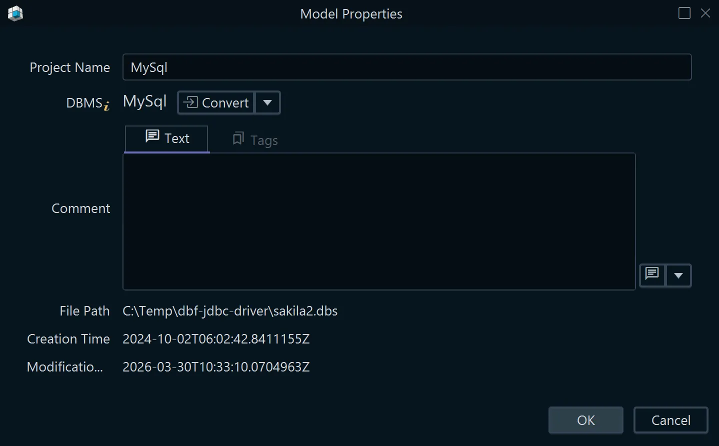
Triggers, functions, and stored procedures cannot be converted automatically and must be rewritten manually.
Sharing the Model via Git
Because the .dbs file is plain XML, it works naturally with any version control system — Git, Mercurial, SVN, and others. Team members can each work on a local copy, commit their changes, and merge them like any other source file.
You can also open two .dbs files simultaneously and synchronize between them — useful for comparing schema versions or generating migration scripts between branches.