Logical Design
What is Logical Design?
Logical design is the process of modelling your data before committing to a specific database engine. You define what data exists and how it relates, without worrying about SQL syntax, data type differences between databases, or physical optimisations.
The result is a clear, technology-neutral blueprint that you can later convert into a physical schema for MySQL, PostgreSQL, SQL Server, Oracle, or any of the 80+ databases DbSchema supports.
In logical design, the terminology differs from physical design:
| Physical Design | Logical Design | Notes |
|---|---|---|
| Schema | Subject Area | |
| Table | Entity | |
| Column | Attribute | |
| Foreign Key | Relation | Identifying, Non-Identifying, Many-to-Many + Cardinality |
How to Start Logical Design

From the DbSchema welcome screen, choose Design from Scratch, then select Logical Design.

A blank logical diagram opens. Right-click the canvas to create your first entity.
Entities, Attributes, and Relations
Entities and Attributes
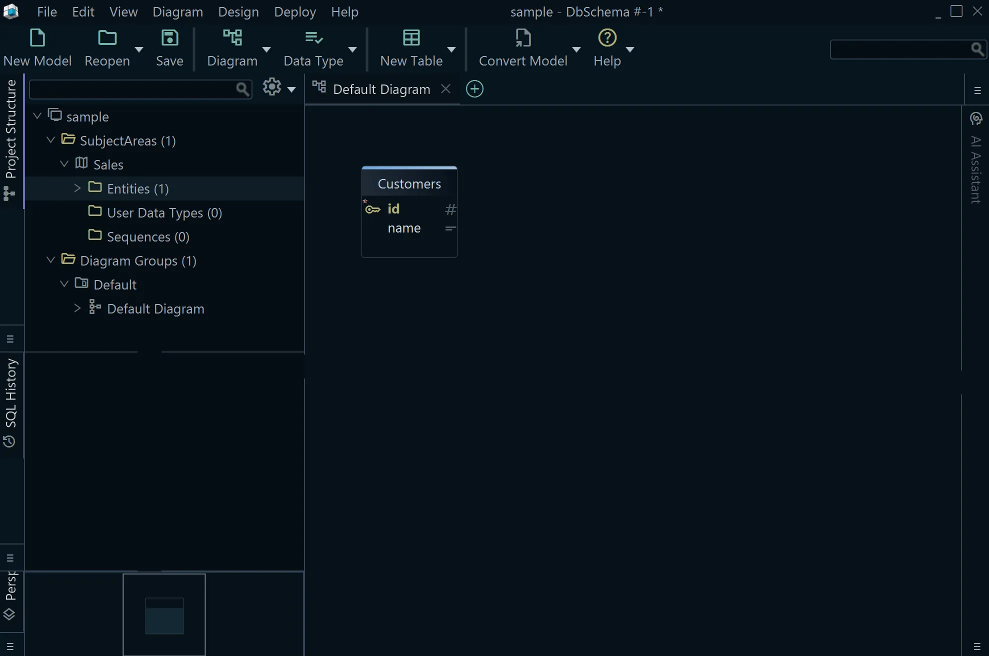
An entity maps to a physical table and represents a real-world concept — for example, Customer, Order, or Product. Each entity has attributes (equivalent to columns) that describe its properties.
Relations
A relation connects two entities, just as a foreign key connects two tables. To create a relation, drag from an attribute in one entity to an attribute in another.
Each relation has several properties:
Identifying vs. Non-Identifying
- Identifying — the parent key is part of the child entity key. The child cannot exist without the parent. Example:
PhonePrefix(CountryID, Prefix)depends onCountry(CountryID). - Non-Identifying — the child references the parent but has its own independent identifier. Example:
ResidentreferencesCity.CityIDbut has its own primary key.
Mandatory vs. Optional
- Mandatory — the child must always reference a parent (NOT NULL equivalent). Example: every
Ordermust belong to aCustomer. - Optional — the reference may be absent (nullable equivalent).
Cardinality
- 1:1 — each parent has exactly one child
- 1:n — one parent, many children (the most common type)
- Many-to-many — resolved through a junction entity during conversion to physical design
Normalization
Normalization organises data to eliminate redundancy and make updates consistent. DbSchema logical design makes it easy to model normalised structures from the start.
First Normal Form (1NF)
Goal: every attribute holds a single, atomic value — no lists or repeating groups.
Problem — multi-value attributes:
OrderID | Customer     | Products           | Phones
101     | Alice Smith  | Shoes, T-shirt     | 555-1234, 555-5678
1NF solution — one value per cell:
OrderID | Customer     | Product   | Phone
101     | Alice Smith  | Shoes     | 555-1234
101     | Alice Smith  | T-shirt   | 555-5678
Second Normal Form (2NF)
Goal: remove partial dependencies — every non-key attribute must depend on the whole primary key, not just part of it.
Problem — composite key (OrderID, Product), but Customer depends only on OrderID:
OrderID | Product  | Customer     | Phone
101     | Shoes    | Alice Smith  | 555-1234
101     | T-shirt  | Alice Smith  | 555-1234
2NF solution — split into two entities:
Orders: OrderID | Customer | Phone
OrderDetails: OrderID | Product
Third Normal Form (3NF)
Goal: remove transitive dependencies — non-key attributes must depend only on the primary key, not on each other.
Problem — CustomerName and Phone depend on CustomerID, not on OrderID:
OrderID | CustomerID | CustomerName | Phone
101     | C001       | Alice Smith  | 555-1234
3NF solution — separate the Customer entity:
Orders: OrderID | CustomerID
Customers: CustomerID | CustomerName | Phone
Normal Forms Summary
| Normal Form | What It Fixes | Result |
|---|---|---|
| 1NF | Repeating groups, non-atomic values | Each attribute holds one value |
| 2NF | Partial key dependencies | Attributes depend on full key |
| 3NF | Transitive dependencies | No indirect column relationships |
Naming Dictionary
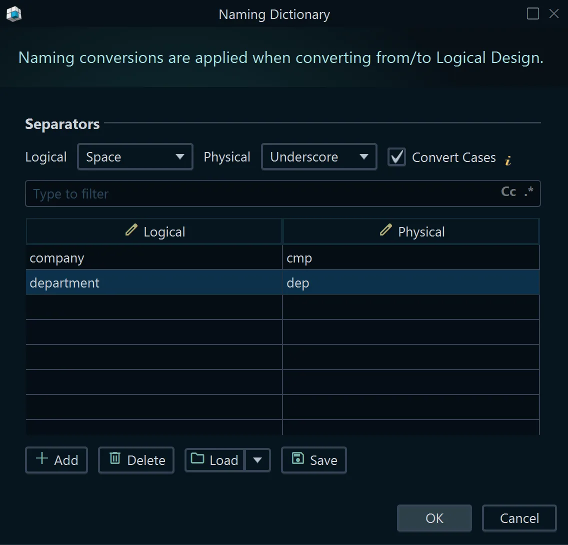
The naming dictionary controls how logical names are translated into physical names during conversion. For example, a logical attribute named First Name could become first_name or FIRST_NAME depending on your naming rules.
Open the naming dictionary from the Convert Model menu.
Conversion Dictionary
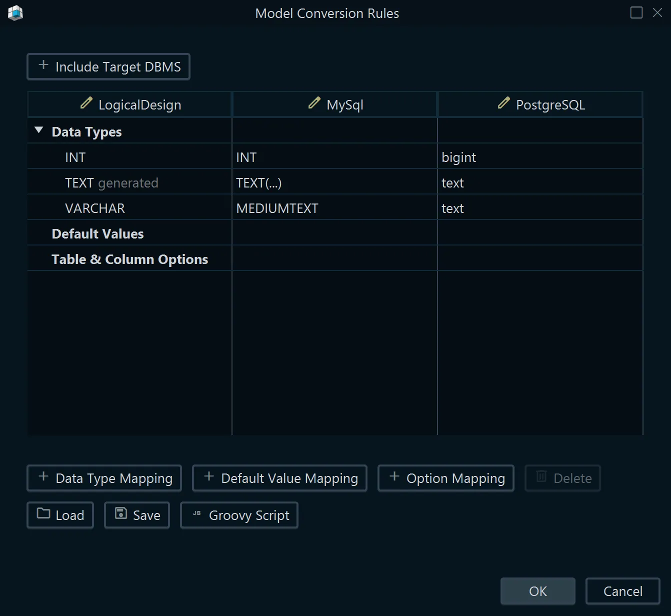
The conversion dictionary maps logical data types to physical data types for each target database. For example, the logical type Text might convert to VARCHAR(255) for MySQL and NVARCHAR(255) for SQL Server.
You can customise the mappings per database to match your conventions.
Generating the Physical Model

Once your logical design is complete, convert it to a physical model from Convert Model → Generate Physical Design. DbSchema applies the naming and conversion dictionaries and produces a fully editable physical schema targeting the database of your choice.
From there you can connect to a database and deploy the schema, or continue refining it with indexes, constraints, and stored procedures.