Creating an ER Diagram From an Existing Database
Learn how to connect a tool to a live database, reverse-engineer a schema into an ER diagram, and uncover undeclared foreign keys with DbSchema.
On this page
For the integration engineer handed a database they did not build, this guide explains how to turn that live database into an ER diagram you can trust: what the system catalog reports, what it cannot report, and how to check the finished diagram against real rows.
What a tool can read from a live database
You connect a tool to the database, let it read the system catalog, lay the tables out, add the relations nobody declared, and check the result against real rows. Everything in that sequence depends on the first step, because the diagram can only contain what the catalog reports. Every engine keeps a machine-readable inventory of itself, and a reverse-engineering tool reads that inventory over the connection. PostgreSQL exposes it through the SQL-standard information_schema views, which describe tables, columns, data types, and constraints[1]. Other engines expose the same facts through their own dictionary views. The tool does not guess any of this; it queries.
- Tables and views, with their columns and data types
- Primary keys and unique keys
- Foreign keys that were declared as constraints
- Indexes
- Comments stored on tables and columns
The gaps matter more than the list. Introspection cannot see a relation that exists only in application code or in an ORM mapping, because no constraint was ever declared and the catalog has nothing to report. It cannot tell you what a column means; a column named status_flag with type int carries no explanation of its values. And it cannot tell you whether the existing data actually obeys the keys that are declared, because reading the catalog says nothing about the rows. An ER diagram built from introspection is therefore a diagram of the declared structure, not of the behaviour the application enforces. Knowing which parts of the picture come from the catalog and which parts you add yourself is what makes the diagram trustworthy.
Access, privileges and drivers to sort out first
On enterprise engines, the connection itself is the first obstacle. You need a JDBC driver that matches the engine and version, and you need an account whose privileges allow reading the catalog. A low-privilege login often connects fine and then produces a model that is missing half the schema, which looks like a tool bug and is actually a permissions issue. Sort both out before you judge the diagram.
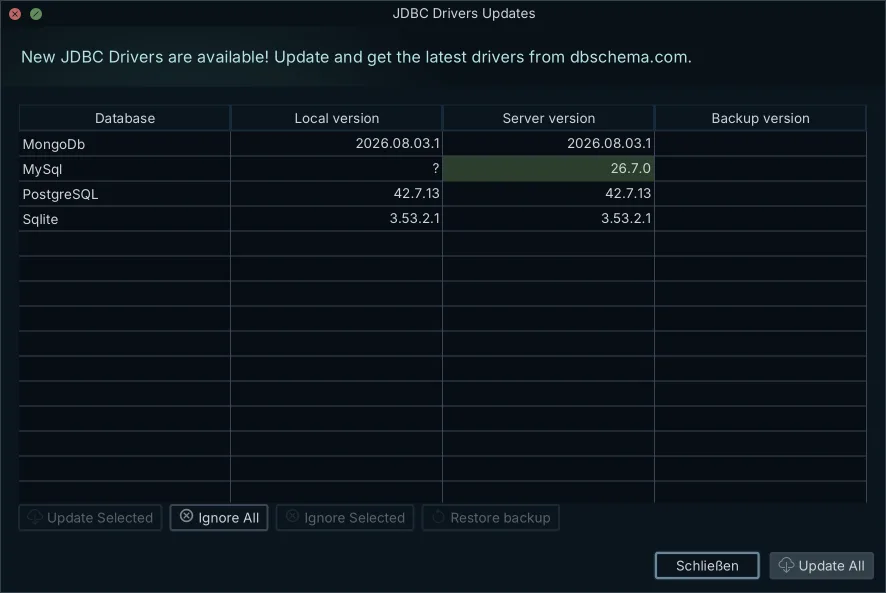
DbSchema connects over JDBC and downloads the required driver automatically, so you do not go hunting for a jar before you can start. The JDBC Drivers Manager shows the bundled driver for each engine and accepts a company's own jar, which matters when your organisation has standardised on a specific driver build for Db2 or SAP HANA. The Db2 JDBC driver page lists the driver class, URL format and default port, and the IBM Db2 design tool guide walks through the connection end to end.
Two settings protect a live database while you explore it. A Read Only Connection opens the session without allowing changes, and the environment highlight labels the connection as Production, Development or Test so you can see at a glance which system you are pointed at. Both are worth using on the first connection to a database you did not build.
Catalog queries, DDL dumps or a connected tool
There are three ways to turn a live database into something diagram-shaped, and they differ in what they cost and what they give you. Writing catalog queries by hand is free and exact: you query information_schema or the engine's dictionary views and get precisely what the database declares. What you do not get is a picture, and laying out two hundred tables by hand from query output is not a task anyone finishes. A schema-only DDL dump gives you portable text of the structure, but a dump is a list of CREATE statements, not a drawing; the relations are buried in the text and nothing is visible at a glance.
A connected diagram tool is the only route that produces the picture, and it carries the limitation from the first section: it shows declared structure, and the relations enforced in application code will not appear until you add them yourself. The rest of this article works through that route.
Turning a connection into a diagram
Community Edition connects to the database, lets you pick the schemas to import, reverse-engineers them and opens them as a laid-out ER diagram. It supports more than 100 SQL and NoSQL databases, so the same workflow covers the MySQL instance and the Db2 warehouse instead of one tool per engine. Connecting creates a design model, and the model holds structure rather than data: reverse-engineering does not copy rows out of the database.
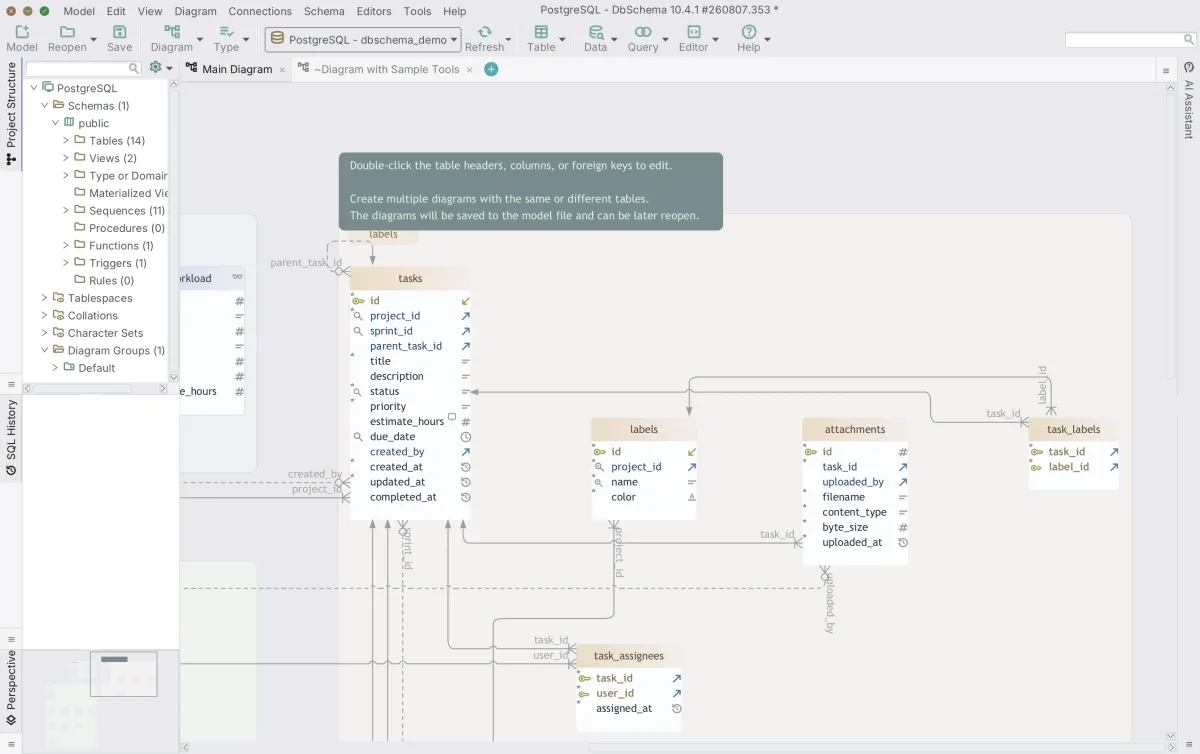
One model can hold several diagrams, and one table can sit in more than one of them. For a large inherited schema this is how the diagram becomes readable: draw one diagram per module or feature area, each showing the tables that belong together, instead of one canvas where nothing can be found. Tables can also be grouped into visual containers, which keeps related tables visually together on a shared diagram. DbSchema's database diagram tool guide shows what the reverse-engineered layout looks like in practice.
Where each engine hides or withholds relations
The catalog does not report foreign keys the same way on every engine, and the differences change what your first diagram shows. Four cases cover most of the engines you will meet in integration work.
MySQL and MariaDB keep foreign keys only on storage engines that support them, so a legacy table left on a storage engine without foreign key support shows no relations at all, and the fix is either a storage engine change or the virtual relations described below[2]. SQLite has foreign key enforcement off by default per connection, so keys that were declared may simply not be enforced[3]. Oracle's ALL_ dictionary views show only objects the login can access, so a low-privilege account returns a partial model that looks like missing keys[4]. On SQL Server, declared foreign keys are listed in the sys.foreign_keys catalog view, one row per FOREIGN KEY constraint[5]. The per-engine guides cover each case in detail: reverse-engineering a MySQL database, reverse-engineering a PostgreSQL database, reverse-engineering a SQLite database and reverse-engineering an Oracle database.
Adding the relations nobody declared as foreign keys
Inherited schemas frequently have none of their relations declared. The application inserts the right values, the columns line up by name, and the catalog has nothing to report, so the first diagram shows isolated tables. The documented way to close that gap is the virtual foreign key: drag from the referencing column to the target column in the other table, and DbSchema prompts you to choose between a real and a virtual foreign key.
Choose virtual and the relation exists only in the design model. It draws the connector line on the diagram, and it is fully recognised by the query builder and data exploration features for joins and navigation, but no constraint is created in the database. That separation is the point: you record what the application enforces without changing a schema you do not own. The virtual key lives in the design model, and with Pro's save-to-file it persists, so the next person who opens the model sees the relation you found.
Checking the diagram against rows, then documenting it
A diagram built from the catalog and your own virtual keys is a hypothesis until you have looked at the data. Bernie Pruss, a data architect with roughly 30 years in the field, wrote on LinkedIn that DbSchema gave him a visual model of his database, and that right-clicking a table to see its actual data, examine its profile and query it at once showed him relationships that needed work[6]. The workflow it describes is the right one: trust the diagram only after the rows agree with it.
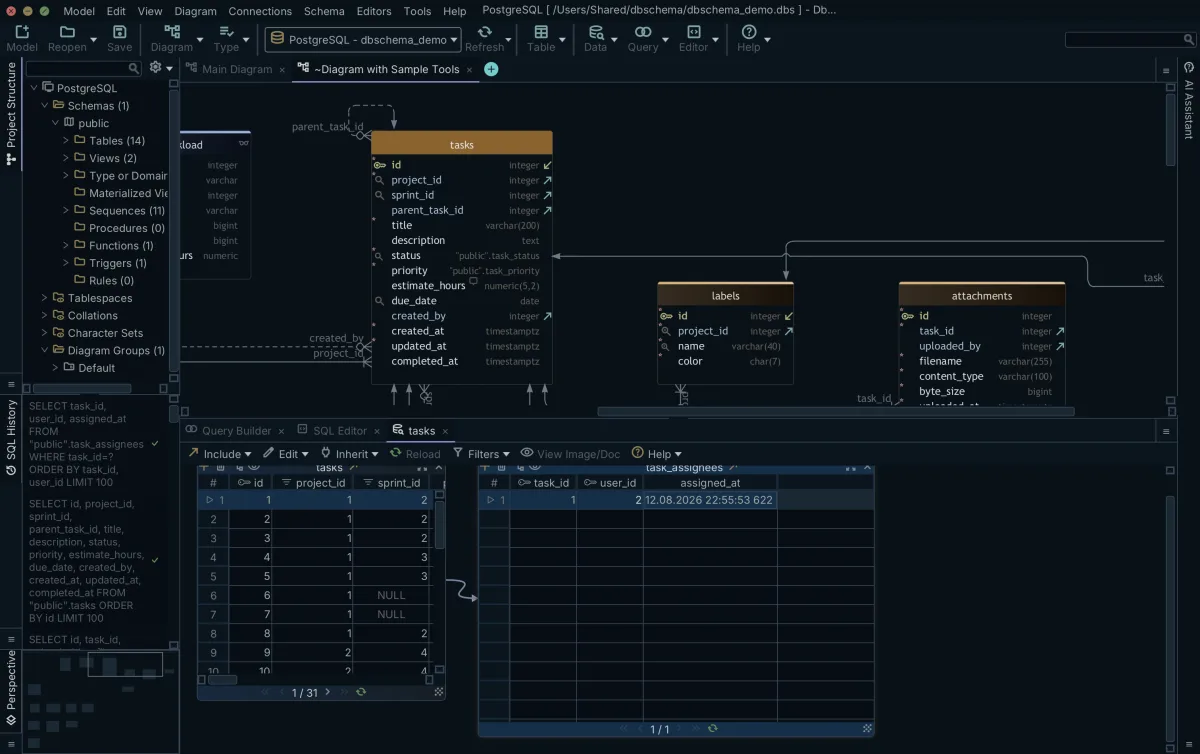
In Pro, the Relational Data Explorer follows real and virtual foreign keys from a row to its related rows across linked panes, so a suspicious relation shows up the moment the child pane comes back empty. In Community Edition, the SQL Editor runs the same check. To find child rows pointing at a parent that no longer exists:
SELECT o.order_id
FROM orders o
LEFT JOIN customers c ON c.customer_id = o.customer_id
WHERE c.customer_id IS NULL;
Every row that query returns is a relation the diagram claims and the data contradicts. Once the diagram holds, Pro exports it as interactive HTML5 documentation with the table and column comments as tooltips, which opens in a browser for colleagues or a client who do not have DbSchema installed. The edition line, stated once: Community connects to and reverse-engineers every supported database and includes interactive diagrams, creating tables and the SQL editor. Design offline / save to file, relational data browse, HTML5/PDF/Markdown documentation and schema synchronization are Pro.
The next step is yours to take: the free DbSchema Community Edition is available on the download page, and connecting it to the database you inherited is all it takes for the diagram to draw itself.
Frequently asked questions
How can I generate an ER diagram?
You can generate an ER diagram by connecting DbSchema to your live database. DbSchema connects over JDBC, reverse-engineers the schemas you select, reading their tables, columns and declared foreign keys, and then lays them out visually as a reverse-engineered model.
How to generate an ER diagram automatically?
Connecting DbSchema via a JDBC driver automatically generates the ER diagram. DbSchema reads the schema definition directly from the engine, extracting primary and foreign keys to draw the relationships between tables without any manual drawing required from the user.
What is a reverse engineering database?
Database reverse engineering is the process of retrieving structural information from an existing database. The Entity-Relationship model was published in 1976 to map data structures, and reverse engineering extracts those exact tables, views, and relationships from the live dictionary to generate a visual ER diagram.
Can AI replace reverse engineering?
No. While AI can analyze a schema text dump, it cannot replace the deterministic extraction of a live database catalog. Reverse engineering uses direct catalog queries to guarantee an exact reflection of the database's physical constraints, which AI models might hallucinate or misinterpret.
What is the best way to document a database?
The most reliable method is generating interactive HTML5 documentation from a reverse-engineered model, which in DbSchema is a Pro feature. This captures the exact tables, data types, and constraints from the database, while allowing teams to add virtual foreign keys and column comments that clarify the structure without altering the live system.
Can I create foreign keys in a diagram without creating them into the database?
Yes. In DbSchema, you can draw virtual foreign keys between tables to represent relationships enforced by application code. These relations exist in your design model, and with Pro's save-to-file they persist for the next person who opens it, but they are never executed as constraints on the live database.
Sources
Turn the database you inherited into an ER diagram
DbSchema connects over JDBC, reverse-engineers the schema into an interactive diagram and lets you add the relations nobody declared, free Community Edition included.









