DbSchema Documentation
To connect to a database, export the documentation of a schema or do any other task in DbSchema, find the page of its feature below. Each page walks through the tasks of one feature, with screenshots and short clips, and the sections here follow the documentation menu. To look up a word instead, type it into Search the docs at the top of the menu, or press /.
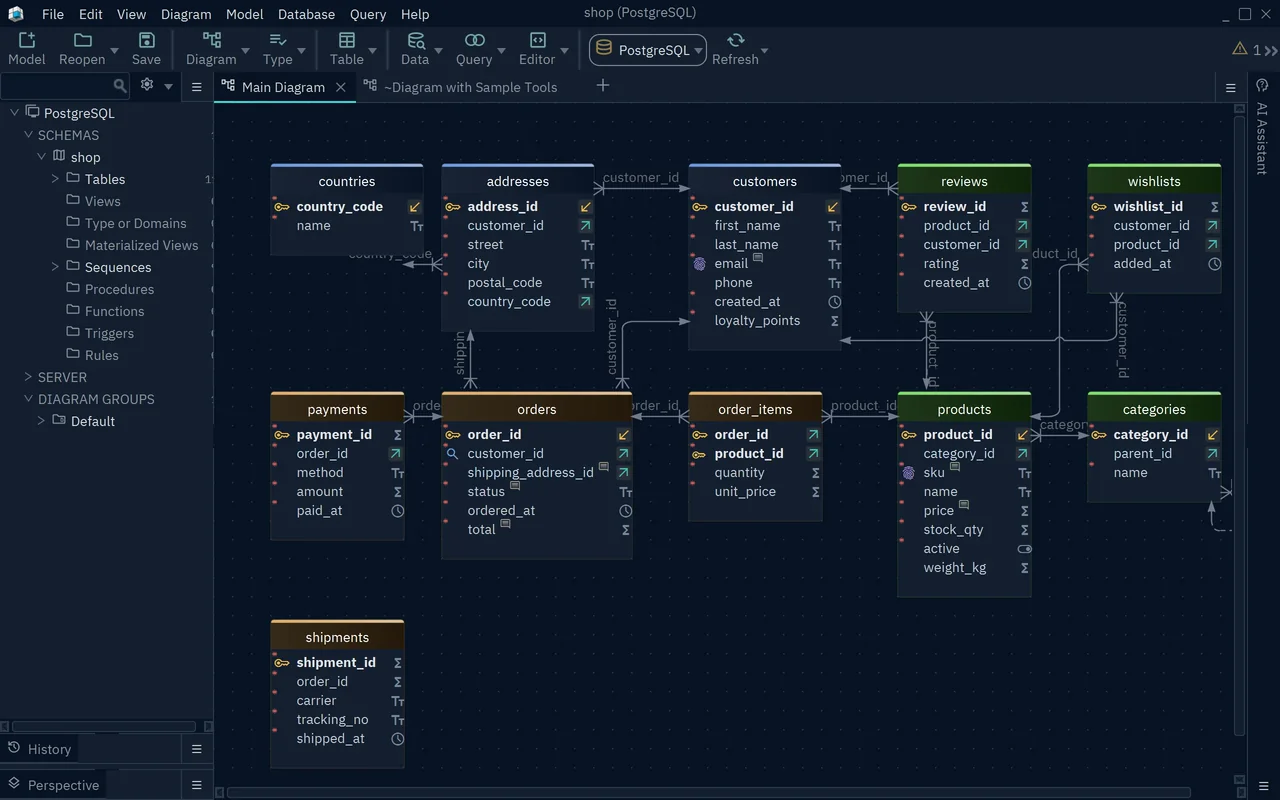
The picture shows DbSchema connected to a small shop database in PostgreSQL, with the tree of the schema on the left and its tables on the Main Diagram. Menus and Layout names each part of the window. If you know the task but not the menu that holds it, Find a command gives the menu path for each task.
If DbSchema is new to you, start with the DbSchema Tutorial. It connects to a database, reads the diagram, adds a column, runs a query, generates documentation and saves the model, and it links to the page for each step. Which edition you need says what the free Community edition covers and what Pro and Architect add.
Get started
- What is DbSchema?: what DbSchema does, the design model and the editions.
- Install DbSchema: install on Windows, macOS or Linux, update, or deploy in a company.
- DbSchema Tutorial: one pass through the main features, on one database.
- Welcome Screen: start a new model, reopen a saved one or open a sample.
- Menus and Layout: the parts of the window, and where each command is.
- Memory and Java Options: raise the memory limit, fix slow painting and find the log files.
Connect to a database
- Supported databases: the databases DbSchema connects to, with a page for each.
- Connect to Database: the connection dialog, JDBC URLs, SSL and SSH tunnels.
- JDBC Drivers Manager: update a driver or upload your own.
- Firewall, Proxy and SSH Tunnel: find what blocks a connection, and get through it.
Design the schema
- Diagrams: create diagrams, group tables, add callouts, arrange the tables and export an image.
- Tables, Columns and Indexes: create a table, add columns, set the primary key and create indexes.
- Foreign Keys: link two tables, set cascade actions, and read and change the cardinality.
- User Data Types: domains and enum types that many columns share.
- Logical Design: entities and relations, before you choose the database.
- Quick Table Editor: edit the columns of many tables in one grid.
- Model Validation: find design errors, and write your own checks.
- Sample Projects: ready-made models to try DbSchema before you connect your own database.
Compare and deploy
While DbSchema is connected, a change that you confirm with OK runs in the database at once. Offline, the change stays in the model until you bring it to the database.
- Schema Synchronization: compare the model with the database, review the differences and apply them.
- Import and Export the Model: import SQL files or Flyway migrations, and export the schema as an SQL script.
Document the schema
- Schema Documentation: generate HTML5, PDF or Markdown documentation of the schema.
- Diagram and Documentation Styles: themes, table colors and custom CSS.
- Settings: find and change any option of DbSchema.
Query and edit data
- SQL Editor: write and run queries and scripts, and save the result to a file.
- Query Builder: build a query with joins, filters and grouping without writing SQL.
- Data Explorer: follow foreign keys from a row to its related rows, and edit them.
- CSV Editor: open, edit, filter and sort large CSV files.
Generate and import data
- Data Generator: fill tables with random test data.
- Data Importer: load a CSV, Excel, XML or JSON file into a new table.
Work as a team
- Git Collaboration: keep the model file in Git, commit, pull and merge your team's changes.
Automate
- AI Assistant: ask an AI model for SQL or a review of your tables.
- Automation Scripts: Groovy scripts that change the model, run SQL or generate documentation.
- DbSchema API: the Javadoc of the classes that scripts use.
- DbSchemaCLI: run SQL and Groovy from the command line, on one database or several.
Work with MongoDB
- MongoDB: collections on a diagram with their nested fields and relations, document browsing and queries.
Register a license
- Licensing and Registration: register a license, move it to another computer or use a floating license server.