Best ER Diagram Tools in 2026: Free and Paid, Compared on a Real Database
Seven ER diagram tools sorted into the ones that read your database and the ones you draw by hand, with prices and one test on PostgreSQL 17.
On this page
Most lists of ER diagram tools mix two kinds of software: drawing tools, where you type or drag the tables in, and database tools, which read the tables from the server. If your diagram has to match a real database, you need the second kind, and DbSchema is the one to pick: it reverse-engineers the database into a diagram, lets you change the design on it, and deploys the change back.
Short answer
DbSchema is the ER diagram tool to choose when the diagram has to match a database that runs or will run. It reads the tables and foreign keys from the server, draws them, and generates the SQL that deploys a change you make on the diagram.
- A diagram of a running database: DbSchema, free in the Community Edition.
- One engine only: MySQL Workbench for MySQL, pgModeler for PostgreSQL.
- A sketch for a whiteboard discussion: a drawing tool such as dbdiagram.io or draw.io.
Only database tools keep the diagram in step with the schema
The values come from each vendor's own pages, read on 3 November 2026. Prices are per user and exclude tax.
Database tools
All four read the live database, and DBeaver needs a paid edition before you can edit the design on its diagram:
| Tool | Reads a live database | Edits the design on the diagram | Free option | Paid plan from |
|---|---|---|---|---|
| DbSchema | Yes | Yes | Community Edition | Pro, 294 USD one-time |
| DBeaver | Yes | Enterprise, Ultimate and Team editions | Community | Enterprise, 255 USD a year |
| MySQL Workbench | Yes, MySQL only | Yes | Community Edition | Not needed for modelling |
| pgModeler | Plus edition only | Yes | Source code you compile | Plus, price on request |
Drawing tools
None of the three reads the database from the diagram itself, so each diagram starts from text or a file you supply:
| Tool | Reads a live database | Edits the design on the diagram | Free option | Paid plan from |
|---|---|---|---|---|
| dbdiagram.io | Through a separate CLI | Yes, as DBML text | 10 diagrams and doc projects | Personal Pro, 8 USD a month |
| Lucidchart | No, you upload a query result | Yes | Free plan | Paid plans |
| draw.io | No, you paste SQL | Yes, as shapes | Free | Free |
The first two columns decide most choices. A tool that cannot read the database gives you a picture of the schema as you entered it, right on the day you draw it, and wrong after the first migration nobody copied across by hand.
Three questions decide which kind of tool you need
Three questions sort the tools in the table:
- Does it connect to your database, or do you import a SQL script?
- When you change a table on the diagram, can it write that change to the database?
- Does it cover every engine you run, or only one?
A project that runs PostgreSQL next to MySQL, SQL Server or MongoDB needs one tool for all of them, or it keeps a separate diagram and a separate licence per engine. DbSchema connects to relational and NoSQL engines from the same desktop application on Windows, macOS and Linux.
Reverse engineering draws only the foreign keys someone declared
A database tool draws the lines it finds in the catalog, which means the foreign keys someone declared. This PostgreSQL schema has two declared foreign keys and one reference that was never declared:
CREATE TABLE customers (id int PRIMARY KEY, name text);
CREATE TABLE products  (id int PRIMARY KEY, name text);
CREATE TABLE orders (id int PRIMARY KEY, customer_id int REFERENCES customers(id));
CREATE TABLE order_items (order_id int REFERENCES orders(id), product_id int, qty int);
The information_schema views list what any reverse-engineering tool can see:
SELECT tc.table_name, kcu.column_name, ccu.table_name AS references_table
FROM information_schema.table_constraints tc
JOIN information_schema.key_column_usage kcu ON kcu.constraint_name = tc.constraint_name
JOIN information_schema.constraint_column_usage ccu ON ccu.constraint_name = tc.constraint_name
WHERE tc.constraint_type = 'FOREIGN KEY'
ORDER BY tc.table_name;
Result · PostgreSQL 17.6
| table_name | column_name | references_table |
|---|---|---|
| order_items | order_id | orders |
| orders | customer_id | customers |
order_items.product_id is missing. It holds product ids, but nothing in the database says so, so every tool that reads the catalog draws order_items and products with no line between them.
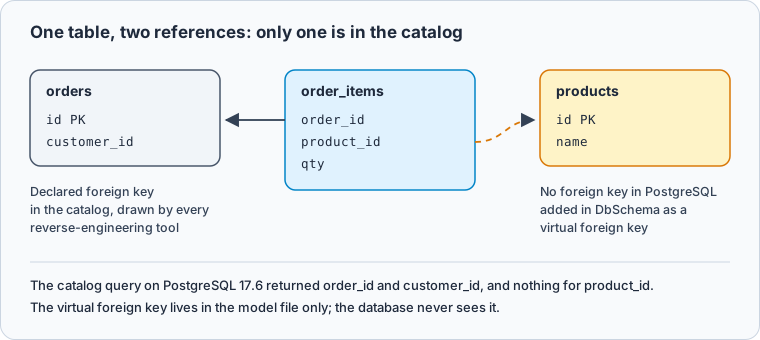
In DbSchema you drag product_id onto products.id and tick Virtual in the dialog. The virtual foreign key lives only in the DbSchema model, is drawn in another colour, and is never created in the database. Keeping it means saving the model file, which is in DbSchema Pro, and the Query Builder and the Data Explorer, also in Pro, follow it like a declared key. Model → Find Virtual Foreign Keys suggests candidates between columns with matching names.
DbSchema reads the database, edits the design and deploys the change
DbSchema connects to the database, reads its schema and draws it with the foreign key lines in place. Connecting, reverse-engineering and the diagrams are in the free Community Edition.
A large schema becomes readable in two steps. Diagram → New Diagram adds a diagram with only the tables you pick, so one model can hold a diagram per subject area, and Diagram → Auto Arrange Tables lays the tables out by their foreign keys (diagram documentation).
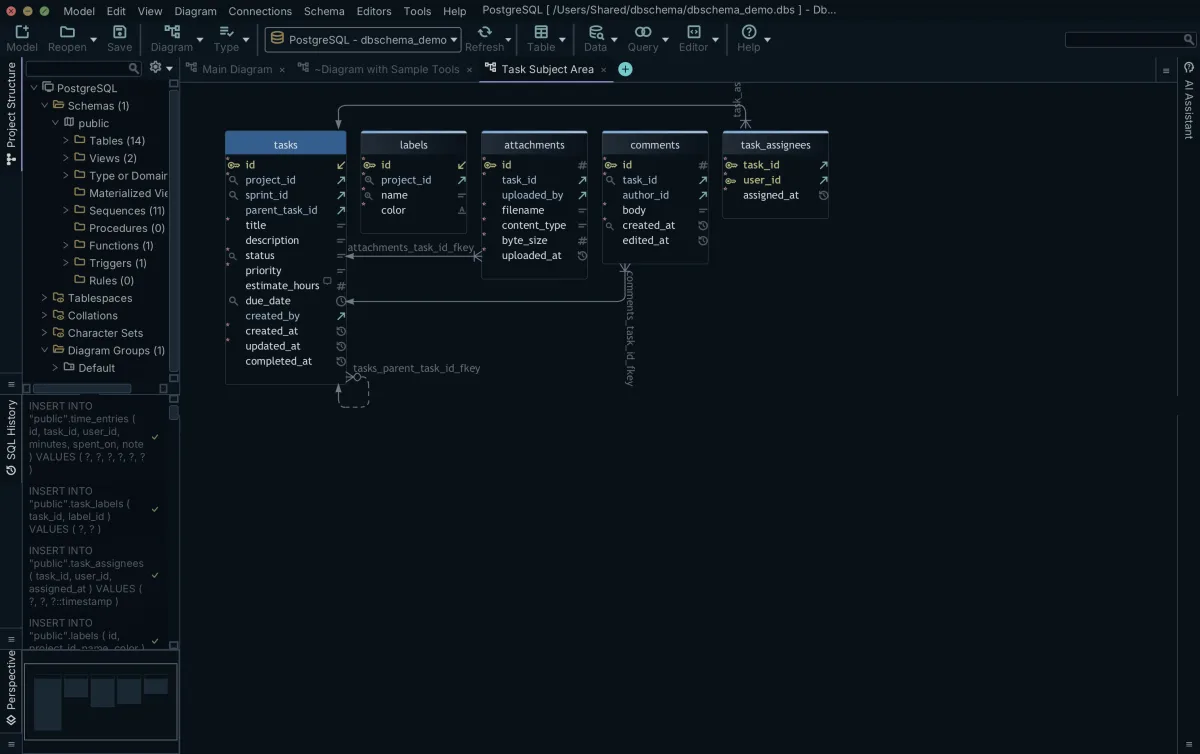
Editing the diagram changes the DbSchema model, not the database. To deploy, work offline and then connect: DbSchema compares the model with the database, lists every difference, and generates the CREATE and ALTER statements for the ones you choose (schema synchronization).
The model is one .dbs file, which you commit to Git from File → Git Collaboration (Git collaboration). File → Export As... → HTML5/PDF Documentation writes the schema as an HTML5 page, a PDF or Markdown, with the table and column comments as tooltips on the diagram (schema documentation). Saving the model file, the documentation and schema synchronization are in DbSchema Pro, at 294 USD one-time with the first year of updates or 29.40 USD a month (DbSchema purchase page). Logical and conceptual design are in DbSchema Architect.
DBeaver, MySQL Workbench and pgModeler also read the database
DBeaver
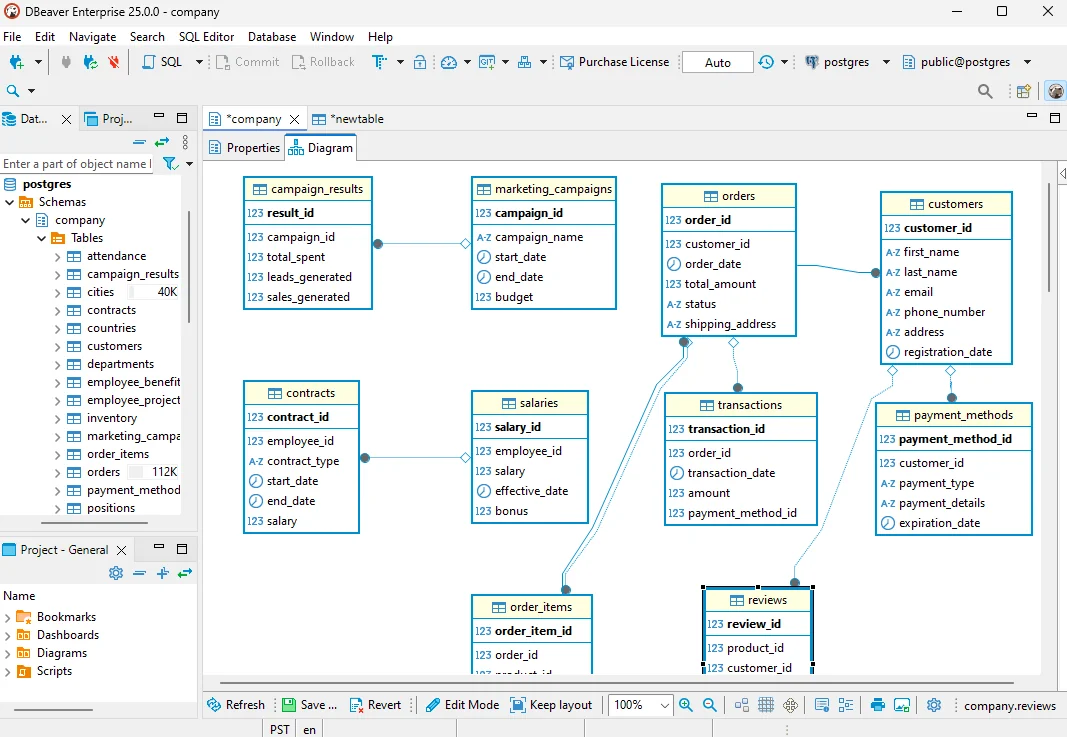
DBeaver is a database client that shows an ER diagram for the schema or table you open. The diagram is read-only until you switch to edit mode, which DBeaver's editions page, read on 3 November 2026, lists as "Database schema development (ERD Edit mode)" for Enterprise, Ultimate and Team. Enterprise costs 255 USD a year or 26 USD a month. Read DBeaver Alternative for the two side by side.
MySQL Workbench
MySQL Workbench models MySQL databases. Its free Community Edition reverse-engineers a MySQL database into an EER diagram and forward-engineers a diagram into a live database (MySQL Workbench manual). Another engine needs another tool.
pgModeler
pgModeler models PostgreSQL only, including PostgreSQL-specific objects. Its Community version is source code that you build yourself; the pre-built binaries and the import of an existing database are in the paid Plus edition, sold on a quote for 6 months, 12 months or a perpetual team licence, according to pgModeler's purchase page.
Drawing tools turn typed or pasted tables into a picture
dbdiagram.io
dbdiagram.io draws the schema from DBML, a text format you type in the browser, or from an imported SQL file. The web app does not connect to a database; its separate DBML CLI can read one and write DBML. Its pricing page lists a free plan with up to 10 diagrams and doc projects, and Personal Pro at 8 USD a month.
Lucidchart
Lucidchart builds an ERD from data you bring to it: it gives you a query, you run the query on your database, and you upload the result, as Lucidchart's help centre describes. After that the diagram is a drawing, and later changes to the database do not reach it.
draw.io
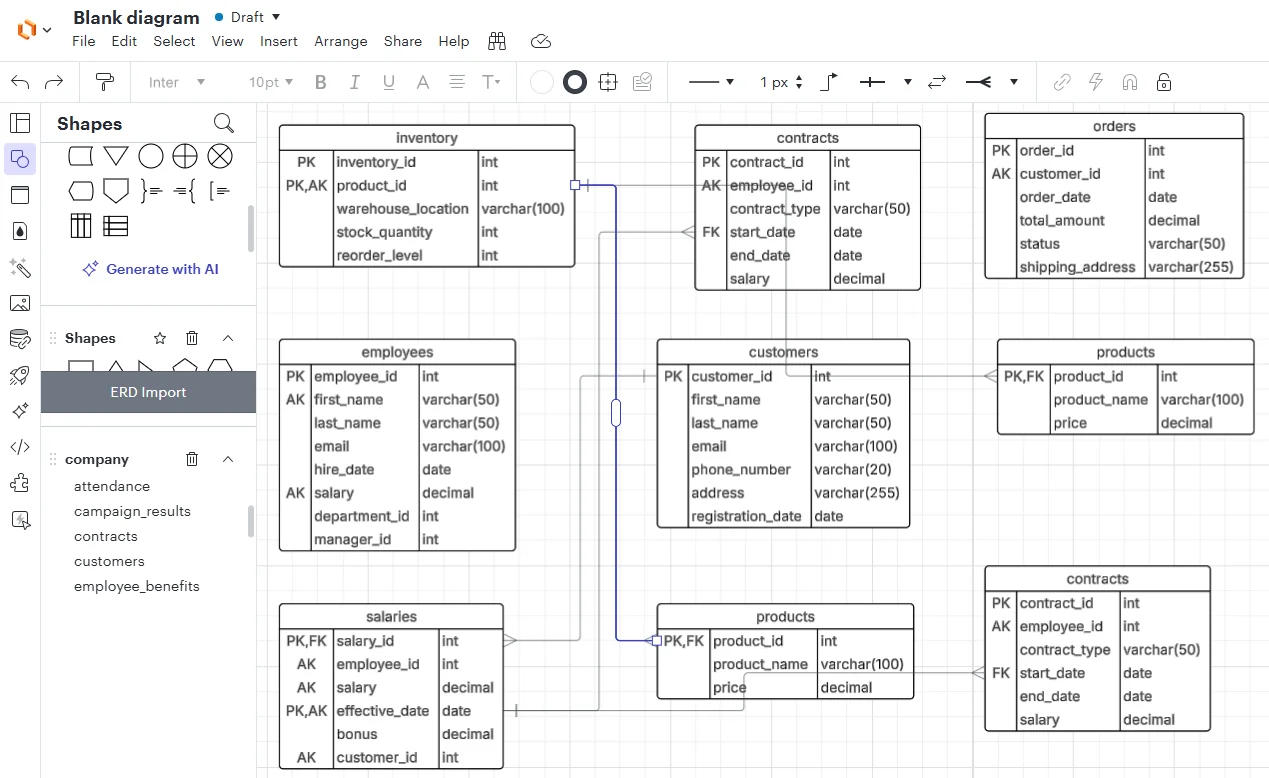
draw.io is a general diagram editor. It turns SQL CREATE TABLE statements that you paste in into table shapes, and from then on the shapes are edited like any other drawing.
DbSchema draws an existing database in one diagram
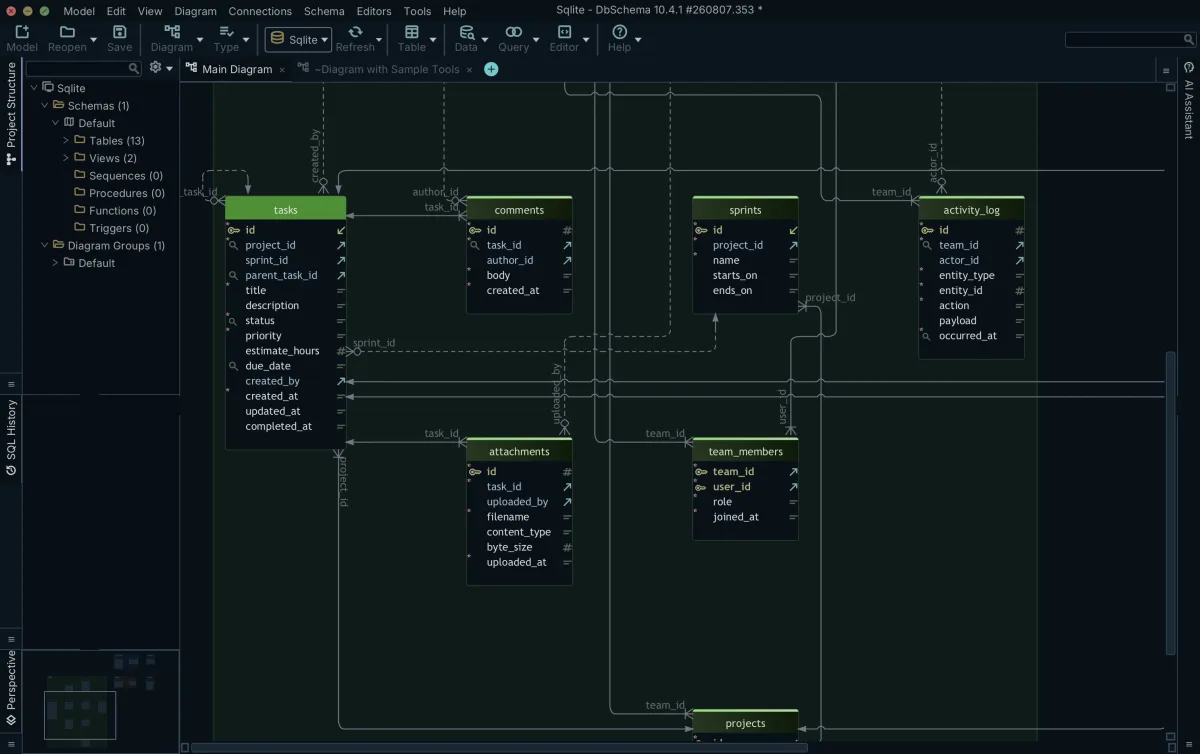
On SQLite, DbSchema opens the database file and draws its tables, views and declared foreign keys in one diagram. The same steps for other engines are in PostgreSQL ER diagrams, MySQL ER diagrams, SQLite ER diagrams and MongoDB database diagrams.
For the free tools only, see Top free ER diagram tools, and for design tools beyond ER diagrams, Best Database Schema Design Tools.
Download DbSchema, connect it to the database nobody has drawn yet, and split the result into one diagram per subject area. The diagrams are free in the Community Edition. Saving the model file with its virtual foreign keys, the HTML5 and PDF documentation and schema synchronization are in DbSchema Pro.
Sources
Create ER diagrams in minutes
DbSchema reverse-engineers your database into an editable diagram, splits a large schema across several diagrams, and exports interactive HTML5 documentation. The diagrams are in the free Community Edition; documentation export and schema synchronization are Pro.









