Security Questions to Ask About a Schema Sync Tool
For the DBA or architect who has to get a schema synchronization tool through a security review before the team is allowed to buy it.
On this page
You picked your schema synchronization tool, finance approved the budget, and then the security questionnaire arrived, asking where credentials live, what leaves the network, and who can push DDL at production. DbSchema answers all three from a documented page rather than from a sales call. We connect straight from your machine to your database over JDBC, with no DbSchema server in between; we save a password only when you tick Remember, and we save it locally; credentials go to your database, never to us[2].
Wise Coders, the company behind DbSchema, is ISO/IEC 27001:2022 certified, and we commit to the highest German and European standards on data privacy and security[6].
What a security review asks about a schema sync tool
A schema synchronization tool reads metadata from a live database, compares it against another definition of the schema, and generates DDL that can alter production. Three questions decide whether it passes review, and all three have answers you can verify yourself rather than take on trust.
The first is the path. Ask whether the desktop application talks to the database server directly, and whether the traffic is encrypted with parameters you set. The second is the privilege: whether the comparison works with a database user that can read the catalog and nothing more, so the account that deploys is a separate one. The third is the metadata: whether table names, column definitions and relationships stay inside your infrastructure or are copied to a vendor's servers to be rendered there.
Ask those three of every candidate before the schema compare shortlist gets shorter, because they are the ones a reviewer can neither waive nor test after the purchase.
Which credentials the comparison runs with
The safest arrangement adds no user directory of its own. DbSchema authenticates as the database user you type into the Connection Dialog, so every privilege boundary your DBA already defined applies unchanged, and there is no second password store to rotate.
Least privilege is easy to arrange because reverse-engineering only reads. Give the evaluation a database user with catalog read rights, connect, and let DbSchema build the model from it. Keep a separate account for the deployment step, which is the only step that writes.
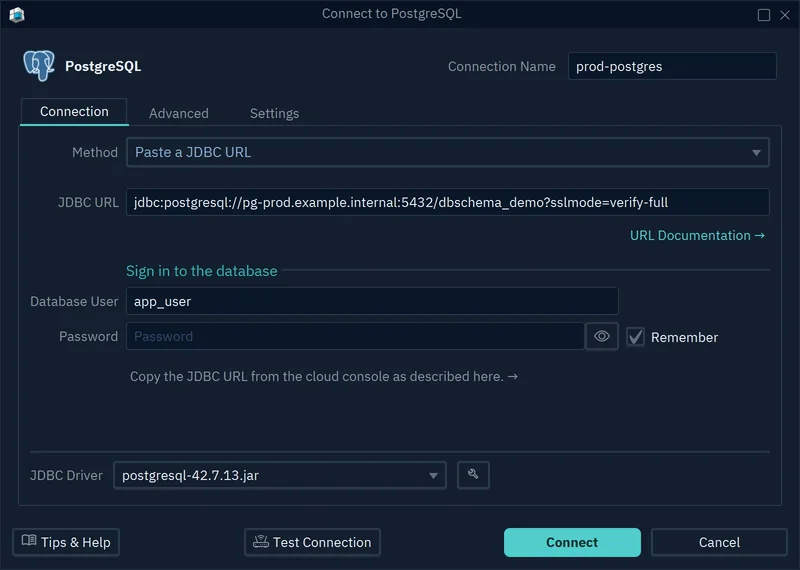
Three settings in DbSchema back that up[2]. Read Only Connection, on the Settings tab, opens the connection in read-only mode so the database refuses every change made through DbSchema; it is the setting for a production connection. Highlight, on the same tab, colors a connection as Production, Development or Test, so a production window is recognizable before you click anything. On the Advanced tab, Properties passes driver settings through as connection properties, which is how an Oracle connection using Kerberos authentication is configured.
An SSH tunnel is a named configuration you set up once and reuse across connections. It authenticates by password, by private key file, or through the running SSH agent, and with the agent the keys stay in ssh-agent or Pageant: DbSchema never sees the private key[2].
Where the schema metadata sits
A design that lives in a browser lives on somebody's server. Table names, column definitions, index layouts and relationships are uploaded so they can be rendered back to you, and that copy is then in scope for every review your organization runs.
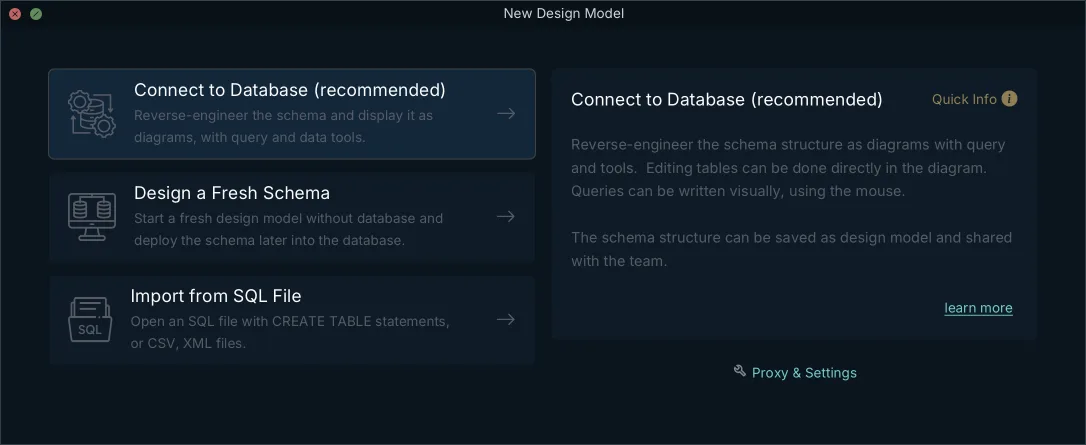
DbSchema keeps the design as a local project file: a .dbs file in XML, on your computer, which you keep where you keep your code[2]. Switch the connection to disconnected and you get offline design mode, where changes are saved only to the model file and no statement is sent to the database. Saving the model to a file and designing offline are in the Pro edition, along with schema synchronization itself[1].
| Reviewer's question | DbSchema | A browser-hosted design service |
|---|---|---|
| Where the design is stored | Local .dbs file, in your Git repository | On the vendor's servers |
| What sits between client and database | Nothing, JDBC direct | The service, and any agent it needs |
| When table data is read | When you open a table or run a query | Ask the vendor |
| What an AI feature sends | Only the DDL of the tables you attach | Ask the vendor |
What the AI Assistant sends
The rule to insist on is that an AI feature sees metadata and never rows. In DbSchema, only the DDL of the tables you attach is sent: table, column, type and relationship definitions. The assistant never connects to the database and never reads table contents, and query results, row values, passwords and connection details stay inside DbSchema[3].
You choose the tables with the Attach button, and the attachment preview shows the exact CREATE TABLE text that will travel with the question, so nothing is sent blind. Where even the schema must not leave the machine, select Ollama as the provider and run a local model. Where policy forbids AI features outright, clear the Enable checkbox in Edit → Settings → General → AI Assistant and the assistant is gone after a restart[3].
The audit trail lives in Git
Desktop tools do not run a central logging server, and for schema work they do not need one: the repository your team already audits is a better record than a vendor's log. The .dbs file is XML, so committing it gives a history of every table added, column altered and index changed, with branches, merges and rollbacks working as they do for code[4].
DbSchema has the Git client built in. Open Git — Collaborative Design from the Model menu, clone the repository, then use Stage, Commit and Push to publish the model; Pull brings a teammate's version back, and Compare with Current opens the Synchronization Dialog on what changed[4].
- Design or refresh the schema in DbSchema and save the model file. Only the file changes.
- Generate the migration script from the comparison against the target database.
- Commit the model file and the script to a protected branch.
- Have the change reviewed and merged like any other pull request.
- Deploy the approved script with the deployment account, which is the step that writes to the database.
The migration script in the commit is what makes the trail complete: the reviewer sees the design change and the SQL that implements it side by side.
How to test each security requirement
Run these on a staging database during the trial, with the network monitoring your team normally uses. Every one of them produces evidence you can attach to the review, and all but the comparison test run on the free Community edition.
Do them in this order, because each one narrows what the next can go wrong in: connect, then restrict, then compare, then deploy to a copy nobody depends on.
| Test | How to run it | What you should see |
|---|---|---|
| Encrypted connection | Set the SSL parameters on the Advanced tab, then click the eye button | The composed JDBC URL, with the parameters you chose |
| Least privilege | Connect with a catalog-read-only user | Reverse-engineering completes without write rights |
| Read-only production | Tick Read Only Connection, then try an edit | The database refuses the change |
| Script review | Compare model and database, then read the SQL | Nothing runs until you click Execute |
| What leaves the machine | Watch outbound traffic while you work | Which hosts the application contacts, and at which moment |
Two of those tests deserve a second run. Repeat the read-only test with a user that has more rights than you meant to grant, and watch what the comparison does when it can write. Repeat the script review on a schema somebody has changed by hand, because drift is the thing a comparison has to report honestly. When you compare schema migration tools, check as well that destructive statements such as DROP COLUMN are visible in the generated script rather than folded into it.
What the cost is over three years
Security and cost meet in one place: how many licences the policy forces you to buy, and whether they stop working when a renewal is missed.
| Tool | Listed price | Engines per licence | Over three years |
|---|---|---|---|
| DbSchema Pro | One time or monthly, on the purchase page | All supported SQL and NoSQL engines | One purchase, renewals optional |
| Navicat Premium Enterprise | 799.99 USD a year, or 1,599.00 USD perpetual | Multiple relational and NoSQL engines | Three subscription years, or one perpetual purchase |
| dbForge Studio for SQL Server | 299.95 USD a year Standard, 659.95 USD a year Enterprise | One engine, separate Studio per engine | Renewals for as long as you subscribe, per engine |
Navicat lists Navicat Premium Enterprise at USD 79.99 a month, USD 799.99 a year, or USD 1,599.00 for a perpetual licence[5]. Devart lists dbForge Studio for SQL Server at $299.95 for a one-year Standard subscription and $659.95 for Enterprise, before taxes, with a switch between subscription and perpetual and one, two or three year durations that move the figure[7]. The dbForge Studio products are sold one engine at a time, so a stack with PostgreSQL and MongoDB in it needs a second and a third purchase.
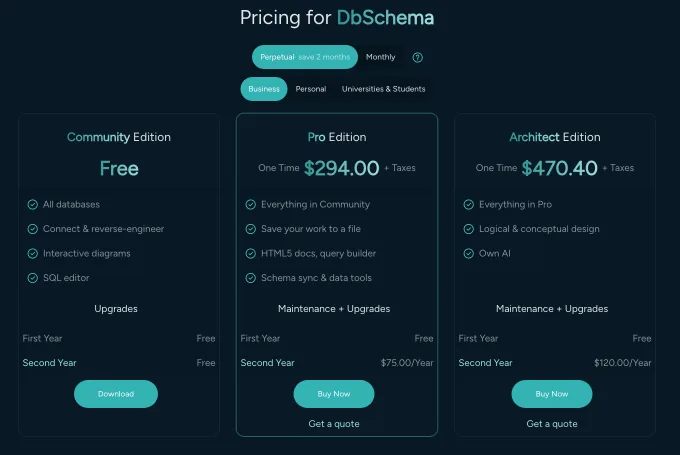
The purchase page carries the DbSchema figures on three audience tabs, Business, Personal and Universities & Students, and it prices in your own currency, so the row above gives the shape of the licence and the page gives the amount. Pro is a one-time purchase per user plus taxes, covers every supported engine, and includes the first year of updates; the annual renewal after that is optional, because the licence you bought keeps working[1]. That tier is the one that carries schema synchronization, the saved model file, the documentation export and the visual query builder.
The questions to ask a vendor before you buy
Send this list with the trial request, and keep the written answers for the review file:
- Where connection strings and passwords are stored, and whether they leave the workstation.
- Whether schema metadata, query text or telemetry is transmitted to vendor servers.
- Whether the product runs with no internet access, on an air-gapped network.
- How JDBC drivers are obtained, and whether you may supply your own
.jar. - What an AI feature reads, and whether it can be switched off entirely.
- Whether the generated DDL is shown for review before it executes.
Run the tests above against your own database while you wait for the answers. Download DbSchema at https://dbschema.com/download.html, connect with a read-only user, and reverse-engineer a schema over an SSL connection. Connecting, reverse-engineering, the diagrams and the SQL editor are free in the Community edition, which covers the least-privilege and outbound-traffic tests; the saved model file, offline design and schema synchronization are Pro, and a new installation starts with a 15-day Architect trial, which includes them.
Frequently asked questions
What are the core security requirements for a schema synchronization tool?
An encrypted connection whose parameters you control, a comparison that runs with the database's own privileges, and metadata that stays in your infrastructure. DbSchema picks the encryption from the driver's own parameter list rather than from a hand-typed URL. For PostgreSQL that is SSL Mode: Prefer falls back to a plain connection, Require always encrypts, and Verify CA also checks the server certificate against a trusted CA certificate[2].
Does DbSchema store my database credentials in the cloud?
Your credentials go to your database and never to us. The one thing DbSchema fetches from our own repository is the JDBC driver, and where downloads are blocked you click the wrench button in the Connection Dialog and supply the driver .jar yourself[2].
Are AI features in database design tools a security risk?
DbSchema's AI Assistant honors the proxy and TLS settings configured in Edit → Settings → Network, including SOCKS proxies and a company certificate, so its requests take the path your network team already inspects[3]. Bringing your own provider account and API key, so the requests go to a provider your company already has a contract with, needs a Pro or Architect licence[3]. What the assistant is allowed to send at all is the section on the AI Assistant above.
How does licensing affect the three-year cost of a database tool?
A subscription bills for as long as you use it, and single-engine products need a licence per database dialect. The Business tab of the DbSchema purchase page also sells a floating licence, which is per team rather than per person: the quantity you buy is how many people work at the same time, and the team sharing those seats can be larger. The three-year arithmetic for the per-person licences is in the section on cost.
Sources
Run these security tests against your own database
DbSchema connects over JDBC with SSL, keeps the design model in a local .dbs file you can commit to Git, and shares only the DDL of the tables you attach with its AI Assistant. Community Edition is free for connecting and reverse-engineering; schema synchronization and offline design are Pro.









