What Is a .dbs File? The DbSchema Design Model Explained
For DbSchema users, and for anyone reviewing a .dbs file in a repository, who want to know what the file holds and how to read a change to it.
On this page
You found a file ending in .dbs, maybe in a pull request, and want to know what it is. If DbSchema wrote it, it is a design model: one XML text file that holds a database schema, the diagrams drawn over that schema, and the editors left open beside them. It opens without any database, and any text editor shows it. A DbSchema model starts with these two lines:
<?xml version="1.0" encoding="UTF-8" ?>
<project name="PostgreSQL" database="PostgreSQL" id="cf87f0ad-e674-41b6-afc1-25d3e371a8b2" >
The database attribute names the engine that the model is designed for. If your file starts any other way, another program wrote it: FileInfo lists Gupta SQLBase databases and GAMBIT mesh files under the same extension.
What a .dbs file stores
XML stores data as nested tags, the way HTML marks up a page, and it is plain text. That is why a .dbs file opens in any text editor, and why Git can show what changed in it line by line.
Each schema element holds the tables with their columns, keys, indexes, constraints, foreign keys and comments, then the views, sequences, procedures, functions and triggers. The diagrams follow the schemas, and everything you see in the DbSchema window is saved with them, down to the SQL Editor and Query Builder tabs you left open.

The model is not the database. Choose File → New Model and connect, and DbSchema reads the schema into a new model without changing the database. While connected, a change you confirm runs in the database at once; offline, it stays in the model until you compare the two. File → Save Model to File writes the .dbs file, which needs DbSchema Pro. A saved model opens with no server at all, and Model → Convert Model converts it to another of the databases DbSchema supports.
An excerpt from a real .dbs file
Below is part of the model that DbSchema 10.5.2 saved for a PostgreSQL schema named shop. The <!-- … --> lines mark where lines were cut, and the indentation is shortened.
<?xml version="1.0" encoding="UTF-8" ?>
<project name="PostgreSQL" database="PostgreSQL" id="cf87f0ad-e674-41b6-afc1-25d3e371a8b2" >
  <schema name="shop" catalogname="shopdb" >
    <table name="addresses" row_count="200" spec="" >
      <column name="address_id" type="integer" mandatory="y" >
        <defo><![CDATA[nextval('shop.addresses_address_id_seq'::regclass)]]></defo>
      </column>
      <!-- … -->
      <column name="country_code" type="char" length="2" mandatory="y" />
      <index name="addresses_pkey" unique="PRIMARY_KEY" >
        <column name="address_id" />
      </index>
      <!-- … -->
      <fk name="addresses_country_code_fkey" to_schema="shopdb.shop" to_table="countries" options="" >
        <fk_column name="country_code" pk="country_code" />
      </fk>
    </table>
    <!-- … -->
    <table name="countries" row_count="10" spec="" >
      <comment><![CDATA[ISO 3166 countries the shop ships to]]></comment>
      <column name="country_code" type="char" length="2" mandatory="y" />
      <column name="name" type="varchar" length="80" mandatory="y" />
      <index name="countries_pkey" unique="PRIMARY_KEY" >
        <column name="country_code" />
      </index>
    </table>
    <!-- … -->
  </schema>
  <diagram_group name="Default" id="7bd4cdef-571c-4fc0-bcbb-0ad85862a025" >
    <diagram name="Main Diagram" id="912d6936-d5a8-4e7a-a202-084b720918ad" show_relation="columns" >
      <entity schema="shopdb.shop" name="addresses" color="BED3F4" x="228" y="57" />
      <entity schema="shopdb.shop" name="countries" color="BED3F4" x="57" y="57" />
      <!-- … -->
    </diagram>
  </diagram_group>
</project>
Everything about a table sits between its opening and closing tag: the columns, then the indexes, then the foreign keys. A foreign key lives in the table that owns it, so addresses_country_code_fkey is inside addresses and names countries as its target. To find every table that points at countries, search the file for to_table="countries".
The attributes map onto SQL like this; the UNIQUE_KEY and NORMAL rows come from other tables of the same file:
| In the .dbs file | In SQL |
|---|---|
mandatory="y" | NOT NULL |
no mandatory attribute | nullable |
<index unique="PRIMARY_KEY"> | primary key |
<index unique="UNIQUE_KEY"> | unique constraint |
<index unique="NORMAL"> | plain index |
<defo> | DEFAULT |
<comment> | COMMENT ON |
The primary key is easy to miss: it is an index element, not a flag on the column, so address_id looks like an ordinary column until you read the index below it. row_count is the number of rows DbSchema read from the database, which describes the data rather than the design.
The diagrams in the same file
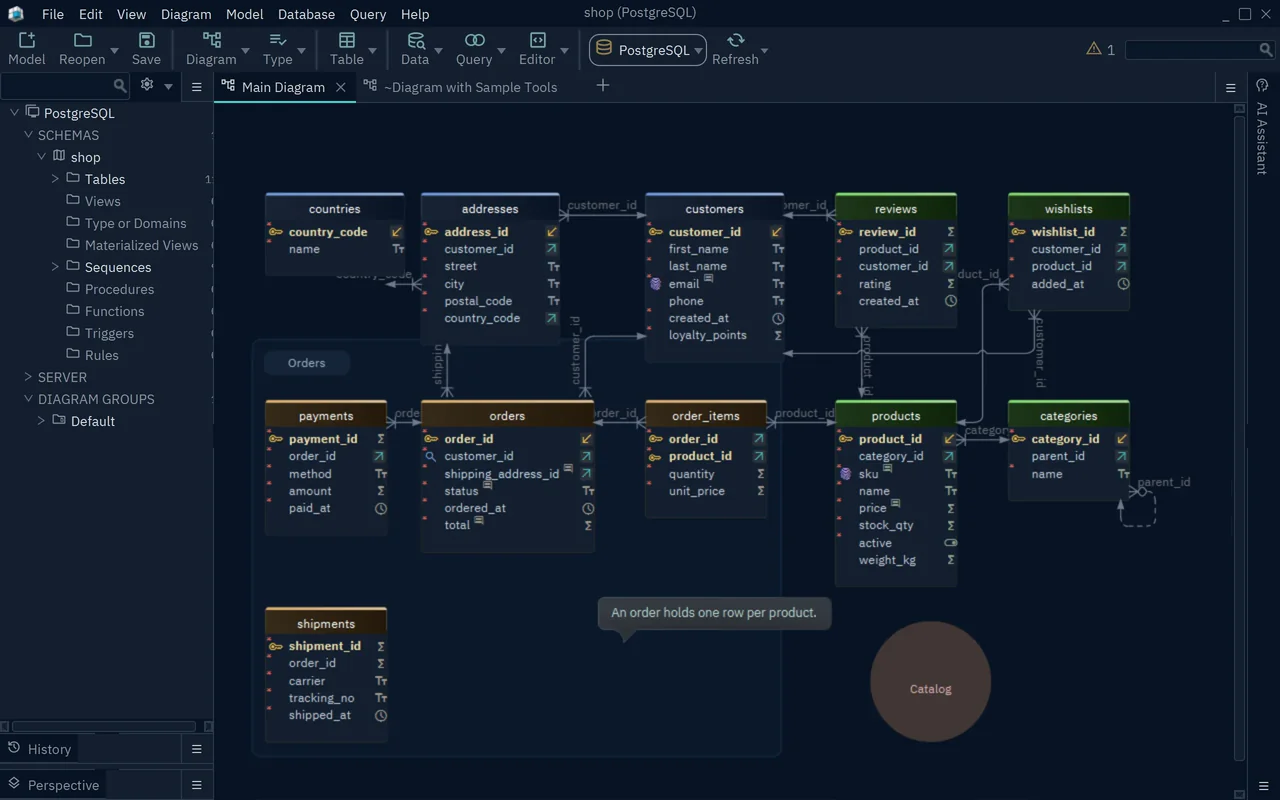
Each diagram element lists one entity per table box, with its position and header color. The schema and the drawing are stored apart, so moving a box changes only its x and y, and one model can hold many diagrams with the same table on several of them. Files saved by older DbSchema versions name this element layout. DbSchema still reads them and writes diagram when it saves, so the first save after an upgrade rewrites those lines.
Reading a change to a .dbs file
The diff below comes from loading that model in DbSchema 10.5.2, widening customers.phone and making it required, renaming shipments.carrier, adding a virtual foreign key from shipments to orders, and saving:
-      <column name="phone" type="varchar" length="30" />
+      <column name="phone" type="varchar" length="40" mandatory="y" />
 …
-      <column name="carrier" type="varchar" length="40" mandatory="y" />
+      <column name="carrier_name" prior="carrier" type="varchar" length="40" mandatory="y" />
 …
+      <fk name="shipments_order_id_vfk" virtual="y" to_schema="shopdb.shop" to_table="orders" >
+        <fk_column name="order_id" pk="order_id" />
+      </fk>
Each change stays on the line of the object it changes, which keeps a review short. A new mandatory="y" deserves the closest look, because once it reaches the database, the database rejects a NULL in that column.
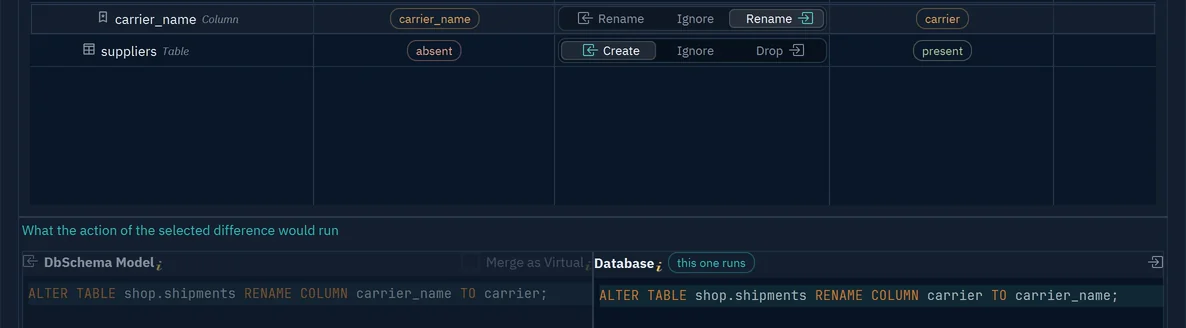
The renamed column keeps its old name in prior. That attribute tells DbSchema the column was renamed rather than dropped and added, so schema synchronization runs ALTER TABLE ... RENAME COLUMN instead of a drop and a create, which would lose the column's data.
virtual="y" marks a virtual foreign key, one that exists only in the model. DbSchema never creates it in the database, and the Query Builder and the Data Explorer follow it like a real one. You add one by dragging the child column onto the parent column and ticking Virtual.
A diff that touches only x, y and color inside a diagram element is a tidy-up of the drawing and changes nothing in the schema.
The .dbs file in Git and against the live database
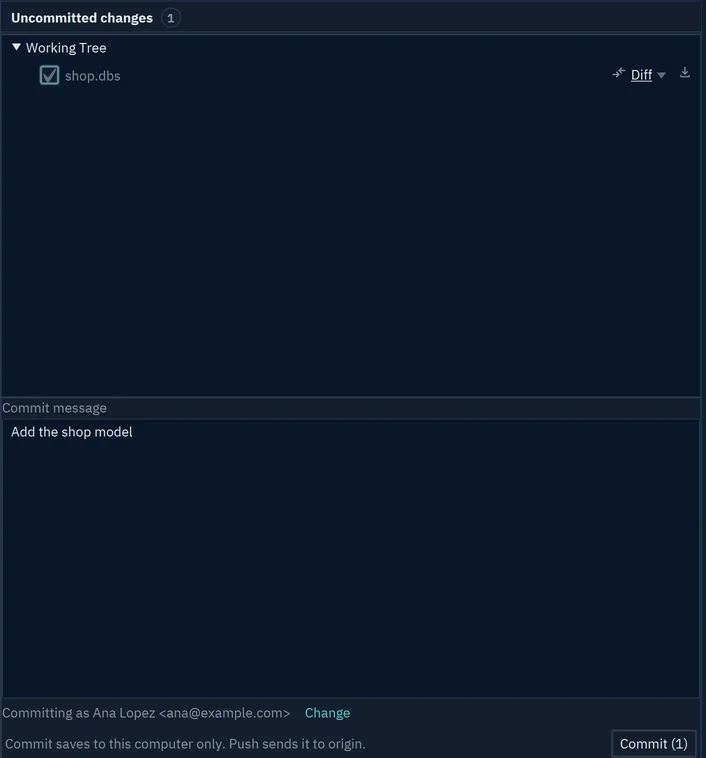
Commit the .dbs file next to the code that uses the database, and the schema gets the same history and review as the code. DbSchema has Git built in: File → Git Collaboration opens a dialog where you tick the model file, commit and push. Model History lists every commit that changed the model, with the tables each one changed. When you and a teammate change the same part of the file, the pull ends in a conflict, and the dialog offers Ours, Theirs and Merge... on the file's row. The guide to database design tools with Git covers the wider workflow.
Database → Refresh Model from Database counts the differences, and Review Differences lists them in the Synchronize Model and Database dialog. On each row you choose which side wins, then press Apply to the model, Commit in the database, or Generate SQL script. Model → Compare Model with Other Model From File opens the same dialog against a second .dbs file, such as the version on another branch, and runs nothing in a database. Synchronization needs DbSchema Pro; the offline design guide walks through it.
To see your own schema as a .dbs file, download DbSchema, connect to your database and let it reverse-engineer the schema into diagrams, which the free Community Edition does. Saving the model to a .dbs file, synchronizing it with the database and exporting HTML5, PDF or Markdown documentation from it need DbSchema Pro.
Open a .dbs model yourself
DbSchema reverse-engineers your database into an interactive ER diagram in the free Community Edition. Saving the project to a .dbs file, offline design and schema synchronization are Pro.









