Schema Migration Tools Compared
For the backend engineer deciding how a schema change gets from a design into production, and who has to write or generate the DDL.
On this page
The column has to be added, and somebody has to write the ALTER. DbSchema removes that step. You make the change on the diagram, and DbSchema compares the model file against the target database and generates the DDL from the difference. You read that script before anything runs. Liquibase and Flyway approach the same job from the file end, with changelogs and versioned SQL scripts you author yourself and a command line that applies them. All three land the same statements on the server; what differs is who writes them and what you keep afterwards.
One piece of vocabulary first, because the search terms run together. Data migration moves records from one system to another. Schema migration changes structure, and the data usually stays where it is. This page is about the second.
Which tool is best for data migration?
Pick by where the change is authored. DbSchema is the choice when the schema is something you design and review before it ships: you edit tables and foreign keys on the diagram, diff that model against a live database, and get the migration script generated for you. Liquibase fits teams who want one database-agnostic changelog applied from a CLI across a mixed estate. Flyway fits teams who prefer plain SQL files applied in version order[4].
Four questions separate them in practice. The first is whether a change can be applied unattended in a pipeline. The second is whether the schema is drawn as a diagram you edit. The third is whether that design can be edited with no connection open. The fourth is whether it can be compared against a live database. DbSchema answers the last three, and Liquibase and Flyway are built around the first. For the unattended step, DbSchema ships DbSchemaCLI and Groovy automation scripts that a CI pipeline can run, so the visual diff stays the design-stage review and the pipeline does the rest. If you are still choosing the modeling side as well, the wider field is in database design tools.
Is Liquibase a database migration tool?
Liquibase is a schema change and version control tool. You list every change to the database sequentially in a text-based changelog, which you store and version in any source control tool, and each unit of change in that file is a changeset[1]. Running the update command deploys the changesets that have not been applied yet. Changelogs can be written in SQL, XML, YAML or JSON, and Liquibase decides the format from the file extension and the changelog header[1].
Liquibase keeps track of what it has already deployed in a DATABASECHANGELOG table inside the database, and from version 4.27.0 it records further migration information in DATABASECHANGELOGHISTORY[1]. Coverage is broad: the documentation puts it at 60+ databases across relational, NoSQL and graph engines[2], which is what lets one pipeline configuration govern a mixed estate.
How Liquibase is licensed
The commercial tiers are Starter, Growth, Business and Enterprise, and every one of them is quote-only: the pricing page carries no figure, only a "Get a Quote" button[3]. What the tiers scale is scope rather than seats. Starter covers up to 5 applications and 1 database type, Growth up to 10 applications and 3 database types, Business up to 25 applications and 4 database types, and Enterprise is unlimited on both. Starter and Growth are available to companies under 1 billion USD in annual revenue[3]. A DbSchema licence is priced per user instead, so the number of applications and engines you point it at does not change the bill.
What are the three data migration tools available?
The three split on one line: where the change is authored. DbSchema starts from a visual model, compares it against the live database and generates the DDL from the difference. Liquibase starts from a changelog you write, in SQL, XML, YAML or JSON[1]. Flyway starts from SQL migration files applied in version order[4].
| Feature | DbSchema | Liquibase | Flyway |
|---|---|---|---|
| Where the change is authored | Diagram and model file | Changelog file | SQL migration file |
| Primary interface | Desktop application | CLI, flow files, Java API | CLI, Flyway Desktop, Java API |
| Engines | 70+ SQL and NoSQL | 60+ SQL, NoSQL and graph | Redgate's published list |
| Free tier | Community, no time limit | Open source | Community |
| Paid licensing | Per user, perpetual or monthly | Quote-only, scaled by apps and engines | Teams and Enterprise |
| Schema drift review | Visual model against database diff | CLI inspection | check -drift, Flyway Enterprise |
DbSchema is the only one of the three that draws the schema, and that is the practical difference on a change nobody has written yet. The diagram is where the column is added, and the script is a by-product of comparing that diagram against what is deployed.
The engines row is worth reading next to the licensing row. Liquibase counts database types against your tier, so a mixed estate moves you up the price list as it grows[3]. DbSchema covers every engine it supports on one per-user licence, so adding a MongoDB cluster to a PostgreSQL estate adds a diagram to the same model rather than a line to the contract. The free tiers differ in the same way: DbSchema Community Edition has no time limit and covers connecting, reverse-engineering, the diagrams and the SQL editor across all of those engines.
What is the best tool for data migration?
Flyway's model is deliberately plain. You write SQL migration files, Flyway scans the filesystem or the classpath, applies the pending ones in order of version number, and records each one in a schema history table so it never runs twice[6]. Drift detection is a separate matter of edition: the check -drift command, which compares a target environment against a snapshot and can abort a deployment, is documented as Flyway Enterprise[5].
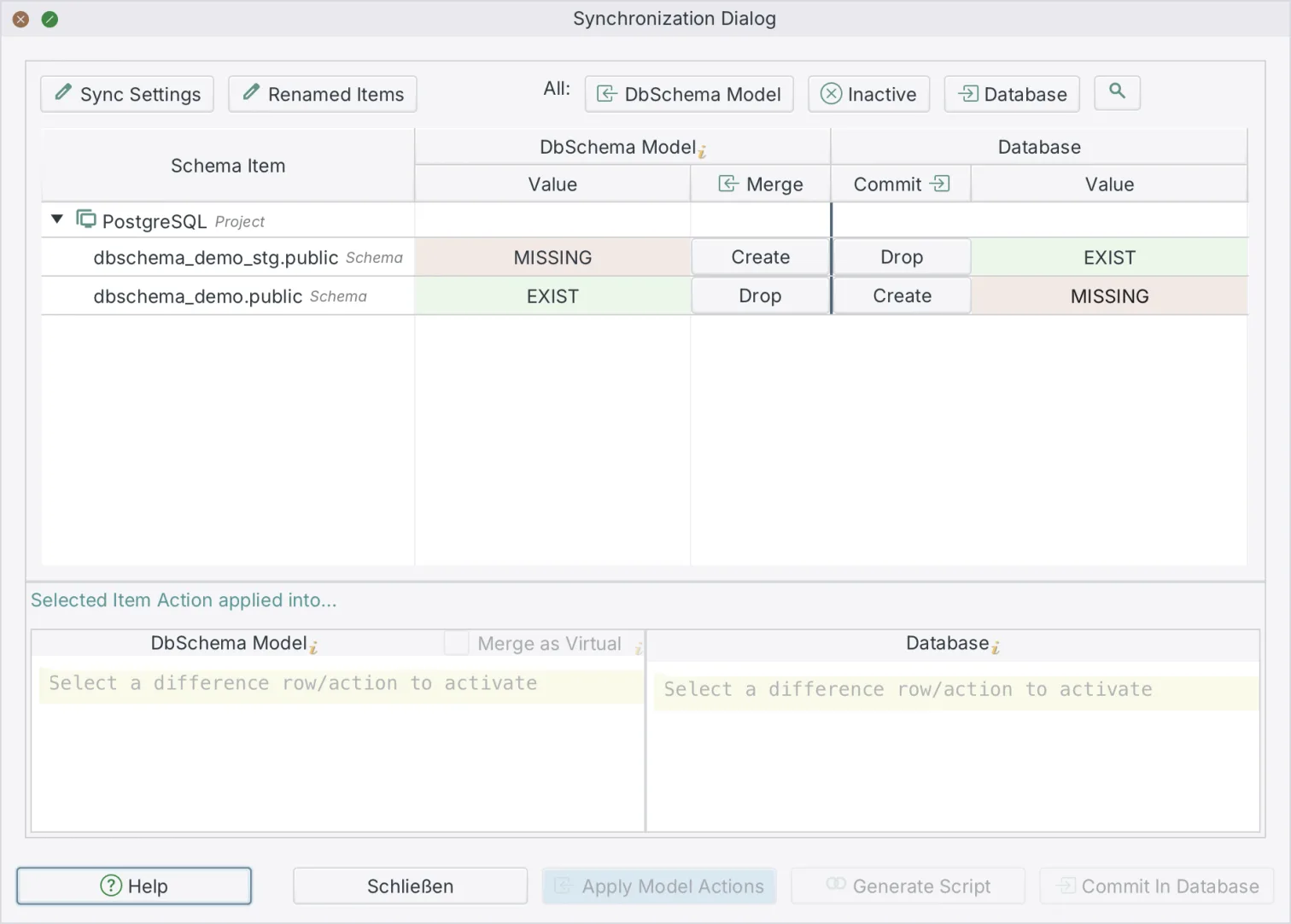
DbSchema takes the other route, and drift review is in Pro rather than in a top tier. You design tables, edit data types and draw foreign keys in the .dbs model file with no live connection open, so nothing reaches a server while the change is still being argued about. When it is ready you connect, DbSchema reads the current structure over JDBC, and the differences are listed object by object before any script exists.
What DbSchema covers, and what it is priced at
Diagram editing spans 70+ engines from one installation, and the model file commits straight into Git with no cloud service in the loop. DbSchema is licensed per user, as a perpetual licence or a monthly subscription, and the purchase page prices in your own currency on separate tabs for Business, Personal, and Universities & Students[7]. Connecting, reverse-engineering, the diagrams and the SQL editor are in the free Community Edition. Schema synchronization, saving the model to a file, the documentation export, the Query Builder and relational data browsing are Pro.
How to generate a migration file?
In a code-first workflow you write the file: a versioned SQL migration for Flyway[6], or a changeset for Liquibase[1], and then the CLI applies it. The statements are yours to get right, including the constraint order on a table other tables point at.
DbSchema replaces the drafting step with a comparison. You change the model, connect to the target, and DbSchema reads its current structure over JDBC and diffs it against the model, listing missing tables, altered columns, changed data types and index differences.
Generating the script, step by step
- Open the
.dbsmodel file and make the schema change on the diagram. This changes the model file only. - Connect over JDBC to the target development, staging or production database.
- Open Schema → Synchronize Model with Database and choose the target schema or catalog.
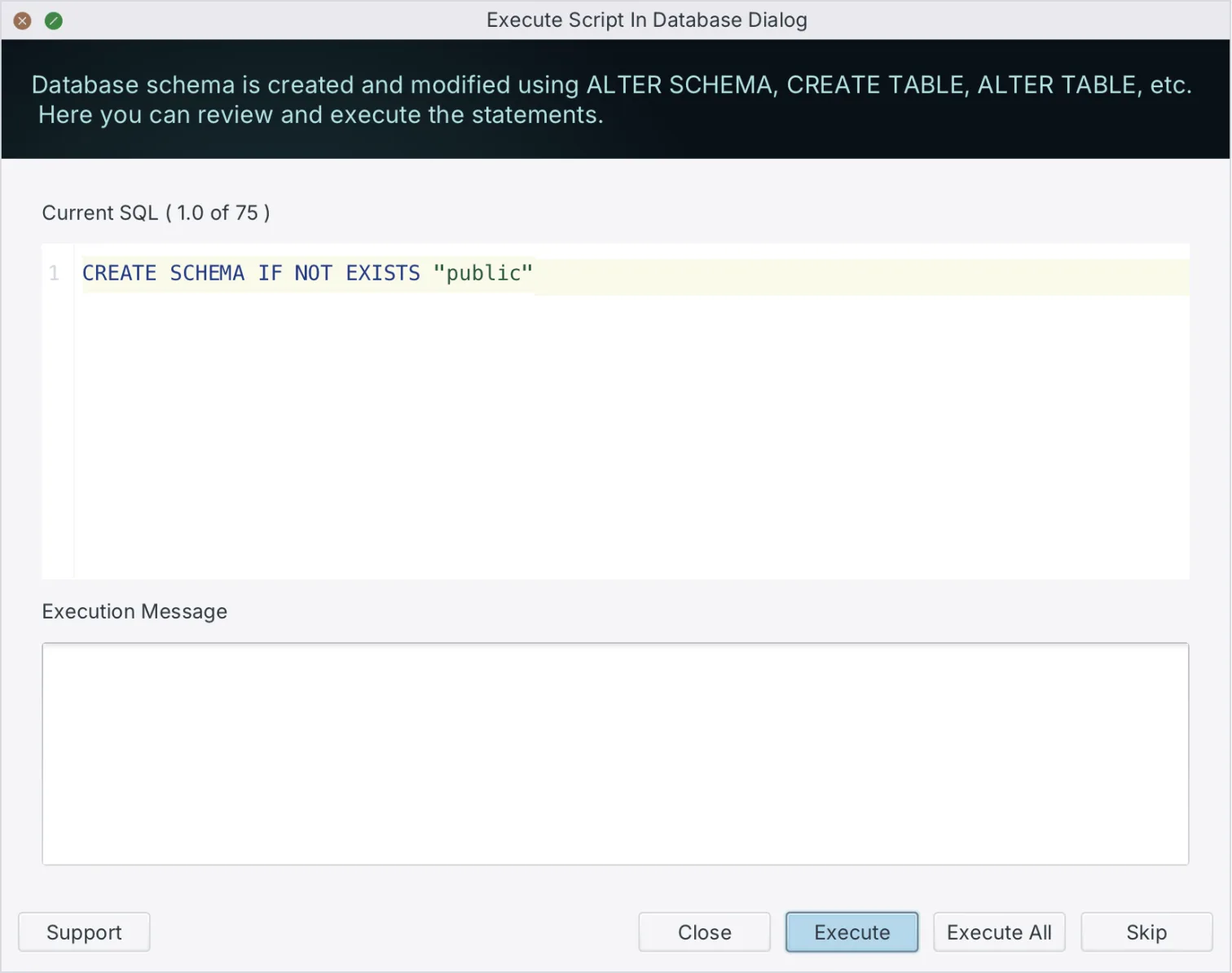
- Read the generated SQL statements in the Sync Dialog and edit them there if you want to.
- Click Execute to apply the changes to the database, and commit the script and the model file to Git.
Only step 5 touches the server; everything before it happens in the model file and in the dialog. DbSchema exports database documentation from the same model, so the docs move with the migration rather than trailing it.
What is a migration script?
A migration script is an ordered set of DDL statements that moves a schema from one version to the next: create table, alter column, add constraint, drop index. Kept in version control, it is the record of how the database got to its current shape, and it is what lets a colleague reproduce that shape on a fresh environment without guessing.
What a script touches is a short list: tables, the columns inside them, the foreign keys between them, and the constraints and indexes that guard them. That list is also what a schema comparison walks, which is why a generated script and a hand-written one end up describing the same four things. The difference is that DbSchema derives the statements from two structures it has read, so a foreign key you forgot to mention still appears in the diff.
How to run a migration script?
Promote the change through environments rather than straight to production. Apply and validate the script on a local development database first, then on staging or test where the integration suite runs against it, and run it on production last, inside a deployment window. The reason is timing as much as correctness: a statement that rewrites a table takes as long as the table is big, and staging with realistic volumes is where you find that out.
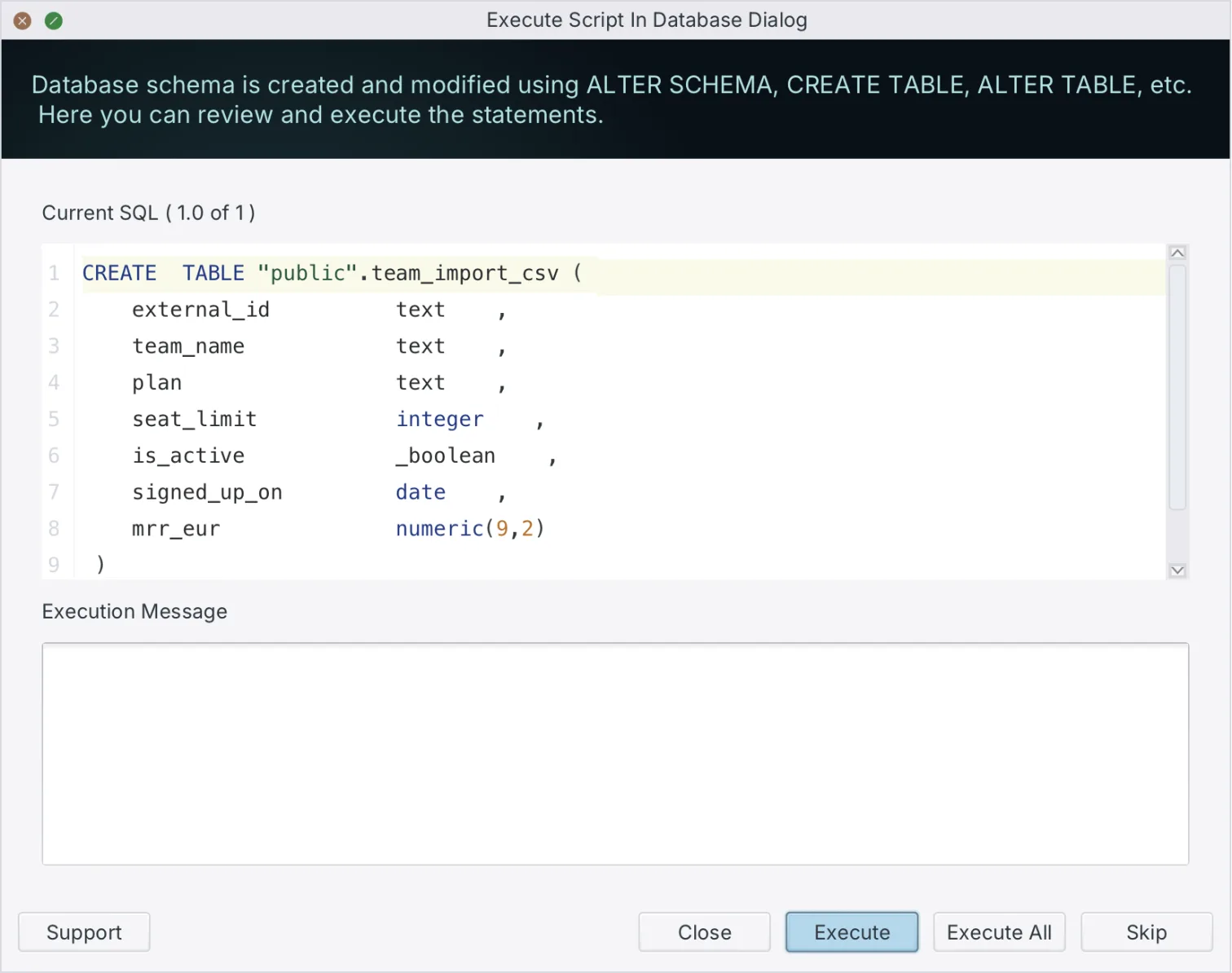
Before the production run, take the backup and confirm it restores. During the run, read the statements in the Sync Dialog and edit anything you want to change before clicking Execute, since DbSchema puts the script in front of you rather than applying it silently. Afterwards, check that the structure matches the model and that the application still connects, and commit the model file and the generated script together so the next diff starts from what was actually deployed. For a broader look at the category, see what a database migration tool does.
Download DbSchema at https://dbschema.com/download.html, reverse-engineer a database you already run, change one column on the diagram, and read the migration script it generates before anything reaches the server. Connecting, reverse-engineering, the diagrams and the SQL editor are in the free Community Edition; the model file, schema synchronization and the documentation export are Pro.
FAQ
What is the difference between data migration and schema migration?
Schema migration changes structure and leaves the records alone, while data migration moves the records themselves. DbSchema also covers the case where the structure has to move to another engine: change the RDBMS field in Model → Model Properties and DbSchema remaps the data types, so a model designed for MySQL can be created on PostgreSQL.
What databases does Flyway support?
Redgate publishes the list per Flyway version, and the product prints it on request: flyway list-engines outputs the databases the installed version supports, with -outputType=json for a machine-readable list[8]. DbSchema connects to 70+ SQL and NoSQL engines on one per-user licence, and its model-against-database review, which is in Pro, covers every one of them.
What are the components of a database schema?
Tables, the columns inside them, the foreign keys between them, and the constraints and indexes that guard them. DbSchema reads all four when it reverse-engineers a database, and in Schema → Compare Model with Database each difference it finds gets one of three answers: update the model, push the change to the database, or skip it.
How much does Liquibase Starter cost?
Liquibase quotes every commercial tier rather than listing a price[3]. What each tier covers, and the revenue condition on Starter, is in the licensing section above. DbSchema's own figures are on the purchase page, on separate tabs for Business, Personal, and Universities & Students.
How does Liquibase know which changes it already applied?
A changeset is identified by its author and id attributes together with the path of the changelog file it sits in[9]. Liquibase runs it once and does not run it again unless the changeset carries runAlways or runOnChange. DbSchema answers the same question by comparing the model file against the live structure at the moment you synchronize.
Can I generate database migration scripts without writing SQL?
DbSchema writes the script from a comparison rather than from typing: it diffs the .dbs model file against the target and generates the DDL for the differences you select. For a schema you designed offline and have never deployed, Schema → Create or Upgrade Schema in Database generates the whole DDL and runs it once you have read it. Schema synchronization is a Pro feature.
Sources
- Liquibase documentation, what is a changelog
- Liquibase documentation, supported databases
- Liquibase pricing
- Redgate Flyway documentation, migrations
- Redgate Flyway documentation, check drift
- Redgate Flyway documentation, getting started
- DbSchema purchase page
- Redgate Flyway documentation, list engines
- Liquibase documentation, what is a changeset









