Best Database Design Tools 2026: 10 Compared
For the person picking a tool to draw a database schema, keep the diagram in step with the live database, and hand documentation to the rest of the team.
On this page
Most schemas get drawn twice: once in a drawing app for the design review, and again in the database when someone creates the tables. DbSchema is the pick when you want to draw it once. This database design tool reverse-engineers a live database into an ER diagram you edit. DbSchema then compares your design with the database and generates the SQL that makes the database match it.
The other nine tools draw, compare or deploy a design, but not all three. Every fact about them comes from the vendor's own pages, which we read on 11 November 2026 and link beside each fact.
What separates the kinds of design tool
Lists of design tools mix four kinds of software, and each kind keeps the design in a different place:
- A desktop design tool connects to the database, draws its schema, and generates the SQL for each change you make on the diagram.
- A database client shows a diagram of the database it is connected to, and you change the tables in its dialogs and its SQL editor.
- A browser modeler keeps the design in the vendor's cloud, where several people edit one model.
- A drawing tool draws the tables as shapes, and the shapes stay as drawn when the database changes.
If the design has to reach a real database and stay in step with it, you need a desktop design tool. DbSchema is the one to pick. It connects to SQL and NoSQL databases from one application, and keeps the design and its diagrams in one model file that you can commit to Git. For the free tools alone, read Top Free Tools for Database Design, and for diagrams alone, Best ER Diagram Tools.
The ten tools side by side
| Tool | Kind | Runs on | Edits the design on a diagram | Free option |
|---|---|---|---|---|
| DbSchema | Desktop design tool | Windows, macOS, Linux | Yes | Community Edition |
| Navicat | Desktop design tool | Windows, macOS, Linux | Data Modeler, Premium Enterprise | Data Modeler Lite |
| dbForge Studio | Desktop design tool | Windows | Yes, in Database Designer | Express, for some engines |
| MySQL Workbench | Desktop design tool | Windows, macOS, Linux | Yes, in release 8.0 | Community Edition |
| pgModeler | Desktop design tool | Windows, macOS, Linux | Yes | Community, as source code |
| DBeaver | Database client | Windows, macOS, Linux | Enterprise, Ultimate, Team | Community |
| DataGrip | Database client | Windows, macOS, Linux | No, tables change in a dialog | Non-commercial use |
| Redgate Data Modeler | Browser modeler | Browser | Yes | 14-day trial only |
| SQLDBM | Browser modeler | Vendor's cloud | Yes | None, priced on request |
| Lucidchart | Drawing tool | Browser | Yes, as shapes | Free plan |
How DbSchema keeps the design and the database in step
DbSchema runs on Windows, macOS and Linux, and connects to every database it supports from the same application. When you connect to a database, DbSchema reverse-engineers the schemas you pick into a diagram. Connecting, the diagrams and the SQL editor are in the free Community Edition.
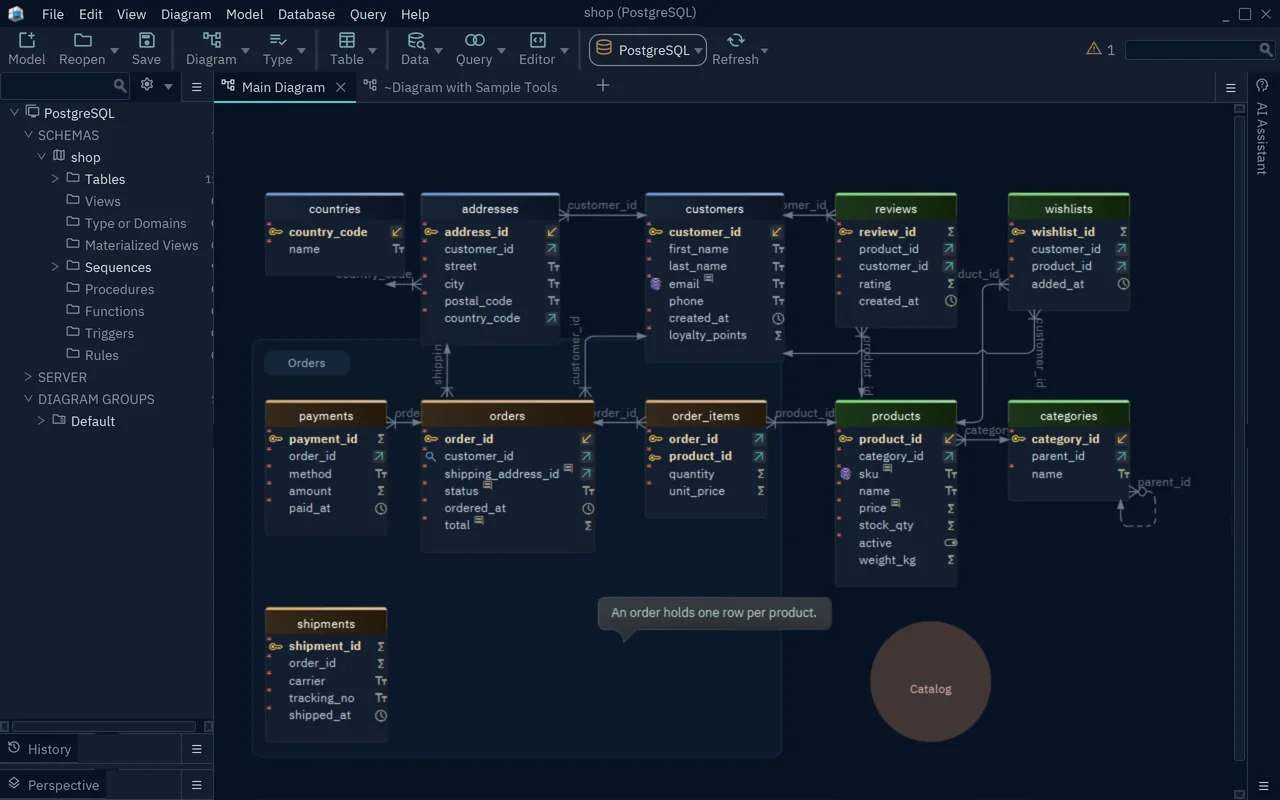
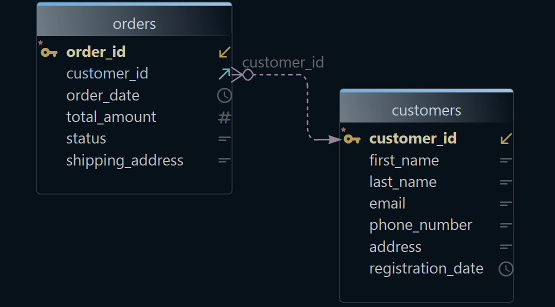
A large schema reads better in parts. Diagram → New Diagram adds a diagram that holds only the tables you pick, and Diagram → Auto Arrange Tables lays them out (diagrams).
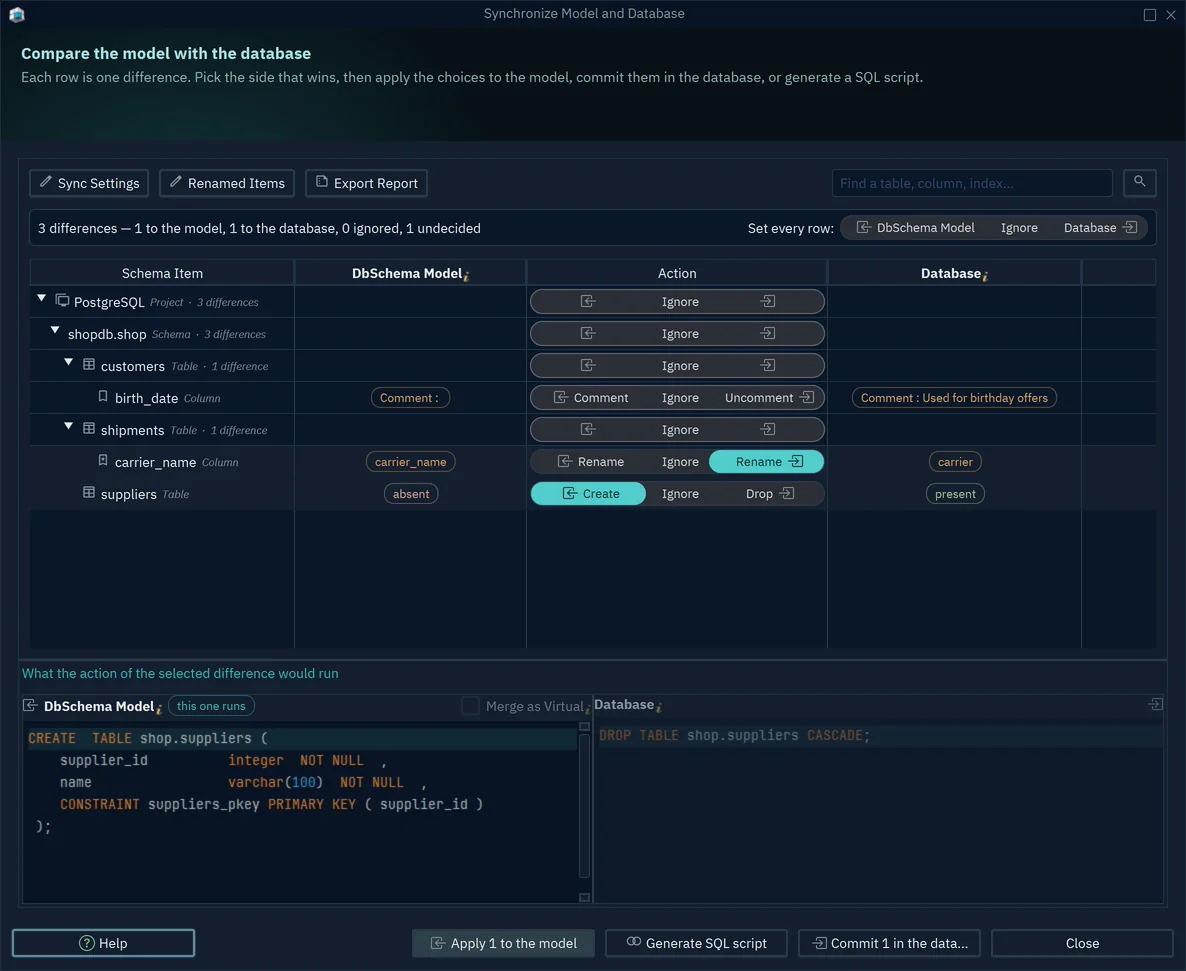
The connection decides where a change goes. While DbSchema is connected, each change that you confirm in its dialog runs in the database at once. Offline, the change stays in the DbSchema model, a .dbs file, and the database keeps its old shape.
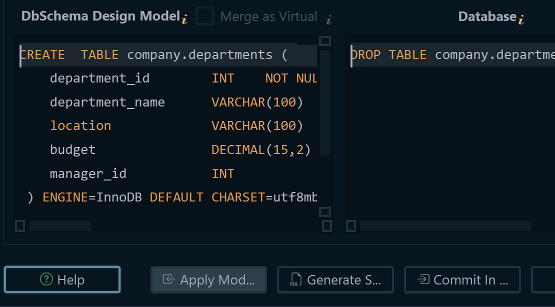
Schema synchronization brings the two back together. DbSchema compares the model with the database and lists every difference. You choose for each one whether the model or the database wins, and DbSchema shows the SQL before it runs.
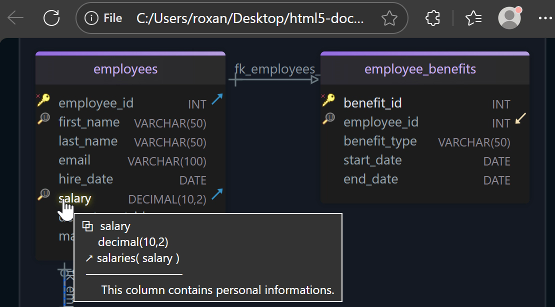
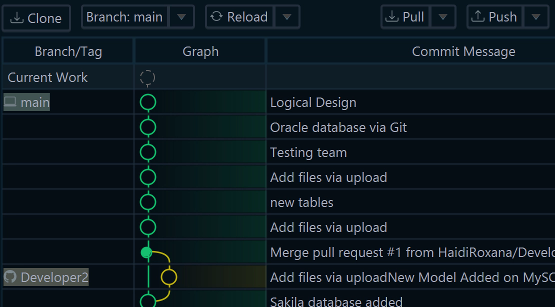
The .dbs file goes into Git like code. File → Git Collaboration commits, pulls and pushes it from inside DbSchema (Git collaboration). File → Export As... → HTML5/PDF Documentation writes the schema as an HTML5 page, a PDF or Markdown, with the table and column comments in it (schema documentation).
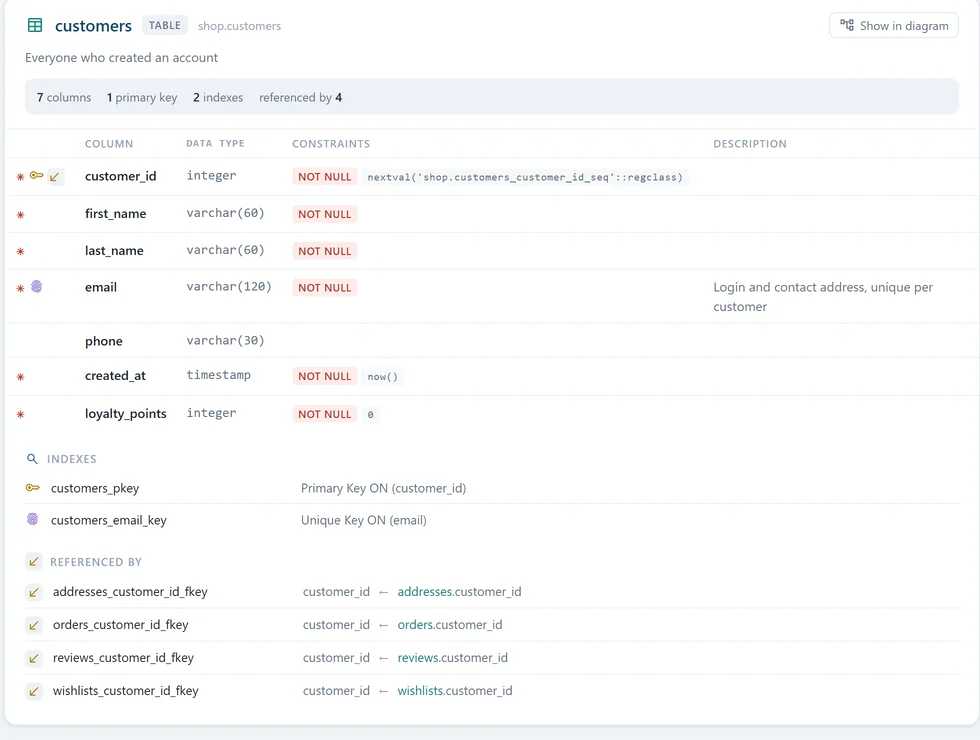
Saving the model file, schema synchronization and the documentation are in DbSchema Pro. Git needs the saved file, so it needs Pro too. In the Community Edition, the documentation covers a diagram of up to 12 tables. Logical design is in DbSchema Architect, and the purchase page lists the prices.
Other desktop design tools that connect to the database
Navicat
Navicat sells modeling in two places. Navicat Data Modeler is an application of its own for Windows, macOS and Linux. It reverse-engineers a live database into an ER diagram, generates DDL for the model, and compares two copies of a model side by side. It covers MySQL, PostgreSQL, MongoDB, MariaDB, SQL Server, Oracle, SQLite and Snowflake (Navicat Data Modeler).
Navicat Premium, the database client, includes the Data Modeling Tool in its Enterprise and Non-Commercial editions (Navicat Premium store). Navicat's page for the free Navicat Premium Lite names the object designer, the data editor, query editing, and import and export, but no modeling (Navicat Premium Lite). For free modeling, Navicat's product menu offers Navicat Data Modeler Lite.
dbForge Studio
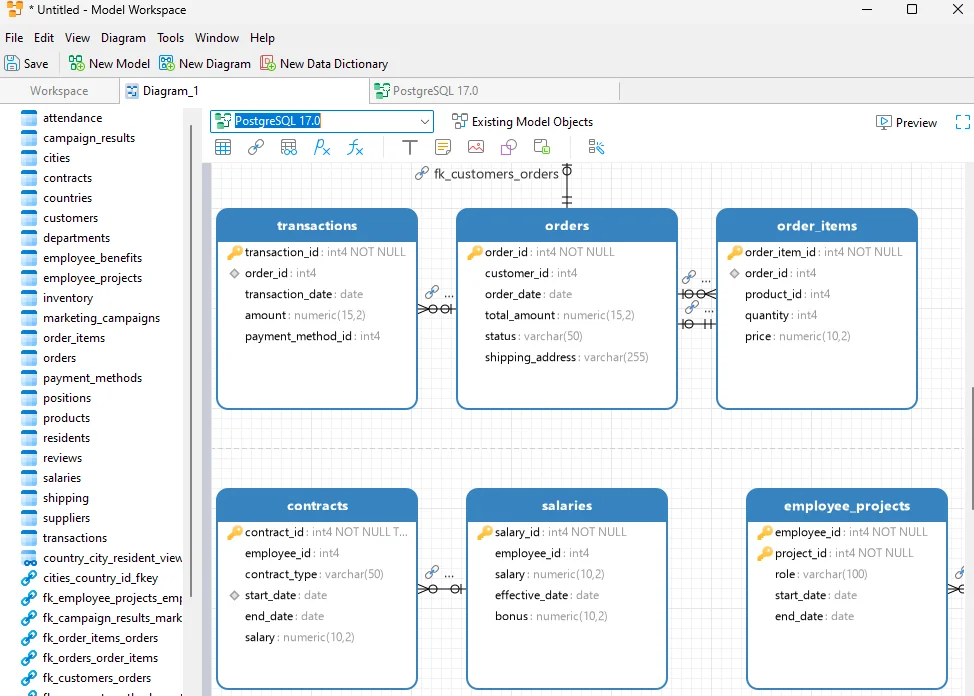
Devart sells dbForge Studio as one product per engine: SQL Server, MySQL, Oracle and PostgreSQL (dbForge). The Studios for SQL Server and for MySQL each list a Database Designer, which designs the database on an ER diagram. dbForge Studio for SQL Server is a Windows application, and Devart names CrossOver and Wine for running it on macOS and Linux (dbForge Studio for SQL Server). The trial lasts 30 days. After it ends, you can switch to the free Express edition, where the Studio has one.
MySQL Workbench
MySQL Workbench is Oracle's tool for MySQL. Its release 8.0 models a schema on an EER diagram, and forward- and reverse-engineers it against a live MySQL server (MySQL Workbench manual).
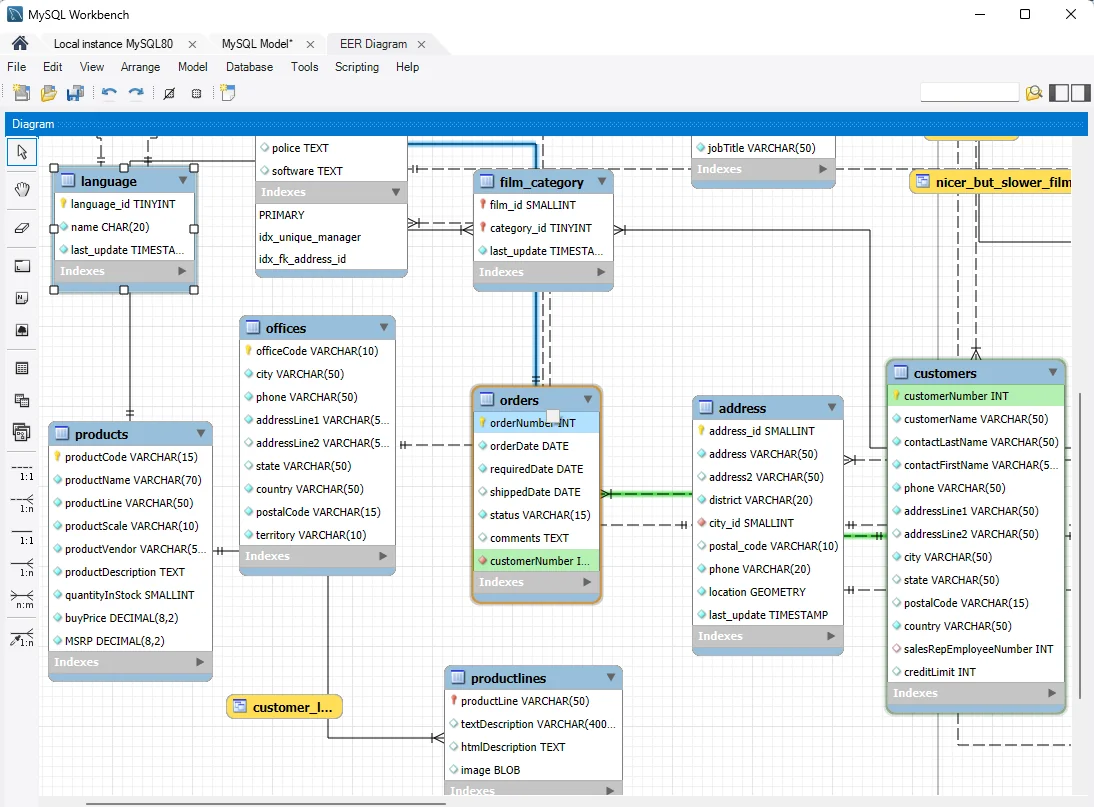
Oracle has replaced 8.0 with MySQL Workbench 26, a new application built on MySQL Shell. The release notes list 8.0 as no longer maintained (release notes). Oracle says the documentation for Workbench 26 is in progress. The release notes up to 26.10.0 name no modeling feature, so check the EER diagram in Workbench 26 before you plan around it. The Community Edition is free under the GPL (MySQL Workbench downloads).
pgModeler
pgModeler models PostgreSQL only. Its Community edition is free and open source under the GPL, published as source code that you compile. The paid Plus edition adds ready-made installers for Windows, macOS and Linux, and the import of a live database. Plus also compares the model with a server and generates the statements that bring the server in line. Git versioning is in Plus as well (pgModeler).
Database clients that show a diagram
DBeaver
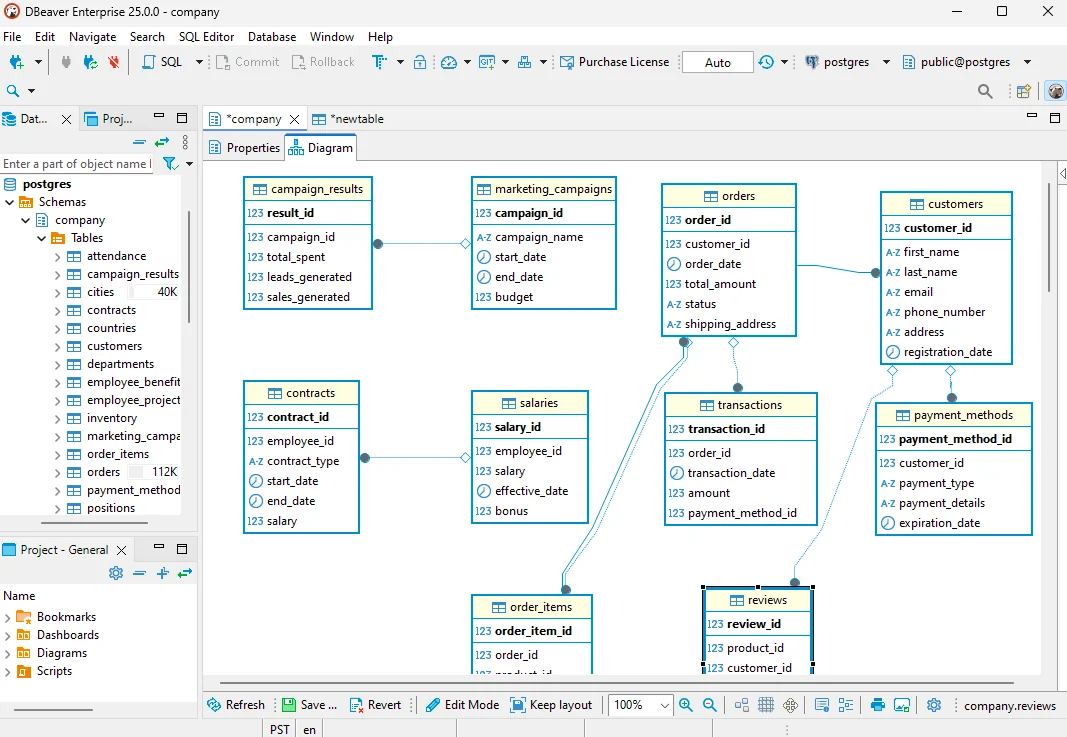
DBeaver Community is free and open source (dbeaver.io). It draws an ER diagram of the schema or table you open, and the diagram is read-only by default. Edit mode, which creates and changes tables on the diagram, is in the Enterprise and Ultimate editions (DBeaver Edit mode). DBeaver's edition page also lists Edit mode for Team Edition, and prices Enterprise at $255 a year (DBeaver editions). DBeaver Alternative compares DBeaver with DbSchema.
DataGrip
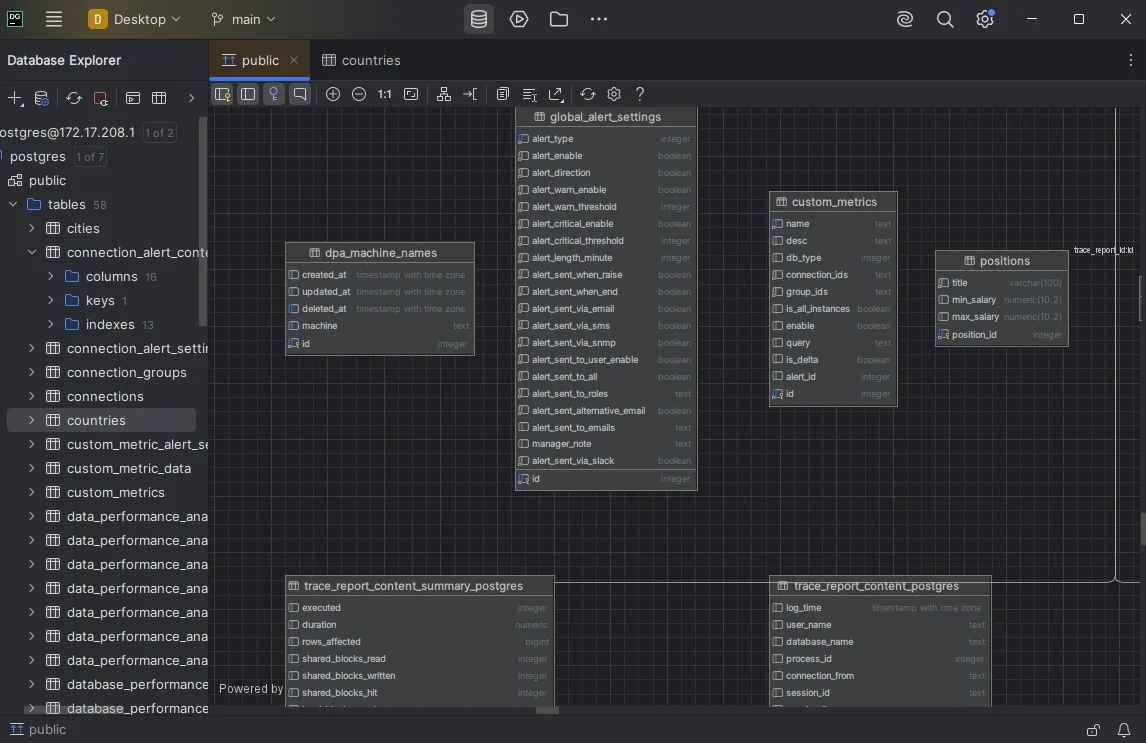
DataGrip is the JetBrains database IDE for over 50 databases. It is free for non-commercial use, and commercial use needs a subscription (DataGrip). DataGrip generates a diagram for a data source, a schema or a table. You change a table in the Modify dialog, and DataGrip applies the change to the database. Undo on the diagram does not take that change back (DataGrip diagrams). DataGrip alternatives for schema design covers the design side.
HeidiSQL, a free client for MariaDB, MySQL, SQL Server, PostgreSQL, SQLite and other servers, edits tables, views and routines, and its feature list has no diagram (heidisql.com).
Modelers that run in the browser
Redgate Data Modeler
Red Gate Software bought the Vertabelo data modeler, and now sells the modeler as Redgate Data Modeler (vertabelo.com). Redgate Data Modeler runs in the browser and reverse-engineers existing databases. From the model, it exports create, drop or partial change scripts for PostgreSQL, MySQL, SQL Server, Oracle and other engines. Several people edit one model at the same time, with its version history kept. Its cheapest plan, Standard, costs $189 per user a year, after a 14-day trial (Redgate Data Modeler).
SQLDBM
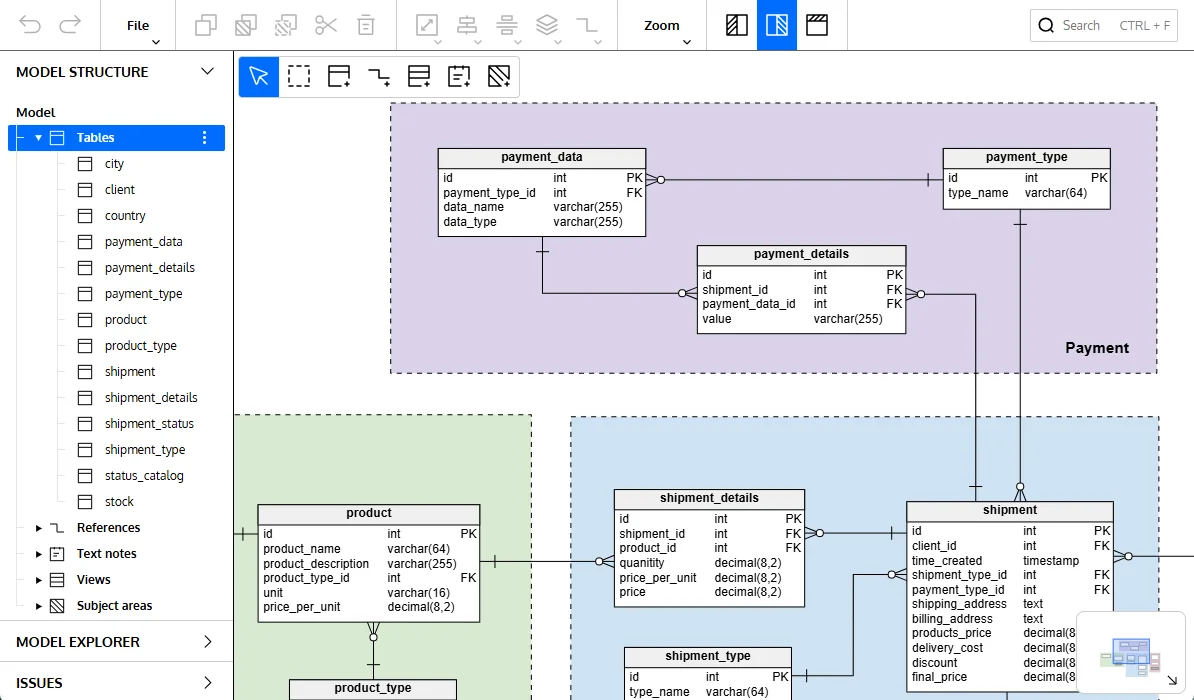
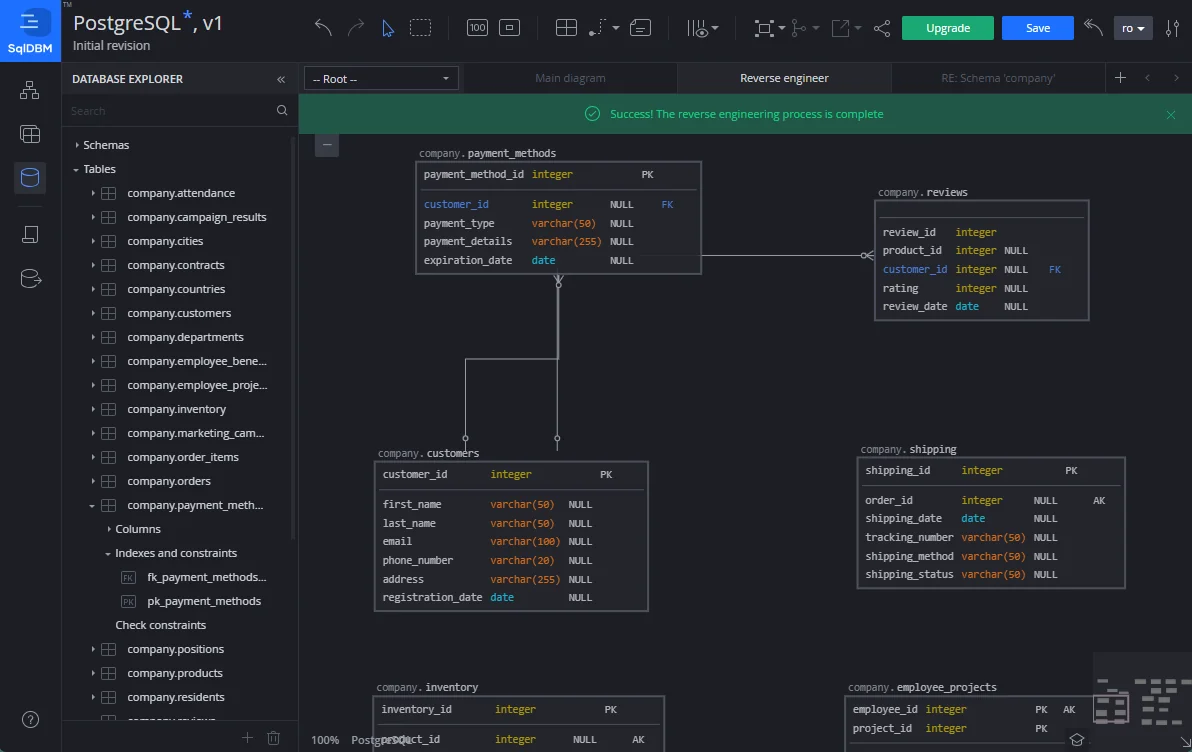
SQLDBM is a cloud-based modeling platform for Snowflake, Databricks, BigQuery, SQL Server, Oracle, MySQL, PostgreSQL and other engines. It reverse-engineers a database through a direct connection or a file upload. It compares models with live databases, pushes the changes, and connects models to Git (sqldbm.com). Its pricing page names no tiers and quotes a price per user on request (SQLDBM pricing).
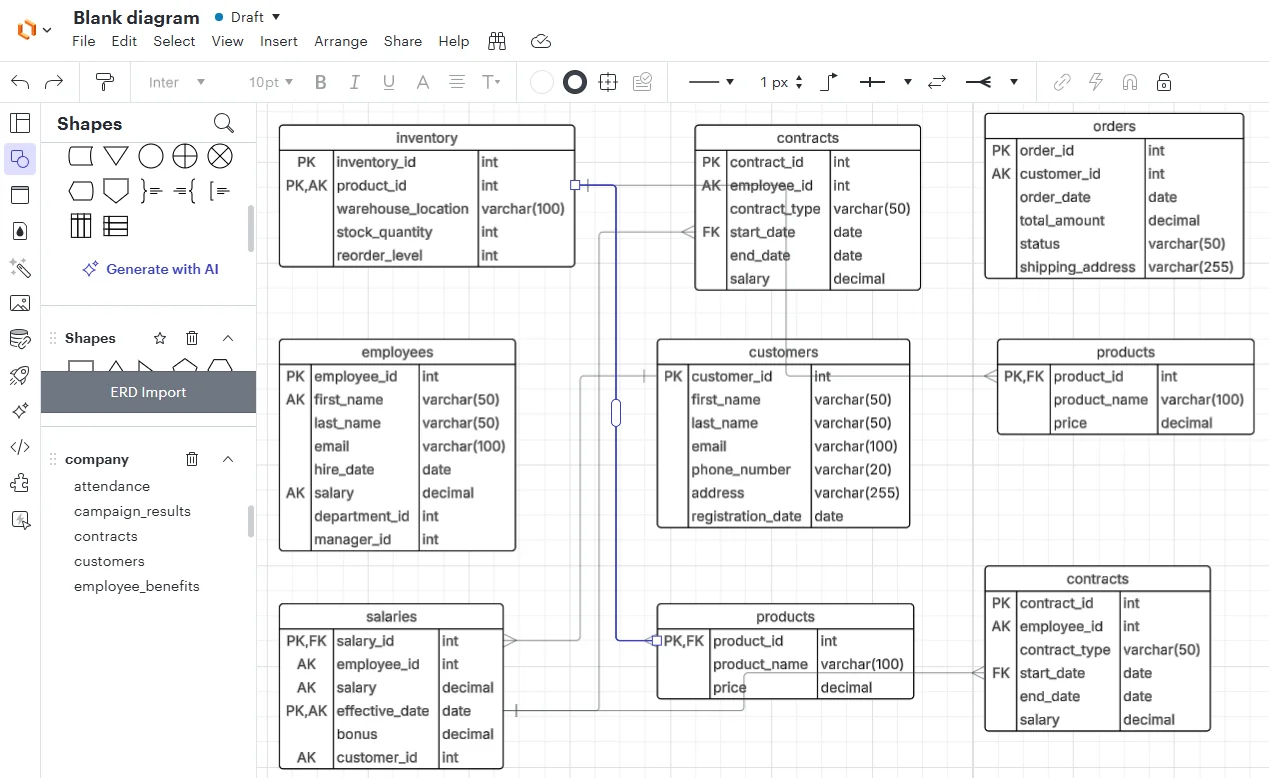
Lucidchart draws the tables as shapes
Lucidchart is a diagramming app that runs in the browser (Lucid system requirements). To draw an existing database, copy the query from Lucidchart, run it on your database, and upload the result. In the other direction, Lucidchart exports the diagram's tables as commands for your database, and leaves out the relationships between them (ERD in Lucidchart). A later change in the database reaches the diagram only through another import.
Frequently asked questions
What is the best database design tool overall?
DbSchema, for anyone who has to keep a design and a running database in step. It reverse-engineers a schema into an editable diagram, holds the design in a .dbs model file you commit to Git, and generates the migration SQL from the difference between that file and the live database.
Is there a free database design tool?
Yes. The DbSchema Community Edition is free and has no expiry date. It connects to a database, reverse-engineers the tables into an interactive ER diagram and runs queries in the SQL editor (pricing). Saving the design to a model file, schema synchronization and documentation need DbSchema Pro.
Is MySQL Workbench still a database design tool?
MySQL Workbench 8.0 had a full data modeling chapter, but Oracle lists 8.0 as no longer maintained and has replaced it with MySQL Workbench 26 (release notes). The release notes up to 26.10.0 name no modeling feature, so check the EER diagram in Workbench 26 before you plan around it.
Which database design tool is best for documentation?
DbSchema covers the case where the documentation has to reach people who have no database client. Its HTML5 export opens in any browser with no server behind it, and you choose which diagrams go into it and how far the detail goes, down to indexes and comments.
What if my team works with more than one database engine?
DbSchema reaches every engine it supports from one window, and a model built for one engine can be retargeted: change the RDBMS field in Model Properties and DbSchema remaps the data types with its built-in conversion rules.
Download DbSchema, connect it to a database you already run, and let it reverse-engineer the schema into a diagram. The diagrams are free in the Community Edition. Keeping the design in a model file and deploying it with schema synchronization need DbSchema Pro.
Try the first pick: DbSchema
Free Community Edition plus a 15-day Architect trial. Visual ER diagrams, schema sync, and HTML documentation for 100+ SQL and NoSQL databases.