MySQL Workbench Alternatives for Multi-Engine Teams
For the backend team that started on MySQL Workbench and now also runs PostgreSQL, SQL Server or MongoDB, and wants one modeller for all of them.
On this page
MySQL Workbench draws the EER diagram for the MySQL half of your stack, and the PostgreSQL service and the MongoDB service that shipped last quarter have no diagram at all. DbSchema is the replacement to try first: one licence covers 70+ SQL and NoSQL engines, the design lands in a plain XML file Git can diff, and the diagram is the same diagram on every engine.
DBeaver and dbForge Studio for MySQL are the other two names on the shortlist, and they divide the work differently.
Is MySQL Workbench outdated?
MySQL Workbench is current for the job it was built for, and that job is MySQL. Oracle's manual says MySQL Workbench is developed and tested with MySQL Server 8.0, and that it may connect to MySQL Server 8.4 and higher while some features may not function against those later servers[1]. The manual's chapters are the EER Diagram Editor, forward and reverse engineering, and schema synchronization and comparison, so the modelling half is there.
The mismatch is the stack around it. A team whose services now sit on PostgreSQL, SQL Server and a document store gets one engine covered and keeps a second client open for everything else, which means two diagram styles, two ways to save a design, and no single place that says what the data layer looks like.
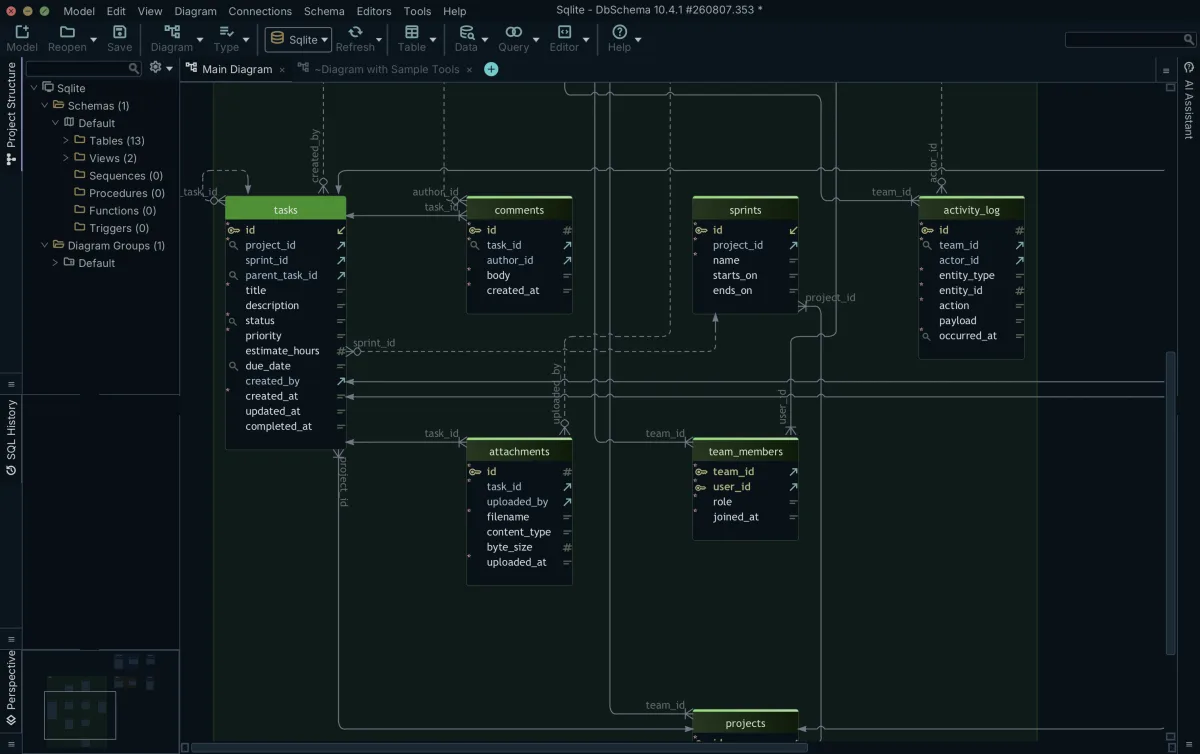
DbSchema closes that by connecting to 70+ SQL and NoSQL databases over JDBC, downloading each driver when you create the connection, and drawing every one of them into the same interactive diagram. It runs on Windows, macOS and Linux from the same download page.
Is MySQL still relevant in 2026?
The applications you are paid to keep running answer that. What has moved is inside the engine rather than around it: in MySQL 8.4, InnoDB is the default storage engine, so a CREATE TABLE with no ENGINE clause creates an InnoDB table, with ACID transactions, row-level locking and FOREIGN KEY constraints checked on insert, update and delete[2].
That default matters for the diagram, because the older tables in the same schema often predate it. MyISAM has no foreign key support, along with table-level locking and no transactions[3], so any relationship in a MyISAM table lives in application code and never reaches a client that reads foreign keys.
DbSchema draws those relationships anyway. Drag a column onto the matching column of another table and DbSchema saves a virtual foreign key in the model file, leaving the MySQL schema alone. The line joins the diagram, and the Query Builder and data browse follow it as they follow a declared key. Generating MySQL ER diagrams this way covers the schema as it is rather than as the constraints describe it.
Is there a free version of MySQL Workbench?
The MySQL Workbench Community release is a free download for Microsoft Windows, macOS and Linux, and Oracle also ships commercial releases[1]. Free is genuinely free here; the limit is the engine list, not the price.
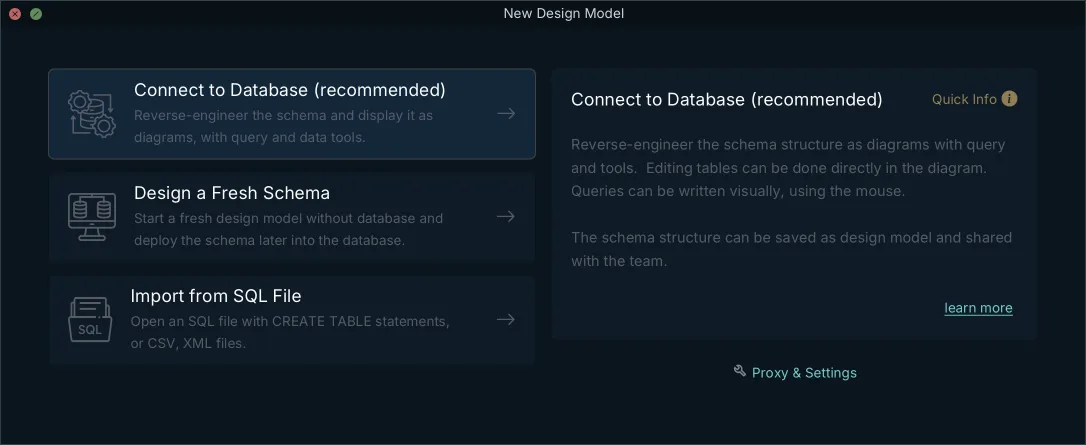
The DbSchema Community Edition is free with no time limit and no engine restriction. It connects to every supported database, reverse-engineers the schema into interactive diagrams, creates tables and columns, and runs queries in the SQL editor with autocompletion[4]. For a team that wants to see its PostgreSQL and MongoDB services on a diagram this week, that is the whole evaluation, and it is where most lists of free database design tools end up pointing.
What Community leaves for Pro is the part that turns a diagram into a deliverable: saving the design to a .dbs file, schema synchronization, the HTML5, PDF and Markdown documentation, the Query Builder, relational data browse, and the data generator and importer.
Is DBeaver better than MySQL Workbench?
DBeaver and MySQL Workbench answer different questions, so the useful comparison is what each one reaches. DBeaver's edition comparison lists SQL, NoSQL and big data sources, a visual query builder and ER diagrams from the Lite edition upward, and schema editing on the diagram, the row it calls ERD Edit mode, from the Enterprise edition upward[5]. MySQL Workbench is a MySQL tool with a full modelling chapter behind it.
DBeaver sells its desktop editions as annual subscriptions that cover usage, updates and support: Lite at 113 USD, Enterprise at 255 USD and Ultimate at 510 USD per licence per year, with the Community edition free[6]. Teams comparing DBeaver alternatives usually arrive with a query workload in mind.
Where DbSchema differs from both is the file. The design is not a view of a connection: it is a .dbs XML document holding the tables, the diagrams, the layout, the groups, the virtual foreign keys and the comments, which means it opens with no database reachable and travels through a pull request like any other file.
What replaces MySQL Workbench?
| Tool | Engines | Offline design file | Licence |
|---|---|---|---|
| DbSchema Pro | 70+ SQL and NoSQL | XML .dbs file | Perpetual or monthly, per developer |
| DBeaver | SQL, NoSQL and big data sources | None | Annual subscription from 113 USD |
| dbForge Studio for MySQL | MySQL and MariaDB | .dbd diagram file | Subscription from 119.95 USD a year, or perpetual |
| MySQL Workbench | MySQL | MySQL Workbench model file | Free Community release |
DbSchema Pro is bought once plus taxes, with the first year of updates and support included and an optional yearly renewal afterwards to keep receiving them, and it is sold monthly as well. The Architect edition, which adds logical and conceptual design, is the tier above it, and the amount for both is on the DbSchema pricing page[4], which prices in your own currency and carries separate Business, Personal and Universities and Students tabs. The design work it is bought for is the sequence a comparison with Navicat also walks through: edit the table on the diagram, save the .dbs file, commit it, then open Schema → Synchronize Model with Database and read the generated SQL before clicking Execute. Up to that click, nothing has touched the database.
dbForge Studio for MySQL covers MySQL and MariaDB, and its designer saves the diagram to a .dbd file that Devart describes as a real-time representation synchronized with the server[7]. Devart sells it either as a perpetual licence with a support period or as a subscription that stops working when the period ends. The ordering page opens on the one-year subscription, which is 119.95 USD for Standard, 209.95 USD for Professional and 269.95 USD for Enterprise, before taxes; switching the same page to Perpetual raises Standard to 239.95 USD[8]. Devart publishes native builds for Windows, macOS and Linux[9].
What is replacing MySQL?
Nothing single is. Engines get added next to it: PostgreSQL for the JSON-heavy service, Redis in front of the read path, MongoDB where the documents have no fixed shape. The MySQL schema stays where it is and gains neighbours, which is exactly the situation a single-engine modeller was never meant to hold.
DbSchema treats each of them as one more model. Each database is its own .dbs file, so you can keep the MySQL model and the PostgreSQL model open side by side, and retarget a design to another engine from Model → Model Properties, where changing the RDBMS field remaps the data types and DbSchema shows how each type converts before you save. Triggers, functions and stored procedures carry vendor-specific syntax and are rewritten by hand[10].
For MongoDB the model is inferred rather than declared: DbSchema introspects a configurable sample of documents per collection and reads field names, BSON types, nested objects and arrays, so the diagram approximates what the documents hold. Where a collection carries a validation rule, DbSchema reverse-engineers that rule as the authoritative structure instead, and creating or editing a collection writes the rule back to both the database and the model file.
What is the most widely used database in 2026?
No public count settles it, and the number that decides your tooling is smaller and closer to hand: the list of engines your own services connect to. Write that list down and it becomes the specification to test DbSchema against.
Four things on it are worth testing in an afternoon. Connect to each engine on the list and check the driver is fetched without a ticket to IT. Reverse-engineer the largest schema and see whether the layout survives a close and reopen. Change one column in the model, then compare the model against the database and read the migration script DbSchema generates from the difference. Export the HTML5 documentation and send it to somebody who does not have DbSchema installed, because that is what a handover looks like.
Download DbSchema at https://dbschema.com/download.html, connect it to the MySQL database Workbench already knows, and add the second engine on your list to the same window. Connecting, reverse-engineering, the diagrams and the SQL editor are free in the Community Edition; saving the model to a file, schema synchronization, the documentation export and the Query Builder are Pro; logical and conceptual design is Architect.
Frequently asked questions
Does MySQL Workbench support PostgreSQL?
MySQL Workbench reaches PostgreSQL only as a migration source. Its Database Migration Wizard chapter carries a PostgreSQL migration section, and the wizard reverse-engineers the source database and then creates the migrated objects in a target MySQL server[12]. To design a PostgreSQL schema and keep it, DbSchema connects to PostgreSQL, SQL Server and MongoDB over JDBC in the same window as MySQL.
How much does Navicat Premium cost?
On the Enterprise tab of its price plan, Navicat lists Navicat Premium at USD 79.99 a month, USD 799.99 a year, or USD 1,599.00 for a perpetual licence, with a separate tab for non-commercial use[11]. DbSchema Pro is sold as a one-time licence or as a monthly subscription, quoted separately on the Business, the Personal and the Universities and Students tabs of a pricing page that prices in your own currency[4].
Which of these tools run on macOS and Linux?
Devart lists dbForge Studio for MySQL downloads for Windows 11, for macOS Tahoe 26, Sequoia 15, Sonoma 14 and Ventura 13, and for Ubuntu, Debian, Fedora and Red Hat Linux[9]. DbSchema installs natively on the same three platforms, and so does the MySQL Workbench Community release[1].
Can I keep a database design in Git?
The DbSchema .dbs file is indented XML, so a schema change shows up as a readable diff. Git — Collaborative Design in the Model menu clones a repository, stages, commits, pushes and pulls without leaving DbSchema, and Compare with Current opens the Synchronization Dialog on a colleague's pulled model.
Sources
One modeller for every engine your team runs
DbSchema connects to 70+ SQL and NoSQL databases over JDBC, reverse-engineers each into the same interactive ER diagram, and runs natively on Windows, macOS and Linux. The Community Edition is free.









