Leaving Vertabelo for an Offline Modeller
For the database designer whose Vertabelo models now sign in as Redgate Data Modeler, and who wants the schema on the desktop and in Git instead.
On this page
Your Vertabelo login now opens Redgate Data Modeler, and the model you drew there still lives in a browser tab on somebody else's infrastructure. DbSchema is the desktop end of that move: export the schema as a DDL script, let DbSchema parse it into a diagram, and keep the design in a .dbs file that sits in the same repository as the code reading those tables.
What is Vertabelo used for?
Designing database schemas in a browser, with the model on the vendor's servers. Redgate's documentation introduces the product as Redgate Data Modeler, formerly known as Vertabelo, an online data modeling tool, and describes it as a cloud-based platform for sharing models, tracking changes and working together in real time[1].
The edition matrix says what that covers. Standard does physical design; Pro adds logical design and API access. Both carry reverse engineering from SQL, DDL and migration script generation, live validation with SQL preview, subject areas, diagram export to PDF and PNG, XML export and import, and model versioning[2].
Working in a browser makes the first day easy: nothing to install, and a colleague is one invitation away. What it also means is that the schema, which is often the most sensitive document your team writes down, is stored and rendered somewhere you do not control, and that a train, a flight or a firewall rule ends the working session.
How much does Vertabelo cost?
Redgate sells Data Modeler as a per-user annual subscription, and the figure sits on a pricing page separate from the editions matrix. That pricing page quotes by seat band and in the visitor's currency: at the one-user band a European session shows EUR 174 a year for Standard and EUR 279 for Pro, falling to EUR 144 and EUR 228 at 100 users or more[8]. Standard caps a team at 20 database models and 100 tables per model, and its model sharing at 5 users; Pro removes the model and table limits[2].
| Licence | DbSchema Pro | Redgate Data Modeler Pro |
|---|---|---|
| To buy | Once, perpetual | Per user per year |
| After the first year | An optional renewal | The subscription again |
| Where the model lives | Local .dbs file | Browser workspace |
DbSchema Pro is a one-time perpetual licence plus taxes, with the first year of updates and support included and an optional renewal each year afterwards to keep receiving them. The amount for each edition is on the DbSchema pricing page[3], which prices in your own currency and carries separate Business, Personal and Universities and Students tabs. Stop renewing and the licence itself does not expire: you keep the version you were entitled to, and the model files keep opening.
Why move the model onto the desktop?
Because the model stops depending on anything outside your machine. A .dbs file opens with no network, no login and no database reachable, so the design is available on the flight, in the secure room, and on the day the vendor's status page is red.
Security is the other half. We do not put a server between DbSchema and your database: the JDBC driver runs inside DbSchema on your computer and talks to the database directly, through your own SSH tunnel and SSL settings where you configure them. Connecting reads the schema; table data is read when you open a table or run a query. A password is stored only if you tick Remember, and then only on your computer. Tick Read Only Connection on the Settings tab and the database refuses every change made through that connection, which is the setting to use against production[4].
The design itself is yours in the plainest sense: DbSchema writes it to a .dbs file wherever you keep your code. Offline design mode then lets you add tables, columns and constraints with no connection open, and every one of those edits changes the file and nothing else.
Getting a schema change through a pull request
A cloud workspace keeps its own revision history, which lives beside your source control rather than in it. The schema and the code that queries it then move on separate tracks, and the review of one never shows the other.
| Collaboration | DbSchema | Cloud workspace |
|---|---|---|
| Storage | Your Git repository | Vendor infrastructure |
| History | Git commits, branches, merges | Vendor revision history |
| Review | Pull request | In-app comments |
| Network needed | No | Yes |
The .dbs file is XML, so a schema change reads as a diff. Git — Collaborative Design in the Model menu is a Git client inside DbSchema: clone a repository into an empty folder, stage the modified files, commit with a message, push, and pull what your teammates pushed. Stash, Pop and Create Branch are in the same dialog. After a pull, Compare with Current opens the Synchronization Dialog on the colleague's model so you can see exactly what changed and apply it to your local database or generate the migration script[5]. That is team design with Git with the schema on the same track as the code.
What carries over from Vertabelo
The structural half, through a DDL script. Generate the SQL DDL export for your target engine, which Redgate lists as a feature of both editions[2], and that script is the thing you carry across.
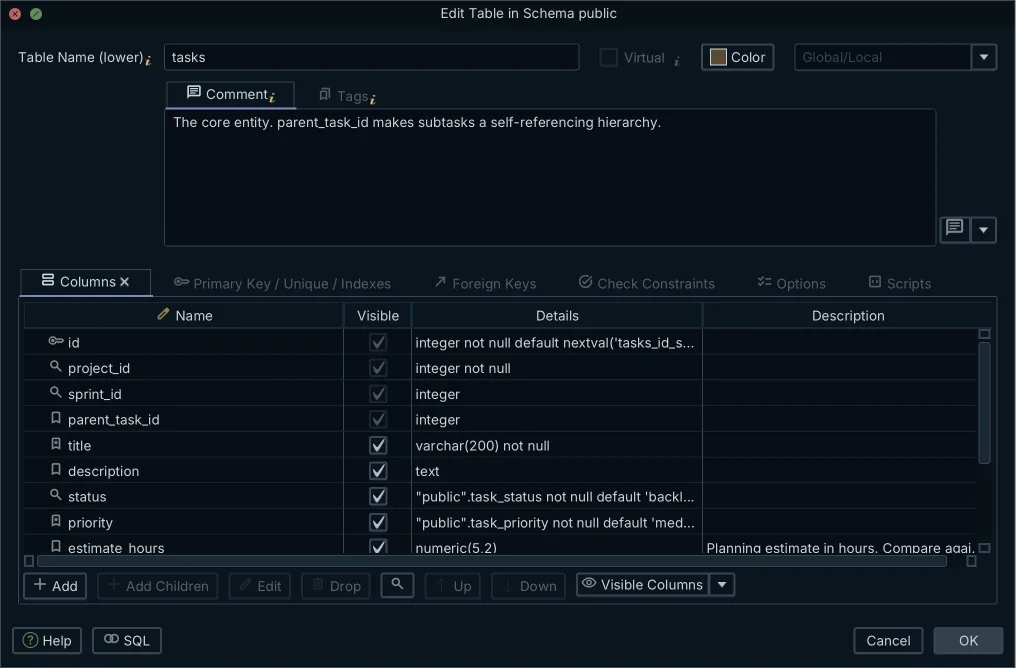
DbSchema opens a file of DDL in an SQL Editor and parses its CREATE TABLE statements straight into the model, with no column mapping step. The parser reads the schema rather than the data: CREATE, ALTER, DROP and COMMENT statements shape the model, while INSERT, UPDATE and DELETE are passed over, so seed data in the script changes nothing. When it meets a statement it cannot apply, the import does not stop; a report at the end names the file and how many statements it could not apply, and a clean run shows no report[6].
What the script carries is therefore what you wrote into it:
- Tables and columns
- Data types, nullability and defaults
- Primary keys and foreign keys
- Unique and check constraints
- Indexes and sequences
- Table and column comments
What breaks during the migration
The picture, because SQL has no syntax for it. A DDL script defines structures and says nothing about where a table sat on a canvas:
- Table positions on the diagram
- Subject area boxes and colours
- Notes and canvas annotations
- Web sharing links and user roles
Rebuilding the picture is the shortest part of the move. Select all the tables with Ctrl+A and choose Diagram → Auto Arrange, and DbSchema lays them out with a graph algorithm; drag individual tables afterwards, with snap guides for the precise positions. One DbSchema project holds many diagrams, each with its own layout and table visibility over the same schema, so the subject areas come back as separate diagrams: Orders, Customers, Reporting[7]. All of it is saved in the .dbs file, and the same is true of the schema you edit while you are at it: nothing reaches a database until you connect and execute.
The import path, step by step
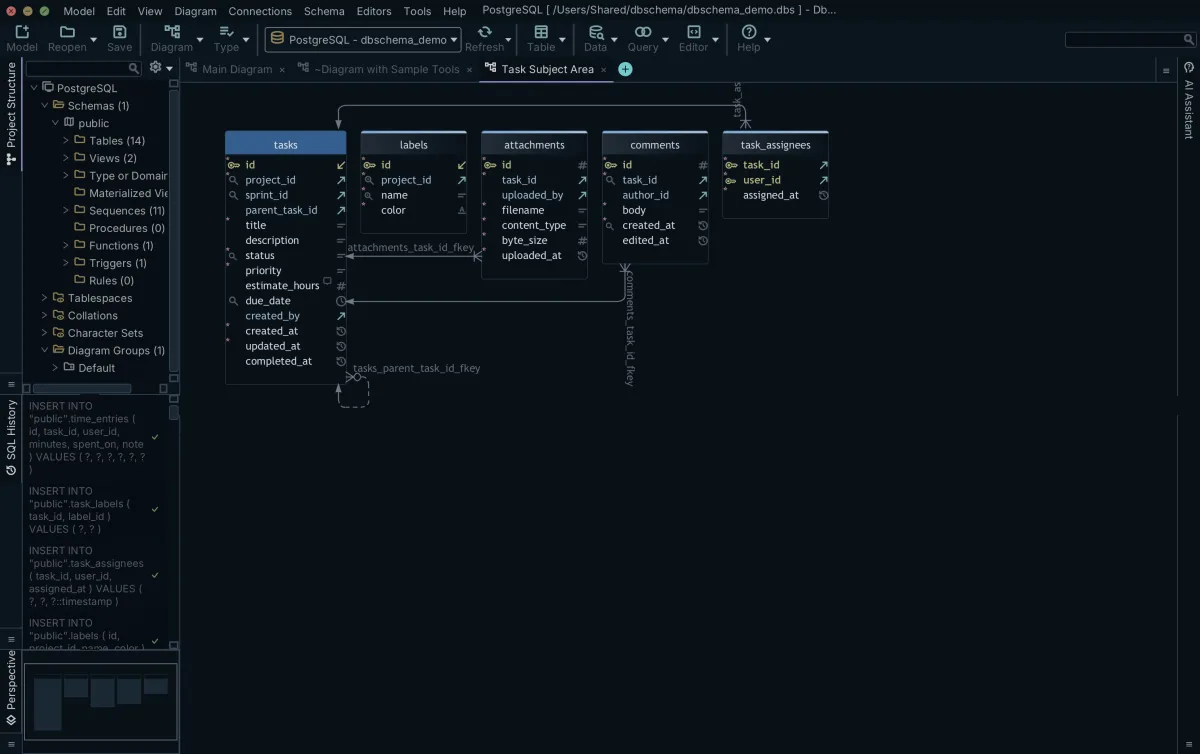
- In Redgate Data Modeler, generate the SQL DDL script for your target engine and save the
.sqlfile locally. - Start DbSchema and choose Open SQL File on the Welcome Screen, or use Model → Import from External Format for a CSV or Excel source instead.
- Point DbSchema at the
.sqlfile. It parses the CREATE TABLE statements, draws the tables and foreign keys as a diagram, and holds the result as a design model. - Arrange the diagram with Diagram → Auto Arrange, split it into further diagrams per subsystem, and add the table and column descriptions that will become tooltips in the documentation.
- Save the
.dbsfile into your application's Git repository, then stage, commit and push it fromGit — Collaborative Designin the Model menu.
From there the model is the starting point rather than the archive. Connect to a live database and DbSchema compares the model against it and generates the migration script from the difference; export the schema as interactive HTML5, PDF or Markdown documentation for the people who will never install a modeller. Choosing a database design tool mostly comes down to which of those you need on the same day.
To run the import yourself, download DbSchema at https://dbschema.com/download.html and open your exported .sql file on the Welcome Screen. Connecting, reverse-engineering, the diagrams and the SQL editor are free in the Community Edition; offline design, saving the model to a .dbs file, schema synchronization and the documentation export are Pro; logical and conceptual design is Architect.
Frequently asked questions
Is Vertabelo still available?
Vertabelo is sold as Redgate Data Modeler now, and Redgate's documentation still carries the former name[1]. What that changed about the editions, the model and table caps and the per-seat price is in the first two sections above.
Can I export an XML model from Vertabelo and open it in DbSchema?
Redgate's edition matrix lists XML export and import[2], but that XML is its own format. DbSchema imports a design model from CSV, Excel, SQL DDL files with CREATE TABLE statements, or a folder of migration scripts replayed in order[6], so the DDL script is the export to take with you.
Does DbSchema need an internet connection to design a schema?
Designing needs none, because the model is a local .dbs file. The one step that reaches the network is DbSchema fetching the JDBC driver when you create a connection, and where downloads are blocked you click Upload JDBC driver and supply the .jar file yourself[4]. Offline design is in the Pro and Architect editions.
How do I keep the diagram layout when I move between modelling tools?
Layouts do not travel in a DDL script, so they are rebuilt once in DbSchema and then stored in the .dbs file. The section above on what breaks during the migration lists what a script leaves behind, and how Diagram → Auto Arrange puts the tables back on the canvas.
Sources
Design your schema offline, version it in Git
DbSchema is a desktop modeller: reverse-engineer a live database or import a DDL script, keep the model in a plain-XML .dbs file, and commit it alongside your application code.









