DbVisualizer Alternatives for Visual Modelling
For the backend developer or DBA who runs queries in a SQL client all day and needs the schema design itself to become a reviewable artifact.
On this page
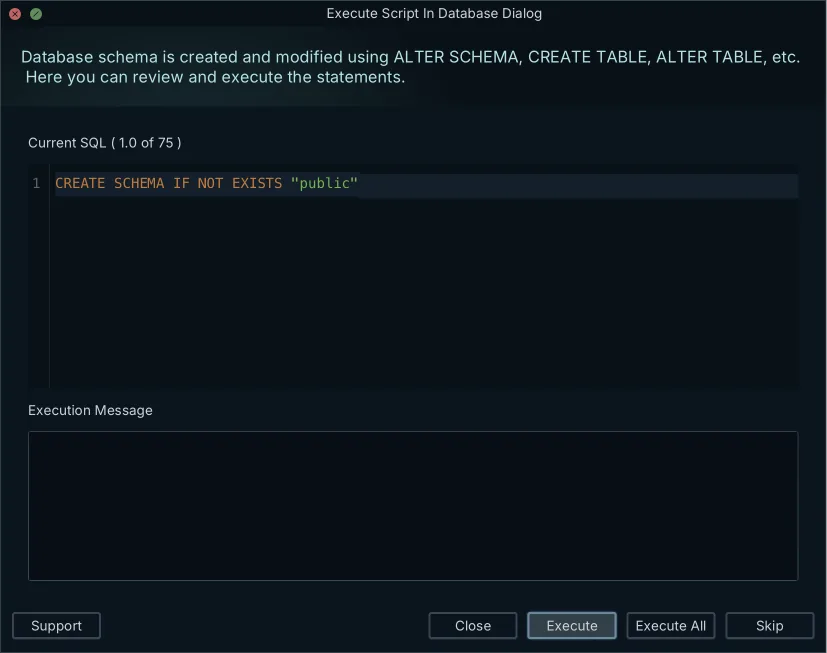
Somebody typed the ALTER into a SQL editor tab by hand, and that tab is now the only place the agreed schema change is written down. DbSchema is the DbVisualizer alternative that gives it somewhere better to live: it reverse-engineers your database over JDBC, keeps the result as an offline design model you commit to Git, and generates the migration script from a visual diff against the live database.
DbVisualizer, DBeaver, Liquibase and Lucidchart each cover a neighbouring part of the job, and the comparison below is on where the design is stored, what each one does with a schema change, and what the licences cost.
DBeaver or DbVisualizer for visual modelling
Both are database clients whose diagrams are read from the live connection, so the choice between them turns on the querying side rather than the design side.
DbVisualizer manages its JDBC drivers from Maven, from web servers or from local files, and it keeps several versions of the same driver available. It generates reference graphs and ERDs automatically from the relations it finds. It also produces visual explain plans, and exports the DDL for tables, views, procedures, functions, triggers and packages[1]. DBeaver draws its diagrams read-only by default and offers an Edit mode: with it on, creating a table, adding a column or defining a foreign key is converted into an SQL script you review and execute against the database. Its layout is not part of a design file either, and DBeaver's own toolbar documents a "Keep layout" button because otherwise the entity arrangement reverts when the editor is reopened[2].
That is the line between the two categories. Neither client keeps a design of its own to compare a database against, which is what the DbSchema model file is for. If your day is queries and data edits, run a client; if the schema change has to be designed, reviewed and deployed, run DbSchema alongside it, as the DbVisualizer alternative comparison sets out.
What is the alternative to Liquibase?
DbSchema is the alternative for teams that would rather not hand-author changelogs. You change the schema on the diagram, DbSchema compares the model file against the target database, and the SQL comes out of that comparison as a visual schema diff you read before anything runs.
Liquibase sits at the deployment end instead, applying changelogs from a pipeline across 65+ databases and integrating with CI tools from Jenkins to GitLab and Azure DevOps. Its plans are scoped by scale rather than by seat: Starter covers up to 5 applications and 1 database type, Growth up to 10 applications and up to 3 database types, Business up to 25 mission-critical applications and up to 4 database types, and Enterprise is unlimited on both. Every tier is quoted, and Starter and Growth are sold to companies under $1B in annual revenue[3].
The two fit together rather than compete. DbSchema is where the change is designed and the script is produced; a pipeline runner is where the script is applied unattended on every environment. Schema synchronization in DbSchema is a Pro feature.
What is the alternative to Lucidchart?
DbSchema is the closest alternative for schema work, because it keeps a model where Lucidchart keeps a drawing. Lucid's help centre documents the ERD import as a round trip you drive by hand: you open the Entity Relationship shape library, choose your DBMS, copy the query Lucidchart supplies, run it on your database, and paste the results back or upload a .CSV, .TSV or .TXT file. The "Export to SQL" dialog returns the page "with the exception of connections between tables"[4].
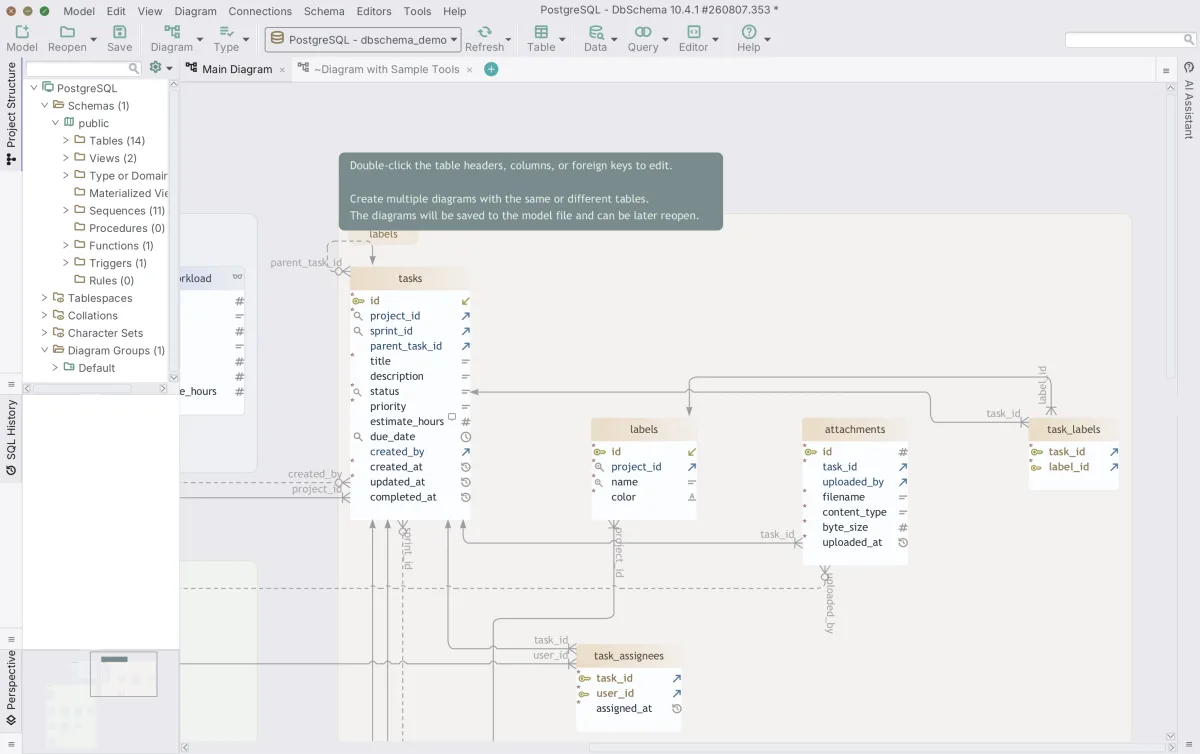
DbSchema connects over JDBC and reads the schema itself, so the column data types, indexes and constraints on the diagram are the ones in the catalog. When the database moves, Schema → Refresh Schema from Database pulls the current state in and shows you what changed, and you decide per difference whether to update the model or push the change out. Connecting, reverse-engineering, the diagrams and the SQL editor are in the free Community Edition. Lucidchart draws shapes for a presentation audience rather than a database, and for readers without a client DbSchema exports the diagram as HTML5 documentation; the Lucidchart alternatives comparison covers the canvas tools on their own terms.
The shortlist and why each is on it
Four tools turn up on this shortlist, and the fastest way to tell them apart is to ask where a schema change is written down: in a design file, in the database, in a changelog, or on a canvas.
| Tool | Primary focus | Where the design lives | Live schema diff |
|---|---|---|---|
| DbSchema | Visual schema modelling | Offline .dbs XML model file | Yes |
| DbVisualizer | SQL client and administration | The live database | No |
| Liquibase | CI/CD migration automation | Changelog files | Pipeline-driven |
| Lucidchart | General diagram drawing | Cloud document | No |
The distinction decides what a review can see. A change written into a design file arrives as a diff a colleague reads before it runs; a change made straight against the database arrives only as the database.
DbSchema is on it because the model file is a design that exists apart from the database. The file is XML you can open in a text editor, and DbSchema diffs it against the live schema. DbVisualizer is on it because a great deal of schema work starts as a query, and its driver management, explain plans and DDL export cover that side[1]. Liquibase is on it because the script has to reach production somehow, on a schedule nobody watches[3]. Lucidchart is on it because a schema often needs a picture for people who will never open a client[4].
How each handles the job in question
Visual modelling is more than drawing tables. The full job is editing relationships, holding the schema in a file while it is still a draft, reviewing the diff before it deploys, and handing the rest of the team something readable.
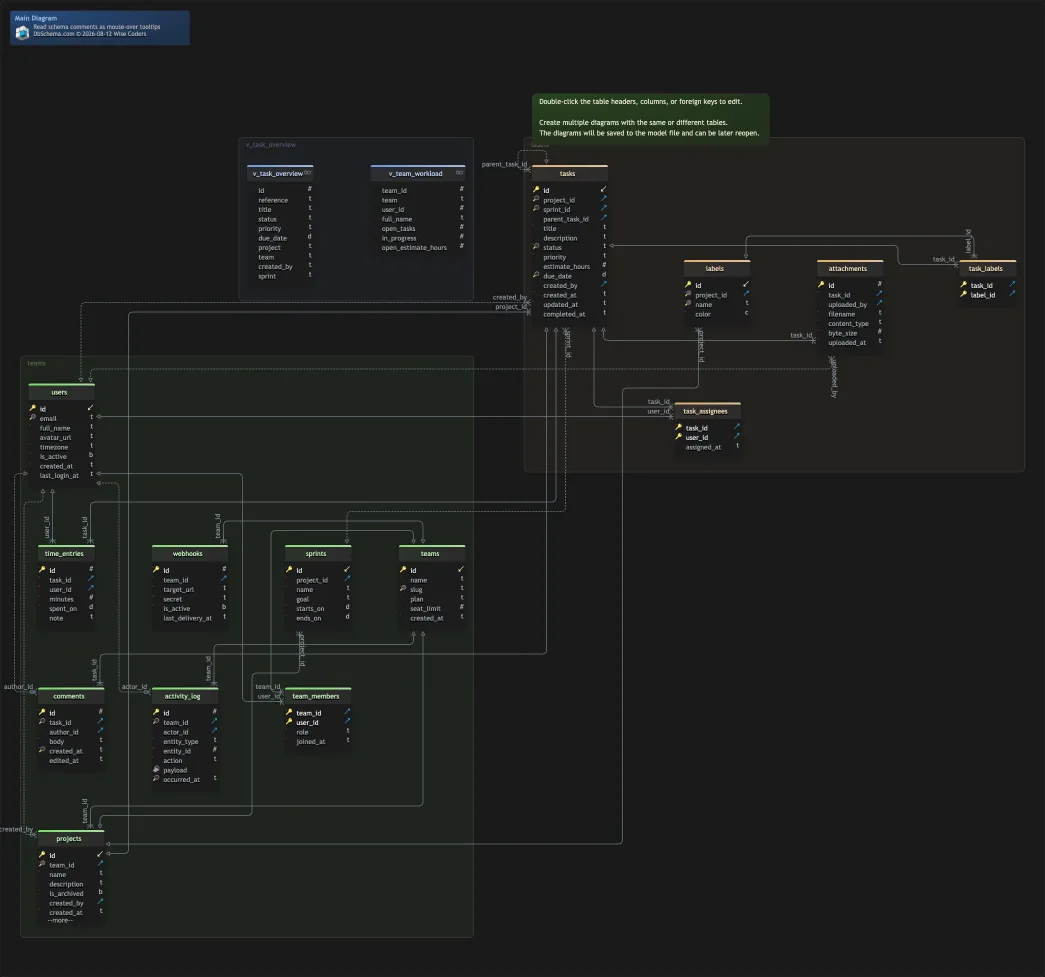
DbSchema does all four out of one .dbs XML file. You can add tables, define virtual foreign keys and restructure indexes with the connection switched to Disconnected, and every one of those edits writes to the file and to nothing else. Diagram → Export HTML5 or PDF Documentation then produces a self-contained HTML5 page with the diagram as a vector image, a searchable table list, and column descriptions as mouse-over tooltips, which teams host internally or publish as a schema reference. Designing offline, saving to a file and the documentation export are Pro features, and the offline design mode page walks through the round trip.
DbVisualizer works from the live connection instead: querying, inspecting object properties, editing table data inline, and collaborating on SQL scripts through built-in version control with branches, history and change tracking[1]. Liquibase holds the change as a changelog rather than as a picture. Lucidchart holds it as a cloud drawing. DbSchema is the one of the four that keeps a design file you can diff, which is the job this article is about.
Pricing and licensing of each
DbSchema Community Edition is free forever and covers all supported engines, connecting and reverse-engineering, interactive diagrams, creating tables and columns, and the SQL editor. Pro Edition is a one-time purchase plus taxes, with the first year of maintenance and upgrades included and an optional yearly renewal after that. DbSchema also sells Pro as a monthly subscription. Architect Edition is bought the same way and adds database-independent logical and conceptual design. The current amount for each edition is on the DbSchema pricing page[5], which prices in your own currency and carries separate Business, Personal and Universities & Students tabs.
| Tool | Free tier | Entry paid tier | Licensing |
|---|---|---|---|
| DbSchema | Community Edition | Pro Edition | Perpetual one time, or monthly |
| DbVisualizer | DbVisualizer Free | $199 per user, first year | Subscription with perpetual use |
| Liquibase | Liquibase Community | Starter, quoted | Per application and database type |
| Lucidchart | Free plan | Individual plan | Per-user cloud subscription |
DbVisualizer publishes a free edition with a standard feature set, and a Pro subscription at $199 per user for the first year including 60 days of support, renewing at $89 per user per year; a premium-support variant is $229 renewing at $119, and volume discounts start at four users. Each Pro subscription carries a perpetual usage licence for the versions released during its term[6]. Lucidchart sells Individual, Team and Enterprise subscriptions above a free plan, priced in the visitor's own currency[7].
The shape of the DbSchema licence is the part worth noting: bought once, it keeps working at the version you own, and the yearly renewal that keeps you on the latest release is optional rather than a condition of running the software.
Who each one is actually for
DbSchema is for the backend developer, DBA or architect whose schema changes have to be designed before they are deployed: drawn on a diagram, saved to a file, reviewed in a pull request, and turned into a migration script by a diff against the live database. Across the SQL and NoSQL engines DbSchema supports, that whole chain comes out of one model file.
DbVisualizer is for the day spent inside the data: running queries, reading explain plans, editing rows[1]. Liquibase is for the platform team automating the deploy step[3]. Lucidchart is for the architecture sketch that goes into a presentation[4].
Download DbSchema at https://dbschema.com/download.html and open a model against your local or remote database. Reverse-engineering, the interactive diagrams and the SQL editor are in the free Community Edition, and a new installation starts a 15-day Architect trial, so you can design offline, save the model file and run a schema synchronization before deciding. The offline model file, schema synchronization and the HTML5 documentation are Pro; logical and conceptual design is Architect.
Frequently asked questions
Is DbVisualizer free for commercial use?
DbVisualizer publishes a free edition, and the pricing section above carries its Pro figures and the renewal. DbSchema's Community Edition is free forever across every supported engine, and the 15-day Architect trial asks for no credit card. A paid Commercial licence, the kind a company buys, can be reassigned to another person from the Customer Area when someone changes team.
Can Liquibase generate ER diagrams?
Liquibase has no diagram of its own, and DbSchema draws one from the scripts you already deploy. Point Model → Import from External Format at the folder holding your plain SQL changelogs, and DbSchema replays them in the order a database would have applied them and lays the result out as a diagram. Nothing is executed and no connection is opened.
How do I reverse-engineer a database into a visual model?
Connect DbSchema to the database with its JDBC driver and it reads the catalog for tables, columns, indexes and foreign keys, lays them out on an interactive diagram, and saves the whole design to a .dbs XML file. That file opens later with no connection at all.
Does Lucidchart connect to live databases?
Lucidchart's ERD import is the paste-the-result round trip described above, while DbSchema opens the connection itself. That connection is direct: the JDBC driver runs inside DbSchema on your own computer and talks to the database server through the SSH tunnel and SSL settings you configure, with no DbSchema server in between. Connecting reads the schema, and table data is read when you open a table or run a query.
What is the best visual query builder alternative to DbVisualizer?
DbSchema's Query Builder composes a join across tables from the diagram, following virtual foreign keys where the database declares no real ones, and shows the generated SQL. It is a Pro feature, and the schema it queries is the same model file you designed in.
Sources
Give the schema change somewhere to live
DbSchema reverse-engineers your database over JDBC, keeps the design as an offline model file you can commit to Git, and generates the migration script from a visual diff.









