Database Design Tools on Linux: Which Modellers Install Natively
Compare database design tools that run natively on Linux, see which modellers list only Windows and macOS, and open your own database in DbSchema Community
On this page
For software developers and database architects who work on Linux desktops and need to design, inspect, or reverse-engineer database schemas.
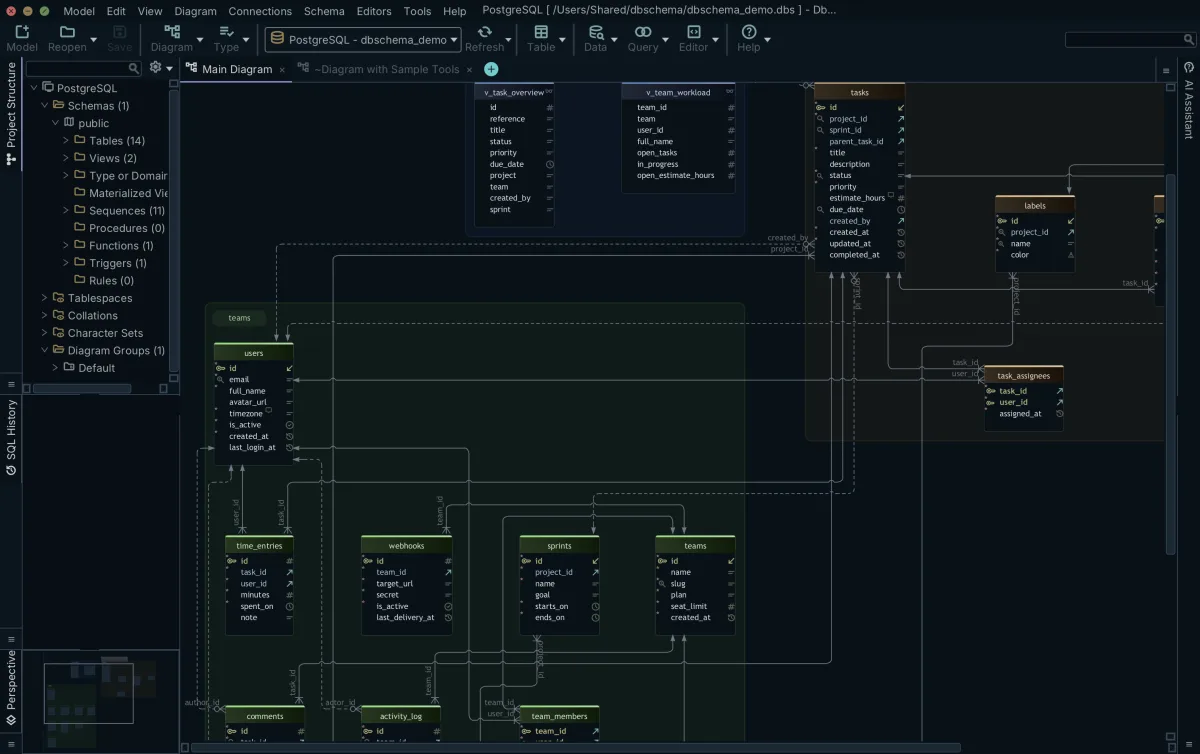
On a Linux desktop, start with DbSchema: it ships native Linux packages (a .sh installer plus Debian, RPM, GZIP and ARM-64 GZIP) from the same download page as Windows and macOS, and the free Community Edition reverse-engineers your database into interactive diagrams. This comparison shows which modellers install and run natively on a Linux desktop, and what to look for in a database diagram tool when your diagrams have to survive real schema work.
Design tools with a native Linux build
When you manage databases from a Linux desktop, your modelling tool needs to run natively without requiring a compatibility layer or virtual machine. DbSchema ships native installers for Windows, macOS and Linux, and the same installer covers the Community, Pro and Architect editions. The download deciding the feature tier is not a separate installer: the exact same binary runs the free Community Edition, unlocks commercial features when a licence key is present, and includes a 15-day Architect trial that requires no user registration. See the download page for the Linux packages.
Several dedicated design tools provide direct Linux packages that you can install through your system package manager or run directly as standalone executables:
- DbSchema's single installation kit for all three editions comes for Linux as a .sh installer and as .deb, .rpm, .tar.gz and ARM-64 .tar.gz packages.
- Oracle SQL Developer Data Modeler distributes a Linux noarch RPM archive that runs against an external JDK 17 installation[1].
- MySQL Workbench provides its Community (OSS) Edition for Linux from the MySQL download page, for MySQL schema modelling[2].
- pgModeler documents building the tool from C++ and Qt source on Linux for PostgreSQL design[3].
- Luna Modeler distributes an AppImage tested on Ubuntu 24 for relational schema design[4].
- Hackolade Studio distributes a 64-bit Linux zip archive requiring Linux kernel 3.2 or later for NoSQL and multi-model schema design[5].
Modellers whose requirement pages list other platforms
Two widely used enterprise data modelling tools publish system requirement pages that do not list a Linux desktop build.
Reviewing the official vendor specification pages confirms the supported client platforms for these suites:
| Modelling Tool | Current Version Documented | Documented Client Operating Systems | Vendor Source |
|---|---|---|---|
| erwin Data Modeler | 14.0 | Microsoft Windows 10, Windows 11, Windows Server 2016/2019/2022; macOS Sonoma, Ventura, Monterey, Big Sur | Quest Bookshelf requirements page |
| ER/Studio Data Architect | 21.1.x | Microsoft Windows 10, Windows 11 (64-bit) | IDERA technical specifications wiki |
If you are planning a move off one of them, DbSchema keeps the model in a .dbs XML file that opens unchanged on Linux, Windows and macOS (saving it is a Pro feature); see moving off erwin and migrating legacy ER/Studio repositories.
Packages, engines and price side by side
Database design tools differ fundamentally in the database engines they support, whether they can reverse-engineer existing production databases, and their packaging formats. DbSchema connects to over 100 databases, automatically downloading JDBC drivers for relational and NoSQL engines alike, and every licence tier covers every database engine.
| Tool | Linux Package Format | Engines Designed | Reverse Engineering | Free Option | Verified Date |
|---|---|---|---|---|---|
| DbSchema | DEB, RPM, GZIP, ARM-64 GZIP, SH | Multi-engine (100+ databases) | Yes, live schema reverse engineering | Free Community Edition | 3 Oct 2026 |
| Oracle SQL Developer Data Modeler | RPM (noarch) | Multi-engine (Oracle focus, also SQL Server) | Yes, forward and reverse engineering | Free under Oracle Free Use License | 3 Oct 2026 |
| MySQL Workbench | Linux builds from the MySQL download page | Single-engine (MySQL) | Yes, from SQL scripts and a live database | Community (OSS) Edition under the GPL | 3 Oct 2026 |
| pgModeler | Source compilation, Linux package (pre-built binaries in paid pgModeler Plus) | Single-engine (PostgreSQL) | Yes, live PostgreSQL reverse engineering (pgModeler Plus only; not in the Community edition) | Community Edition, free under GPLv3 (source code; Plus binaries are paid) | 3 Oct 2026 |
| Hackolade Studio | ZIP archive (64-bit) | Multi-engine (NoSQL, MongoDB, JSON, APIs) | Yes, document and schema reverse engineering | Free Community Edition in browser; 14-day desktop trial | 3 Oct 2026 |
| Luna Modeler | AppImage (x86_64) | Relational (PostgreSQL, SQL Server, Oracle, MariaDB) | Yes, relational reverse engineering | 14-day free trial | 3 Oct 2026 |
| DBeaver | DEB, RPM, TAR.GZ, Snap, Flatpak, PPA | Multi-engine (relational in Community; NoSQL in DBeaver PRO) | Yes, ER diagrams generated from the database | Free, open-source Community Edition (Apache licence) | 3 Oct 2026 |
| DataGrip | TAR.GZ, Snap, JetBrains Toolbox | Multi-engine (relational and NoSQL) | Yes, diagrams generated from a data source or schema | Free for non-commercial use; paid subscription for commercial use | 3 Oct 2026 |
One model file across Linux, Windows and macOS
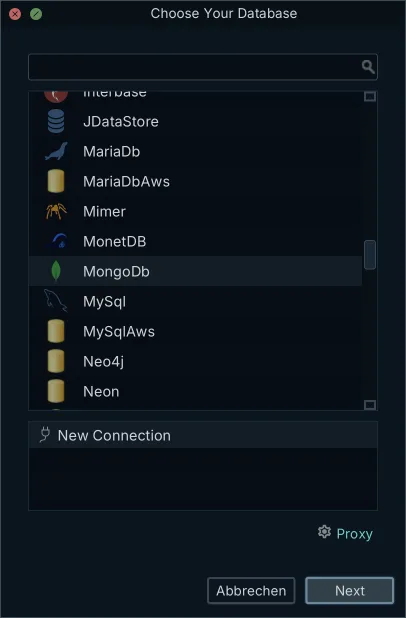
In mixed development teams, database engineers frequently work on Linux while colleagues use macOS or Windows. In DbSchema, schema designs live in a dedicated .dbs project file, which is structured, indented XML. When you save a design on Linux, the file opens identically on Windows and macOS without conversion or schema distortion.
Because the design lives in plain text XML, your team can check the file into Git alongside application source code. Schema adjustments, added columns, table comments, and visual layout coordinates diff cleanly line by line in pull requests. You can inspect instructions to install DbSchema on Windows, macOS and Linux to establish consistent team repositories.
DbSchema includes a Git client: open the Model menu and choose Git — Collaborative Design. From the Git dialog you can clone a repository, create a branch, stage, commit and push model changes, pull your teammates' changes, and stash work before switching branches, without an external terminal. Saving the design to the .dbs design model file, schema synchronization, and generating interactive HTML5 documentation are Pro Edition capabilities.
What to check before installing on Linux
Installing desktop database tools on Linux requires verifying a few system prerequisites to avoid startup failures. DbSchema's native Linux packages do not require you to install or configure Java on your workstation beforehand. Each of its native packages carries its own Java runtime.
Before launching DbSchema on Linux, check two things:
- When installing from a shell script or generic tarball archive, ensure the startup script has execution rights enabled using chmod +x DbSchema_unix_*.sh or the equivalent launcher binary.
- On a minimal or headless machine, make sure the display libraries the interface needs are installed.
For diffing and migration scripts on Linux, DbSchema's schema synchronization (Pro Edition) compares the model with a database and generates the migration script; our comparison of schema compare tools for Linux and macOS covers the alternatives.
Which tool fits which Linux team
On Linux, DbSchema designs and reverse-engineers PostgreSQL, MySQL, Oracle and MongoDB alike from one install; each tool below has a narrower focus.
pgModeler generates native PostgreSQL DDL for custom data types, spatial extensions and domains[9]. MySQL Workbench adds MySQL server administration and visual EXPLAIN plans to its MySQL schema modelling[2]. Oracle SQL Developer Data Modeler supports Oracle Database concepts such as subviews and physical storage parameters[1]. Hackolade Studio models MongoDB, JSON Schema definitions and polyglot storage formats[5]. For teams whose databases span several engines, DbSchema provides visual schema design, reverse engineering and documentation across relational, cloud warehouse and NoSQL engines, and every licence includes every database.
If your team prefers zero local installation, browser-based modellers run in any standard web browser on Linux; with Pro, DbSchema keeps the design in a .dbs file on your machine, works offline, and versions it in your own Git repository.
Opening your own database on Linux today
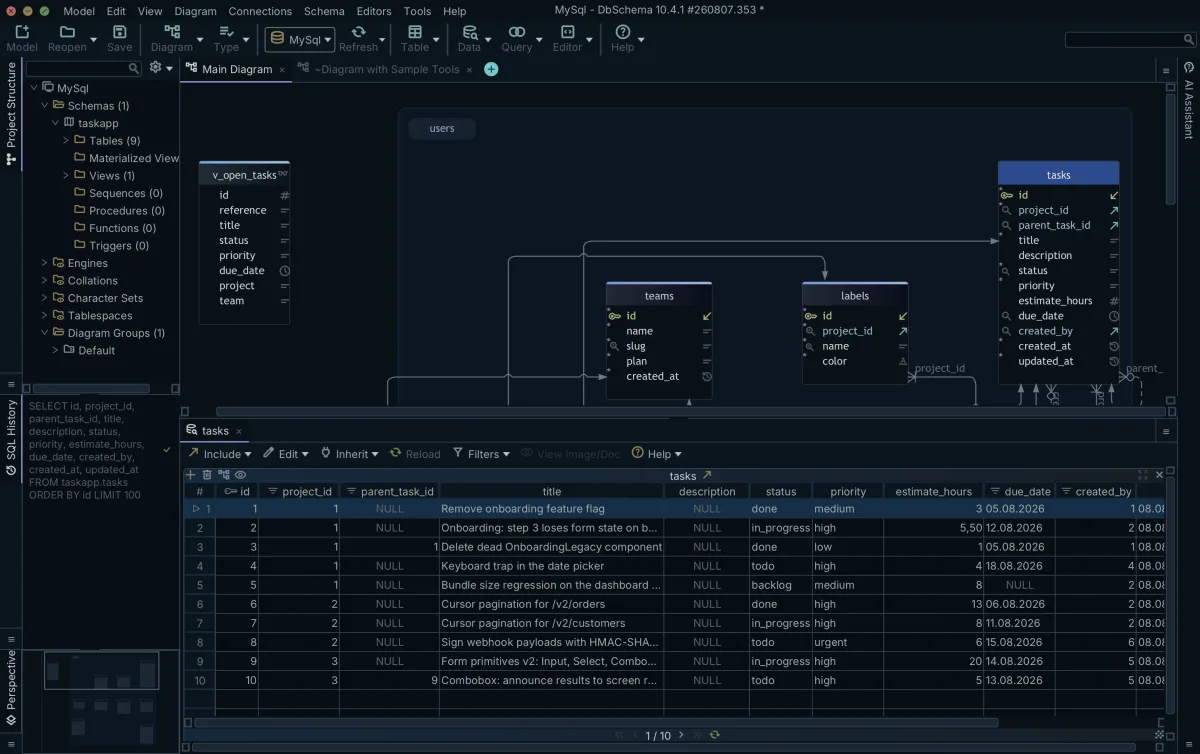
DbSchema Community Edition provides a free, perpetual desktop database designer for Linux. In Community Edition, you can connect to any supported SQL or NoSQL database, reverse-engineer live schemas into interactive ER diagrams, arrange layouts, and write queries using the built-in SQL editor at no financial cost. If you need general query execution across operating systems, see our review of SQL editors for Linux, macOS and Windows compared.

DbSchema Pro Edition adds local .dbs XML model saving, visual query building, multi-table relational data browsing, schema synchronization with migration script generation, and interactive HTML5 documentation export. DbSchema Architect Edition adds database-independent conceptual and logical data modeling.
Download DbSchema for Linux, pick the .sh installer or the Debian, RPM or GZIP package for your distribution, and reverse-engineer your database into diagrams in the free Community Edition.
Frequently asked questions
What is the best SQL client for Linux?
DbSchema Community Edition includes a SQL editor that runs natively on Linux and connects to every supported database; for editors and clients compared by operating system, see our SQL editors for Linux, macOS and Windows compared. This article covers the design-tool half: tools that reverse-engineer a schema into diagrams and keep a model file, not query editors.
Is there a database design tool that runs natively on Linux?
Yes. DbSchema ships a native Linux build alongside Windows and macOS, as a .sh installer and Debian, RPM, GZIP and ARM-64 GZIP packages. pgModeler, Hackolade Studio and Luna Modeler also ship Linux builds; the requirement pages of erwin Data Modeler list Windows and macOS, and those of ER/Studio Data Architect list Windows.
Is there a MySQL Workbench alternative for Linux?
For a multi-engine design tool on Linux, the free DbSchema Community Edition reverse-engineers any supported engine into diagrams, as detailed in the comparison above. MySQL Workbench itself also runs on Linux for MySQL-only work; for multi-engine teams, see MySQL Workbench alternatives for multi-engine teams.
Does erwin Data Modeler run on Linux?
The erwin Data Modeler 14.0 requirement page lists Windows 10/11 and macOS; it does not list a Linux build.
Sources
Open your database in DbSchema on Linux
Use the .sh installer or the Debian, RPM or GZIP package, connect, and reverse-engineer your schema into interactive diagrams in the free Community Edition. The download includes a 15-day Architect trial.









