Database Design Software for Freelancers and Small Consultancies
What a freelancer or a small consultancy needs from a database design tool, from client projects and offline work to handover documents and the licence.
On this page
DbSchema gives a freelancer one design tool for every client, paid once. You keep a separate model file per client, connect to each client's database on their own network, and hand over documentation with the client's name on it. Nothing needs a cloud account. DbSchema Pro costs 294 USD once for a business, and the licence keeps working after the first year.
Short answer
A freelancer needs a tool that moves between clients, works where the client's database lives, and produces something to hand over. DbSchema Pro does all three on one licence that you pay once. The free Community Edition is enough to connect and look around before you buy.
- One Pro licence covers every client: a model file per client, on up to two of your computers.
- DbSchema works offline on a client's network and saves the design as a local file.
- Over three years, a one-time Pro licence costs 444 USD with updates, against 1,058.40 USD paid monthly.
Price the tool over the years you will use it
A freelancer keeps a tool for years, so compare the total, not the first invoice. DbSchema sells Pro as a perpetual licence or a monthly subscription. The perpetual licence includes one year of new versions. After that, a renewal is optional, and the licence keeps running the versions you already have.
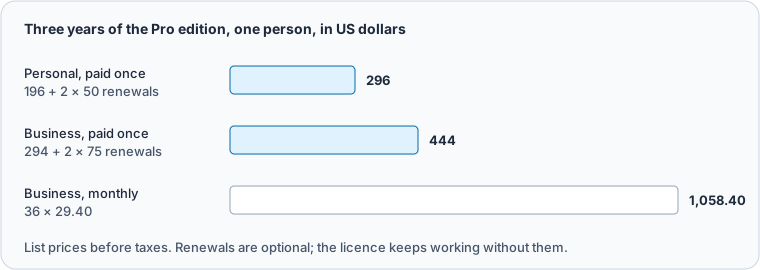
The purchase page sells Business, Personal and Education licences. The licensing page describes Business as a licence a company pays for, whose seats can be reassigned, and Personal as one an individual pays for. If you plan to hire, buy Business, so a seat can move to the next person.
| Licence | Paid once | Monthly | Renewal per year |
|---|---|---|---|
| Pro, Business | 294 USD | 29.40 USD | 75 USD |
| Pro, Personal | 196 USD | 19.60 USD | 50 USD |
| Architect, Business | 470.40 USD | 47.04 USD | 120 USD |
What to see: a perpetual licence pays off after ten months of the monthly price.
Many design tools are sold only as subscriptions. According to their own pages, checked on 25 October 2026, dbdiagram and DrawSQL are subscription only, SqlDBM gives prices on request, and DBeaver has sold no new perpetual PRO licences since version 23.3. With a subscription, a quiet quarter still costs the full fee. Perpetual or subscription works through the break-even in detail.
Keep one model file per client
Each client gets its own design. DbSchema saves the whole design in one model file, so a client is one file on your disk. Open the file, connect, and you are back where you left off.
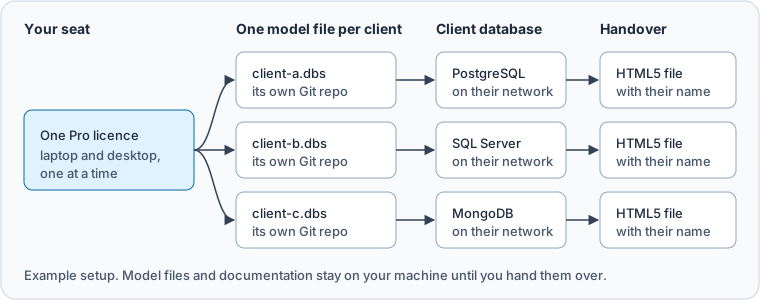
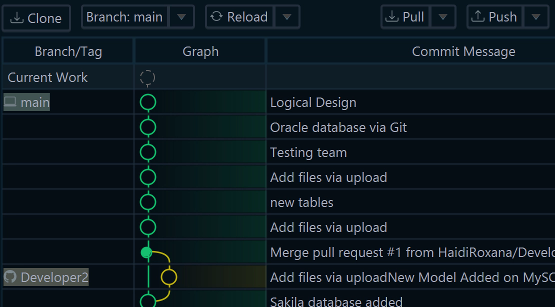
A regular seat is for one person on up to two computers, one at a time. A laptop for client visits and a desktop at home is the typical setup. Put each model file in that client's own Git repository. The Git workflow in DbSchema then keeps every change with its author and date.
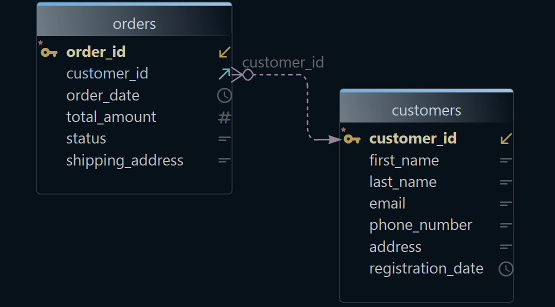
When a client already has a database, start from it. DbSchema reads the existing schema and draws it as a diagram, so you can create an ER diagram from an existing database on the first day of a project.
Work on the client's network without a cloud account
Client databases often sit behind a VPN or on a network with no internet access. DbSchema is a desktop application that connects over SSL/TLS or an SSH tunnel. Its features page puts it plainly: no cloud account, nothing uploaded, no data-processing agreement. The model is a file on your own machine or Git server.
That matters for the contract. Your client's schema never passes through a vendor's servers, so there is less to clear with their security team. You can design offline and synchronize later, when you are back on the client's network.
Even registration works offline. If DbSchema cannot reach the licensing server, it shows a short code. You open a link on any computer with internet, and the activation completes.
Hand over documentation with the client's name on it
A project ends with a handover, and the client's team needs to read the schema without your tools. DbSchema writes the documentation as an HTML5 file, a PDF or a Markdown file. The HTML5 version is a single .html file that opens in any browser, with no server.
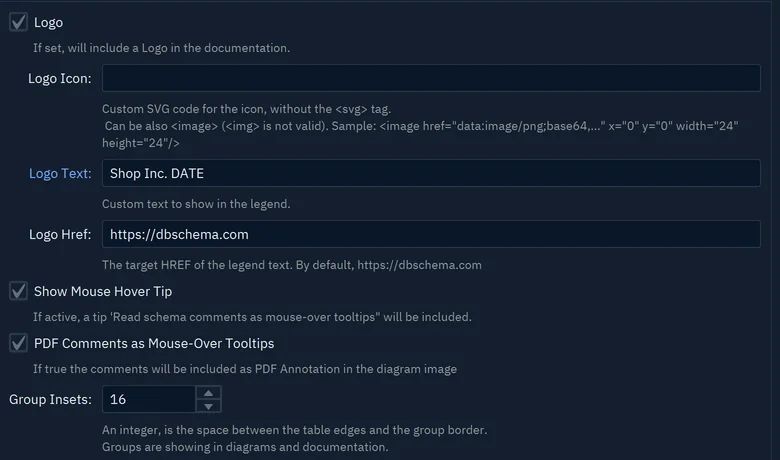
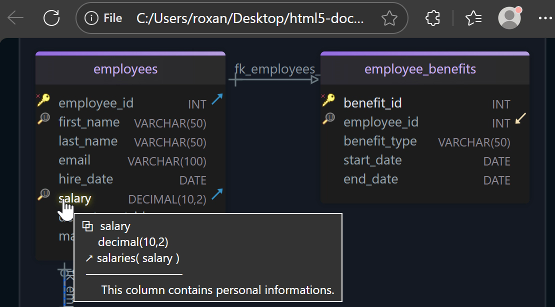
Set Logo Text to the client's name, and write DATE where the export date should go. The diagram, every table and every column description go into the file. Documenting a full diagram needs Pro. The Community Edition documents a diagram of up to 12 tables, with "DbSchema Trial" across the image.
Pick the edition by what you deliver
The edition follows the work you sell, not the size of the client.
| You deliver | Edition |
|---|---|
| Queries and a look at an existing database | Community, free |
| Schema design, migration scripts and documentation | Pro |
| Logical and conceptual models before a database exists | Architect |
What to see: most freelance design work lands on Pro.
Which edition a team actually needs goes through the editions feature by feature. How to choose a database design tool gives the tests to run in a trial before you pay.
Download DbSchema and use the 15-day trial of all features on your next client project. Model files, offline design and HTML5 documentation are in DbSchema Pro.
Sources
Take one licence to every client
Every DbSchema download starts with a 15-day trial of all features. Model files, offline design and HTML5 documentation are in DbSchema Pro, paid once.