Oracle Data Modeling and ER Diagrams for SQL Developer Users
How DbSchema draws an Oracle schema, keeps the design in a local file, and turns it into logical and physical models for any database.
On this page
Words in this article
Words in this article
- ER diagram
- A picture of a database: each table is a box, and each link between two tables is a line.
- Reverse-engineering
- Reading the tables and keys of a live database and drawing them.
- Foreign key
- A column that points to a row in another table.
- Forward engineering
- Creating the tables in a database from the design.
- Model
- DbSchema's own copy of the schema, saved as a .dbs file, where you change the design before the database.
- Logical design
- A description of the data that names no database: entities, attributes and relations.
- Physical model
- The tables of one database, with its data types.
- PL/SQL
- Oracle's programming language for code stored in the database.
The short answer
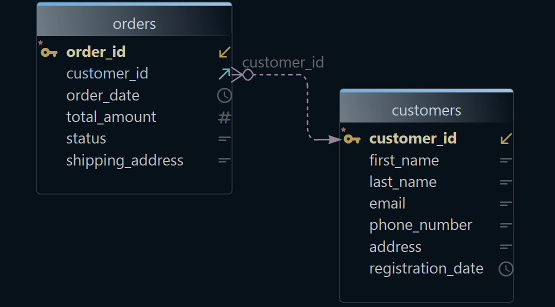
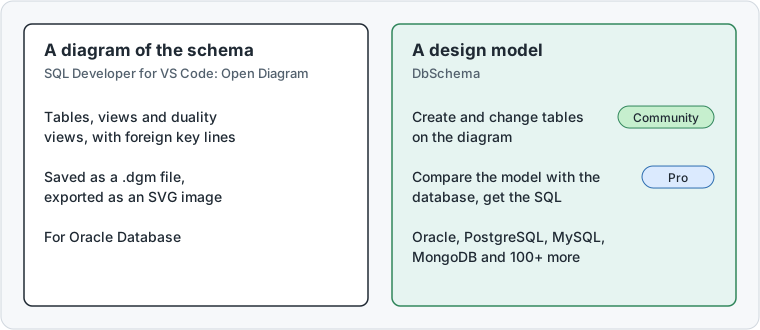
You need Oracle data modeling: an ER diagram of the schema, or a data model your team can change before it reaches the database. If you started with Oracle SQL Developer data modeling, you keep working the same way in DbSchema. An ER diagram shows each table as a box and each link between two tables as a line. DbSchema draws the schema, keeps the design in a file on your disk, and carries it to Oracle or another database:
Diagram an Oracle schema you can edit
DbSchema connects and draws the tables and their links.
Keep the design in your own file
DbSchema Pro saves it on your disk, compares it with the database and writes the SQL.
Model before you build
DbSchema Architect adds logical design and generates Oracle or PostgreSQL from it.
What DbSchema adds to an Oracle ER diagram
Why DbSchema
DbSchema is a desktop design tool for Windows, macOS and Linux. Every edition connects to Oracle, PostgreSQL, MySQL, SQL Server, MongoDB and more than 100 other databases (Oracle in DbSchema).
The diagram straight from the connection
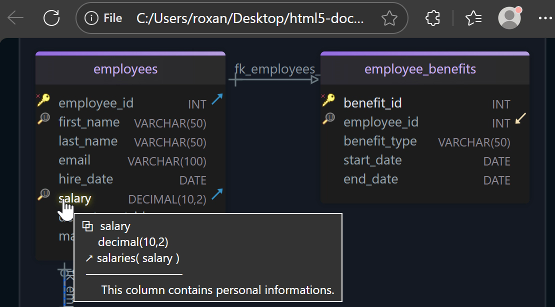
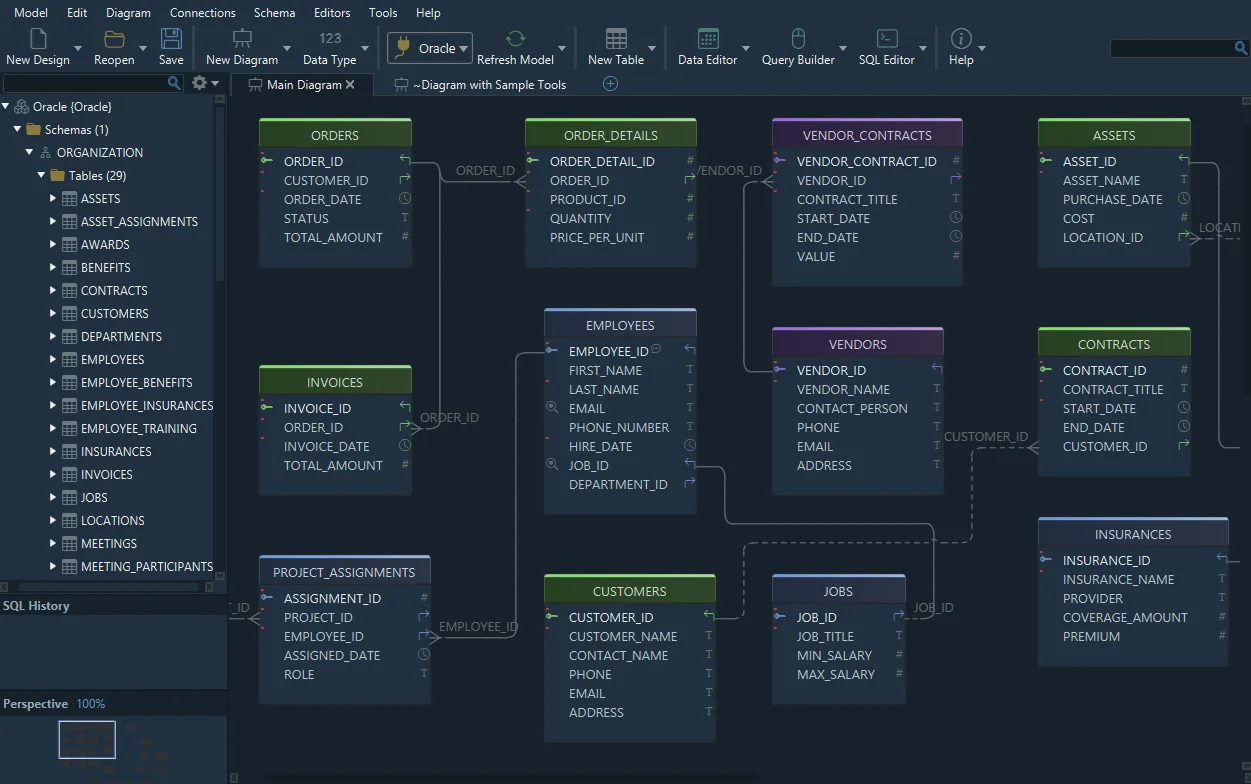
DbSchema reads the tables of an Oracle schema and the links between them, and draws them (Connect to Database).
The design in a local file
DbSchema Pro saves the model as a
.dbsfile on your own disk. It runs on your desktop, with no cloud upload.Changes as reviewed SQL
DbSchema Pro compares the saved design with the database and writes the SQL for the differences you pick (Schema Synchronization).
An Oracle design that becomes PostgreSQL
DbSchema Architect keeps a logical design and generates the model for another database (Logical Design).
Then, in DbSchema:Reverse-engineerEdit offlineCompareConvert
Key takeaways
- Reverse-engineering only reads from Oracle. Changes reach it as SQL you read first.
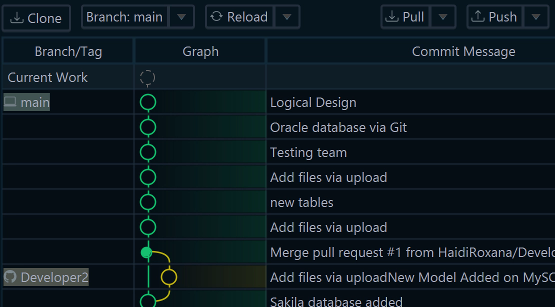
- The model file stays on your disk and goes to your own Git repository when you share it.
- Model Conversion Rules show how each Oracle data type converts before you press Convert.
- Forward engineering runs one statement at a time, and you run, skip or stop each one.
What users say
I can quickly and easily put together a conceptual ERD either connected or not connected to a database, then either connect to generate the schema in the database or generate a sql script.
DbSchema is worth researching for enterprises in search of a feature-rich database design tool.
Reverse-engineer an Oracle schema into an ER diagram
Reverse-engineering means reading the tables and keys of a live database and drawing them. The result is an Oracle ERD you can edit. The badges show the edition each step needs.
-
Connect to Oracle Community
On the Welcome Screen, keep Connect to Database selected, click the Oracle tile and press Connect (Figure 1). In the Connect to Oracle dialog, set Method to Connect via Service Name and choose Remote computer or custom port. Fill in the Server Host, the port (1521 is filled in), the Database User and the password. Type the service name under Choose the database, then press Connect (Figure 2). The service name is the name under which the Oracle server offers your database. DbSchema brings the JDBC driver itself. A JDBC driver is the small program a Java application uses to talk to a database.
-
Reverse-engineer the schema Community
In Reverse Engineer the Database, tick the schemas and press Import. In Oracle, a schema is the set of tables that belongs to one database user. DbSchema draws the tables and their foreign keys. A foreign key is a column that points to a row in another table, such as
orders.customer_id. This step only reads from the database. -
Change a table on the diagram Community
Double-click a table header to edit its columns, or click an empty spot and choose Table → Create Table in the toolbar. While you are connected, OK makes the change in the database at once (Tables, Columns and Indexes).
01 OraclePick the database first. The list on the right then shows your Oracle connections.
02 New ConnectionSelected by default the first time. Saved connections appear below it later.
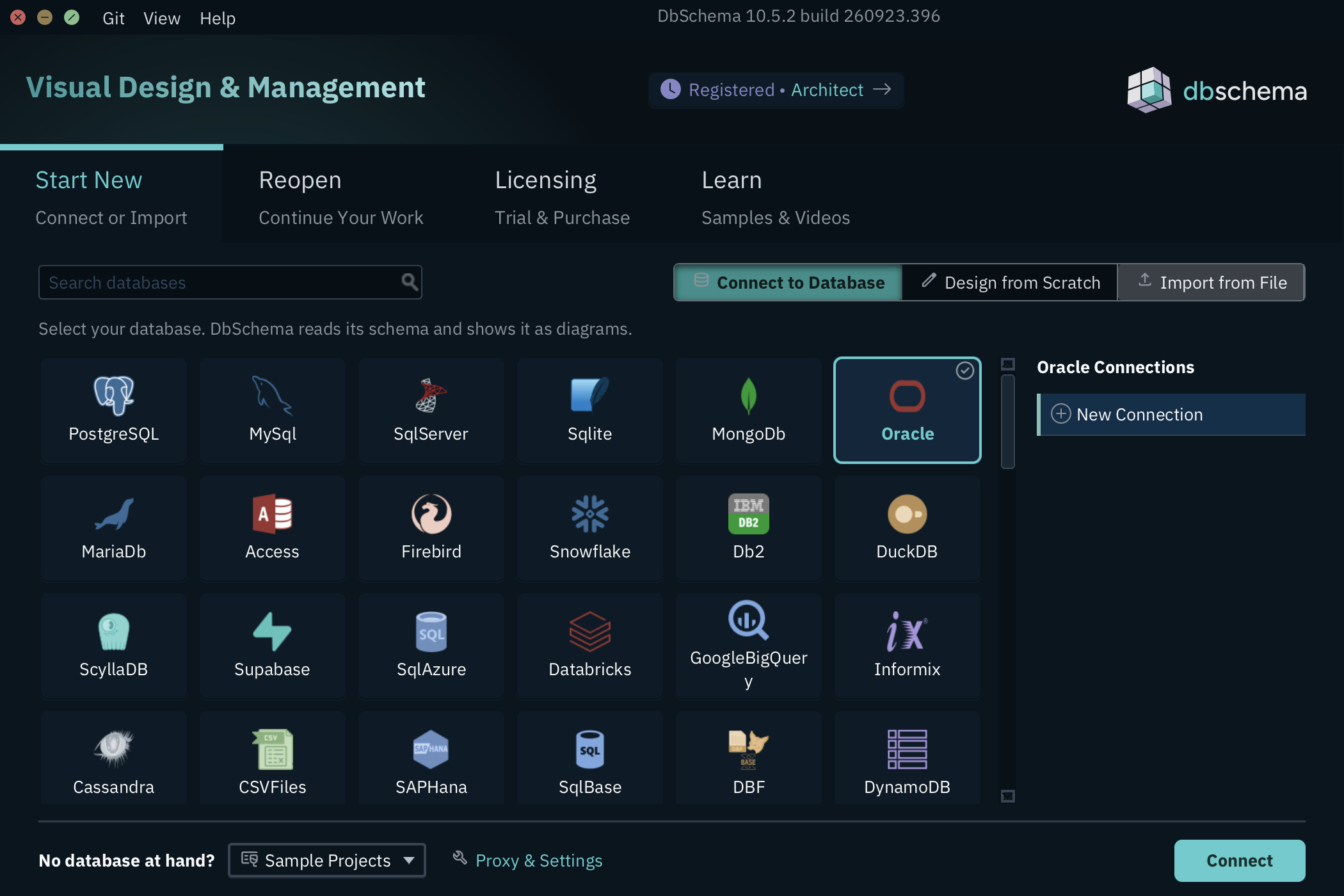
03 ConnectOpens the Connect to Oracle dialog.
01 MethodConnect via Service Name for most servers. Connect via SID and TNS sit in the same list.
02 Server HostThe name or address of the Oracle server. Below it, the port and the Oracle user whose schema you want to draw.
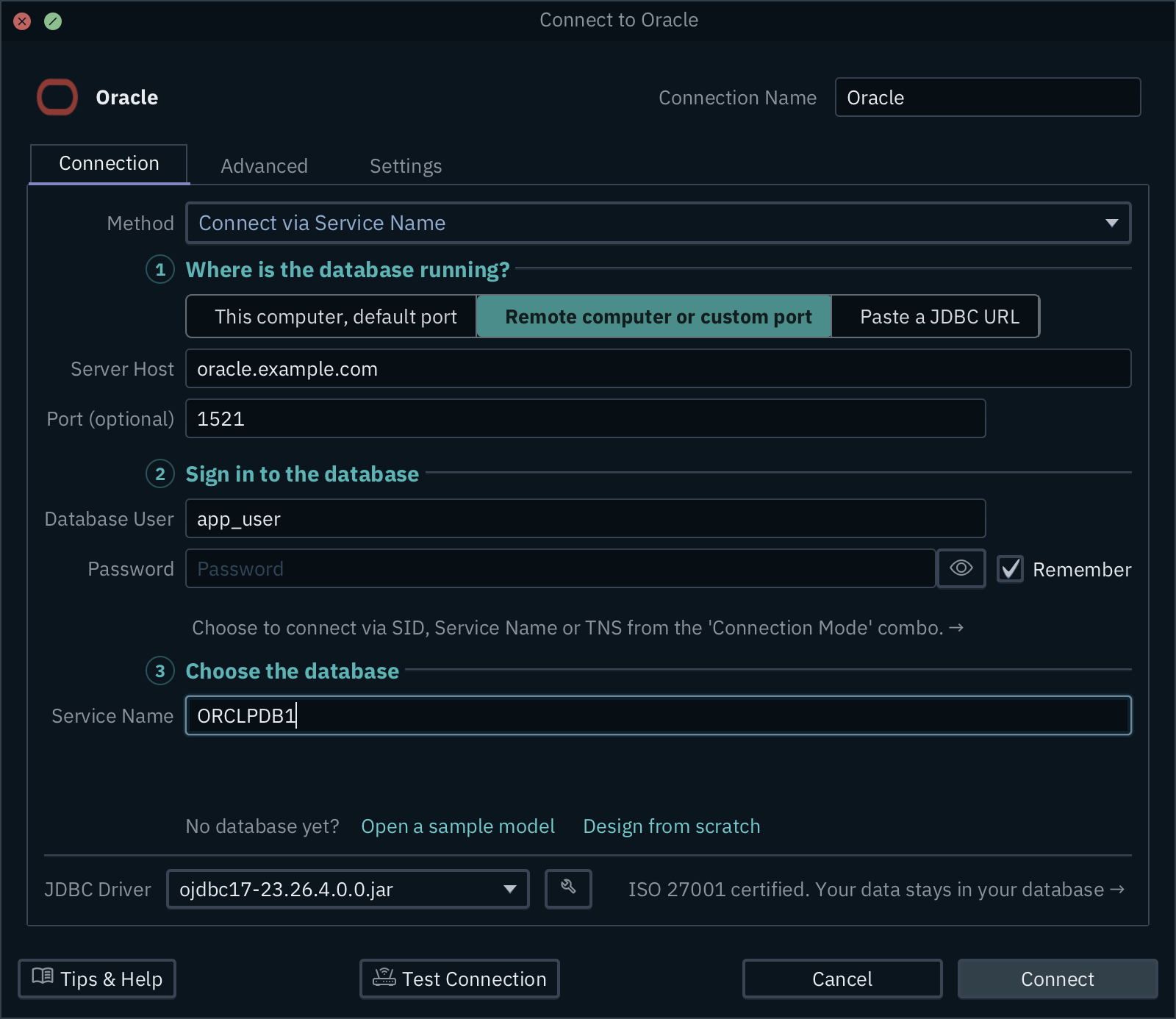
03 Service NameThe name the server offers your database under, such as ORCLPDB1.
The Oracle reverse engineering guide explains what a database user with few rights can see.
Your design stays in a local file
A model is DbSchema's own copy of the schema. You change it first, review the change, and only then apply it to the database. DbSchema Pro keeps the model in a .dbs file on your disk, so the design never leaves your machine unless you share it.
-
Save the model Pro
Choose File → Save Model to File and pick a folder. To share it with your team, File → Git Collaboration commits the file to your own Git repository (Git Collaboration).
-
Change the design offline Pro
Choose Database → Offline (connect later). Your changes now stay in the model, not in the database.
-
Compare and apply Pro
Connect again, and choose Compare in the Connected to the Database dialog. The Synchronize Model and Database dialog lists each difference, and you read its SQL before anything runs.
Oracle data modeling with logical and physical models
DbSchema Architect adds logical design to the physical model. A physical model holds the tables of one database, with its data types, such as NUMBER in Oracle. A logical design describes the same data without choosing a database. It uses entities, attributes and relations instead of tables, columns and foreign keys.
This matters for companies that keep their main system on Oracle and build new services on PostgreSQL. Oracle's own SQL Developer and Data Modeler are free and built around Oracle Database.
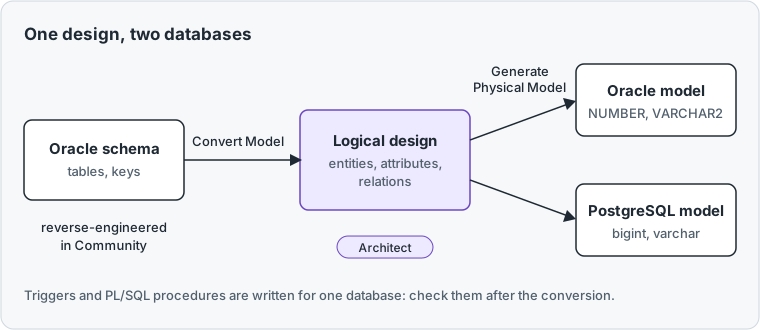
In DbSchema Architect, Model → Convert Model with Target DBMS set to LogicalDesign turns the reverse-engineered Oracle model into a logical design. Model → Generate Physical Model then creates the model for the database you pick. A new design can also start with no database at all: File → New Model → Design without Database → Logical Design.
01 EntitiesA logical design holds entities, not tables, and names no database yet.
02 ConvertSets how names and types become physical. Model → Generate Physical Model then creates the Oracle model.
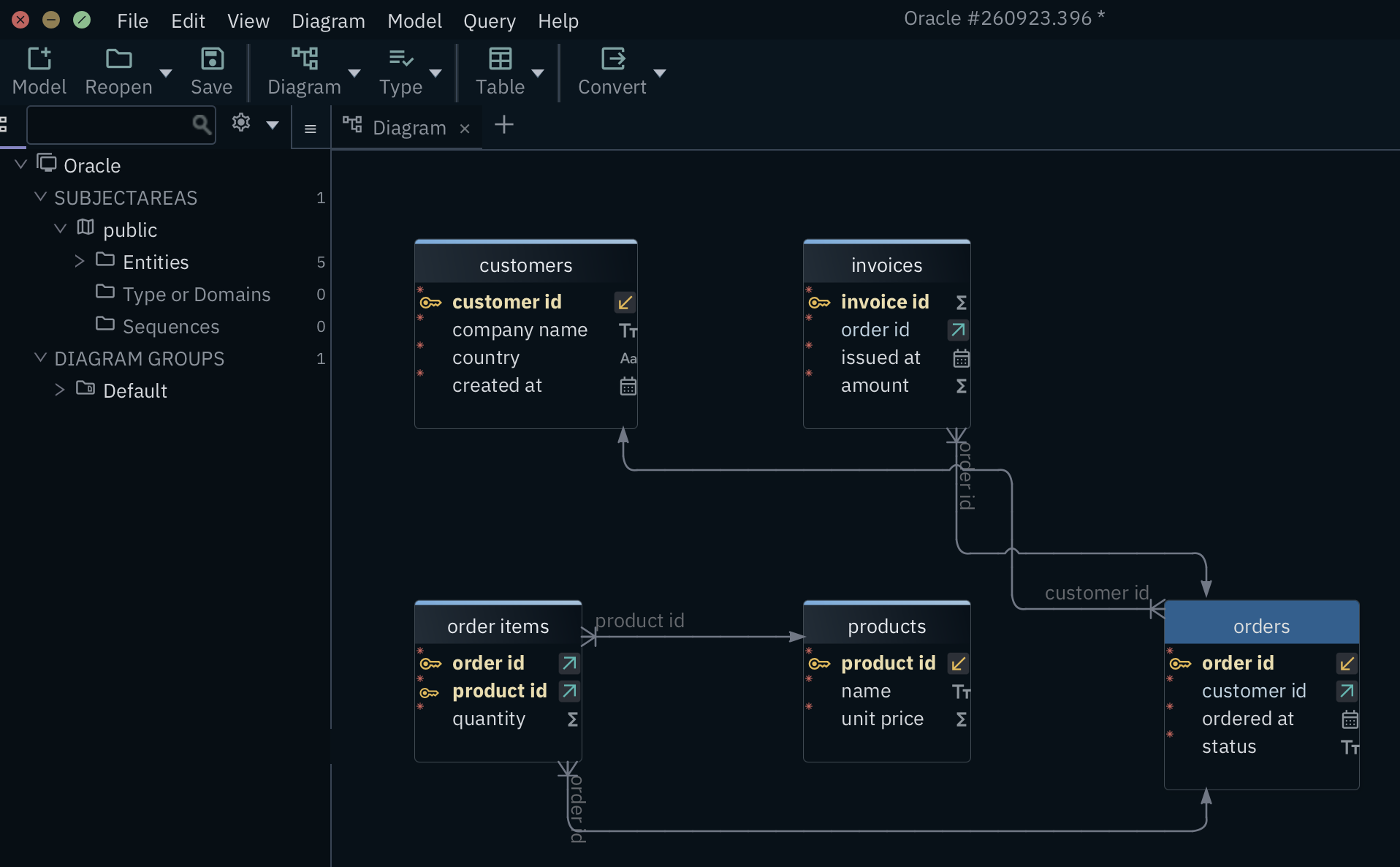
03 order itemsNames now use plain words: order_items became order items. Relations replace foreign keys.
04 ordersEach entity lists its attributes, the logical version of columns.
Before every conversion, the Model Conversion Rules dialog shows how each data type will convert. You can change a rule before you press Convert. The logical design stays as it is, so you can generate Oracle again later. Afterwards, check triggers and PL/SQL procedures. PL/SQL is Oracle's own programming language for code stored in the database, so it does not run on PostgreSQL as it is.
Create the Oracle schema from the model with forward engineering
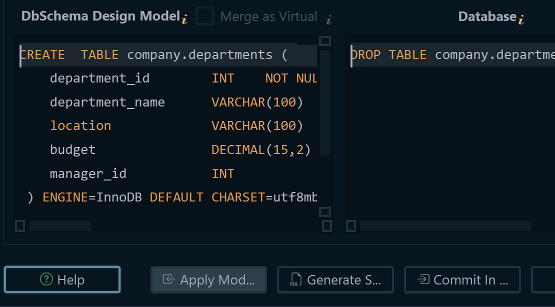
Forward engineering means creating the tables in a database from the design. In DbSchema Pro, choose Database → Create or Upgrade Model in the Database. Tick the schemas and tables in Commit Changes into the Database and press OK. The Execute Script In Database Dialog then shows one statement at a time, and you run, skip or stop each one. The same step brings an existing database up to the model (Schema Synchronization).
The Oracle design tools guide covers more Oracle design work.
DbSchema Architect fits teams that keep Oracle and build new services on PostgreSQL: one logical design feeds both, and flow diagrams show which stored procedures read and write each table. It includes everything in Pro. DbSchema Pro suits developers who keep the Oracle design in their own file and create or update the schema from it. Drawing the schema stays free in the Community Edition. The pricing page lists every edition.
Download DbSchema and try all features free for 15 days, without registration. For one design across Oracle and PostgreSQL, choose DbSchema Architect.
Sources
- Oracle, SQL Developer product page, SQL Developer 26.2 (oracle.com/database/sqldeveloper), read 19 November 2026.
- Oracle, SQL Developer Data Modeler product page, version 24.3.1 (oracle.com), read 19 November 2026.
- DbSchema, Connect to Database, Tables, Columns and Indexes, Git Collaboration, Schema Synchronization and Logical Design documentation.
- DbSchema, Licensing documentation and purchase page, read 19 November 2026.
Open your Oracle schema as a diagram
DbSchema reverse-engineers the Oracle schema you open in SQL Developer into an interactive ER diagram. DbSchema Architect turns the Oracle design into a model for PostgreSQL, MySQL or another database.