Best Oracle Database Design Tools in 2026
For the person choosing the tool that will design, version and document an Oracle schema, on an estate where Oracle may not be the only engine.
On this page
You need an Oracle schema designed before its tables exist, reviewed the way code is reviewed, and documented for people who never log in to the database. DbSchema does all three, and it reads the other engines on your estate as well. Oracle's own SQL Developer Data Modeler is free and covers Oracle only.
The other four are built around different jobs. Redgate Data Modeler keeps the model in a browser workspace on Redgate's servers. Aqua Data Studio puts querying, administration and modeling behind one license. DataGrip is an SQL editor that draws diagrams of the database you're connected to, and DBeaver Community is a free daily client that does the same. The tables below compare all six on what they do with an Oracle schema and on what they cost, and the last section gives you a script to test your shortlist on.
What an Oracle design tool has to do
A design tool sits between the database and everything made from it. It reverse-engineers the schema you already have, lets you change the design without touching production, and turns that design into the things other people use: a reviewed change, a document, a migration script.
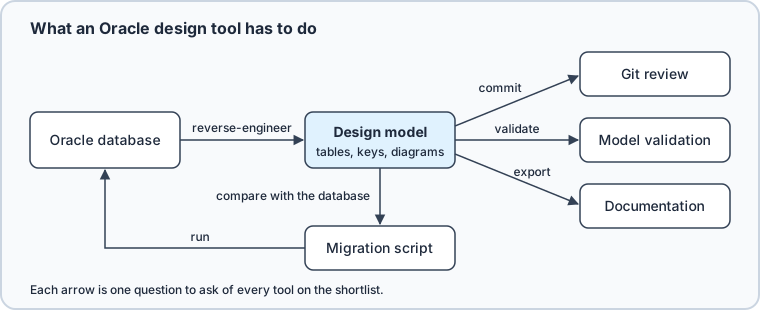
Ask every candidate the same questions:
- Does it reverse-engineer your Oracle schema, and does the result keep identity columns, check constraints and comments?
- Is the design kept in a file you commit, on the vendor's server, or only in the database?
- Can several people change the same design without overwriting each other's work?
- Can it check the model against your own naming and design rules before anyone reviews it?
- Does it compare the design with a live database and write the migration script?
- Can you write and run SQL against the database in the same tool?
- What does it export for people without a database login?
- Does it read the other engines you run beside Oracle?
- Does it run on your operating system, and is there a free edition or a trial to test it with?
Price is the last question, because the shape of the license matters more than the figure once the team grows. A free edition with no time limit, a perpetual license with a year of updates, and a subscription per user per year cost very different amounts for a team of ten.
How the six compare
What each tool does with an Oracle schema, as its vendor's own pages describe it:
| Tool | Reverse-engineer from Oracle | Checks the model | Version control | Documentation output |
|---|---|---|---|---|
| DbSchema | Yes, in Community | Model Validation rules, in Pro | Git, on the model file saved in Pro | HTML5, PDF, Markdown, in Pro |
| Oracle SQL Developer Data Modeler | Yes, Data Dictionary import | Design rules | Subversion, Git | Built-in reports |
| Redgate Data Modeler | Reverse engineering, import from SQL | Live validation | Model versioning | Diagram to PDF and PNG |
| Aqua Data Studio | Yes, into ER diagrams | Not published | Not published | Not published |
| DataGrip | Diagram of a source, schema or table | Not published | Git, Subversion, Mercurial, for SQL files | Diagram to PNG, Mermaid, PlantUML |
| DBeaver | Diagram of a table or schema | Not published | Git, in Enterprise and Ultimate | Diagram image or GraphML |
Where each one runs and what it costs:
| Tool | Runs | Engines beyond Oracle | Paid editions, list price | Free edition or trial |
|---|---|---|---|---|
| DbSchema | Windows, macOS, Linux | SQL and NoSQL databases | In your own currency | Community, no time limit; 15-day Architect trial |
| Oracle SQL Developer Data Modeler | Platform independent | Built around Oracle | Free, Oracle Free Use License | Free, release 24.3.1 |
| Redgate Data Modeler | Browser | PostgreSQL, MySQL, SQL Server and more | Standard $189, Pro $303 per user per year | 14-day trial |
| Aqua Data Studio | Windows, macOS, Linux | Over 40 platforms | Standard $499, Ultimate $699 per user per year | Free trial |
| DataGrip | Cross-platform desktop | Relational and NoSQL | On the JetBrains buy page | Free for non-commercial use; 30-day trial |
| DBeaver | Windows, macOS, Linux | Any with a JDBC driver | Lite $113, Enterprise $255, Ultimate $510 a year | Community, free and open source; 14-day trial of the paid editions |
Every competitor figure was read from that vendor's own pricing page on 11 September 2026 and is a US-dollar list price. Three of those pages change the number next to it: Redgate and DBeaver put a license-count selector beside the price, Aqua Data Studio puts a one, two or three year term selector beside it, and JetBrains shows DataGrip's prices per region, which is why the DataGrip cell links the page instead of quoting it. DbSchema's own price is shown in the visitor's currency and differs by audience, so it's linked rather than quoted, under the Business, Personal and Universities & Students tabs.
Other lists on the first page for this query name four more modelers. Luna Modeler, from Datensen, runs on your own computer under Windows, macOS and Linux, with a 14-day trial and a license you pay for once[1]. Its Oracle page lists synonyms, types, packages, sequences, triggers and functions among the objects it designs, and it generates SQL scripts, HTML or PDF reports, and synchronization scripts. erwin Data Modeler and Toad Data Modeler are both sold by Quest, and Enterprise Architect is Sparx Systems' modeling suite. The test in the last section works on any of them.
DbSchema
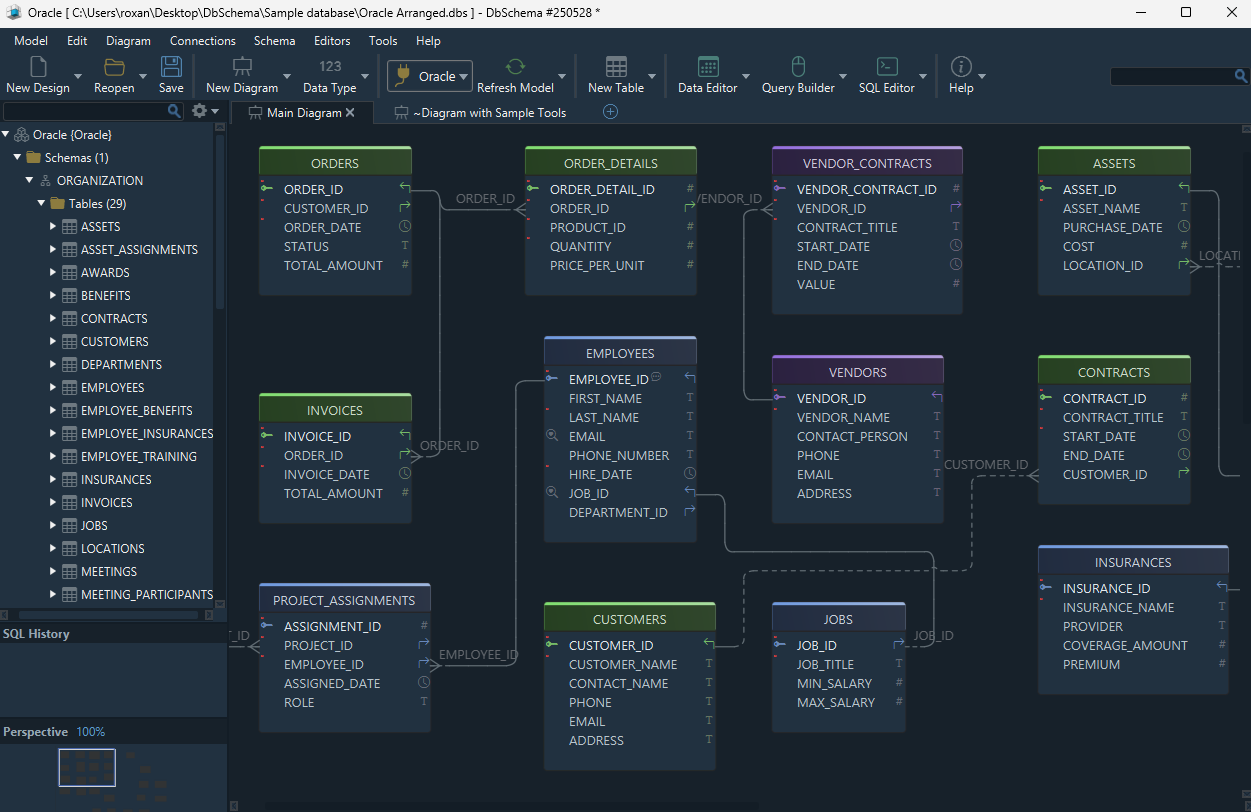
DbSchema connects to Oracle, reverse-engineers the schema into an interactive diagram, and lets you create and change tables, columns and foreign keys on that diagram. Oracle stores unquoted names in uppercase, and DbSchema applies that case conversion in the table and column dialogs, so a name looks in the design the way it will look in the database. The same installation reads the other engines on your estate from inside your own network, with no cloud account in the path.
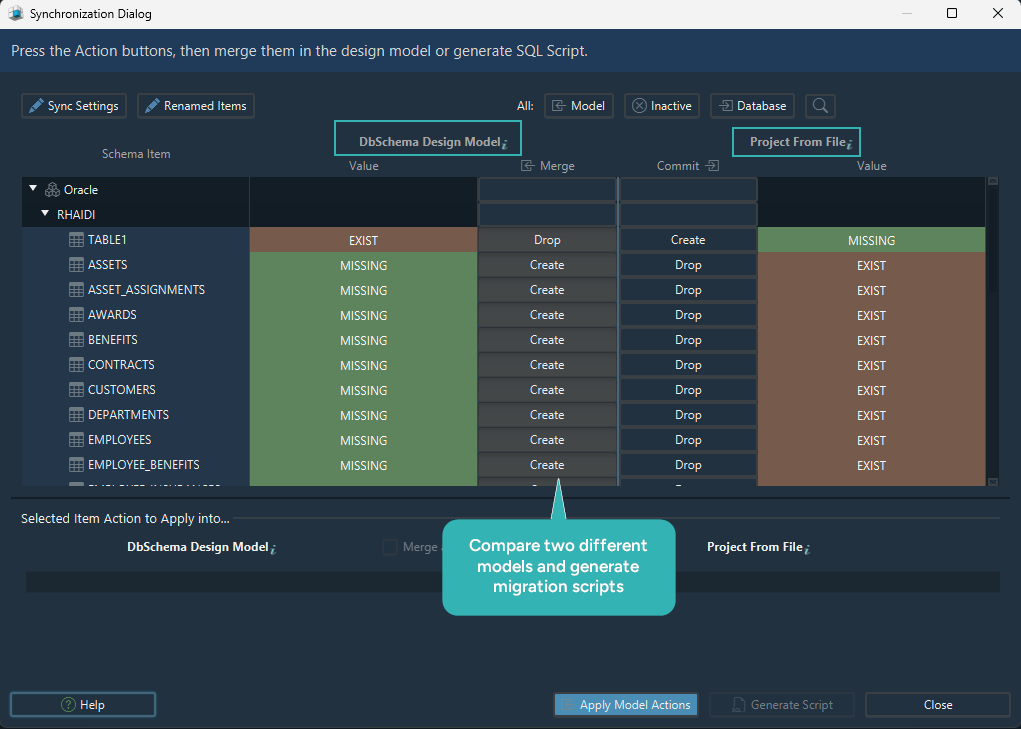
The design is a file, and everything else follows from that. Connected, a change you make on the diagram runs on the database at once. Disconnected, your changes go only to the model file, an XML file you commit to Git and review in a pull request like code. Once the change is approved, DbSchema compares the model with the database and generates the SQL that brings the database in line, and you review that SQL before it runs. A large schema splits into several diagrams, one per area, and the documentation export can take all of them or a chosen few.
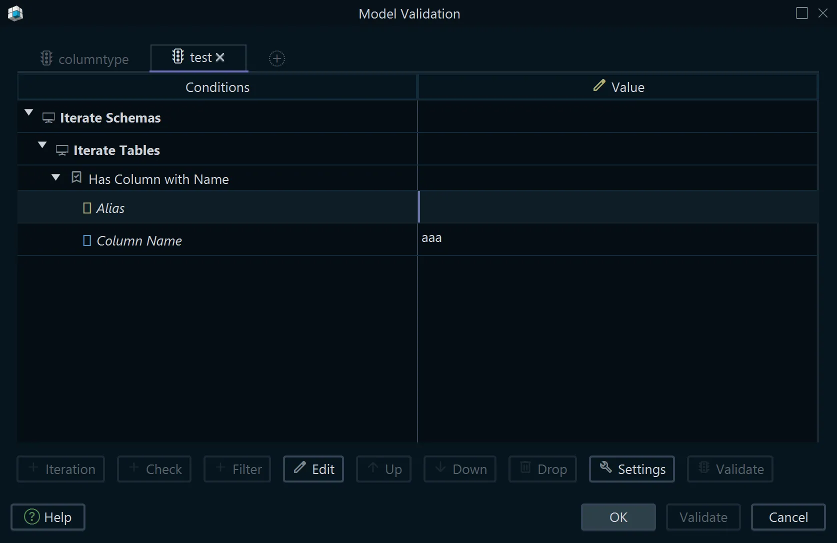
Before anyone reviews the change, Model Validation runs your own rules over every table, column, index and foreign key, and flags what breaks them: a table with no primary key, a column with no description, a name that breaks your naming pattern.

For the people who never open the database, DbSchema exports the design as interactive HTML5, PDF or Markdown. The HTML5 file opens in any browser with no server, draws the diagram as a vector image, and shows each column's description when you hover over it.
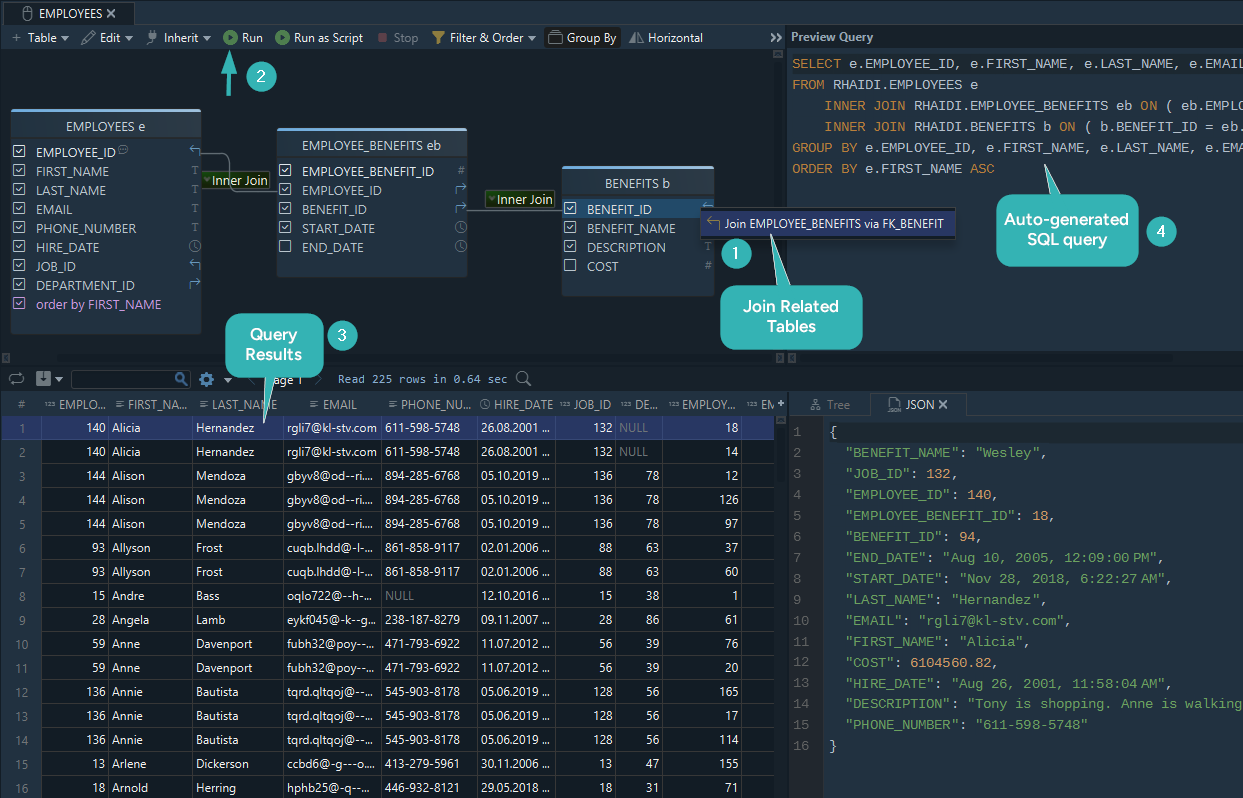
With a connection open, DbSchema also browses related tables from one row to the next without a join, builds queries with the mouse, and fills tables with generated test data.
The free Community Edition covers connecting, reverse engineering, the interactive diagrams and the SQL editor. Pro adds the saved model file, validation, schema synchronization, the documentation export, relational data browse, the query builder and the data generator. Logical and conceptual design are in Architect. A new installation starts a 15-day Architect trial that includes every Pro feature, and the editions are compared on the purchase page. The longer walk-through is in the Oracle guide, and the Git workflow is covered separately.
Oracle SQL Developer Data Modeler
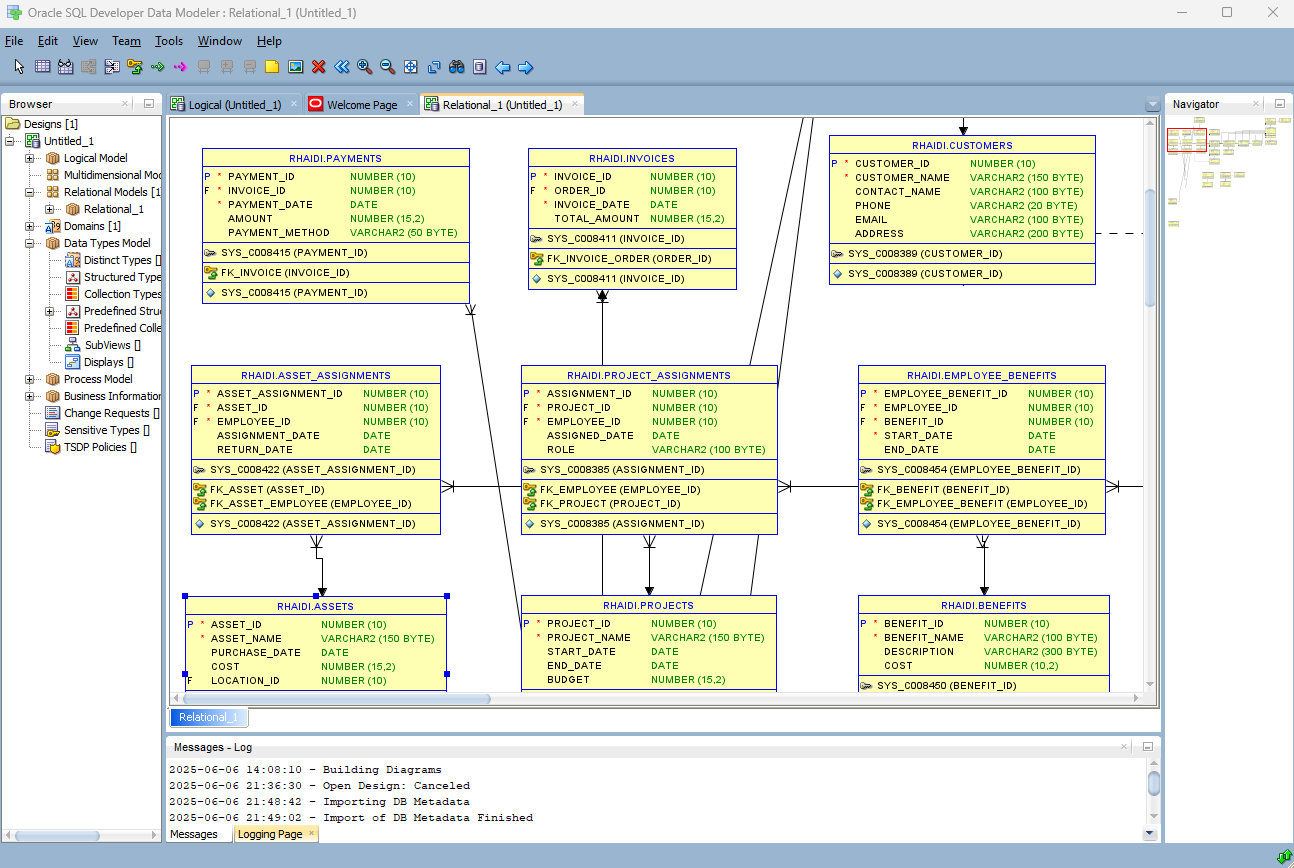
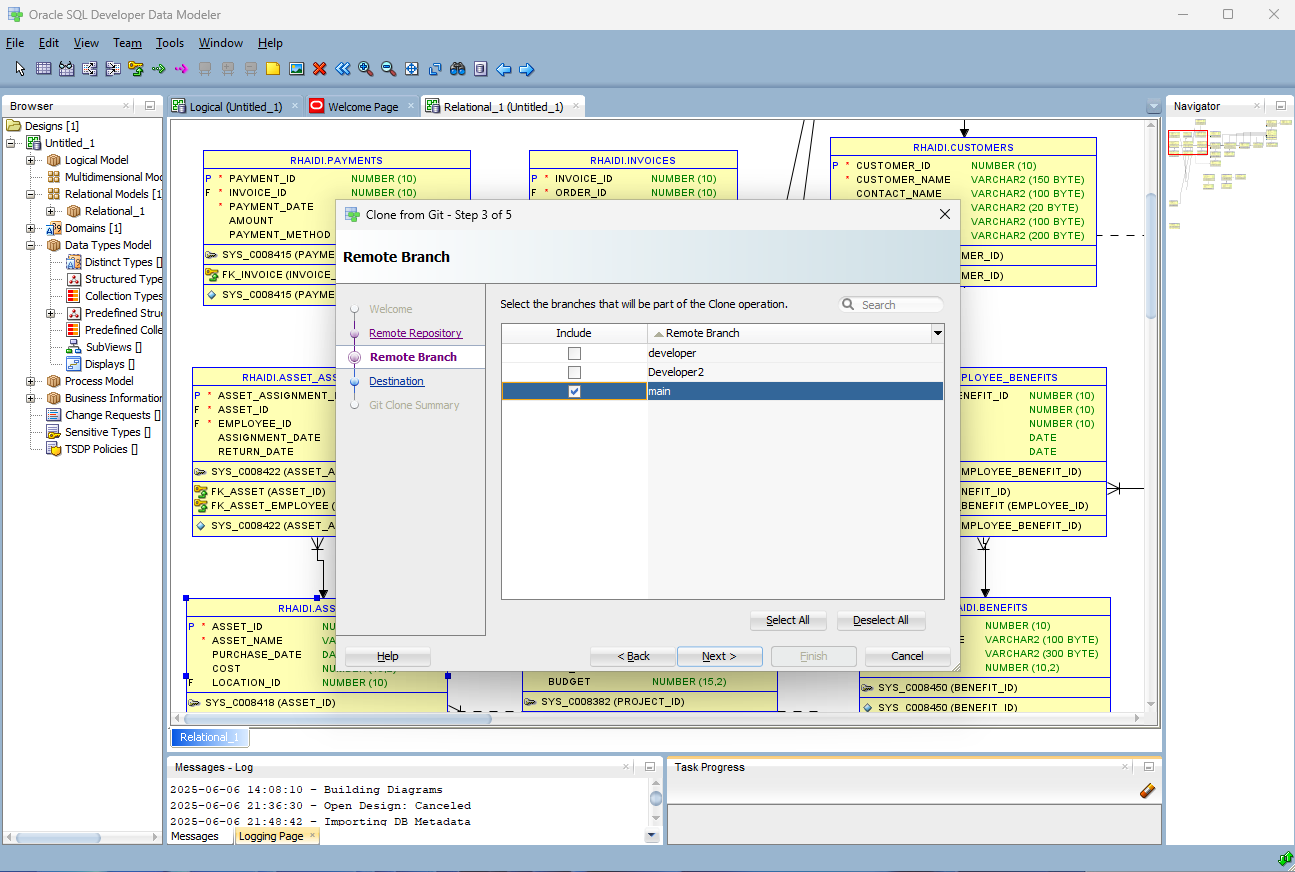
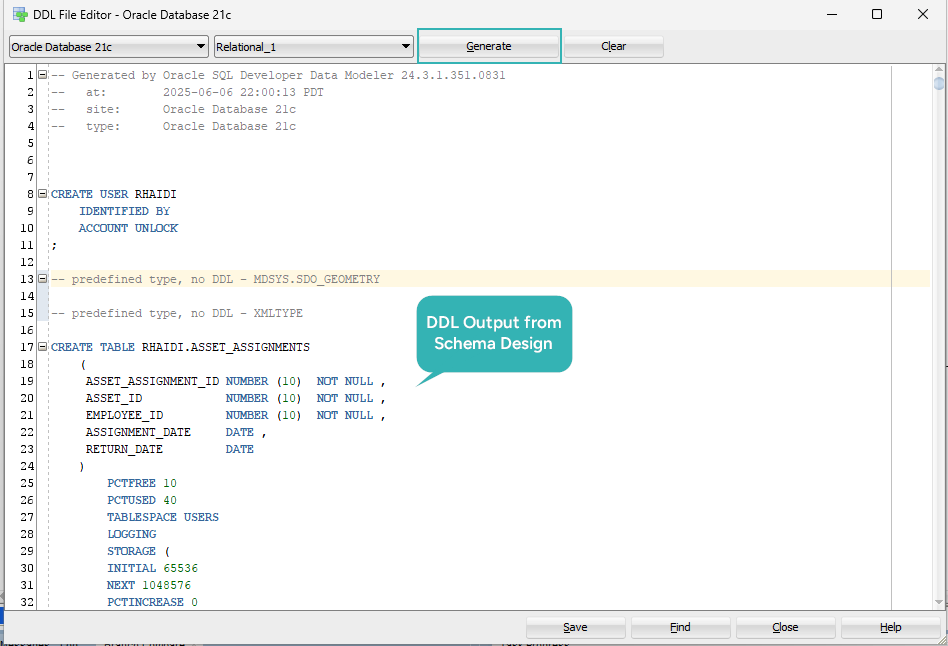
Oracle's own modeler is a free, stand-alone product[2] under the Oracle Free Use License[3], and it works with Oracle Database only. It creates logical, relational, physical, multi-dimensional and data type models, does forward and reverse engineering with DDL generation, and checks a model against a predefined set of design rules. It connects to any supported Oracle Database, and the current release is 24.3.1.
Starting from a database you already have isn't a connect-and-go step. You go to File, Import, Data Dictionary, pick or create a connection and follow the wizard, which reads the metadata and builds a relational model[4]. Import more than one schema and Data Modeler puts them all in one relational model with a subview for each schema, which is how it splits a large design into smaller diagrams. The same guide puts the design rules under Tools and the built-in reports under File, Reports. For version control, the release notes describe adding a design to a Subversion or a Git repository, where Data Modeler writes the ignore rules that keep its local files out of the repository[5].
Redgate Data Modeler (formerly Vertabelo)
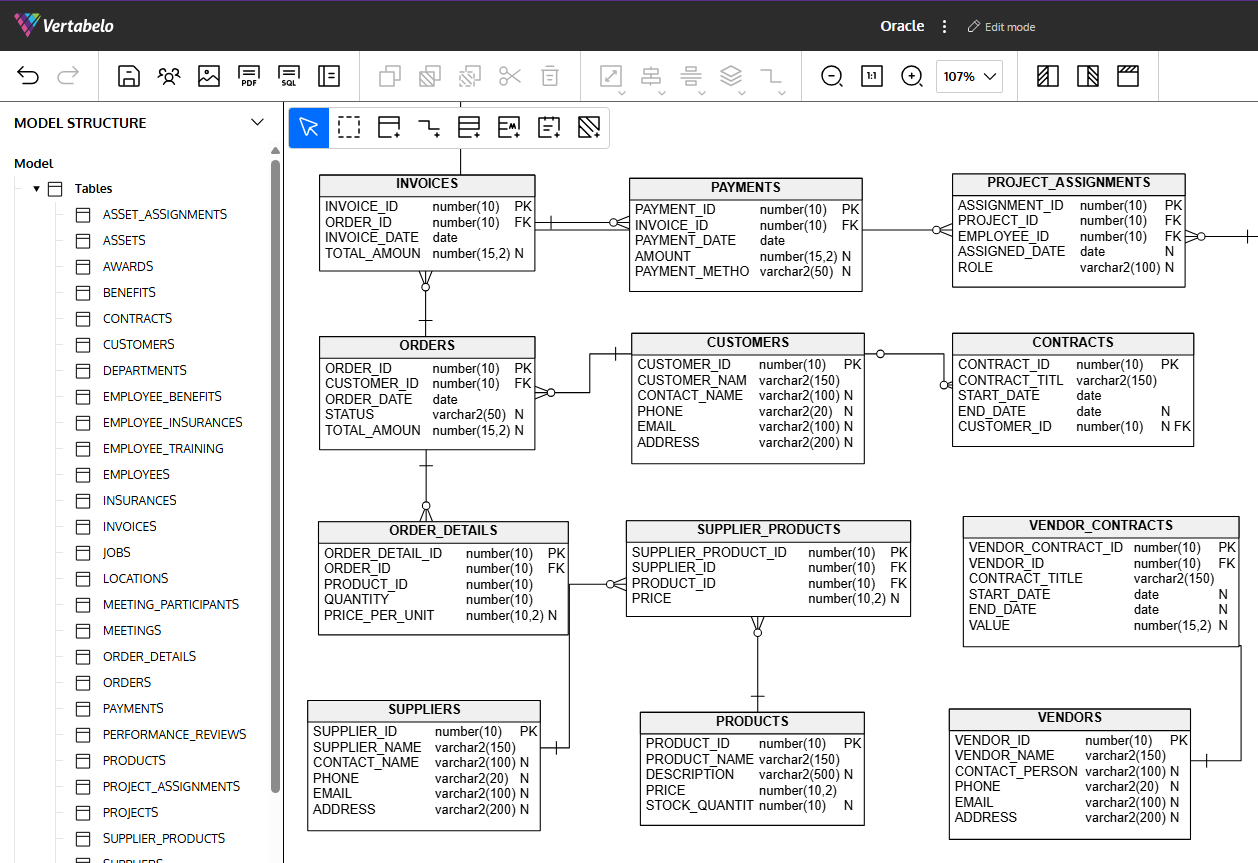
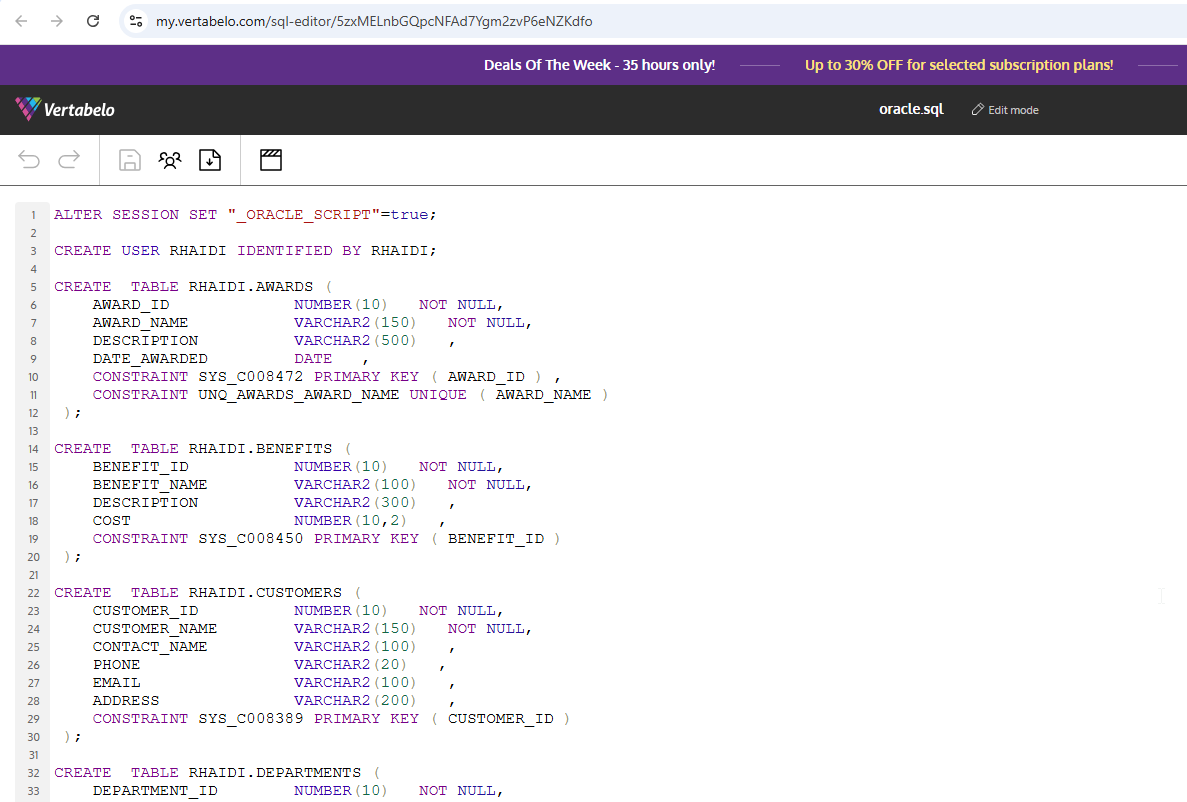
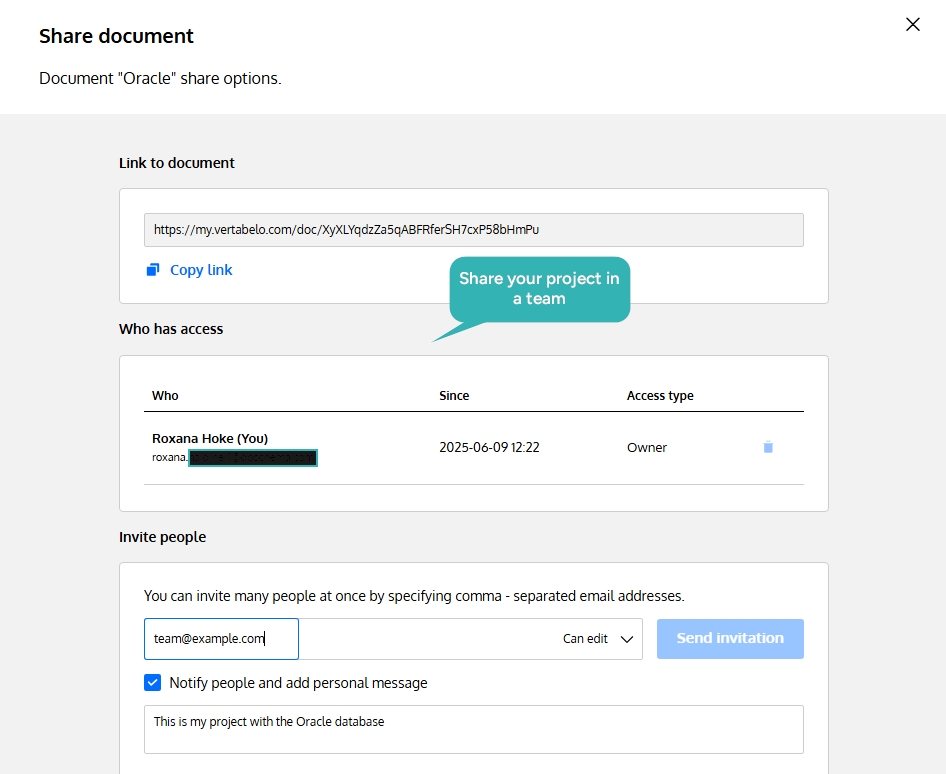
Redgate acquired Vertabelo's Data Modeler and sells it as Redgate Data Modeler, so bookmarks and older reviews point at a product that has changed hands. It runs in the browser with nothing to install, and its product page names PostgreSQL, MySQL, SQL Server, Oracle and more[6] among the engines it's built for. The models are kept in Redgate's cloud, and several people work on the same model at once.
The editions page lists what a team shares: read-only users, model versioning, model sharing and public links. It imports an existing schema from SQL, generates DDL and migration scripts, and exports the diagram to PDF or PNG[7].
There are two editions, and the split matters for Oracle work. Standard is $189 per user per year and covers physical design, with a cap of 20 database models and 100 tables per model. Pro is $303 per user per year and adds logical design, access through the API, and no cap on models or tables. Redgate offers a 14-day free trial. Check the caps against your own schema first, because the table cap applies to each model.
Because the models are held on Redgate's servers, where the schema may live is a question for whoever signs the contract rather than for the person modeling.
Aqua Data Studio
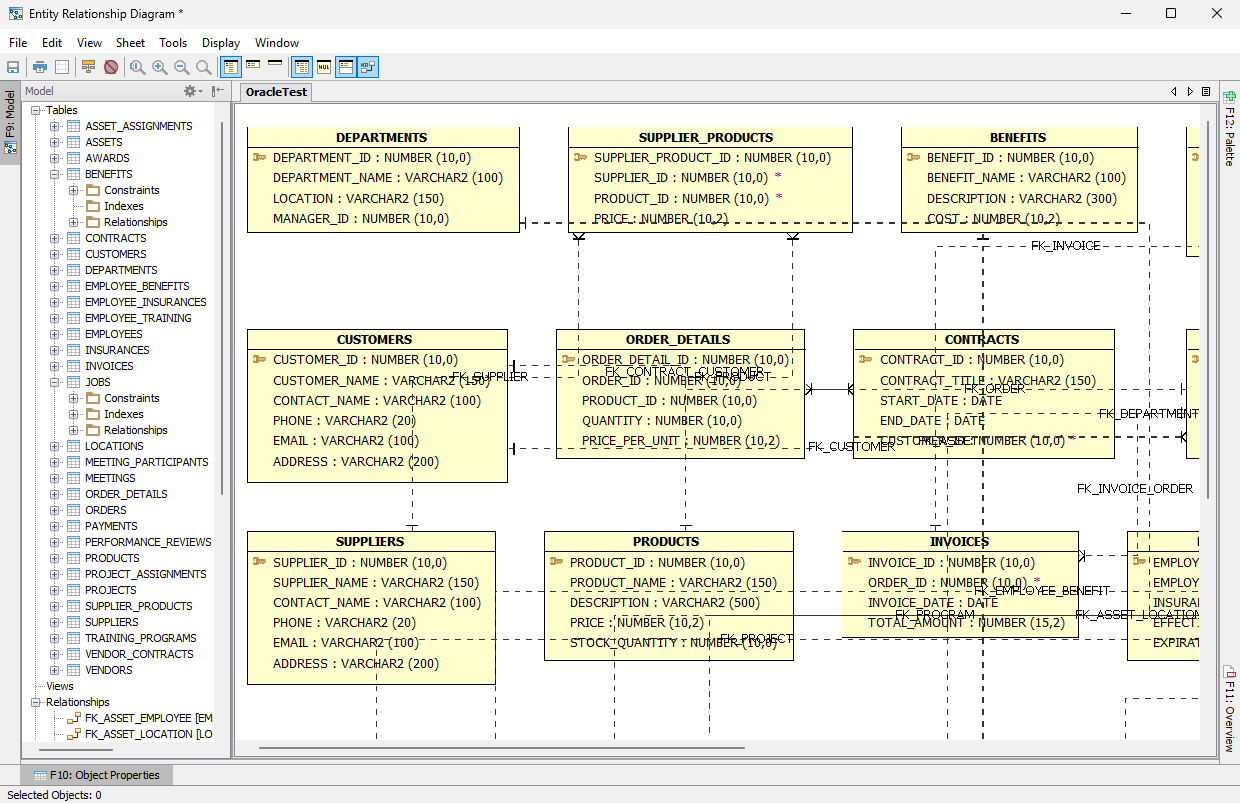
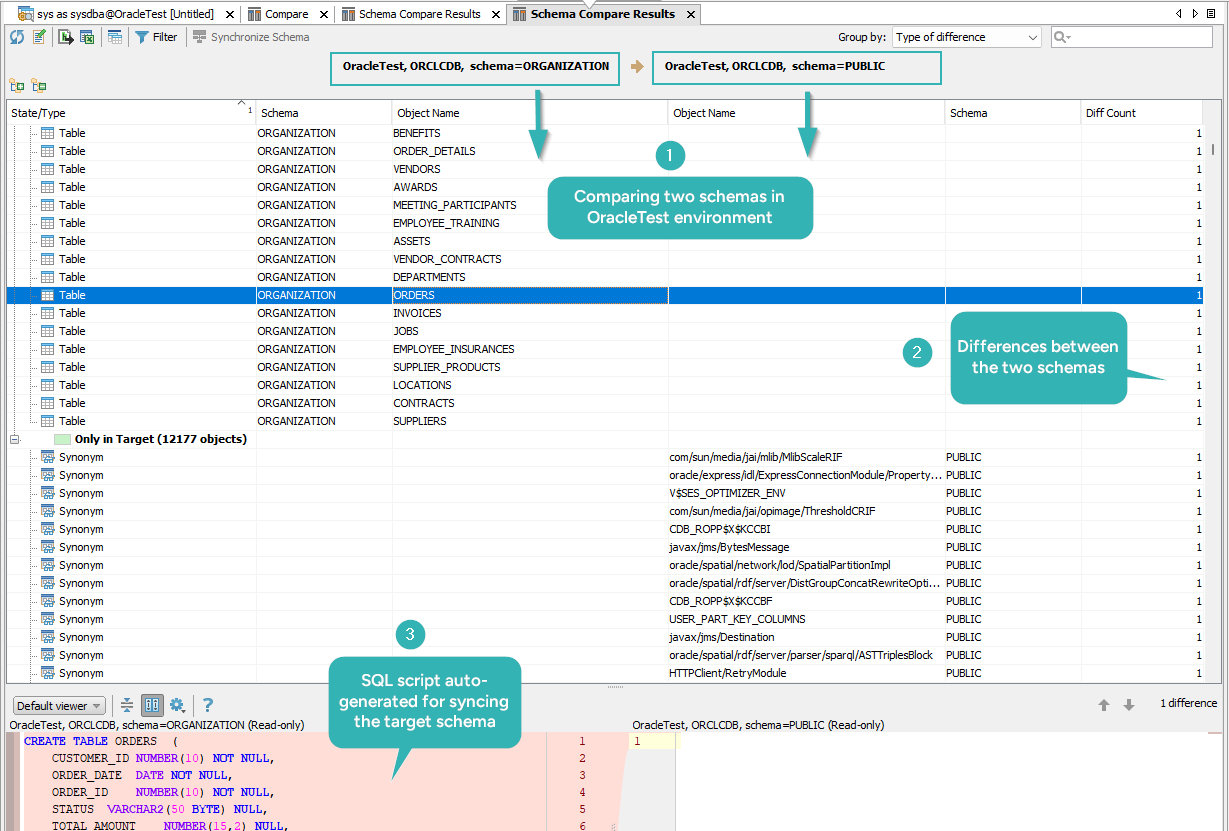
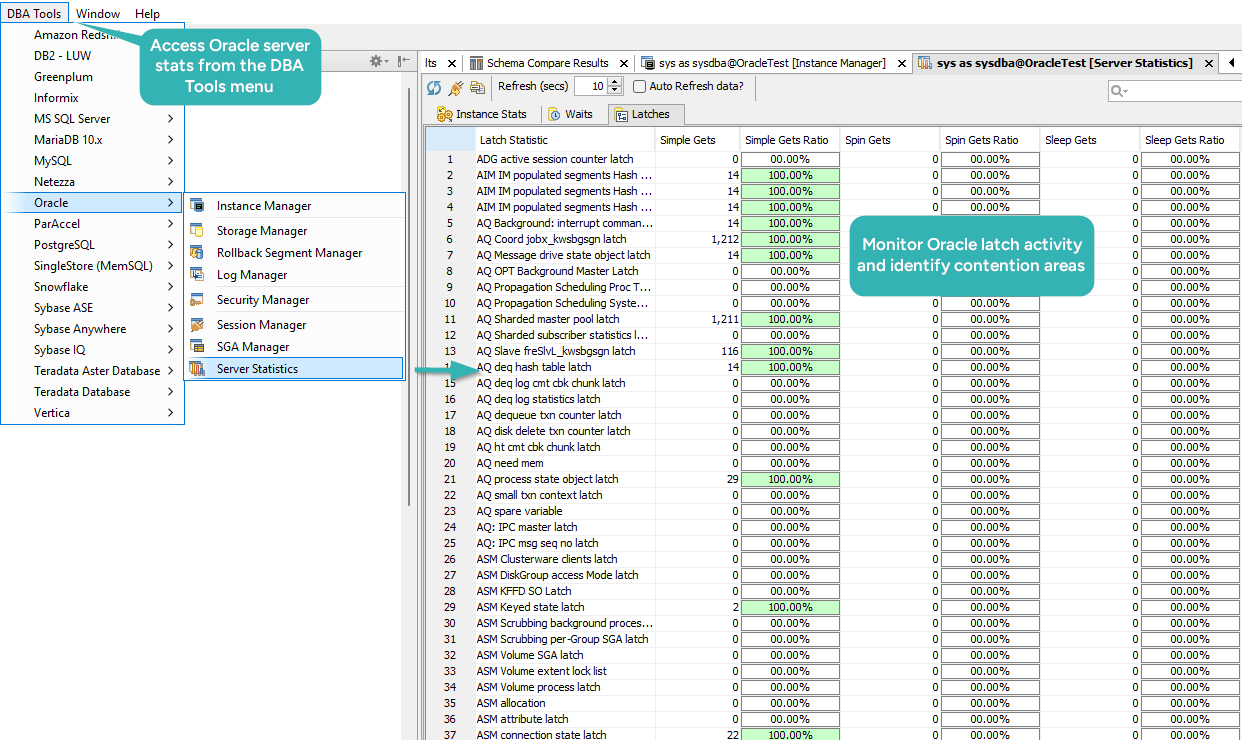
Aqua Data Studio is a database IDE rather than a design-first tool. It runs on Windows, macOS and Linux against over 40 data source platforms, Oracle among them, and its home page[8] lists logical and physical data models, reverse engineering of a schema into an ER diagram, and schema compare and sync across environments. Its pricing page lists four jobs for the Standard edition: building and optimizing SQL queries, manipulating and visualizing data, managing schema and models, and administering databases, files and sessions[9].
Licensing is annual and per user. Standard is $499 and Ultimate is $699, each with a one, two or three year term. Ultimate adds task scheduling, secure synthetic data generation, and JSON import and export with MongoDB. Enterprise Ultimate is quoted rather than listed, and adds one license key and one purchase cycle for the whole organization, activation control by WAN IP address, and quarterly check-ins with the vendor.
One license covers querying, administration and modeling, which suits an analyst or a DBA who would otherwise buy several tools. Modeling is one of those four jobs rather than the center of the product.
DataGrip
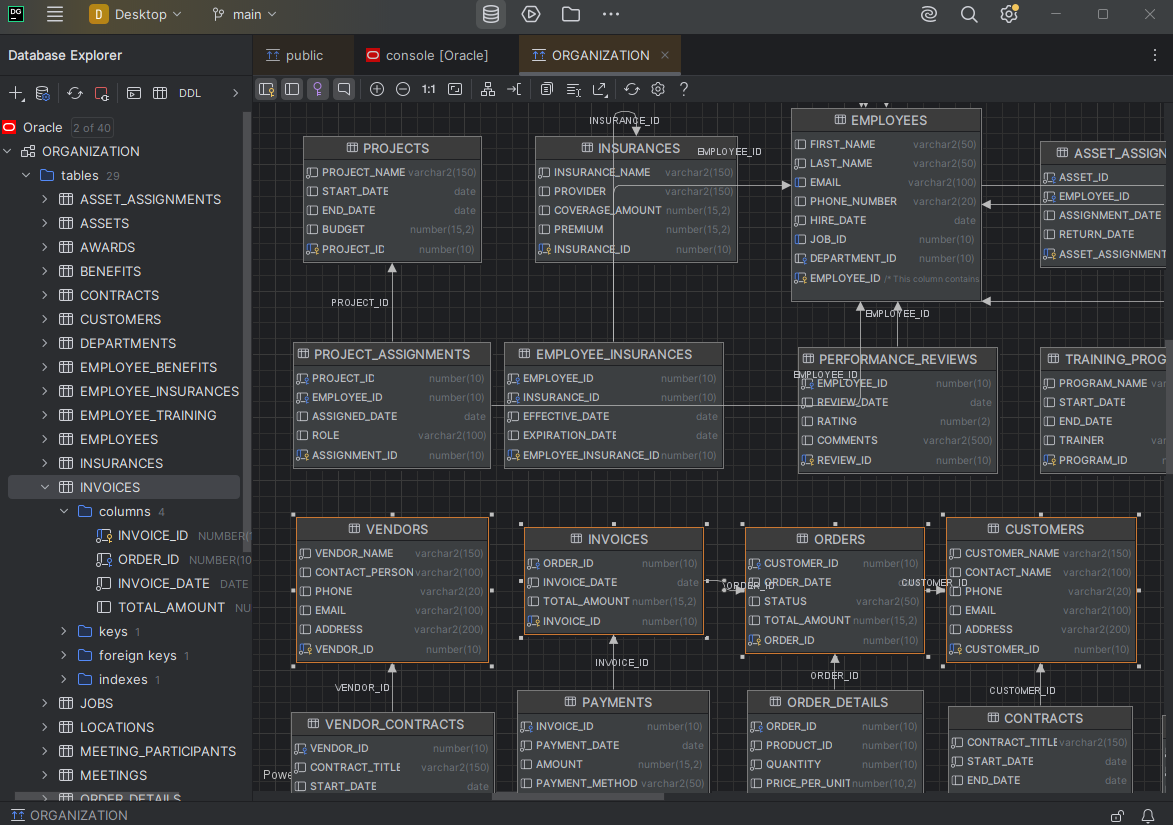
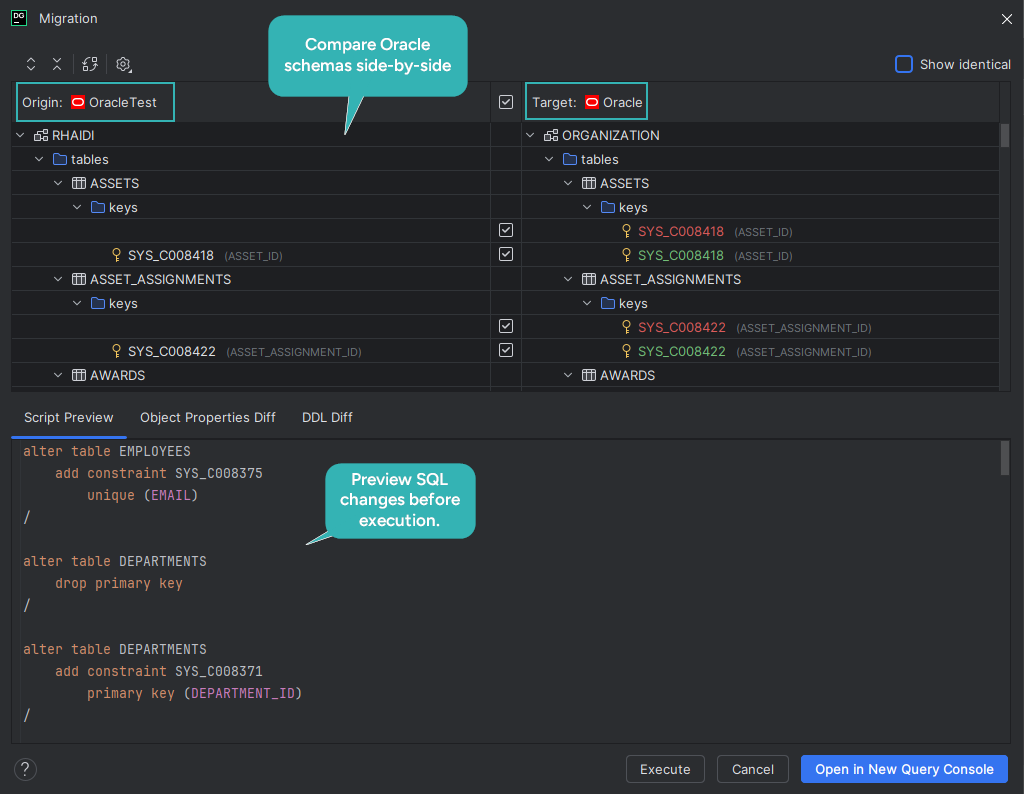
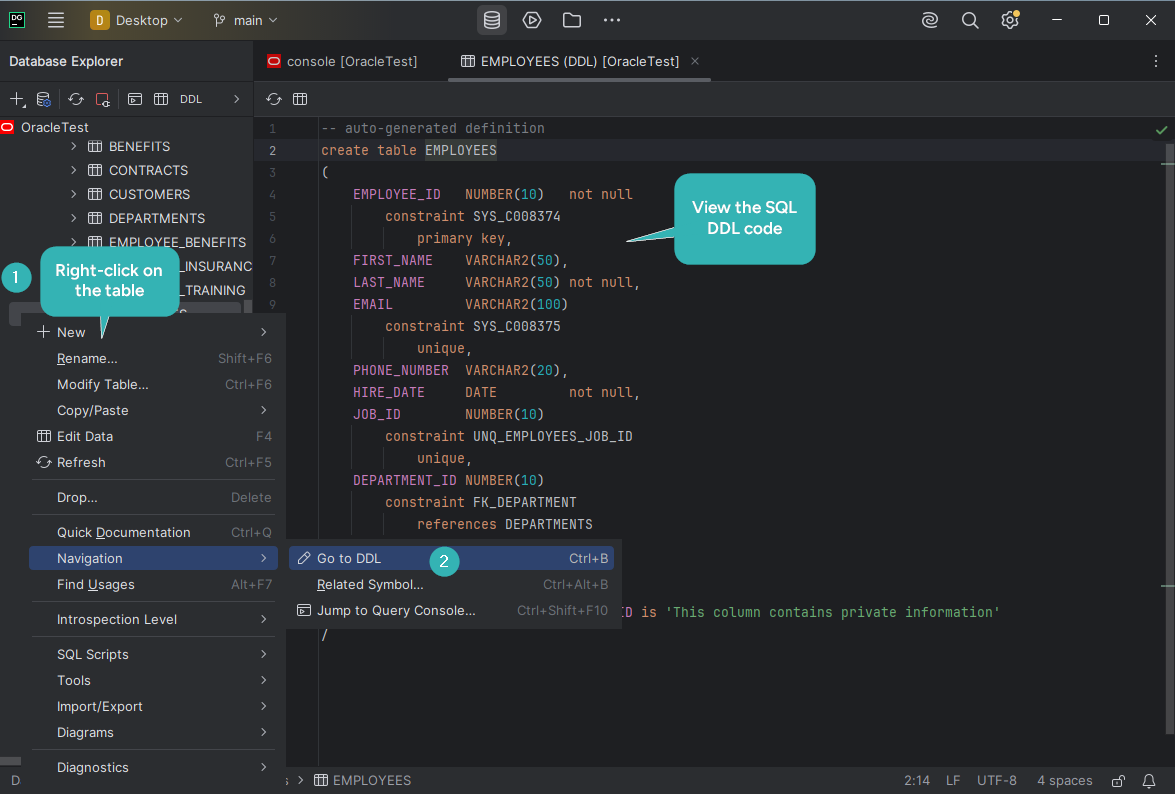
DataGrip is JetBrains' database IDE, and most of a day in it is spent writing SQL, with a code completion that knows the table structure and the foreign keys. Its bundled Diagrams plugin generates a diagram for a data source, a schema or a table[10], and you add a table by dragging it from the Database Explorer onto the diagram. A diagram saves as PNG or in DataGrip's own UML format, which other products don't read, and exports to Mermaid or PlantUML.
That diagram shows a database that already exists, so a workflow that starts with the design and ends with the database starts somewhere else. The product page[11] describes a local history and a query history for the SQL you run, version control for your SQL files through Git, SVN, Mercurial and others, and data export to CSV, JSON, HTML, Markdown and Excel. DataGrip is free for non-commercial use, other use starts with a 30-day trial, and the buy page[12] shows the subscription prices for your region.
DBeaver
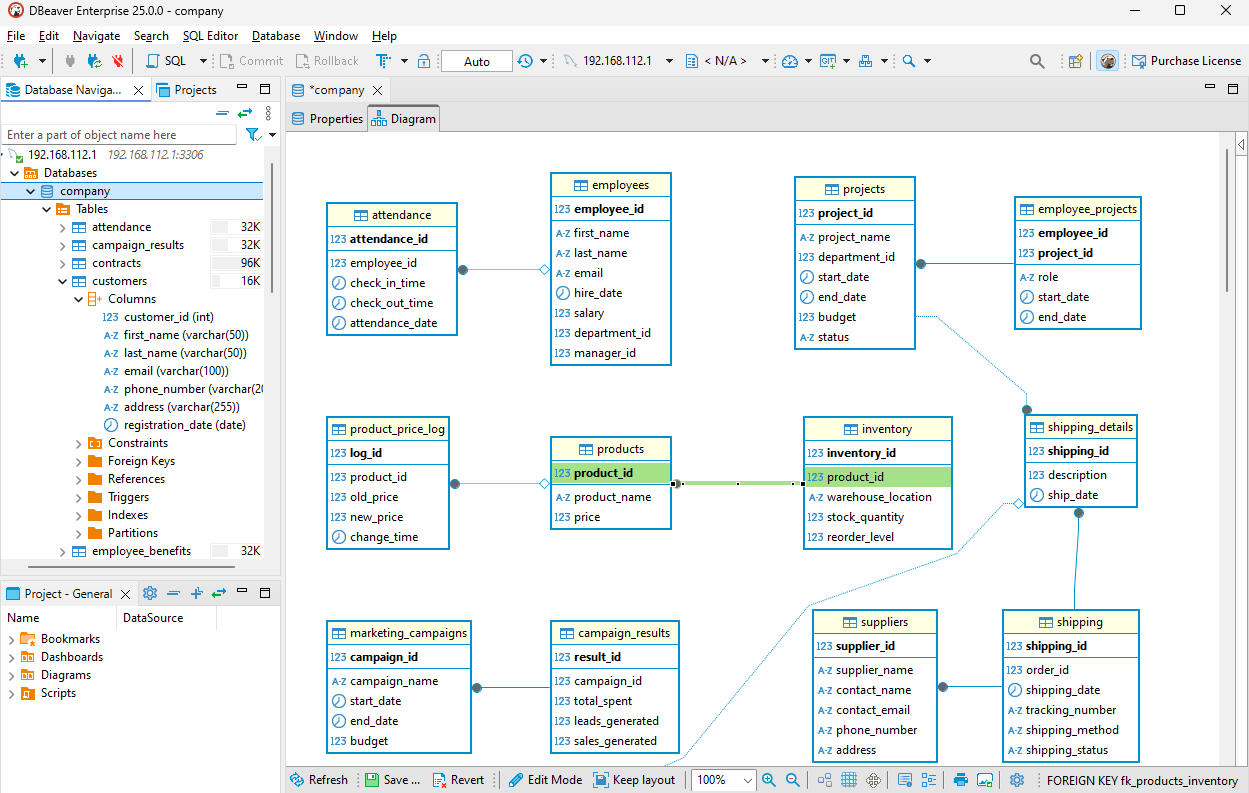
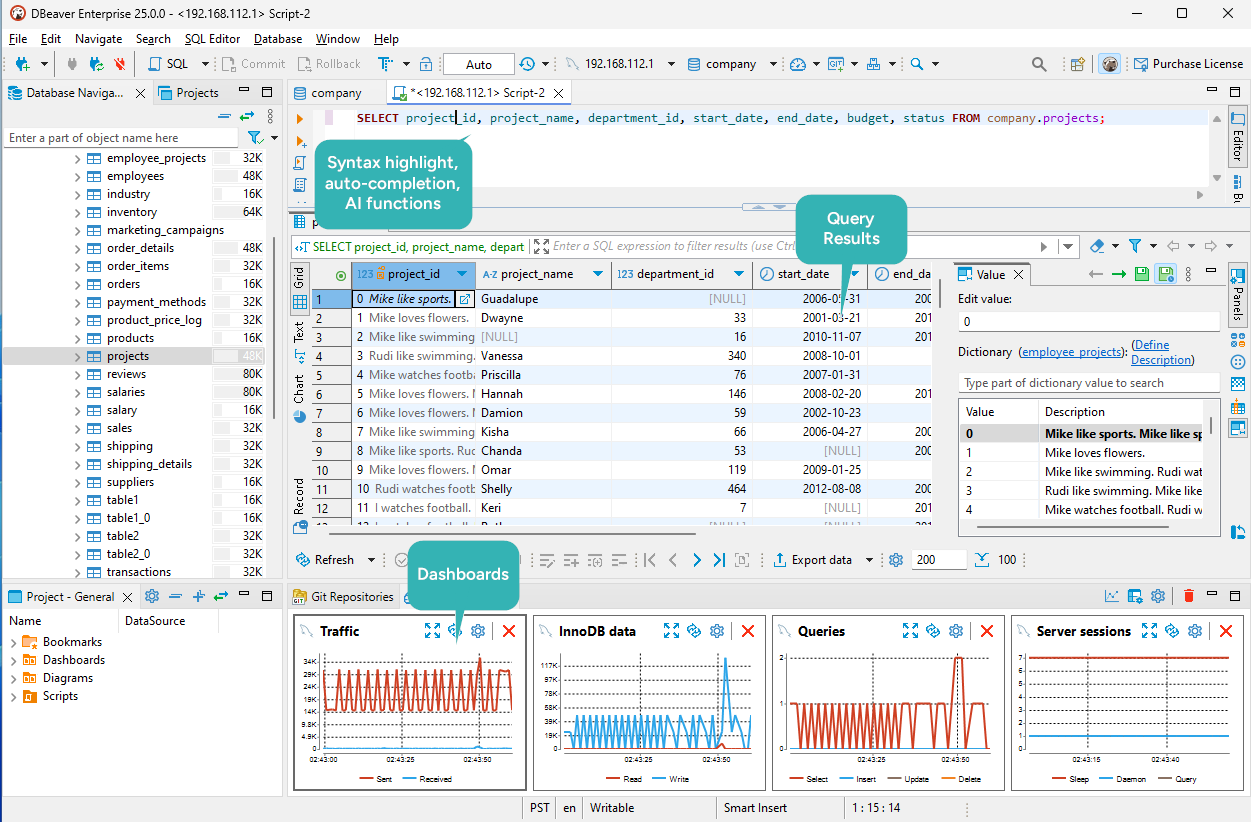
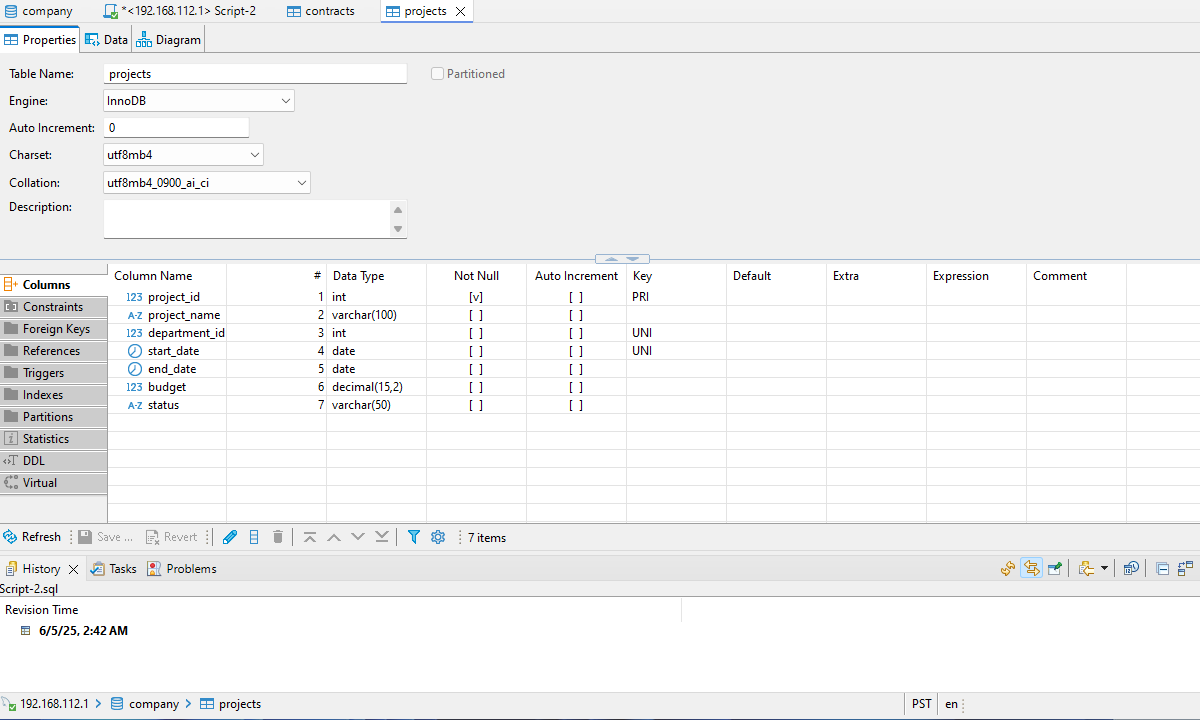
DBeaver Community is a free, open-source client that connects to Oracle, and to any other database with a JDBC driver. It browses and edits data, runs SQL, and draws a diagram for a table or a whole schema. Those diagrams are read-only by default[13].
Edit mode, in the Enterprise and Ultimate editions, turns the diagram into a schema editor: you create a table from the canvas, and when you click Save, DBeaver shows the SQL script it generated and applies it to the database[14]. The design goes straight into the database, so no model file sits between the diagram and Oracle.
The paid desktop editions are annual subscriptions: Lite at $113, Enterprise at $255 and Ultimate at $510 a year[15]. Enterprise adds Git integration, and Team Edition, which adds user and role management, is listed at $1,630 a year. A 14-day trial license covers the paid editions[16].
How to test your shortlist on an Oracle schema
A tool's page tells you what it supports. Its diagram of your own schema tells you what it keeps. Run this script in an empty Oracle schema: besides two tables, it holds identity columns, a named check constraint, comments, a foreign key with its index, a sequence and a view.
CREATE TABLE customers (
  customer_id NUMBER GENERATED BY DEFAULT AS IDENTITY PRIMARY KEY,
  email       VARCHAR2(320) NOT NULL UNIQUE,
  status      VARCHAR2(10) DEFAULT 'ACTIVE' NOT NULL
              CONSTRAINT customers_status_ck CHECK (status IN ('ACTIVE', 'CLOSED'))
);

COMMENT ON TABLE customers IS 'One row per customer account';
COMMENT ON COLUMN customers.email IS 'Sign-in address';

CREATE TABLE orders (
  order_id    NUMBER GENERATED BY DEFAULT AS IDENTITY PRIMARY KEY,
  customer_id NUMBER NOT NULL
              CONSTRAINT orders_customer_fk REFERENCES customers (customer_id),
  ordered_at  DATE DEFAULT SYSDATE NOT NULL
);

CREATE INDEX orders_customer_ix ON orders (customer_id);

CREATE SEQUENCE invoice_no_seq START WITH 1000;

CREATE VIEW active_customers AS
  SELECT customer_id, email FROM customers WHERE status = 'ACTIVE';
Oracle stores more than the script says. Ask the data dictionary what it created:
SELECT object_type, COUNT(*) AS objects
FROM   user_objects
GROUP  BY object_type
ORDER  BY object_type;
On Oracle Database 21c, three sequences come back from a script that created one:
| OBJECT_TYPE | OBJECTS |
|---|---|
| INDEX | 4 |
| SEQUENCE | 3 |
| TABLE | 2 |
| VIEW | 1 |
The two extra sequences are the ISEQ$$_ generators that Oracle created for the identity columns, which take their values from a sequence generator[17]. Three of the four indexes back the two primary keys and the unique email. The constraints hide in the same way:
SELECT table_name, constraint_type, COUNT(*) AS constraints
FROM   user_constraints
GROUP  BY table_name, constraint_type
ORDER  BY table_name, constraint_type;
C is a check constraint, P a primary key, U a unique key and R a foreign key:
| TABLE_NAME | CONSTRAINT_TYPE | CONSTRAINTS |
|---|---|---|
| CUSTOMERS | C | 4 |
| CUSTOMERS | P | 1 |
| CUSTOMERS | U | 1 |
| ORDERS | C | 3 |
| ORDERS | P | 1 |
| ORDERS | R | 1 |
Oracle keeps each NOT NULL as a check constraint, including the one it adds to an identity column, so of the four checks on CUSTOMERS only customers_status_ck is one you wrote. Now reverse-engineer the schema in each tool on your shortlist and compare what comes back:
| In the script | What the diagram should show |
|---|---|
GENERATED BY DEFAULT AS IDENTITY | An identity column, with no ISEQ$$_ sequences in the design |
NOT NULL | A mandatory column, not a separate check |
customers_status_ck | The check and its condition |
The two COMMENT ON statements | The table and column comments |
orders_customer_fk | A line from ORDERS to CUSTOMERS |
orders_customer_ix | The index on ORDERS.CUSTOMER_ID |
invoice_no_seq | One sequence |
active_customers | The view and its query |
Then change one thing in the design, a new column on ORDERS for instance, and ask each tool for the script that brings the database in line. Whether that script exists, and whether you can read it before it runs, is the last step of the design loop at the top of this page.
Download DbSchema at https://dbschema.com/download.html, connect it to the schema you just created, and reverse-engineer it into an interactive diagram with the free Community Edition, which also covers the SQL editor. Saving the design to a file, validating it, comparing it with the database and exporting the documentation are in Pro, and the 15-day trial includes all of them. The purchase page prices Pro and Architect in your own currency, under its Business, Personal and Universities & Students tabs.
Frequently asked questions
Is there a free Oracle database design tool?
The DbSchema Community Edition is free with no time limit, and it installs from a Windows, macOS or Linux installer, or from a .jar that runs on Java 11 or later. Oracle SQL Developer Data Modeler is free under the Oracle Free Use License, and its 24.3.1 archive bundles JDK 17 for 64-bit Windows only[3], so the macOS and Linux downloads expect JDK 17 or later on the machine already. DBeaver Community is free and open source.
Can I design an Oracle schema without connecting to a database?
Yes, in DbSchema: work disconnected, and the changes go only to the model file until you compare it with the database. Saving that model to a file is a Pro feature, so keeping an offline design between sessions runs on Pro or on the 15-day trial.
What happened to Vertabelo?
Vertabelo's Data Modeler is sold today as Redgate Data Modeler, with a Standard and a Pro edition and a 14-day trial.
Sources
- Luna Modeler for Oracle
- Oracle SQL Developer Data Modeler
- SQL Developer Data Modeler downloads
- Oracle SQL Developer Data Modeler User's Guide 24.3: Data Modeler concepts and usage
- Data Modeler 24.3 release notes
- Redgate Data Modeler
- Redgate Data Modeler features and editions
- Aqua Data Studio
- Aqua Data Studio pricing
- DataGrip documentation: Diagrams
- DataGrip
- DataGrip subscription plans
- DBeaver documentation: Diagrams
- DBeaver documentation: Edit mode
- DBeaver editions and pricing
- Buy DBeaver: pricing and plans
- Oracle Database 21c SQL Language Reference: CREATE TABLE
Design and document your Oracle schema
DbSchema reverse-engineers Oracle into an interactive diagram, keeps the model in a file you can review in Git, and exports HTML5 documentation. Community Edition is free.









