Free ER Diagram Tools: What the Free Versions Do and When It Pays to Upgrade
What five free ER diagram tools include, where each free version stops, and what the paid upgrade costs per user over three years.
On this page
You can get an ER diagram of your database for free. DbSchema Community Edition connects to your database, reads its tables and draws them.
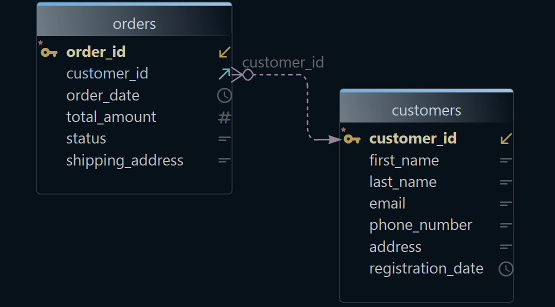
An ER diagram is a picture of a database. Each table is a box, and each link between two tables is a line.
The Community Edition stays free forever, for any use. Every download starts with a 15-day trial of all features, with no registration. Pay for DbSchema Pro only when the design has to last: saved, documented or applied to the database.
Short answer
A free ER diagram tool is enough while you only need to see a schema, the tables and keys of a database.
Upgrade when the design has to outlive the session. DbSchema Pro saves it to a file, documents it and turns changes into migration scripts, the SQL that changes a database. It costs 294 USD once per user.
- Pick a free tool that connects to your database, so the diagram shows what really runs.
- Upgrade when you need to save, document or synchronize the design, not to see it.
- DbSchema Pro is a one-time licence; subscription tools take their paid features away when you stop paying.
Most people who look for a free ER tool want to understand a database they didn't build. DbSchema does that for free, and it keeps up when the diagram has to become a design.
What DbSchema adds to a free ER diagram
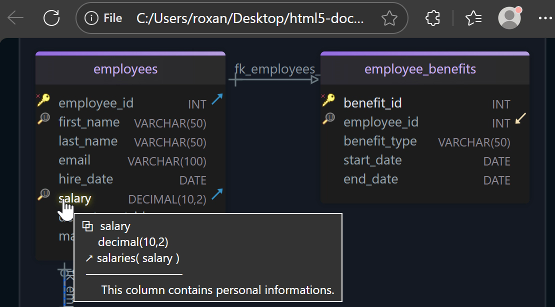
- A diagram of what really runs. DbSchema Community reads the tables, columns and keys from your database and draws them. This step is called reverse-engineering. See Connect to Database.
- Changes straight on the diagram. In Community, you create and edit tables on the diagram. While you're connected, each change you confirm with OK runs in the database at once (Tables, Columns and Indexes).
- One tool on every desktop. DbSchema runs on Windows, macOS and Linux. It connects to more than 100 SQL and NoSQL databases, so one tool covers PostgreSQL, MySQL and MongoDB.
- A design you can keep and review. DbSchema Pro saves the design as a model file, a
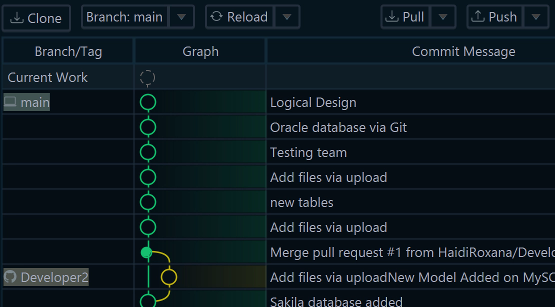
.dbsfile on your computer. You can work on it offline and commit it to Git, the version history most developers use (Git). - Docs and safe changes when the project grows. Pro writes HTML5, PDF or Markdown documentation. It also runs schema synchronization, which turns design changes into reviewed SQL.
The steps are under Draw an ER diagram of your database in DbSchema.
What the free versions do
A schema is the list of a database's tables, columns and keys. Free ER diagram tools get it in one of two ways.
Some tools connect to the database and read the schema from it. Others draw only what you paste in.
DbSchema, DBeaver and MySQL Workbench connect. They read the tables and their links straight from the database.
Those links are foreign keys. A foreign key is a column that points to a row in another table, such as orders.customer_id. On the diagram, each foreign key becomes a line.
dbdiagram.io and ChartDB draw what you give them. That is DBML text, a SQL file, or the output of a query you run yourself. DBML is a short text format for describing tables.
A pasted copy is out of date after the next migration, a script that changes the database. Then you import it again.
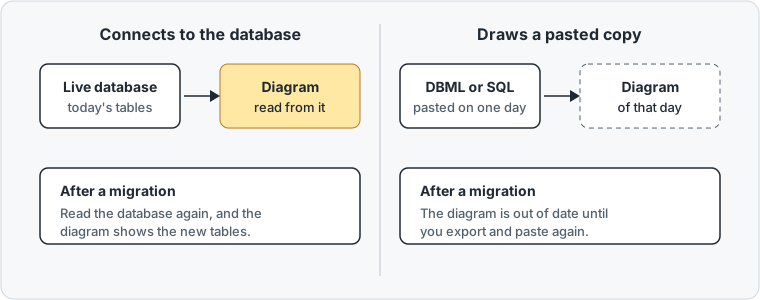
The vendor pages below were checked on 15 November 2026.
| Tool | Where the schema comes from | Where the free version stops |
|---|---|---|
| DbSchema Community | A live connection to the database | Saving the model, documentation, synchronization |
| DBeaver Community | A live connection to the database | MongoDB and other NoSQL databases, schema comparison (PRO editions) |
| MySQL Workbench | A live connection to MySQL | Works with MySQL only (download page) |
| dbdiagram.io | DBML or SQL that you import; the db2dbml command reads a database | 10 diagrams, one view per diagram (pricing) |
| ChartDB | The result of a query ChartDB gives you, pasted in | 2 diagrams, 10 tables per diagram, 1 user (pricing) |
If your database is PostgreSQL, our list of free PostgreSQL ER diagram tools adds pgAdmin and pgModeler.
Draw an ER diagram of your database in DbSchema
Connecting needs no licence. The free Community Edition connects to every database it supports.
DbSchema downloads the JDBC driver for you. A JDBC driver is a small Java library that lets a tool talk to one kind of database.
- Choose File → New Model.
- Keep Connect to Database selected, and click your database, such as PostgreSQL.
- Choose New Connection, then press the button named after your database, such as Connect to PostgreSQL.
- Fill in the host, the port, the user and the database, and press Connect.
- In Reverse Engineer the Database, tick the schemas to import and press Import.
- If the tables overlap, choose Diagram → Auto Arrange Tables.
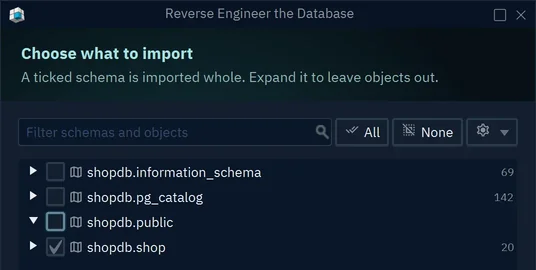
DbSchema draws the imported tables, with a line for each foreign key. Connecting and importing change nothing in the database. For a large schema, Diagram → New Diagram makes a smaller diagram for one part of the application (Diagrams).
When it pays to upgrade from DbSchema Community
Seeing a schema is free. You pay when the design has to last beyond the session.
You also pay when people without DbSchema need to read it. And you pay when changes must reach the database as reviewed SQL.
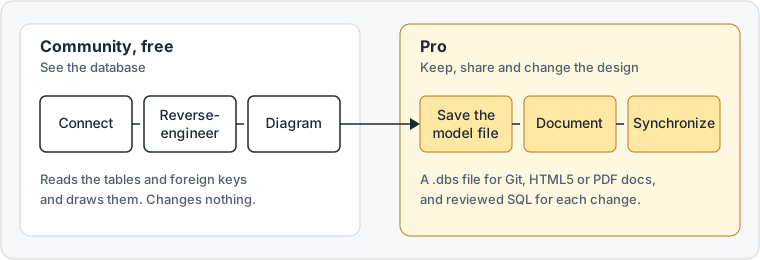
Each of these tasks maps to one edition on the purchase page:
| When you need to | DbSchema feature | Edition |
|---|---|---|
| Keep the design, work offline, put it in Git | Save the model to a .dbs file | Pro |
| Give the schema to people without DbSchema | HTML5, PDF or Markdown documentation | Pro |
| Turn a change into a migration script | Schema synchronization | Pro |
| Fill the tables with test data | Data Generator and Data Importer | Pro |
| Build a query by clicking, browse related rows | Visual query builder and relational data browse | Pro |
| Design before you pick a database | Logical and conceptual design | Architect |
Documentation is a file that people outside the team can open. The HTML5 version is one web page with the diagram and a description of every table.
Generate it with File → Export As... → HTML5/PDF Documentation in DbSchema Pro.
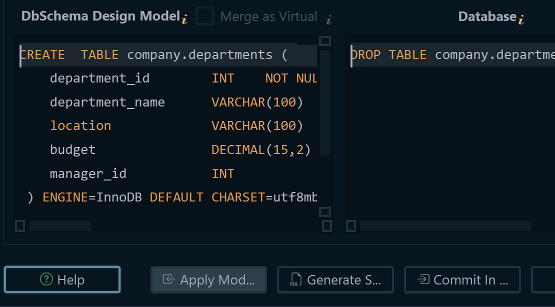
Schema synchronization closes the gap between the design and the database. DbSchema Pro compares the model file with the database and lists every difference.
For each one, you choose whether the model or the database changes. Then you commit the changes or save the SQL script.
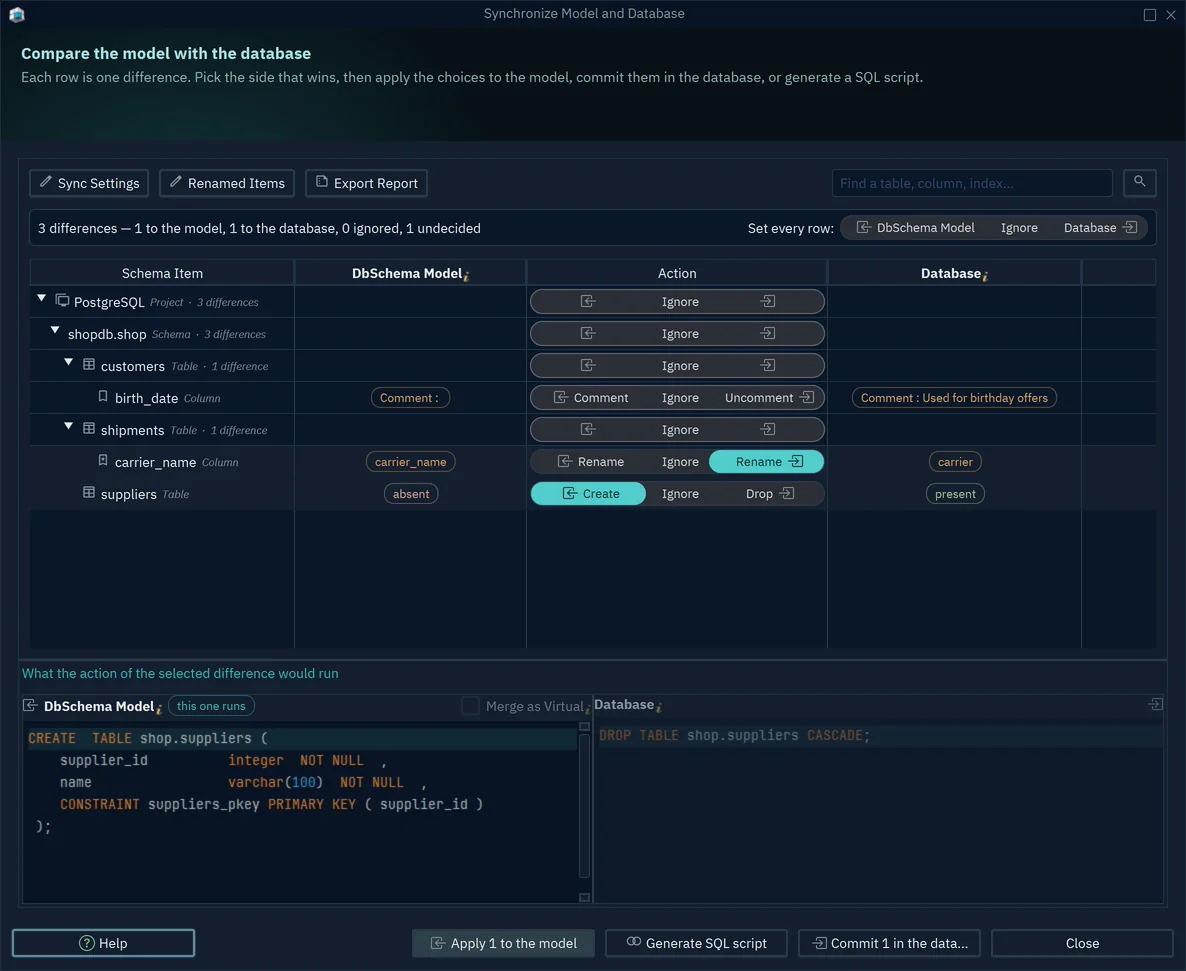
Comparing and generating the script change nothing. The database changes only when you commit the differences. The model changes only when you apply them to it.
What the upgrade costs over three years
The fair comparison is the paid plan that adds what the free version lacks. We count one user over three years. Prices are in USD, read on each vendor's page on 15 November 2026.
| Paid upgrade | Price | Three years, one user |
|---|---|---|
| DbSchema Pro | 294 once, updates after year one optional at 75 a year | 294, or 444 with updates |
| dbdiagram.io Personal Pro | 8 a month billed yearly, 14 billed monthly | 288 |
| DBeaver Enterprise | 255 a year (editions) | 765 |
| ChartDB Pro | 25 a month billed yearly, 39 billed monthly | 900 |
dbdiagram.io is cheaper, but it doesn't connect to your database. Among the upgrades that work on a live connection, DbSchema Pro costs the least over three years. That is 444 USD with every update, against 765 for DBeaver Enterprise.
DBeaver edits diagrams and compares schemas only in its Enterprise and Ultimate plans. Its cheaper Lite plan, at 113 a year, has neither.
The bigger difference shows after you stop paying. DbSchema Pro is a perpetual licence: you pay once, and the version you bought keeps working. The yearly update fee only buys newer versions.
When a DBeaver subscription ends, access to DBeaver is blocked. When you cancel dbdiagram.io, your diagrams stay, but the Pro features become unavailable at the end of the period.
A DbSchema licence covers one developer on two computers, used one at a time. DbSchema Architect, the edition for designing before a database exists, is an upgrade from Pro for the price difference.
Choose DbSchema Pro when you need to save the model, document it or synchronize it with the database. The editions and prices are on the purchase page.
Download DbSchema and connect it to your database. Try all features free for 15 days. Then keep the Community Edition for diagrams and the SQL editor, free for any use.
Sources
See your database as a diagram for free
Connecting, reverse-engineering and interactive diagrams are free in the DbSchema Community Edition. Saving the model, documentation and schema synchronization are in DbSchema Pro. Try all features free for 15 days.