Schema Versioning for SQL Server
For the SQL Server DBA who still applies schema changes as ad-hoc T-SQL and wants the structure reviewed in Git before it reaches an instance.
On this page
Production has a column that staging does not, and the only record of how it got there is an ALTER TABLE somebody ran during an incident. Versioning the structure itself closes that gap. DbSchema keeps the design in a .dbs XML model file you commit next to the application code, compares that file against a live SQL Server database, and generates the T-SQL that turns one version into the other.
The three types of version control
Version control comes in three architectures, and what separates them is where the history lives. A local system keeps the revisions in one working copy on a single machine. A centralized system keeps the authoritative history on one shared server, and a client has to reach that server to record anything. A distributed system gives every clone the full history, so commits, branches and diffs happen locally and travel upstream when you push.
| Type | Where the history lives | Commit without the network |
|---|---|---|
| Local | one working copy | yes |
| Centralized | one shared server | no |
| Distributed | every clone | yes |
Schema versioning rides on the third row. The artifact you version is a file, it belongs in the repository that already holds the application code querying those tables, and you want to commit a change validated against a local instance before it goes anywhere shared.
Where the schema file sits inside that repository is worth settling once, at the start. The DbSchema Git basics overview suggests a folder per database, so that a production model and an analytics model never end up in the same commit by accident. The same page suggests long-lived branches for dev, staging and production, with changes flowing from one to the next through pull requests.
State-based and migration-based version control
Two methods are in use, and they differ in what sits in the repository. State-based version control keeps one artifact describing the structure you want, and a comparison against a live database produces the statements that close the gap. Migration-based version control keeps an ordered set of T-SQL scripts, one per change, each applied once and recorded in a history table. The two are set side by side, artifact by artifact, in schema versioning for PostgreSQL.
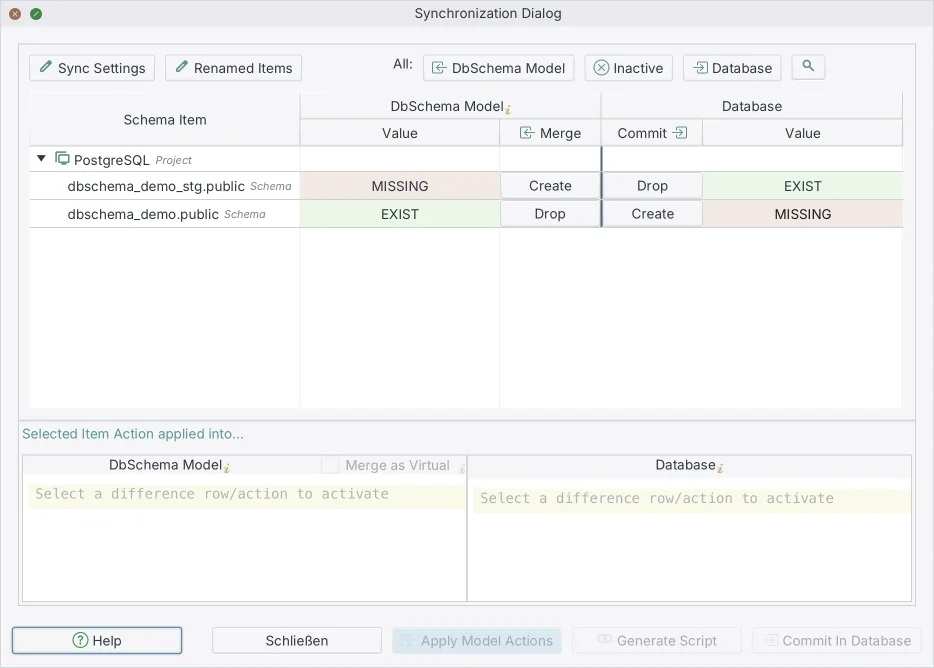
DbSchema is state-based. The .dbs design model file is the artifact in Git, and the deployment script is generated from the difference between that file and a database instead of typed by hand. For a SQL Server team the useful combination is both halves: the model file in the repository, so a reviewer reads the change as structure, and the generated script attached to the release, so the same reviewer reads the exact T-SQL that will run. That is the case for a visual schema diff over a script folder alone.
Git, and where the SQL Server model file fits
Git is the distributed system your application repository is already in, which is the whole reason for putting the schema in a file. DbSchema saves the entire database design, tables, columns, foreign keys and diagrams, into a single .dbs file in XML format, and storing that file in a Git repository gives the team a versioned history of every schema change, with the ability to branch, merge and roll back as with source code, which is what the DbSchema Git documentation describes.
The loop does not leave DbSchema. Open the Model menu and choose Git — Collaborative Design to open the Git dialog, then paste the repository URL and pick an empty local folder to clone into. Select the modified file and click Stage, enter a message and click Commit, then click Push. Pull brings down what a colleague pushed, and Compare with Current opens the Synchronization Dialog on their version, so you read the change as structure rather than as XML. Create Branch, Stash and Pop are in the same dialog.
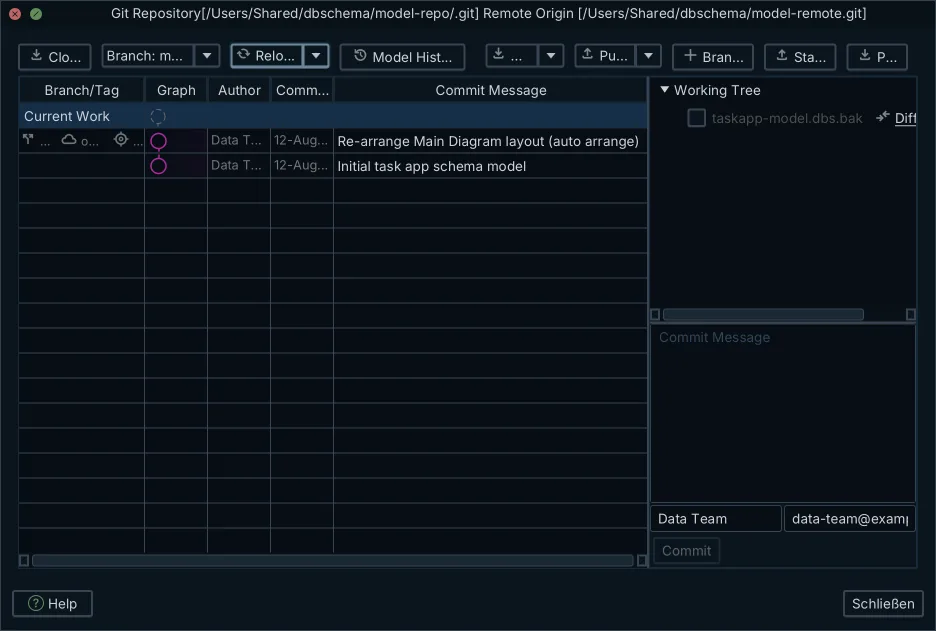
None of that reaches SQL Server. Editing the diagram changes the model in memory, saving writes the .dbs file, and Stage, Commit and Push move that file through Git. The instance you are deploying to is untouched until you run a synchronization against it.
Once the file is in the repository, the things you do with application code apply to the schema. A feature branch isolates a table redesign until it is ready. A pull request puts the structural diff next to the code that depends on it, in front of the same reviewer. Git blame answers who added a column and when, and two people editing different tables merge as text, with no lock on any instance.
Rules for versioning a SQL Server schema
Version the structure and the reference rows that the structure means nothing without, such as lookup tables of country codes or statuses. Leave transactional rows out. They make the repository large, they go stale between commits, and they put customer data somewhere it does not belong.
Route every schema change through a pull request, and treat a direct ALTER TABLE against a shared instance as the exception you have to explain. The rule is enforceable rather than decorative once the model file is the source: an out-of-band change shows up as a difference the next time anyone compares.
Design the change offline, in the model file, and let the tooling write the T-SQL. This is where the state-based approach earns its keep for a SQL Server design: the statements come from a comparison, so nothing is forgotten because it was in a different script.
Run the generated script against a staging copy before production, and read it first. Turning a schema diff into a safe migration script covers what to change in a generated script before it runs, and the section below shows the two statements on SQL Server that most often need that second look.
A 1.0 to 1.1 upgrade, in the model file and in T-SQL
A release adds two columns and a unique index. You make all three changes in the DbSchema diagram, which writes them to the design model and to nothing else, and the commit is a readable diff of the XML:
 <schema name="dbo" catalogname="CustomerManagement" >
     <table name="Customers" >
         <column name="customer_id" type="int" mandatory="y" />
         <column name="email" type="nvarchar" length="255" mandatory="y" />
         <column name="created_at" type="datetime2" mandatory="y" />
+        <column name="is_mfa_enabled" type="bit" mandatory="y" >
+            <defo><![CDATA[0]]></defo>
+        </column>
+        <column name="updated_at" type="datetime2" />
         <index name="pk_customers" unique="PRIMARY_KEY" >
             <column name="customer_id" />
         </index>
+        <index name="idx_customers_email" unique="UNIQUE_KEY" >
+            <column name="email" />
+        </index>
     </table>
 </schema>
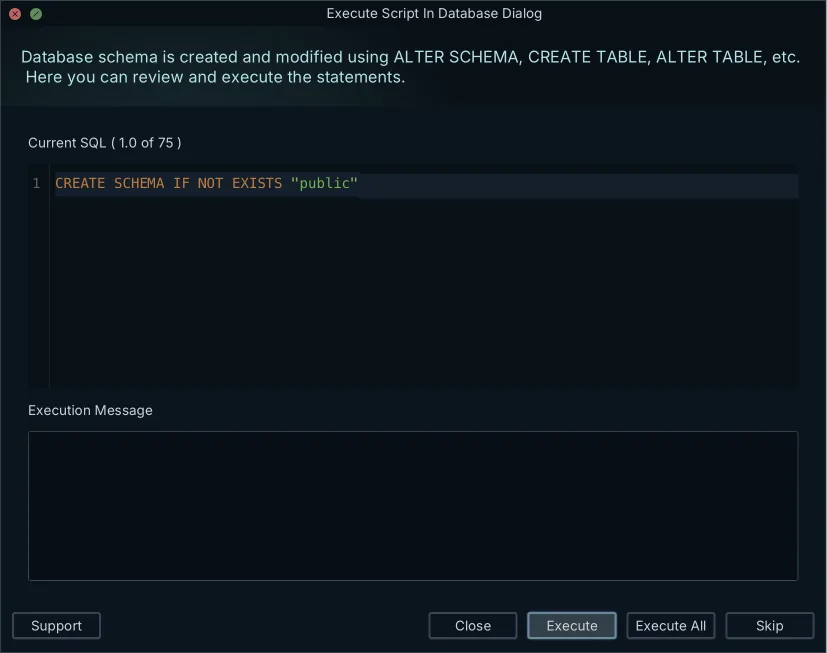
The version in Git is now ahead of the database. In DbSchema, open Schema → Compare Model with Database to see the differences object by object, then Schema → Synchronize Model with Database, which generates the migration statements in the Sync Dialog:
ALTER TABLE dbo.Customers ADD is_mfa_enabled BIT NOT NULL DEFAULT 0;
ALTER TABLE dbo.Customers ADD updated_at DATETIME2 NULL;
CREATE UNIQUE INDEX idx_customers_email ON dbo.Customers (email);
You can edit those statements in the Sync Dialog before they run, and clicking Execute is the moment the SQL Server database changes. Two of the three are worth editing on a table with a hundred million rows.
The first one adds a mandatory column with a default. In SQL Server 2012 (11.x) Enterprise edition and later versions, adding a NOT NULL column with a default value is an online operation when the default value is a runtime constant, and the value is then stored only in the metadata of the table rather than written into the existing rows[1]. A runtime constant is an expression that produces the same value at runtime for each row of the table, so a literal default such as 'pending' qualifies[1]. A default of NEWID() does not qualify, because NEWID() produces a unique value for each row[1]. Adding a NOT NULL column whose default is not a runtime constant always runs offline, with an exclusive Sch-M lock held for the duration of the operation[1].
The third statement builds an index, and the generated form takes the table with it. With ONLINE = ON, long-term table locks are not held for the duration of the index operation, and during the main phase only an intent shared lock is held on the source table, which lets queries and updates on it proceed[2]. With ONLINE = OFF, table locks are applied for the duration of the index operation[2]. Online index operations are not available in every edition of SQL Server[2], so add the option in the Sync Dialog where the target instance supports it:
CREATE UNIQUE INDEX idx_customers_email ON dbo.Customers (email) WITH (ONLINE = ON);
Edit it there and click Execute, then commit the model file so the repository and the instance tell the same story.
Which objects changed on the instance, and when
The model in Git says what the structure should be. To find out whether an instance still matches it, start with the catalog. sys.objects contains a row for each user-defined, schema-scoped object created within a database, and its modify_date column holds the date the object was last modified by using an ALTER statement; for a table or a view, modify_date also changes when an index on it is created or altered[3].
SELECT SCHEMA_NAME(schema_id) AS schema_name, name AS object_name, type_desc
FROM sys.objects
WHERE modify_date > DATEADD(day, -1, GETDATE())
ORDER BY modify_date;
Run that after the migration above and one row comes back, because both statements landed on the same table:
| schema_name | object_name | type_desc |
|---|---|---|
| dbo | Customers | USER_TABLE |
A date tells you that something moved, not what moved. For that, connect DbSchema to the instance and open Schema → Compare Model with Database: the diff view lists the added, removed and modified tables, columns, indexes and foreign keys, and for each difference you choose to update the model, push the change to the database, or skip it. Choosing to update the model and committing the file is how an ALTER TABLE that skipped review stops being invisible, and the same comparison against staging and production is what keeps the two environments agreeing on the same version.
Download DbSchema at https://dbschema.com/download.html, connect to the SQL Server database you deploy to, and reverse-engineer it into a model you commit as the baseline before the next change. Connecting, reverse-engineering and the interactive diagrams are the free Community Edition. Saving the design to a .dbs file and schema synchronization, the two steps that make the schema versionable, are Pro, and the same download runs Pro as a trial.
Frequently asked questions
What exactly does the .dbs model file contain?
The design model holds the schema structure, the diagrams, virtual foreign keys and comments, in human-readable XML that any text editor opens. Table data is not in it, so committing the file puts no customer rows in the repository.
I designed the change while disconnected. What happens when I reconnect?
DbSchema keeps offline edits in the .dbs file and sends no statements to the database while you are disconnected. After reconnecting, click Refresh Model from Database to detect the differences, then review each one in the Synchronization Dialog and either apply it to the database, take it into the model, or generate a migration script from it.
Can the comparison run without opening DbSchema?
Schema synchronization can be scripted and run in headless mode with Groovy automation scripts or with DbSchemaCLI, which is how the comparison goes into a build pipeline rather than a person's afternoon.
Which DbSchema edition covers this workflow, and what does it cost?
Pro covers it, as a one-time perpetual license with the first year of updates included, and keeping the updates afterwards is a yearly renewal. The pricing page lists the current figures for both.
Sources
Version your SQL Server schema in Git
DbSchema keeps the design model as a plain XML file you can commit and review, compares it against your live SQL Server database, and generates the T-SQL migration script between two versions.









