Best PostgreSQL Database Tools in 2026: 7 GUIs Compared
For developers and DBAs choosing one PostgreSQL GUI for a team that designs the schema as well as querying it.
On this page
Every PostgreSQL GUI connects to a running server and runs your SQL. If your team also designs the schema, pick DbSchema. This database design tool keeps the schema in a model file that you edit offline, commit to Git and deploy to the database. Its free Community Edition connects to PostgreSQL, draws the schema as a diagram and runs SQL.
The seven tools compared here:
- DbSchema designs and documents the schema in a model file, and connects to 100+ SQL and NoSQL databases.
- pgAdmin is the PostgreSQL project's own administration client, free under the PostgreSQL licence.
- DBeaver Community is an open-source client for any database with a JDBC driver.
- DataGrip is JetBrains' SQL IDE for over 50 databases.
- Navicat for PostgreSQL is a desktop client whose Enterprise edition adds a data modeling tool.
- DbVisualizer is a desktop client that also opens Redshift, Vertica and ClickHouse.
- dbForge Studio for PostgreSQL is a Windows studio with a free Express edition.
Three kinds of PostgreSQL tool
The first kind is the administration client, which opens PostgreSQL and its close relatives, such as EDB Postgres Advanced Server or Greenplum. It goes deep on running the server. pgAdmin and dbForge Studio are of this kind.
The second kind is the multi-engine SQL client, which opens PostgreSQL beside MySQL, Oracle and other engines from one installation. DBeaver, DataGrip and DbVisualizer are of this kind. Administration clients and SQL clients both work on the live database, so what you see is what the server holds now.
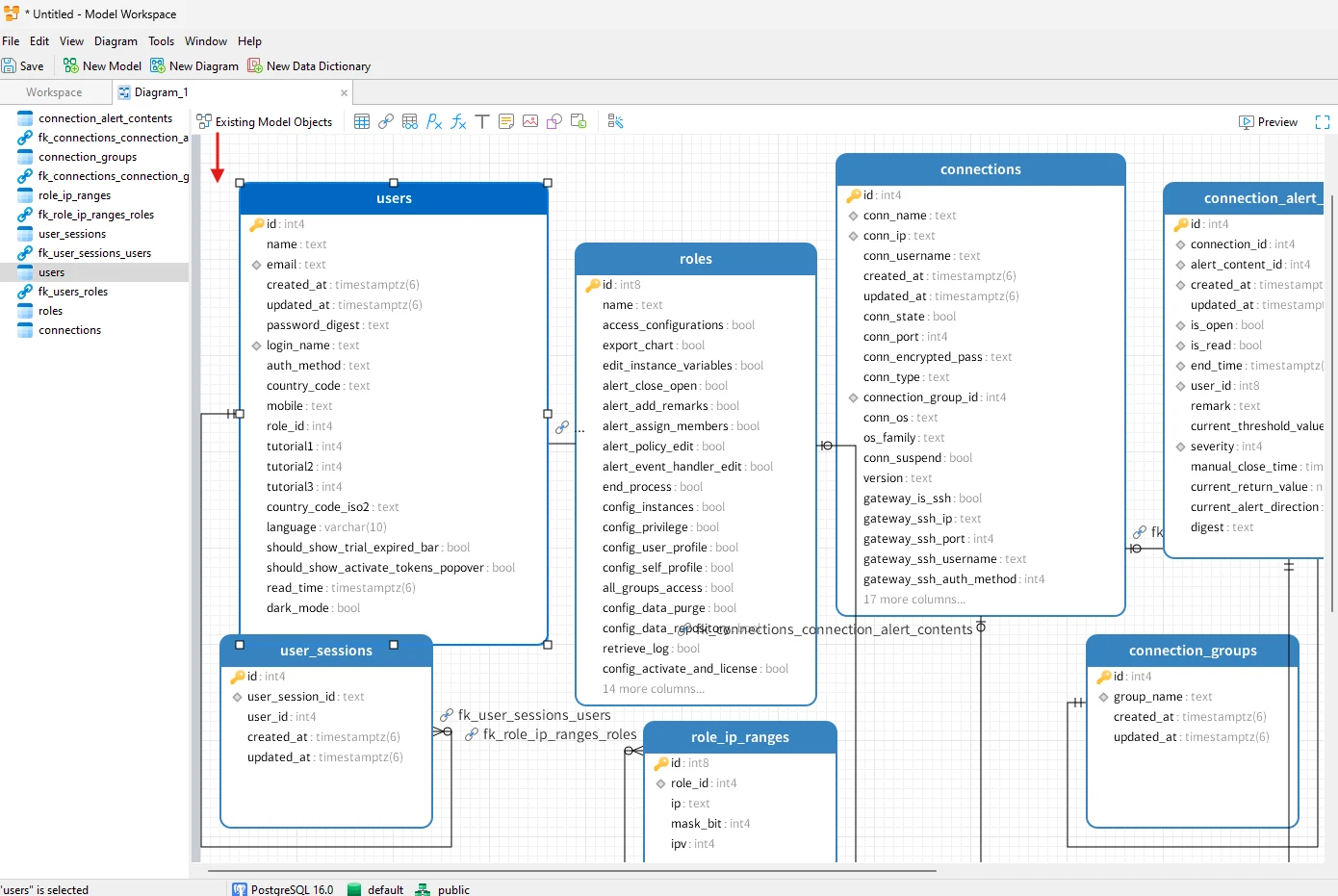
The third kind is a design tool, which keeps a model of the schema in a file. You change the model, review the differences against the database, and deploy the ones you accept. DbSchema works this way. The Enterprise edition of Navicat for PostgreSQL also includes a data modeling tool.
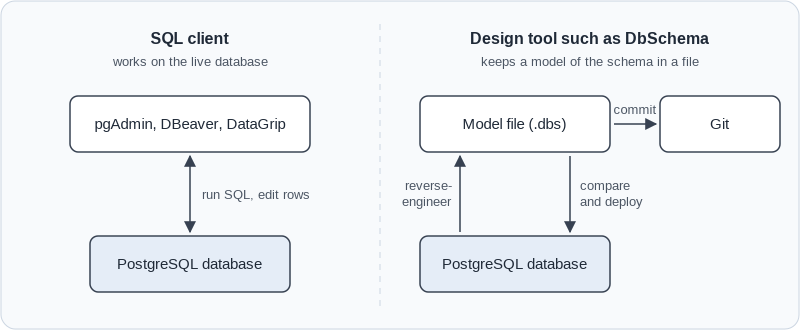
Every tool here runs queries, DbSchema Community included. The model file matters when the schema changes often and several people change it. Each schema change then gets a review and a Git history before it reaches the database.
Teams share different things through these tools. With DbSchema, a team shares the design: the model file goes through Git like source code. DbVisualizer Pro keeps SQL scripts in Git, and Navicat Collaboration, Navicat's sharing service, shares connections and queries. pgAdmin in server mode and CloudBeaver, the browser version of DBeaver, share access to the server through a browser. DbSchema, DataGrip, DbVisualizer, Navicat and dbForge Studio install on the desktop.
PostgreSQL tools compared
The prices are the vendors' list prices in dollars, read on their own pages on 11 November 2026, before tax.
| Tool | Kind | Engines | Desktop or browser | Free edition | Paid licence |
|---|---|---|---|---|---|
| DbSchema | Design tool and SQL client | 100+ SQL and NoSQL databases | Desktop: Windows, macOS, Linux | Community Edition, no time limit | Pro and Architect, perpetual or monthly subscription |
| pgAdmin | Administration client | PostgreSQL and EDB Postgres Advanced Server | Desktop, or a web server for many users | The whole product | None needed |
| DBeaver | Multi-engine SQL client | Any database with a JDBC driver | Desktop; browser with CloudBeaver | Community Edition, open source | Lite $113, Enterprise $255, Ultimate $510 a year |
| DataGrip | Multi-engine SQL client | Over 50 databases | Desktop: Windows, macOS, Linux | Non-commercial use | Subscription for commercial use |
| Navicat for PostgreSQL | SQL client, modeling in Enterprise | PostgreSQL | Desktop: Windows, macOS, Linux | Navicat Premium Lite, up to 5 users | Standard or Enterprise, perpetual or subscription |
| DbVisualizer | Multi-engine SQL client | Redshift, Vertica, ClickHouse and more | Desktop | Free edition, no time limit | Pro $199 the first year, $89 to renew |
| dbForge Studio for PostgreSQL | Administration client | PostgreSQL 8.4 to 18 and compatible engines | Desktop, Windows | Express edition | Standard $89.95, Professional $139.95, subscription |
Every tool here has a free way in. pgAdmin is free in full. DbSchema Community, DBeaver Community and DbVisualizer Free have no time limit, and DataGrip is free for non-commercial work.
The paid figures do not compare one to one. A DbSchema perpetual licence runs every version released within a year of purchase, and keeps running those versions after that year. A DbVisualizer subscription likewise leaves you a perpetual licence for the versions released during its term. DBeaver's paid editions are annual subscriptions.
DbSchema
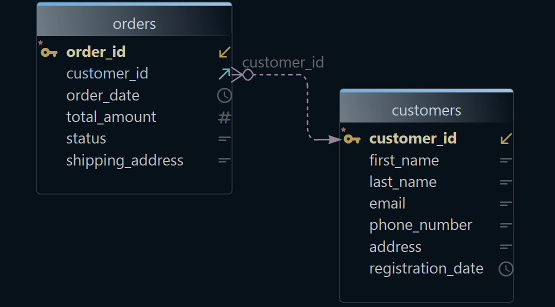
DbSchema connects to PostgreSQL, reads the schema and draws its tables as a diagram. It comes in three editions: the free Community Edition, Pro, and Architect, which adds to Pro. Community covers the connection, the diagrams and the SQL Editor.
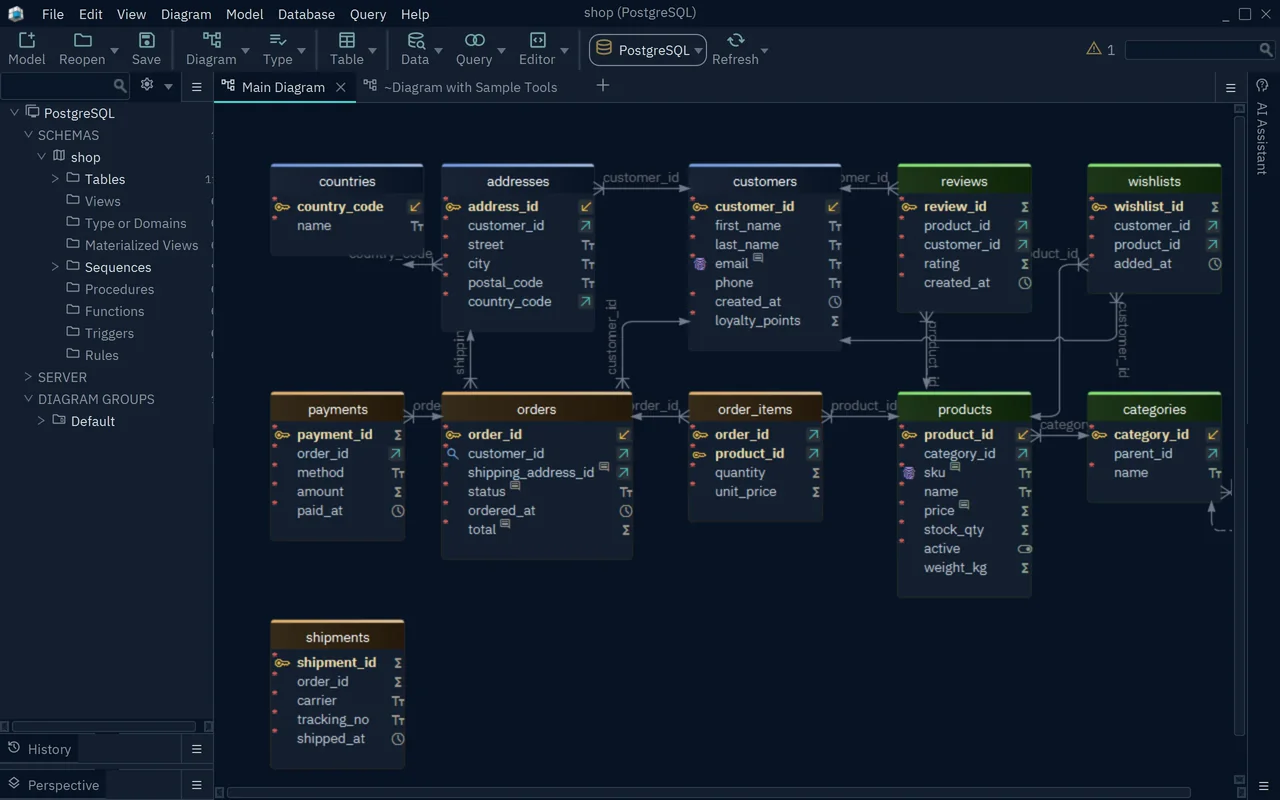
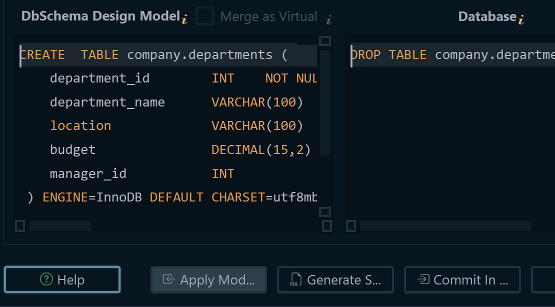
In DbSchema Pro, the design lives in a model file with the extension .dbs. You can edit it without a connection, and the database stays as it is until you deploy. When you connect again, schema synchronization lists each difference between the model file and the database. You choose which side each difference goes to, and DbSchema shows the ALTER statements before it runs them.
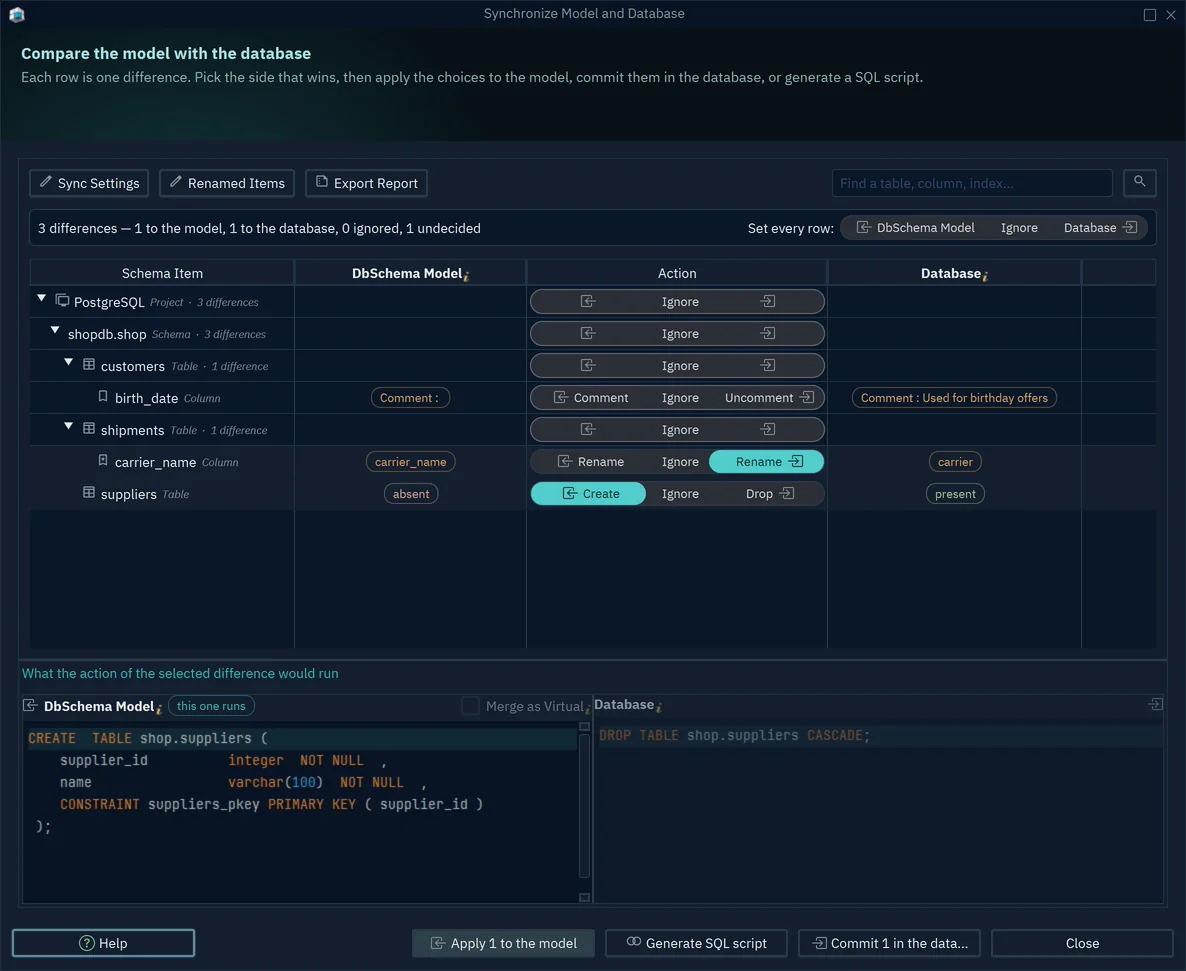
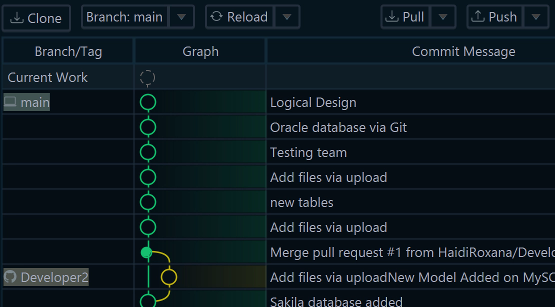
DbSchema has Git built in, so you commit, pull and merge the model file without another Git program.
Pro also adds:
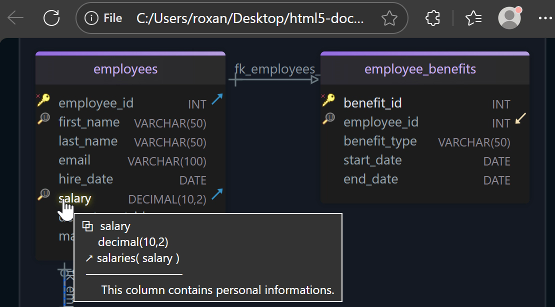
- HTML5, PDF and Markdown documentation of any diagram. The Community Edition documents a diagram of up to 12 tables.
- The Query Builder, which builds joins without writing SQL.
- The Data Explorer, which follows foreign keys from a row to its related rows.
- Your own model validation rules. The built-in checks run in every edition.
Architect adds logical design, where you model entities and their relations before they become tables. For a team, a floating license lets as many people work at the same time as you bought seats. A larger team shares those seats across time zones.
pgAdmin
pgAdmin 4 is the PostgreSQL project's own client, released under the PostgreSQL licence. It runs as a desktop application, or in server mode, where many users sign in through a browser. It supports PostgreSQL and EDB Postgres Advanced Server, in the versions supported when each pgAdmin release ships. The current release is 9.19.
The feature list is about running a server:
- a monitoring dashboard
- backup, restore, vacuum and analyze on demand
- a scheduling agent for SQL, shell and batch jobs
- a debugger for PL/pgSQL and EDB SPL procedures
- a graphical display of the query plan
- a Grant Wizard for updating privileges
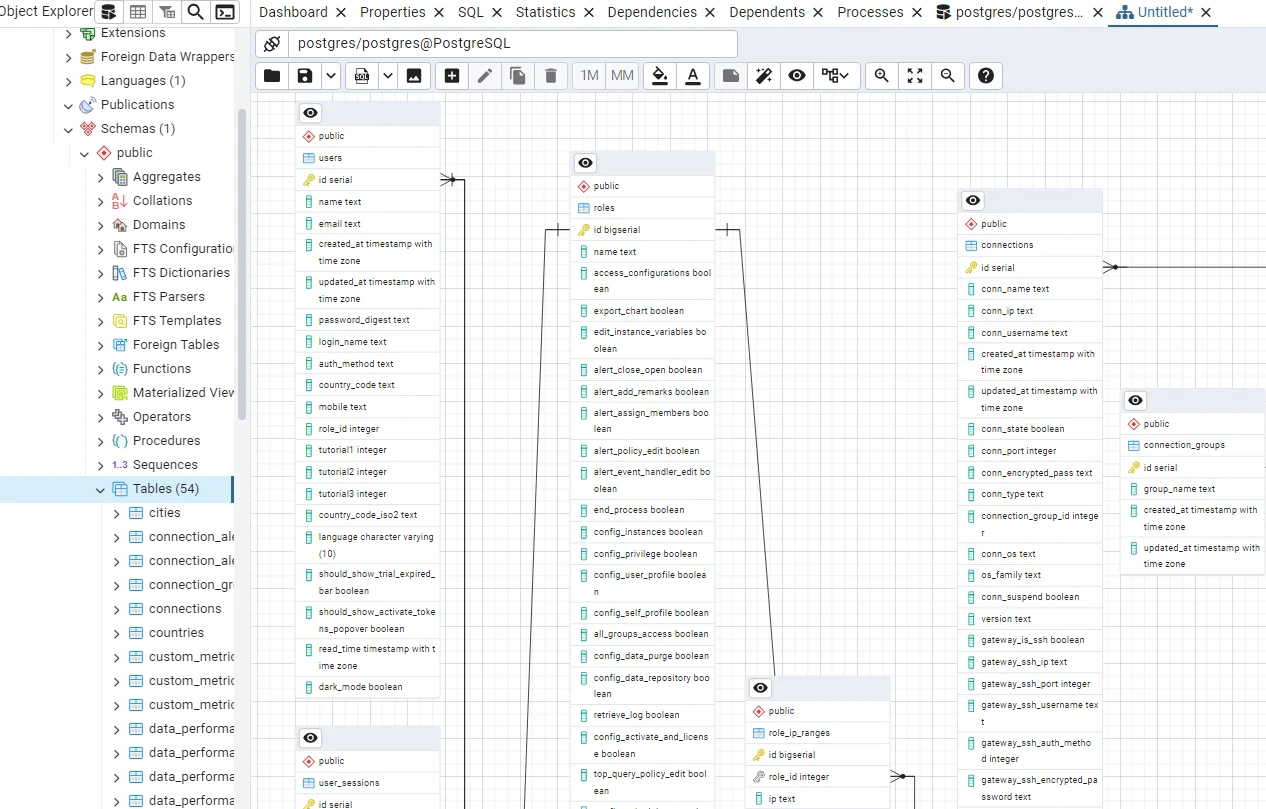
- an ERD Tool for designing and documenting schemas, and a schema diff tool
DBeaver
DBeaver Community is free and open source under the Apache License 2.0, and it connects to any database with a JDBC driver. It has a SQL editor, a data editor and ER diagrams drawn from the live connection.
Beyond the paid editions in the table at the top, CloudBeaver Enterprise, which runs DBeaver in a browser, is $1,025 a year. Team Edition starts at $1,630 a year.
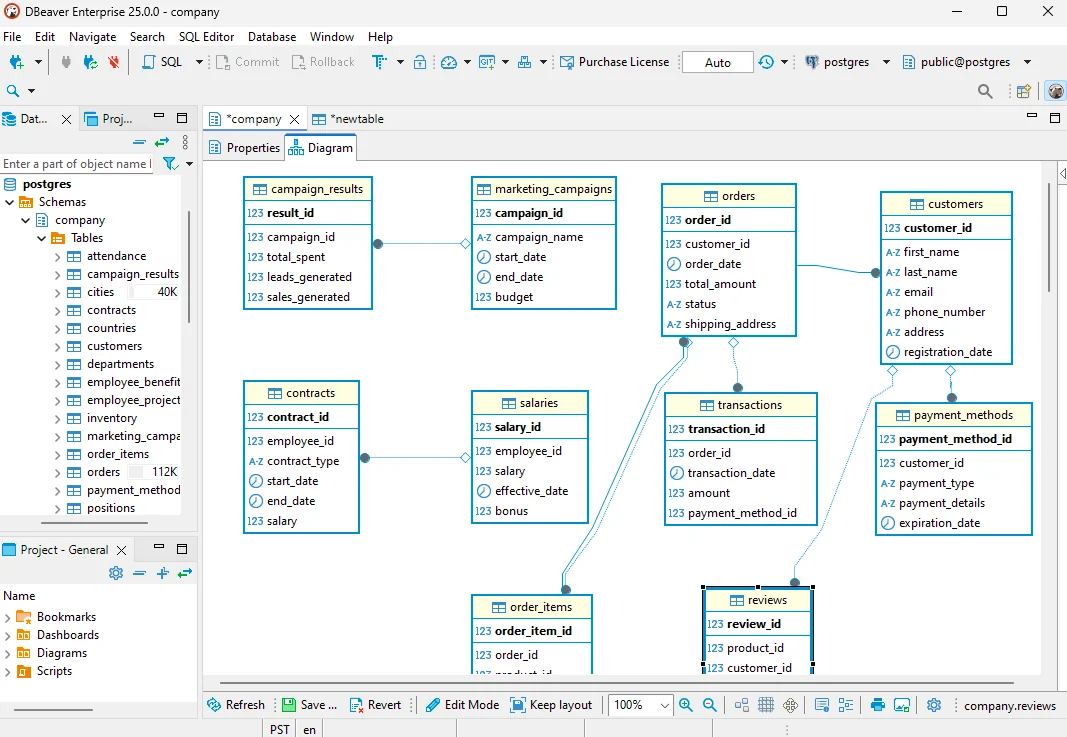
DataGrip
DataGrip is JetBrains' SQL IDE. It connects to over 50 local and cloud databases, PostgreSQL among them, and runs on Windows, macOS and Linux. It is free for non-commercial use. Commercial use needs a subscription, after a 30-day trial. AI agents connect with your own API key, an existing subscription or JetBrains AI.
Navicat for PostgreSQL
Navicat for PostgreSQL comes in a Standard and an Enterprise edition, for Windows, macOS and Linux. The feature matrix puts the data modeling tool and the BI charts and dashboards in Enterprise only, so modeling needs Enterprise.
Both editions share connection settings, queries and snippets through Navicat Collaboration. Sharing model and BI workspaces needs Enterprise. The store sells a perpetual licence per user, with the first year of maintenance, or a subscription. Navicat Premium Lite is a separate free product that connects to PostgreSQL and other engines. It is limited to five users per organization.
DbVisualizer
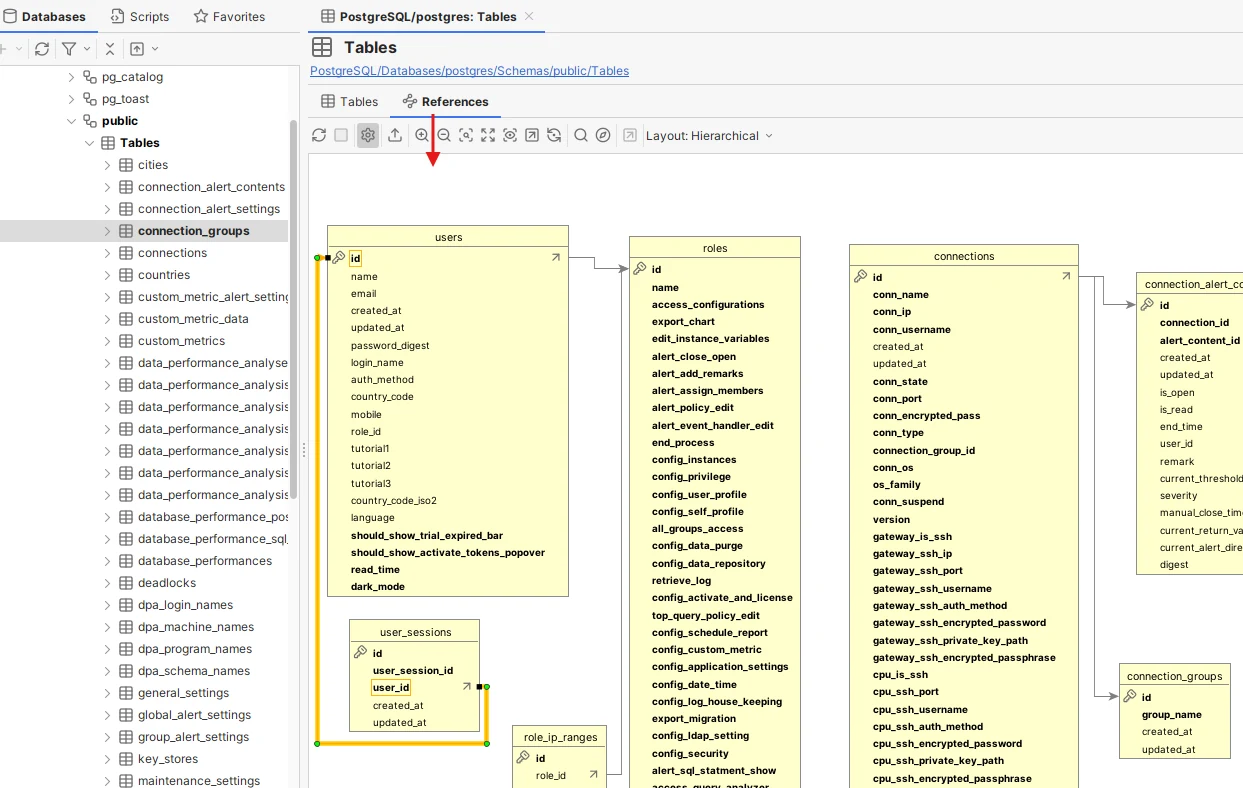
DbVisualizer is a desktop client. Its supported databases include PostgreSQL, Greenplum, Redshift, Vertica, ClickHouse, Presto and Netezza. The Free edition has no time limit, and it draws the References graph of a schema's tables.
The Pro price in the table at the top includes basic support. With premium support, Pro costs $229 for the first year and $119 to renew. Every subscription includes a perpetual licence for the versions released during its term. The feature list puts these in Pro:
- Git version control for SQL scripts
- the visual query builder
- explain plans
- export to Excel, JSON, XML and SQL, where Free exports CSV and HTML
dbForge Studio for PostgreSQL
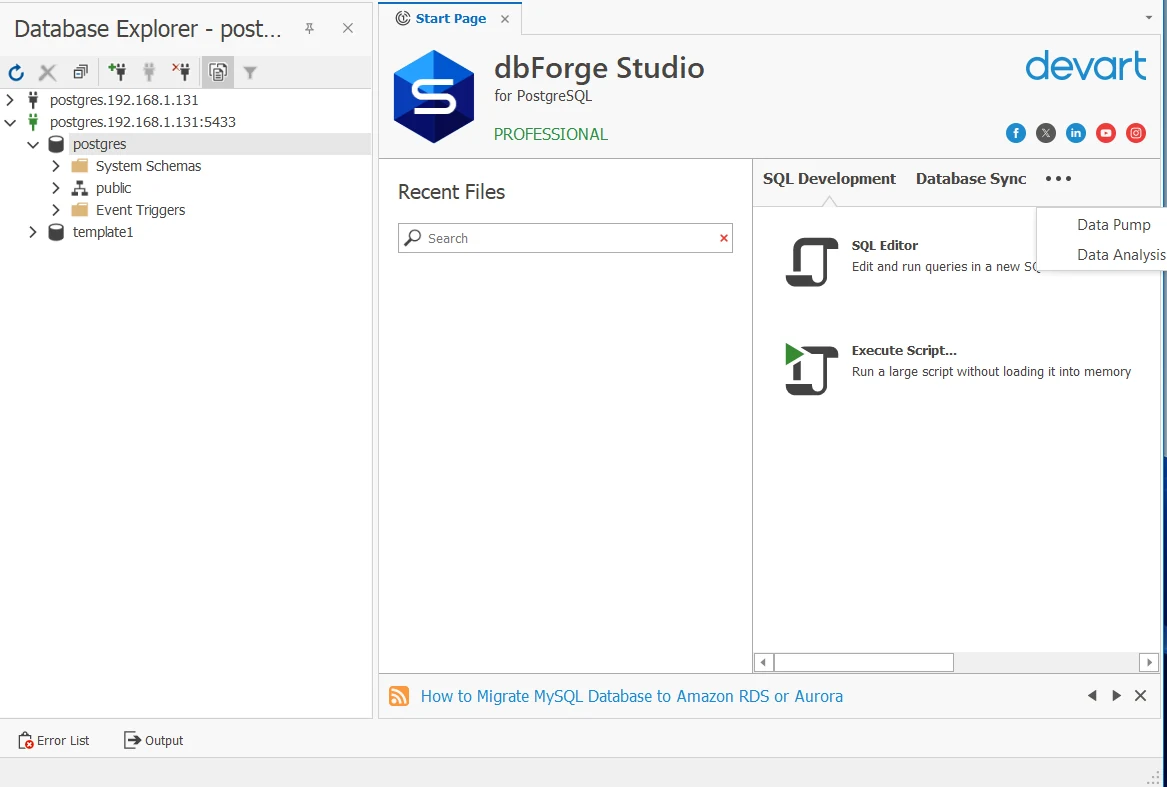
dbForge Studio for PostgreSQL is a Windows application in three editions: Express, which is free, Standard and Professional. On macOS and Linux, dbForge Studio runs through CodeWeavers CrossOver, a program that runs Windows applications, as Devart's requirements page states. It supports PostgreSQL 8.4 to 18, Greenplum, Fujitsu Enterprise Postgres, Supabase, and the PostgreSQL services of AWS, Azure and Google Cloud.
Standard and Professional are subscriptions, priced in the table at the top, and both have the query profiler and pivot tables. Professional alone has:
- data reports
- schema comparison and synchronization
- data comparison and synchronization
- the data generator
- the command-line interface
Try DbSchema on your PostgreSQL database
Download DbSchema at https://dbschema.com/download.html and connect it to your PostgreSQL server. The free Community Edition reverse-engineers the schema into a diagram and runs your SQL. The model file, schema synchronization and the documentation of a whole schema are Pro. A new installation starts a 15-day Architect trial that includes them.
Sources
- pgAdmin home page
- pgAdmin licence
- pgAdmin features
- DBeaver on GitHub
- DBeaver editions and pricing
- DataGrip
- Navicat for PostgreSQL feature matrix
- Navicat for PostgreSQL store
- Navicat Premium Lite
- Navicat Premium Lite user limit
- DbVisualizer supported databases
- DbVisualizer pricing
- DbVisualizer feature list
- dbForge Studio for PostgreSQL editions
- dbForge Studio for PostgreSQL requirements
Design your PostgreSQL schema visually
DbSchema reverse-engineers PostgreSQL into an interactive ER diagram in the free Community Edition. Offline design, HTML5 documentation and schema synchronization are Pro.