SqlDBM Alternatives for Teams That Work Offline
For the data architect whose models have to open on a laptop with no network, behind a firewall, or in a repository rather than in a browser tab.
On this page
Your model sits in a browser tab, the laptop is on a train, and the review meeting starts in an hour. DbSchema is the SqlDBM alternative that removes the network from the equation: it runs on the desktop, saves the whole design to a .dbs XML file on your own disk, and reverse-engineers 70+ SQL and NoSQL engines over JDBC when a database is in reach.
ER/Studio Data Architect, erwin Data Modeler, Hackolade Studio and Oracle SQL Developer Data Modeler are the other desktop names in this bracket. SqlDBM sells two plans, a Data Modeling core platform and a Context Layer that adds AI Copilot, MCP connectivity and semantic modeling, both quoted per customer, and both delivered as a browser workspace[1], which is the constraint this article is about.
What is the best tool for data modelling?
The one whose answer to "where does the model live" matches your constraint. DbSchema's answer is a file on your disk, which is why it is first on this list: the design opens with no connection, goes into Git next to the application code, and is compared against a database only when you ask it to.
What separates DbSchema from SqlDBM
DbSchema keeps the schema, every diagram, the layout, the groups, the colours, the notes, the virtual foreign keys and the comments in one .dbs file, in indented XML that opens in a text editor. Everything you draw or edit changes that file and nothing else until you connect. The live database changes at exactly one moment: when you open Schema → Synchronize Model with Database, read the SQL DbSchema generated from the difference, and click Execute.
The others divide the same job differently. Idera sells ER/Studio Data Architect as a per-user workstation licence aimed at individual modelers. Its Data Architect Pro tier is for teams that manage change and enforce modeling standards, and its Enterprise tier adds metadata import and export across platforms, a web portal, and integration with governance tools such as Purview and Collibra[2]. erwin Data Modeler is Quest's enterprise modeler, sold on Quest's own store as an annual subscription per named user. That store lists the Standard Edition at EUR 3,130.89 and the Workgroup Edition at EUR 4,379.20 per named user per year, in the currency it resolves for the visitor[3]. Hackolade Studio is aimed at polyglot and NoSQL modeling and is licensed per dedicated seat[4]. Oracle SQL Developer Data Modeler is a free graphical tool for logical, relational, physical, multi-dimensional and data type models[5].
What is better than a SQL database?
Nothing in general, and a document store in particular cases: payloads whose shape varies per record, and read paths that would otherwise join six tables. That is why so many stacks now hold both, and why a diagram that stops at tables covers half the estate.
SqlDBM lists analytical platforms such as Snowflake, Databricks, BigQuery, Amazon Redshift, Azure Synapse and Microsoft Fabric, and transactional engines such as PostgreSQL, SQL Server, Oracle, AlloyDB and MySQL[1]. DbSchema and Hackolade Studio both model schemaless document stores on the desktop.
Document stores and virtual relations, with no network
DbSchema builds a MongoDB diagram by introspecting a configurable sample of documents per collection and inferring field names, BSON types, nested objects and arrays, so the result is an approximation of what the documents hold rather than a structure MongoDB enforces. Where a collection carries a validation rule, DbSchema reverse-engineers that rule as the authoritative structure instead of the sample, and creating or editing a collection in DbSchema writes the validation rule back to both the database and the model file.
Relations between collections are yours to draw, because MongoDB neither declares nor enforces them. Drag one field onto another and DbSchema saves a virtual relation in the model file and draws it as a connector line on the diagram. The Relational Data Editor then opens several collections side by side over those relations: select a record in the parent pane and every child pane refilters to the documents whose field values match, cascading as many levels deep as you need. The inference, the diagram and the virtual relations are model-file work; only the data the editor reads and the changes you Commit touch the database.
What is the most scalable database software?
For analytic workloads, the distributed cloud warehouses: Snowflake, BigQuery, Redshift. The modelling question that comes with them is different from the storage question, because a schema of several thousand entities has to be drawn, arranged and searched by a person.
Enterprise repositories against a Git-versioned file
ER/Studio answers that from its Enterprise tier, with metadata imported, exported and integrated across platforms and a web portal for enterprise-wide collaboration[2]. The erwin Workgroup Edition answers it with a centralized model management repository that carries conflict resolution and change auditing[3]. Both are governance answers, and both come with a server side to run.
DbSchema answers with the file. Because the .dbs model is readable text, your database structures go through the same branches, pull requests and merge reviews as the code, with no repository server to stand up. Git — Collaborative Design in the Model menu is a Git client inside DbSchema: clone a repository, stage, commit, push and pull without leaving the diagram, and use Compare with Current on a colleague's pulled model to open the Synchronization Dialog and see exactly what changed[6]. That is what offline modeling buys a team that already lives in Git.
| Capability | DbSchema | ER/Studio Data Architect | erwin Data Modeler | SqlDBM |
|---|---|---|---|---|
| Model storage | Local XML .dbs file | Local file | Local file or model repository | Browser workspace |
| Works with no network | Yes | Yes | Yes | No |
| Version control | Git and any VCS | Web portal, Enterprise tier | Model repository | Workspace history |
| Rendering | Desktop application | Desktop application | Desktop application | Browser canvas |
Which database is best for SQL?
PostgreSQL, for most new work: open-source, rich data types, extensible indexing. Oracle Database and Microsoft SQL Server hold the ground where the estate already runs on them, and that is where engine-specific modellers come up in an evaluation.
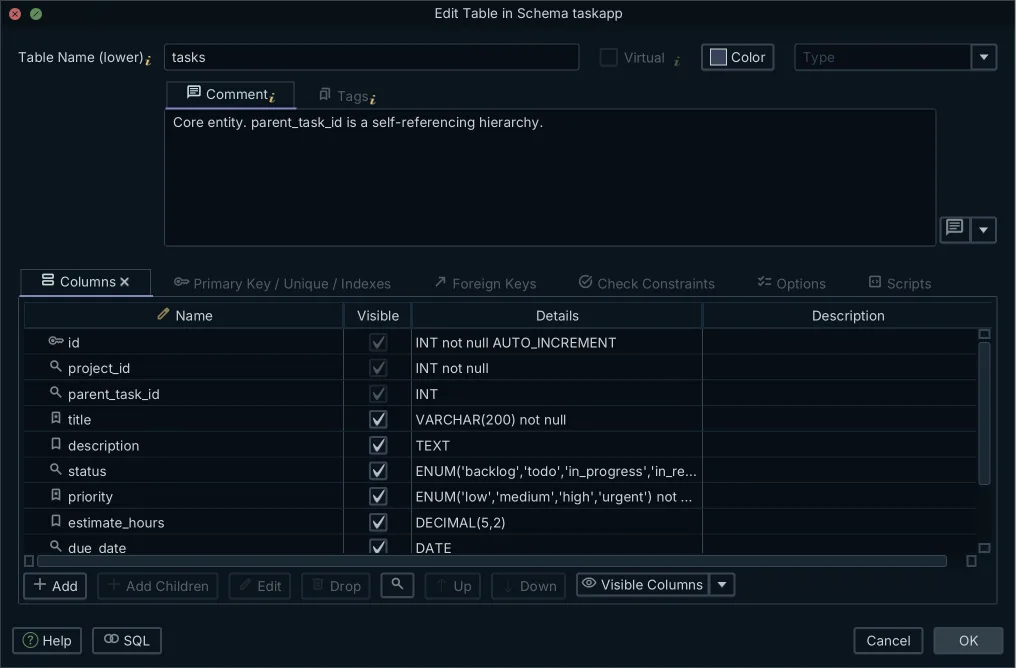
Oracle SQL Developer Data Modeler is Oracle's own free tool for that estate, and Oracle states that it connects to any supported Oracle Database[5].
One JDBC modeller against an engine-specific one
The moment the estate stops being one engine, the arithmetic changes. DbSchema connects to 70+ SQL and NoSQL databases over JDBC and downloads each driver itself, so an Oracle model, a PostgreSQL model and a MongoDB model are three .dbs files in the same window, under one licence. You can open two of them at once and synchronize between them, which is how a migration onto PostgreSQL schema design tools usually starts.
Retargeting is part of the same file. Open Model → Model Properties, change the RDBMS field, and DbSchema remaps the data types and shows how each one converts before you save; triggers, functions and stored procedures carry vendor syntax and are rewritten by hand[7]. None of that reaches a server: the conversion happens in the model, and the database sees only what you later choose to execute.
What are the 4 types of DBMS?
Relational, document, key-value and graph. Relational engines such as PostgreSQL, MySQL and Oracle hold rows in tables with declared constraints. Document stores such as MongoDB and Couchbase hold JSON or BSON records whose shape varies. Key-value stores such as Redis and DynamoDB answer a lookup by key. Graph engines such as Neo4j hold nodes and the edges between them.
Conceptual models and documentation people can read
DbSchema covers the design side of all four from one place. The Architect edition adds database-independent logical and conceptual models, so you draw the entities before an engine is chosen and generate the physical schema for a target afterwards, which removes the second modelling tool from the toolchain.
Sharing the result is the documentation export, from Diagram → Export HTML5 or PDF Documentation. HTML5 output opens in any browser with no server, and carries the diagram as a vector image, a searchable table list, full column details, and the table and column descriptions as mouse-over tooltips. PDF is the printable version of the same content, and Markdown is the one to commit beside the code. Because the HTML5 export is a set of files, it can sit on whatever internal site your engineers already open.
What is the Microsoft tool for data modeling?
SQL Server Management Studio, whose database diagrams are drawn from a live SQL Server connection. They are tied to that connection: no design file to branch, no second engine, and nothing to open on a machine that cannot reach the server.
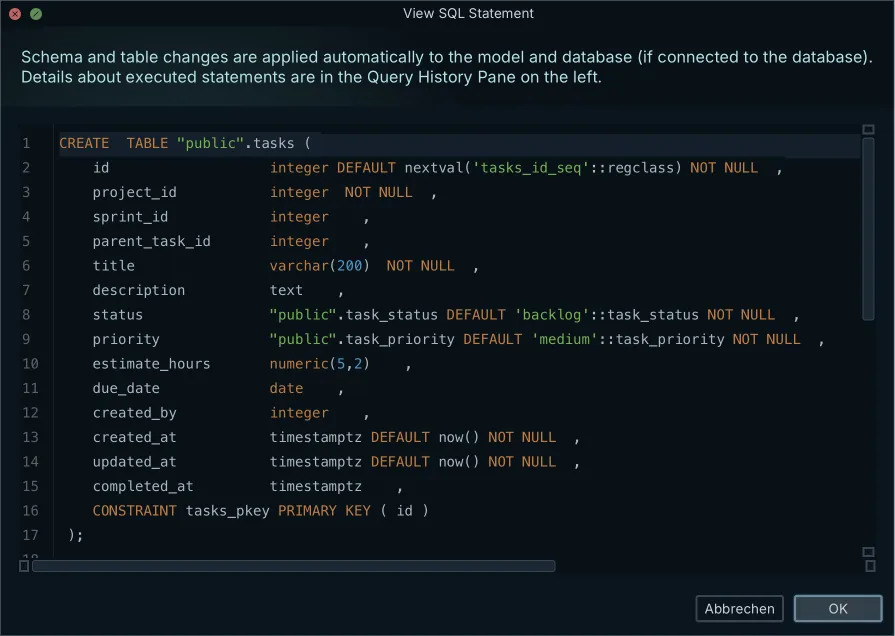
SqlDBM models SQL Server, Azure Synapse and Microsoft Fabric among its supported platforms[1], in a workspace hosted on its own infrastructure. For a team whose schema metadata is not allowed to leave the network, that is where the evaluation stops.
Designing a SQL Server change before it runs
DbSchema runs on your workstation and connects to Microsoft SQL Server over JDBC. Reverse-engineer the database into a diagram, then switch the connection to Disconnected and keep working: in offline mode your changes are written to the .dbs file and no statement is sent to the server. Connected rather than offline, a table edit goes to the model and the database at once, so the disconnected mode is the one that gives you a staging step.
Reconnect and the schema comparison does the rest. Click Refresh in the toolbar, or use Schema → Refresh Schema from Database, and DbSchema lists every difference between the model and the target development, staging or production database, object by object. For each one you choose to update the model, push the change, or skip it, and the Sync Dialog writes the SQL, which you can edit before clicking Execute. Everything up to that click happens on your own machine.
The shortlist and why each is on it
| Tool | Aimed at | Databases | Licence |
|---|---|---|---|
| DbSchema Architect | Offline multi-database modeling, Git workflows, schema sync | 70+ SQL and NoSQL | Perpetual or monthly, plus a free Community Edition |
| ER/Studio Data Architect | Cross-platform modeling per user, with team and enterprise tiers | Major relational platforms | Published subscription per user |
| Hackolade Studio | NoSQL and JSON Schema modeling | Document and NoSQL engines | Subscription per dedicated seat |
| erwin Data Modeler | Large enterprise modeling with a central repository | Enterprise relational engines | Annual subscription per named user, from EUR 3,130.89 |
| Oracle SQL Developer Data Modeler | Oracle Database design and DDL generation | Oracle Database and other targets | Free |
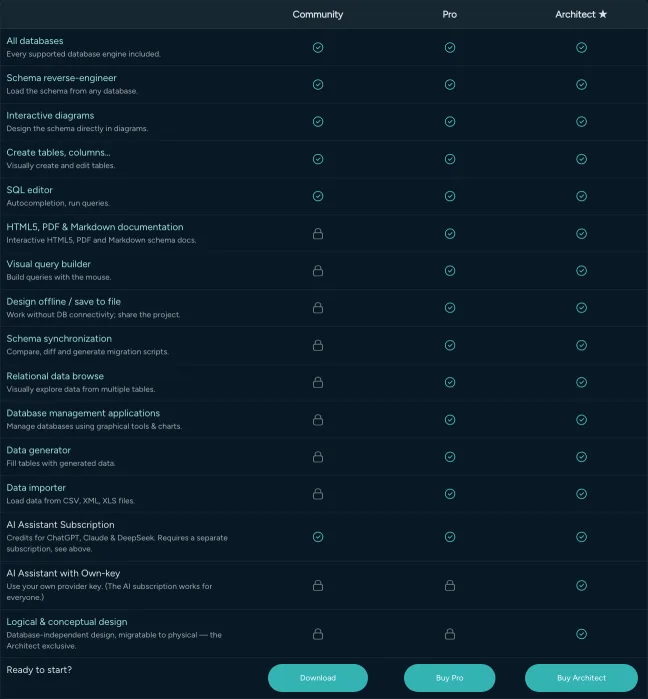
DbSchema Architect is a one-time purchase per user plus taxes, with the first year of updates included and an annual renewal afterwards to keep receiving them. The pricing page shows the amount in your own currency, on a Business tab, a Personal tab and a Universities and Students tab, so read the tab that applies to you[8]. Architect is Pro plus the logical and conceptual workflow, and Pro is the edition that carries offline design, saving the model to a file, schema synchronization, the documentation export, the Query Builder and relational data browse.
Download DbSchema at https://dbschema.com/download.html, reverse-engineer the schema you would otherwise be modelling in a browser, and save it to a .dbs file in the repository where your application code lives. Connecting, reverse-engineering, the diagrams and the SQL editor are free in Community; offline design and everything built on the model file are Pro; logical and conceptual design is Architect.
Frequently asked questions
Can I use SqlDBM offline without an internet connection?
SqlDBM's plans are sold as a browser workspace on its own infrastructure[1], so no network means no model. DbSchema switches to Disconnected from the connection menu in the toolbar and keeps designing with no database reachable at all.
Which is the best offline alternative to SqlDBM?
DbSchema, when the constraint is the network: the design is a local .dbs XML file you version in Git, and the licence is a one-time perpetual purchase that includes a year of updates and keeps working on that version if you never renew. ER/Studio and erwin Data Modeler are the desktop options built around a central repository instead.
How much does ER/Studio cost compared to DbSchema?
DbSchema Architect is a one-time perpetual licence per user, listed on its pricing page in your own currency and on separate tabs for Business, Personal and Universities and Students buyers[8]. ER/Studio publishes a total subscription price per user of USD 2,687.00 for Data Architect and USD 3,693.00 for Data Architect Pro, with the Enterprise tier quoted by sales[2].
Does Hackolade support relational data modeling offline?
Hackolade Studio is a desktop tool for polyglot data modeling, licensed per dedicated seat at EUR 175 a month or EUR 1750 a year on the Organizations tab of its pricing page[4]. For relational schemas across PostgreSQL, MySQL, Oracle and SQL Server in the same window, DbSchema reverse-engineers all of them into one window under one licence and keeps each model in a local file you can design in offline.
Is Oracle SQL Developer Data Modeler free to use offline?
Oracle calls it a free, stand-alone product that is platform independent, and names Subversion as the source code control it integrates with[5]. It covers Oracle Database only. DbSchema models Oracle alongside PostgreSQL, SQL Server, MongoDB and the other engines in one window, and versions each model file in Git.
Sources
Design your schema offline
DbSchema connects to 70+ SQL and NoSQL databases over JDBC, saves the model to a plain XML file you can commit to Git, and generates the migration DDL before you touch a live instance. The Community Edition is free.









