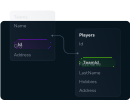
Design and Manage MongoDB Databases Visually with DbSchema

DbSchema lets you design, manage, and document MongoDB databases. Create ER diagrams, define tables and columns, and generate SQL scripts - with or without a live database connection.

Use Git to share the design, compare it with the MongoDB database, and deploy changes. DbSchema also includes a data editor, query builder, and HTML5 documentation - everything you need in one tool.

DbSchema Database Designer

Download DbSchema Download MongoDB JDBC Driver

Bringing Structure to MongoDB's Flexible Document Model

MongoDB stores documents without enforcing a fixed schema, which accelerates early development but can make it difficult to reason about data structure as collections grow and evolve over time. DbSchema samples documents from each collection, infers field types and nested object shapes, and renders the result as a visual schema diagram. The inferred model serves as a working reference — documenting what the data actually looks like rather than what it was originally intended to look like.

Inferred Collection Schema with Field Types

DbSchema analyzes a configurable sample of documents in each MongoDB collection and builds a type map covering scalar fields, arrays, embedded objects, and ObjectId references. Browse the inferred schema to understand which fields are consistently populated and which are sparse or polymorphic across documents.

Browsing inferred field types for a MongoDB collection in DbSchema

Visual Query Builder for MongoDB

The query builder provides a graphical interface for constructing MongoDB queries — select collections, add filter conditions, and specify projection fields by clicking rather than writing query documents by hand. Results are displayed in a paginated grid alongside the raw document view, making it straightforward to validate query logic before embedding it in application code.

Building a MongoDB query visually in DbSchema

Document Explorer with Filtering and Pagination

Browse MongoDB collection data in the data explorer: apply filters on any inferred field, paginate through large collections, and drill into nested subdocuments — all without writing find() or aggregate() commands in a shell.

Browsing MongoDB documents in DbSchema's data explorer

Connecting DbSchema to MongoDB

MongoDB listens on port 27017 by default. For a local or self-hosted instance, use the connection string mongodb://host:27017/dbname. For MongoDB Atlas, use the SRV format mongodb+srv://cluster.mongodb.net/dbname with your Atlas credentials. Before connecting from a remote host to Atlas, add the client IP to the Network Access allowlist in the Atlas dashboard. DbSchema connects to MongoDB through a JDBC bridge — configure the driver in the DbSchema driver manager using the MongoDB JDBC driver JAR. DbSchema's open-source MongoDB JDBC driver is available on GitHub.

Why DbSchema for MongoDB Projects

  • Automatically infer and visualize collection schemas from live document samples.
  • Build and run MongoDB queries with a GUI — no shell or query language expertise required.
  • Browse, filter, and paginate collection data without writing find() or aggregate() queries.
  • Generate schema documentation from discovered field structures for team reference.
  • Identify structural inconsistencies across documents before a schema migration or ETL job.