PostgreSQL GUI for Mac and Windows: Free and Paid Options Compared
Which PostgreSQL GUIs run on both Mac and Windows, what the free ones leave out, and what the paid ones cost over three years.
On this page
Your team works on PostgreSQL from MacBooks and Windows laptops. You want one GUI that runs on both, with one licence per person. You also want everyone to see the same version of the schema.
Short answer
Try DbSchema first: it installs on Windows, macOS and Linux. Its free Community Edition connects to PostgreSQL, draws the schema and runs SQL. DbSchema Pro costs 294 USD once, and one licence covers a Mac and a Windows laptop of the same developer.
- Every DbSchema download starts with 15 days of all features, without registration.
- After the trial, the Community Edition stays free on Mac and Windows, for any use.
- One DbSchema Pro licence covers a developer on two computers, used one at a time.
A SQL client shows you the database, DbSchema gives you the model. The model is one design file, and the Mac and the Windows laptops open the same file.
What DbSchema adds for a Mac and Windows team
The model is DbSchema's copy of your schema, kept in a .dbs file. The schema is the set of tables, columns and keys in your PostgreSQL database. The same file opens in DbSchema on every system.
- The same app on every laptop. DbSchema has installers for Windows, macOS and Linux, and for Windows on ARM64. ARM64 is the chip type in some newer Windows laptops. DbSchema brings its own Java, the runtime it is built on, so you install nothing else (Install DbSchema).
- One licence for your Mac and your PC. A DbSchema licence is per developer: you install it on two computers and use one at a time. This holds for DbSchema Pro and for Architect, the edition with logical design (Licensing).
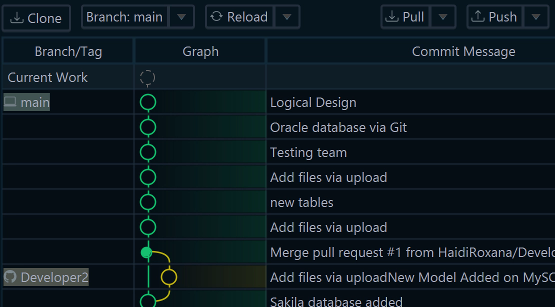
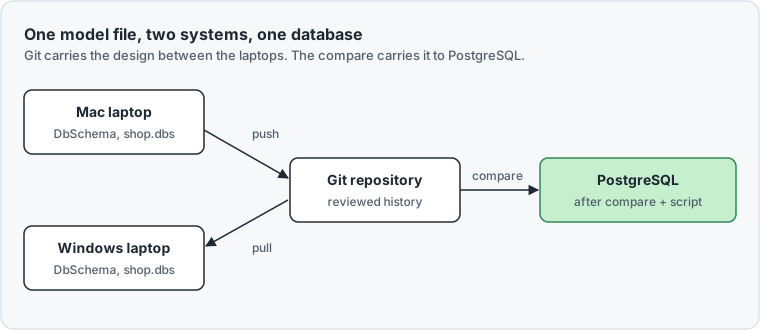
- One design for the whole team. Git is a version control system: it keeps every version of a file and who changed it. DbSchema has Git built in, under File → Git Collaboration. A colleague on a Mac commits a change, and a colleague on Windows pulls it (DbSchema Pro, Git Collaboration).
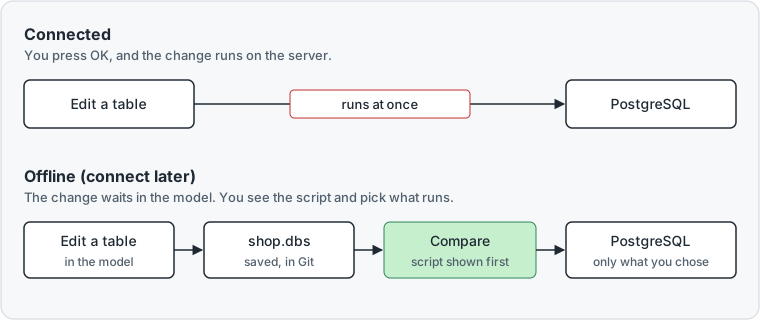
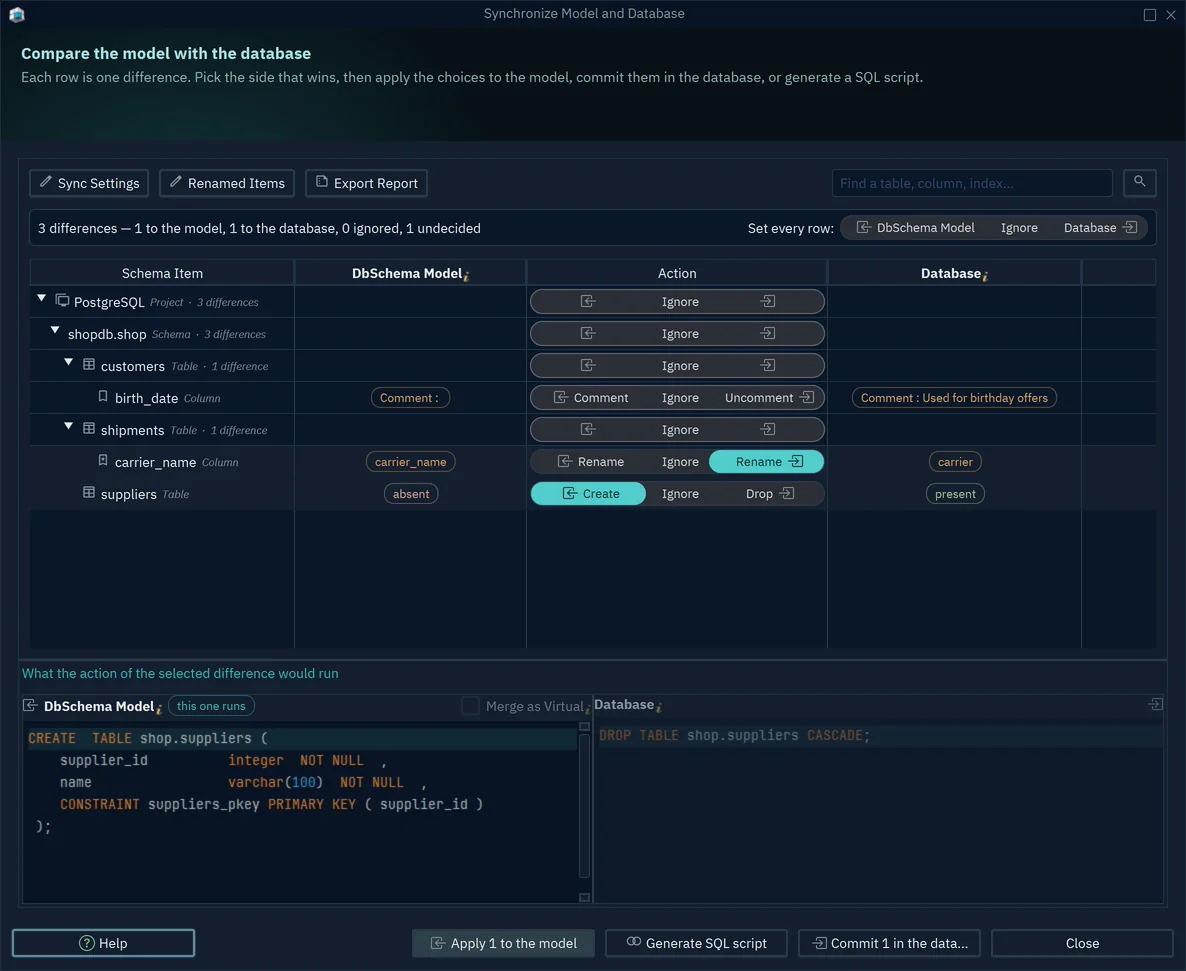
- Changes reach PostgreSQL only after review. Offline means DbSchema is not connected, and your edits stay in the model. Schema synchronization then compares the model with PostgreSQL and writes the migration script, the SQL that brings the database up to date. You see that script before it runs (DbSchema Pro, Schema Synchronization).
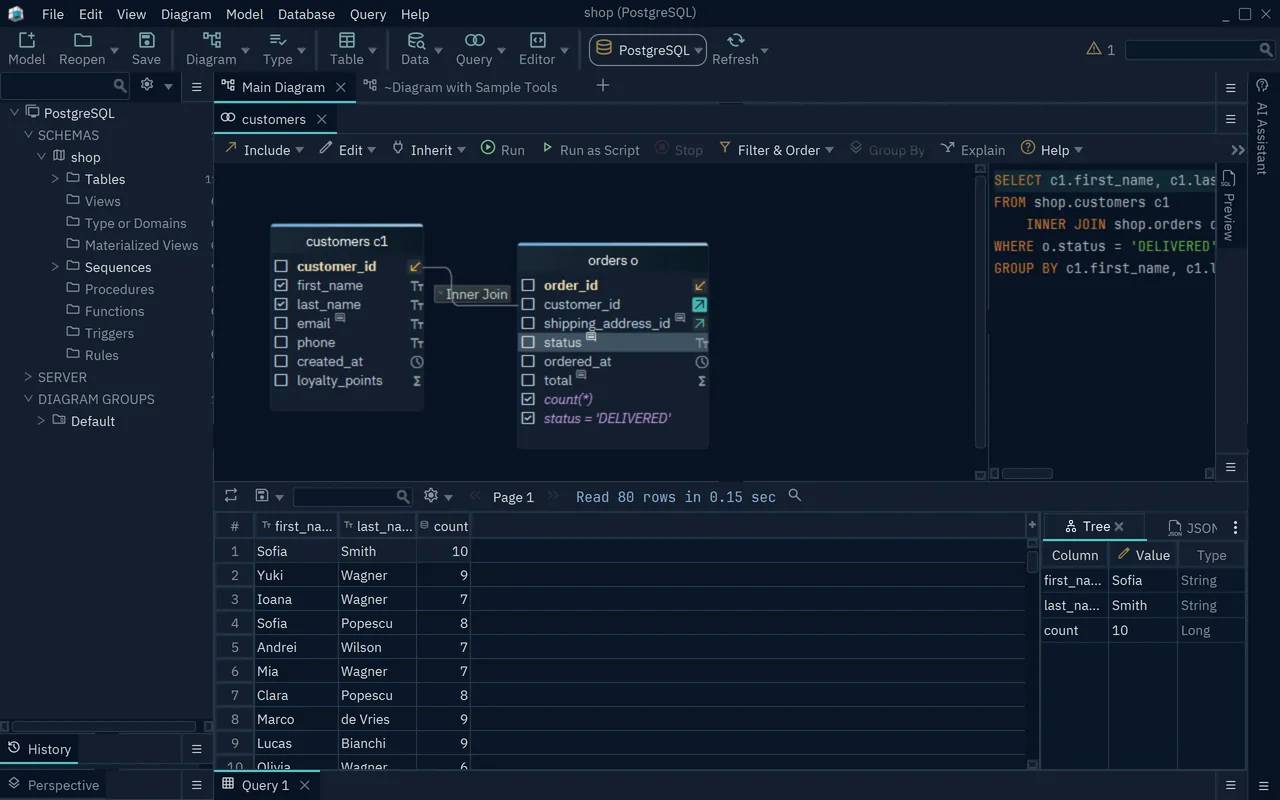
- Queries without typed joins. A join combines the rows of two tables through a foreign key. A foreign key is a column that points to a row in another table. The Query Builder makes the join while you tick columns (DbSchema Pro).
The steps are under Share and deploy one PostgreSQL design in DbSchema.
Which PostgreSQL GUIs run on Mac and Windows
All but one of the GUIs below run on both systems. Postico 2 is a native Mac app that requires macOS 14 or later.
Apple silicon, in the table, means the M-series chips in newer Macs. We read every vendor page below on 15 November 2026.
| Tool | Windows | macOS | Licence | Three years with updates |
|---|---|---|---|---|
| DbSchema Pro | Yes, also ARM64 | Yes | Perpetual, per developer, two computers | 444 USD |
| DbSchema Community | Yes | Yes | Free, any use | 0 |
| pgAdmin 4 | Yes | Yes, Apple silicon and Intel | Free, open source | 0 |
| DBeaver Community | Yes | Yes, Apple silicon and Intel | Free | 0 |
| DBeaver Enterprise | Yes | Yes | Yearly subscription | 765 USD |
| DataGrip, organizations | Yes | Yes | Yearly subscription | 777 EUR |
| TablePlus Basic | Yes | Yes | Perpetual, one device | 217 USD |
| Postico 2, commercial | No | Yes | Perpetual, one device | 99 USD |
A perpetual licence is paid once and keeps working. A subscription is paid every year.
DbSchema Pro costs 294 USD and includes a year of updates, meaning new versions.
Each later year costs 75 USD and is optional. Three years make 444 USD. DbSchema Pro keeps working if you stop.
The other values come from the vendors' pages: pgAdmin, DBeaver and its installation page, DataGrip, TablePlus and Postico. JetBrains showed its prices in euros when we read the page.
Postico's price covers version 2.x. TablePlus renews updates at 59 USD a year per device.
Over three years, DbSchema Pro costs less than DBeaver Enterprise, the DBeaver edition with schema compare. It also costs less than DataGrip for organizations.
Postico and TablePlus cost less. Each of their licences covers one device. A developer with a Mac and a Windows laptop needs two TablePlus licences.
What the free PostgreSQL GUIs leave out
pgAdmin 4 is open source and free on Windows, macOS and Linux. Open source means anyone may read and change the program's code.
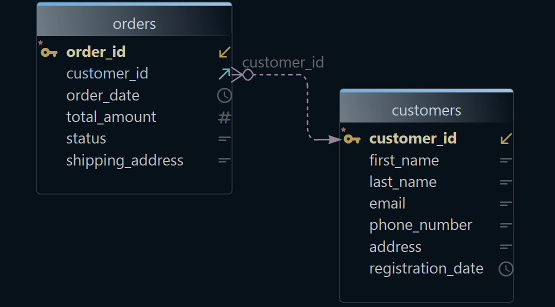
pgAdmin runs SQL and draws ER diagrams. An ER diagram shows each table as a box and each foreign key as a line.
pgAdmin's Schema Diff compares two databases or two schemas. Both must run on the same major version, the first number of the release, such as 16 or 17. pgAdmin has no graphical query builder, a tool that writes the SELECT while you click tables: the request was closed as not planned.
DBeaver Community is free too. Its schema compare is only in the paid Enterprise and Ultimate editions. DBeaver has no documentation generator.
DbSchema Community reverse-engineers the PostgreSQL schema: it reads the existing tables and draws them as a diagram you can rearrange. The SQL Editor works in every edition.
DbSchema connects to more than 100 SQL and NoSQL databases in the same window. NoSQL databases, such as MongoDB, store data without fixed tables.
DbSchema Pro adds the graphical query builder that pgAdmin lacks:
The best PostgreSQL tools also covers command-line and monitoring tools.
Share and deploy one PostgreSQL design in DbSchema
You need DbSchema Pro or the trial on each laptop, a PostgreSQL login and a Git repository. A repository is a folder that Git tracks, usually shared on a server such as GitHub or GitLab.
- Install DbSchema on each laptop, with the
.dmgfile on the Mac and the.exefile on Windows. - On the first laptop, choose File → New Model, click PostgreSQL and press Connect to PostgreSQL. Fill in the host, the port, the user and the database, then press Connect.
- In Reverse Engineer the Database, tick your schema and press Import.
- Clone the repository with File → Git Collaboration → More → Clone. Cloning copies the shared repository to your laptop. Save the model into that folder with File → Save Model to File.
- In the Git dialog, commit the
.dbsfile and press Push. A commit is a saved version. Push sends it to the shared repository. - On the second laptop, clone the same repository. Open the model with File → Open Model from File (.dbs).
- To change the design, click the connection button in the toolbar and choose Offline (connect later), as in Figure 1. Edit, save, commit and push. Your colleague presses Pull to get the change.
- When the change is reviewed, click the connection button again and choose your PostgreSQL connection. Pick Compare, then decide difference by difference.
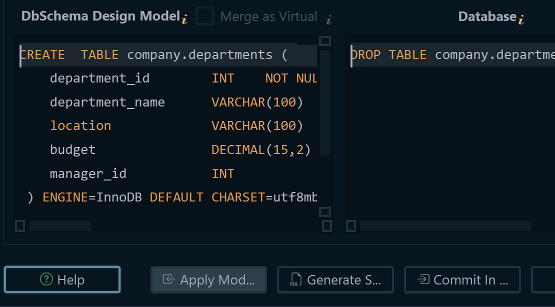
- In Synchronize Model and Database, click the side that wins on each row. Then press Commit in the database, or Generate SQL script to save the script.
Commit in the database runs the statements on PostgreSQL. It is not a Git commit.
DbSchema shows the statements one at a time in the Execute Script In Database Dialog. Save, commit and push the model afterwards, so the file in Git matches the database.
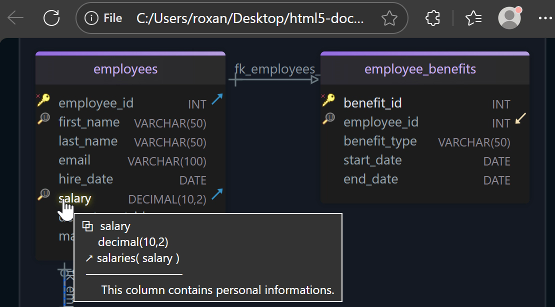
DbSchema Pro also writes HTML5, PDF and Markdown documentation with the diagram, for people who don't run DbSchema.
The model file, Git, schema synchronization, the query builder and documentation need DbSchema Pro. The purchase page lists every edition.
Download DbSchema for Mac or Windows, connect it to PostgreSQL and try every feature free for 15 days. After the trial, the Community Edition keeps connecting, drawing diagrams and running SQL, for any use.
Sources
- DbSchema: Install DbSchema
- DbSchema: Licensing
- DbSchema: Git Collaboration
- DbSchema: Schema Synchronization
- DbSchema: Query Builder
- Postico 2
- pgAdmin
- DBeaver: Buy
- DBeaver documentation: Installation
- JetBrains: DataGrip pricing
- TablePlus: Pricing
- Postico 2: Licenses and Pricing
- pgAdmin 4 documentation: ERD Tool
- pgAdmin 4 documentation: Schema Diff
- pgAdmin 4 issue 5680: Graphical Query Builder Support
- DBeaver documentation: Schema compare
- DBeaver issue 5158: documentation tool
- DbSchema: Connect to Database
- DbSchema: SQL Editor
- DbSchema: Schema Documentation
- DbSchema: Pricing
One PostgreSQL design for Mac and Windows
DbSchema runs on Windows, macOS and Linux. The Community Edition connects to PostgreSQL, draws the schema and runs SQL, free for any use. DbSchema Pro adds the model file, Git, schema synchronization, the query builder and documentation.