Database Management Software for a Developer Team on Several Database Types
What a developer team needs from database management software when it runs several database engines, and how to check a tool before the team buys it.
On this page
DbSchema gives a developer team one desktop tool for every database it runs. You design the schema, query it, document it and compare it before a deploy, on PostgreSQL, MySQL, SQL Server and MongoDB alike. One per-developer licence covers all of them, on Windows, macOS and Linux. That is what "database management software" has to mean for a team with several engines: one place to work on every database, not one program per vendor.
Short answer
A team that runs several database engines needs one tool that connects to all of them and keeps the design, the queries and the documentation in one place. DbSchema does this for 100+ databases. Connecting, diagrams and the SQL editor are free in the Community Edition; the model file, documentation, the query builder and schema compare are in Pro.
- The database itself, an admin suite and a developer tool all get called database management software. A developer team needs the developer tool.
- Check six things: every engine in one licence, every operating system, MongoDB in the same tool, a model in Git, documentation for readers, and a compare before deploy.
- DbSchema Pro covers all six for 294 USD once per developer.
Three kinds of software share the name
Search for database management software and you get three different things in one list. Each answers a different question, so decide first which one your team is buying.
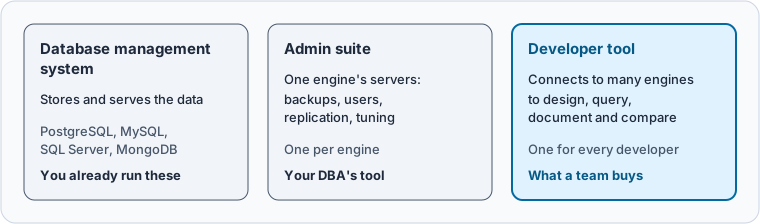
The database management system is the database itself: PostgreSQL, MySQL, SQL Server, MongoDB. You already run these. An admin suite is the vendor's tool for one engine's servers: backups, users, replication, tuning. Each engine has its own, and your DBA probably uses it. A developer tool connects to many engines and lets the people who build the application design, query and document the schema.
A team with several engines needs the third kind. It replaces four vendor tools on every laptop with one, and it gives everyone the same view of each schema.
Six checks before the team buys
Most lists rank tools by features. For a team, six questions decide more than any feature list.
| Check | Why it matters for a team | DbSchema |
|---|---|---|
| Every engine in one licence | You do not buy a second tool when a MongoDB service appears | 100+ databases in every edition |
| Every operating system | Teams mix Windows, macOS and Linux laptops | Installers for all three |
| MongoDB in the same tool | Document databases need diagrams too | Diagrams from sampled documents, same licence |
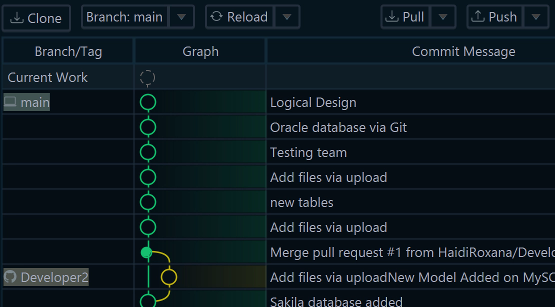
| A model in Git | Schema changes get reviewed like code | One model file, Git built in (Pro) |
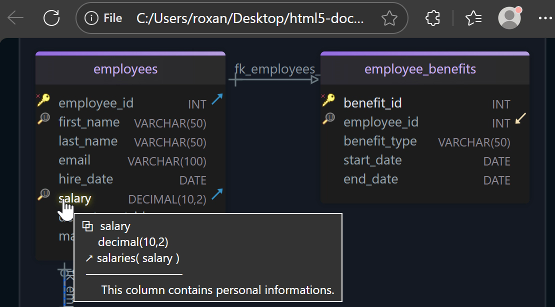
| Documentation for readers | Product, QA and auditors read the schema too | HTML5, PDF and Markdown (Pro) |
| A compare before deploy | Nobody runs an unreviewed ALTER on production | Schema compare with a script you read first (Pro) |
What to see: the first three checks are about the licence and the install, so they decide whether the whole team can use one tool. The last three decide whether the team works on one shared design.
Add one more question for production: can the tool open a connection that cannot change anything? In DbSchema, Read Only Connection refuses schema changes on that connection, and Highlight colours it as Production, Development or Test (connection settings).
The same question needs a different query on each engine
The case for one tool shows up in the smallest question: which foreign keys does this schema have? We created the same four tables on three engines and asked each of them. The schema has customers, products, orders and order_items, with three foreign keys.
On PostgreSQL 17.6, the answer comes from the pg_constraint catalog:
SELECT conrelid::regclass AS table_name,
       pg_get_constraintdef(oid) AS foreign_key
FROM pg_constraint
WHERE contype = 'f' AND connamespace = 'public'::regnamespace
ORDER BY 1, 2;
Result · PostgreSQL 17.6
| table_name | foreign_key |
|---|---|
| orders | FOREIGN KEY (customer_id) REFERENCES customers(id) |
| order_items | FOREIGN KEY (order_id) REFERENCES orders(id) |
| order_items | FOREIGN KEY (product_id) REFERENCES products(id) |
On MySQL 8.4, the same answer sits in a column PostgreSQL does not have:
SELECT TABLE_NAME, COLUMN_NAME, REFERENCED_TABLE_NAME, REFERENCED_COLUMN_NAME
FROM information_schema.KEY_COLUMN_USAGE
WHERE TABLE_SCHEMA = 'shop' AND REFERENCED_TABLE_NAME IS NOT NULL
ORDER BY TABLE_NAME, COLUMN_NAME;
Result · MySQL 8.4.11
| TABLE_NAME | COLUMN_NAME | REFERENCED_TABLE_NAME | REFERENCED_COLUMN_NAME |
|---|---|---|---|
| order_items | order_id | orders | id |
| order_items | product_id | products | id |
| orders | customer_id | customers | id |
Both list the same three keys. But the MySQL query fails on PostgreSQL with ERROR: column "referenced_table_name" does not exist, because PostgreSQL keeps foreign keys in pg_constraint and MySQL adds the referenced table to KEY_COLUMN_USAGE (MySQL 8.4 Reference Manual).
MongoDB 7 has no answer at all, because it declares no relations. A $lookup from orders to customers matched order 101, whose customer_id is the number 1. It matched nothing for order 102, whose customer_id is the string "1". Nothing in the database tells you that the link exists, or that one document breaks it.
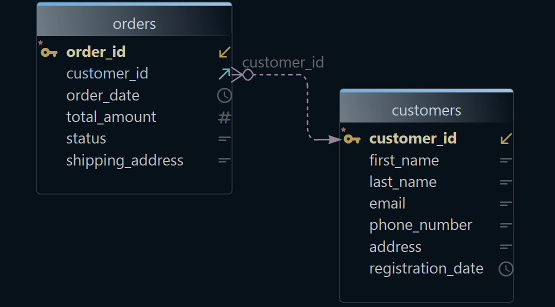
A developer tool reads each engine's catalog for you and draws the keys as lines. In DbSchema, every engine opens the same way, from one start screen.
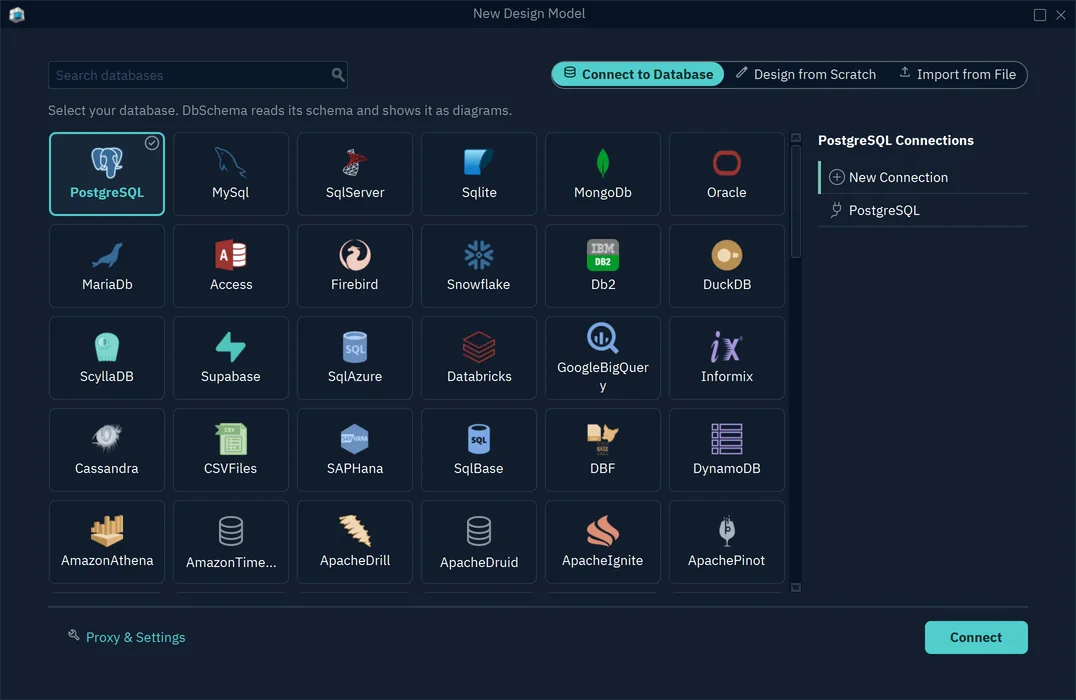
For MongoDB, DbSchema samples the documents of each collection, infers the fields, and lets you draw the relation MongoDB never declares as a virtual relation in the model. The Data Explorer then follows those relations from row to row, on SQL and MongoDB alike.
What a team gets in each DbSchema edition
The editions split by what a person does, not by which database they use. Every edition connects to every database.
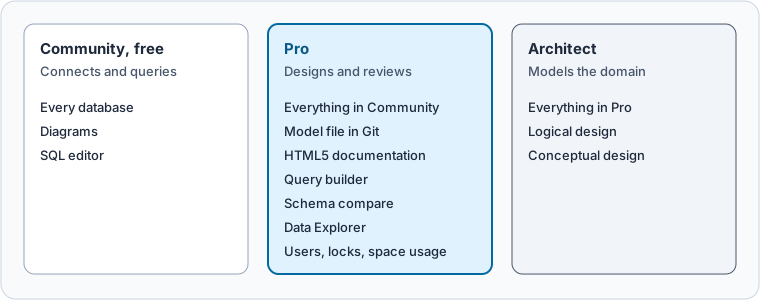
| Edition | Who on the team | What it adds |
|---|---|---|
| Community, free | Anyone who connects and queries | All databases, diagrams, SQL editor |
| Pro | Developers who design and review | Model file, Git, documentation, query builder, schema compare, Data Explorer, data generator |
| Architect | The person who models the domain | Logical and conceptual design |
What to see: the database list never changes between editions. A Community user on MongoDB and a Pro user on SQL Server use the same program.
Pro also covers the management side a developer needs. Database → Users & Roles and Plugins show the database's users, locks, running queries and space usage (interface guide). For backups, replication and server tuning, your DBA keeps the vendor's admin suite.
How the usual names fit a mixed team
The lists that rank for this search name the same few tools. For a team with several engines, these facts matter. We read them on each vendor's site on 6 November 2026.
- DbSchema covers relational and NoSQL engines, MongoDB included, in every edition, and runs on Windows, macOS and Linux.
- DBeaver has its MongoDB driver in the Lite, Enterprise and Ultimate editions only, and schema compare in Enterprise and Ultimate only.
- DataGrip has a free licence for non-commercial use only, so a team at work buys a commercial licence.
- SQL Server Management Studio is free and is available only for Windows.
- MySQL Workbench works with MySQL.
The single-engine tools stay useful for the admin work they were built for. The question for a team is which one tool every developer opens every day.
What a team of five pays over three years
DbSchema licences are per developer: one person installs a seat on up to two computers and uses one at a time. A floating licence lets a group share seats instead.
| Plan for five developers | Three-year cost |
|---|---|
| DbSchema Pro, bought once, updates renewed twice | 2,220 USD (5 × 294 + 10 × 75) |
| DbSchema Pro, paid monthly | 5,292 USD (5 × 29.40 × 36) |
What to see: the one-time licence costs less than half of the monthly plan over three years. The updates after year one are optional; a perpetual licence keeps working without them. Prices are the business prices on the purchase page, in US dollars before tax, read on 6 November 2026.
Rolling out DbSchema to a team covers who gets which seat and how to assign seats by email. Which edition a team needs goes through the editions feature by feature.
Download DbSchema, connect it to two of your team's databases, and compare the diagrams side by side. Connecting, diagrams and the SQL editor are free in the Community Edition; the model file, documentation, the query builder and schema compare need DbSchema Pro.
FAQ
Is DbSchema a database management system?
No. DbSchema is a desktop tool that connects to database management systems such as PostgreSQL, MySQL, SQL Server and MongoDB. Your data stays in those databases.
Can one DbSchema licence be used on Windows and macOS?
Yes. A seat belongs to a person, who can install it on up to two computers and use one at a time, whatever the operating system.
Does DbSchema replace the SQL Server or MongoDB admin tools?
For design, queries, documentation and schema compare, yes. For backups, replication and server tuning, keep the vendor's tool.
Sources
- DbSchema: Connect to a database
- DbSchema: Interface
- DbSchema: MongoDB features
- DbSchema: Relational Data Explorer
- DbSchema: Licensing
- DbSchema: Pricing
- PostgreSQL 17: pg_constraint
- MySQL 8.4 Reference Manual, the KEY_COLUMN_USAGE table (read 6 November 2026)
- MongoDB: $lookup
Connect DbSchema to every database your team runs
Connecting, diagrams and the SQL editor are free in the Community Edition for 100+ databases. The model file, documentation, the query builder and schema compare are in DbSchema Pro.