Azure Data Studio Alternatives for SQL Server Design and Querying
Where to design and query SQL Server now that Azure Data Studio gets no more fixes, and what each replacement costs over three years.
On this page
Azure Data Studio was Microsoft's free desktop app for SQL Server. It retired on 28 February 2026 and gets no more security fixes[1].
So you need a new place to write T-SQL and change tables. T-SQL is the SQL language of SQL Server and Azure SQL, Microsoft's cloud version of SQL Server.
Short answer
To query and design SQL Server from Windows, macOS or Linux, use DbSchema. The free Community Edition connects, draws your tables as diagrams and runs your SQL. DbSchema Pro saves the design as a file and turns each change into a SQL script that you read first.
- Azure Data Studio retired on 28 February 2026 and gets no more updates or security fixes.
- VS Code with the MSSQL extension covers querying for free. SSMS runs only on Windows.
- DbSchema runs on Windows, macOS and Linux. DbSchema Pro costs 294 USD once and keeps your design in a file.
Azure Data Studio showed you the live database. DbSchema shows it too, and adds a model: your own copy of the design, kept in a file that you change, review and deploy.
What DbSchema adds after Azure Data Studio
Every DbSchema download starts with a 15-day trial of all features, with no registration. After the trial, the Community Edition stays free for any use.
- The same app on every laptop. DbSchema runs on Windows, macOS and Linux, in every edition. It downloads Microsoft's JDBC driver, a small Java library that lets an app talk to one kind of database, the first time you connect.
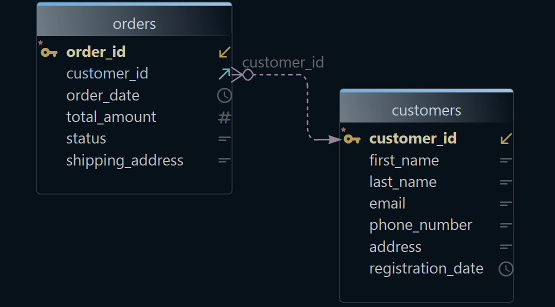
- A picture of the schema in minutes. The Community Edition reverse-engineers the schema: it reads the tables, columns and keys from the database. Then it draws them as an ER diagram, short for entity-relationship diagram, with tables as boxes and their links as lines.
- Your T-SQL, with auto-complete. The SQL Editor runs your queries. It suggests table and column names while you type, in every edition.
- A change you can review before it runs. DbSchema Pro saves the design as a model file, a
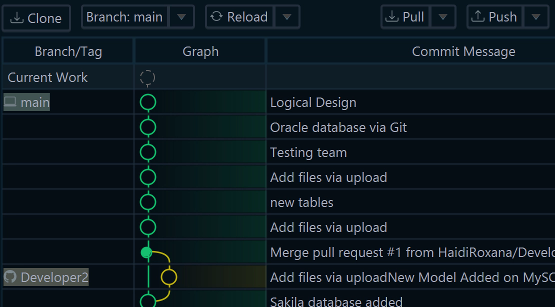
.dbsfile that holds your tables, keys and diagrams. You keep it in Git. Git stores every version of your files. Schema synchronization then writes the migration script: the SQL statements that bring the database to the new design. - Joins without typing them. The Query Builder writes a
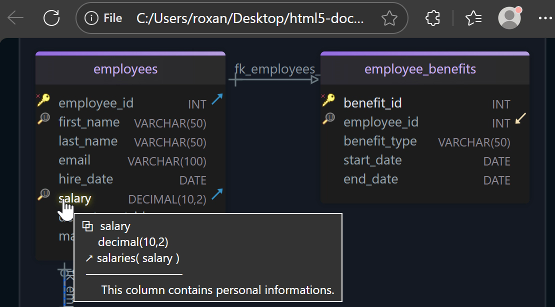
SELECTwhile you click tables. HTML5 documentation shares the schema with people who don't run DbSchema. Both need DbSchema Pro.
The steps are under Move your SQL Server work to DbSchema.
What Microsoft offers instead
Microsoft's retirement page says Azure Data Studio gets no updates, security patches or maintenance[1].
Microsoft recommends Visual Studio Code with the MSSQL extension. VS Code is Microsoft's free code editor. The page names SQL Server Management Studio, or SSMS, as another supported tool.
Both are free.
The MSSQL extension adds SQL Server to VS Code[2]. It runs queries and has a table designer and a schema designer. It works with SQL Server, Azure SQL and SQL database in Microsoft Fabric, Microsoft's cloud data platform.
The table designer edits one table at a time; the schema designer shows all tables as a diagram.
To open the schema designer, choose Visualize and Design Schema on a connected database. The Publish Changes button sends your edits to that database[3].
SSMS runs only on Windows[4]. So on a Mac or a Linux desktop, SSMS cannot replace Azure Data Studio. In SSMS, each database diagram is stored in the database it describes[5].
Where your design lives between two changes
Microsoft's table and schema designers edit a connected database. DbSchema also keeps the design in its model file, outside the database. That file gives you three things.
First, you can work offline, which means without a connection to the database. Your edits stay in the file until you choose to send them.
Second, every change shows up in Git, so a colleague can review it like code.
Third, one change can go to several databases. Deploying means running a change on a database: first on a test database, then on production.
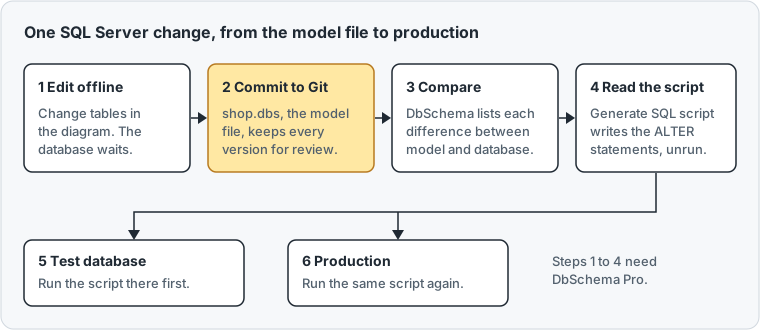
The file also catches drift.
Drift means that someone changed the database outside your design, for example with a quick fix in production. Choose Database → Refresh Model from Database, and DbSchema lists every difference. For each one, you decide whether the model or the database is right.
Schema synchronization is DbSchema's schema compare: it lists the differences between the model and a database. A perpetual licence is paid once. Vendor pages were checked on 15 November 2026.
| Tool | Runs on | Change the schema in | How a change reaches the database | Licence |
|---|---|---|---|---|
| DbSchema Pro | Windows, macOS, Linux | Diagrams in a model file, also offline | Schema synchronization writes a script you read first | Perpetual, 294 USD |
| VS Code with MSSQL | Windows, macOS, Linux | Table designer, schema designer | Publish Changes from the designer | Free |
| DBeaver Enterprise | Windows, macOS, Linux | ER diagram edit mode | Schema compare | 255 USD a year |
Move your SQL Server work to DbSchema
The first steps work in every edition. Connecting and importing only read from the database and change nothing in it.
- Download DbSchema and start it. The 15-day trial unlocks every feature.
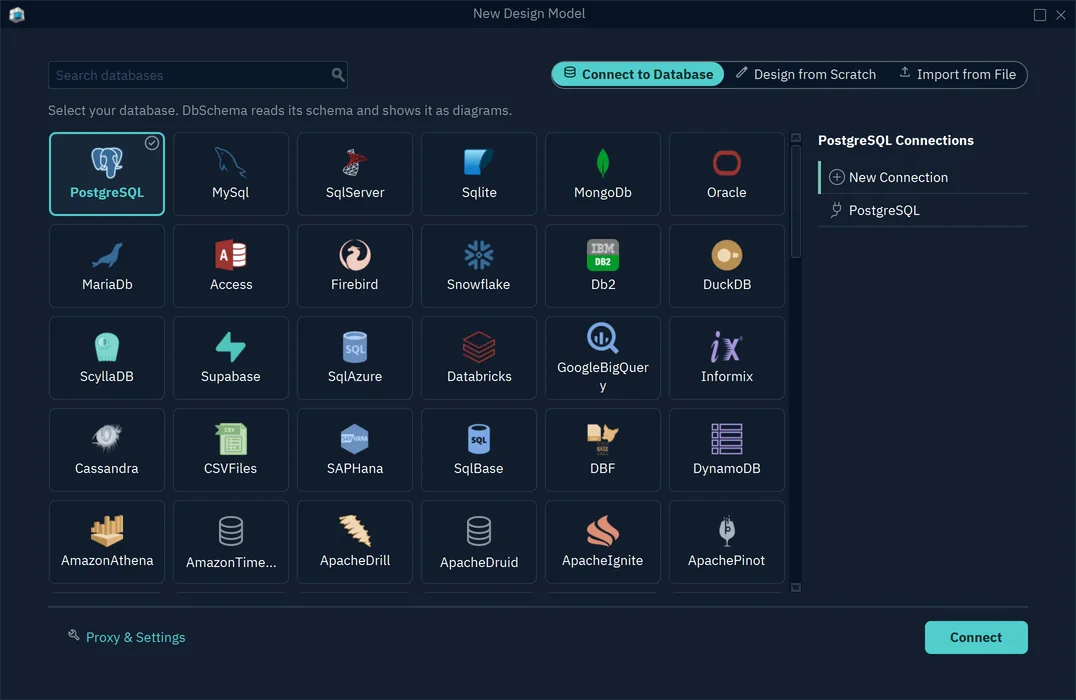
- Choose File → New Model, and keep Connect to Database selected.
- Click SQL Server, or Azure SQL for a cloud database. Type in Search databases to find it.
- Choose New Connection, and press the Connect button. The button names the database you chose.
- Choose the Method Standard, which asks for the server and the login in separate fields. Fill in the server host, the port, the database user and the password. To sign in with your Windows account, choose Windows Authentication.
- Press Test Connection, then Connect.
- In Reverse Engineer the Database, tick the schemas you want and press Import.
To run T-SQL, press Editor in the toolbar and choose SQL Editor. Press Run, or Ctrl+Enter, and the rows show in a grid under the editor.
Change the schema and deploy it
These steps need DbSchema Pro.
- Choose File → Save Model to File, and commit the
.dbsfile to Git. - Choose Database → Offline (connect later). Edit tables, columns and keys in the diagram, while the database stays as it is.
- Click the connection button in the toolbar, and choose your connection.
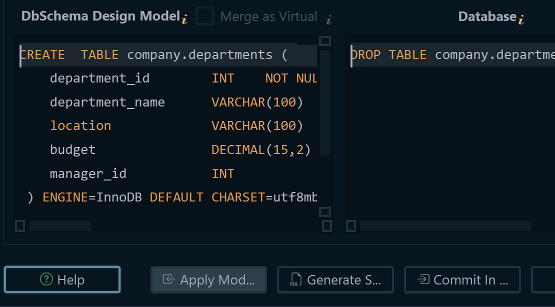
- DbSchema asks how to bring the model and the database together. Choose Compare, then decide difference by difference. In the next dialog, press Compare.
- Synchronize Model and Database shows one row per difference. In the Action column, choose whether the model's version or the database's version wins.
- Press Generate SQL script. DbSchema writes the statements without running them.
- Run the script on your test database, then on production.
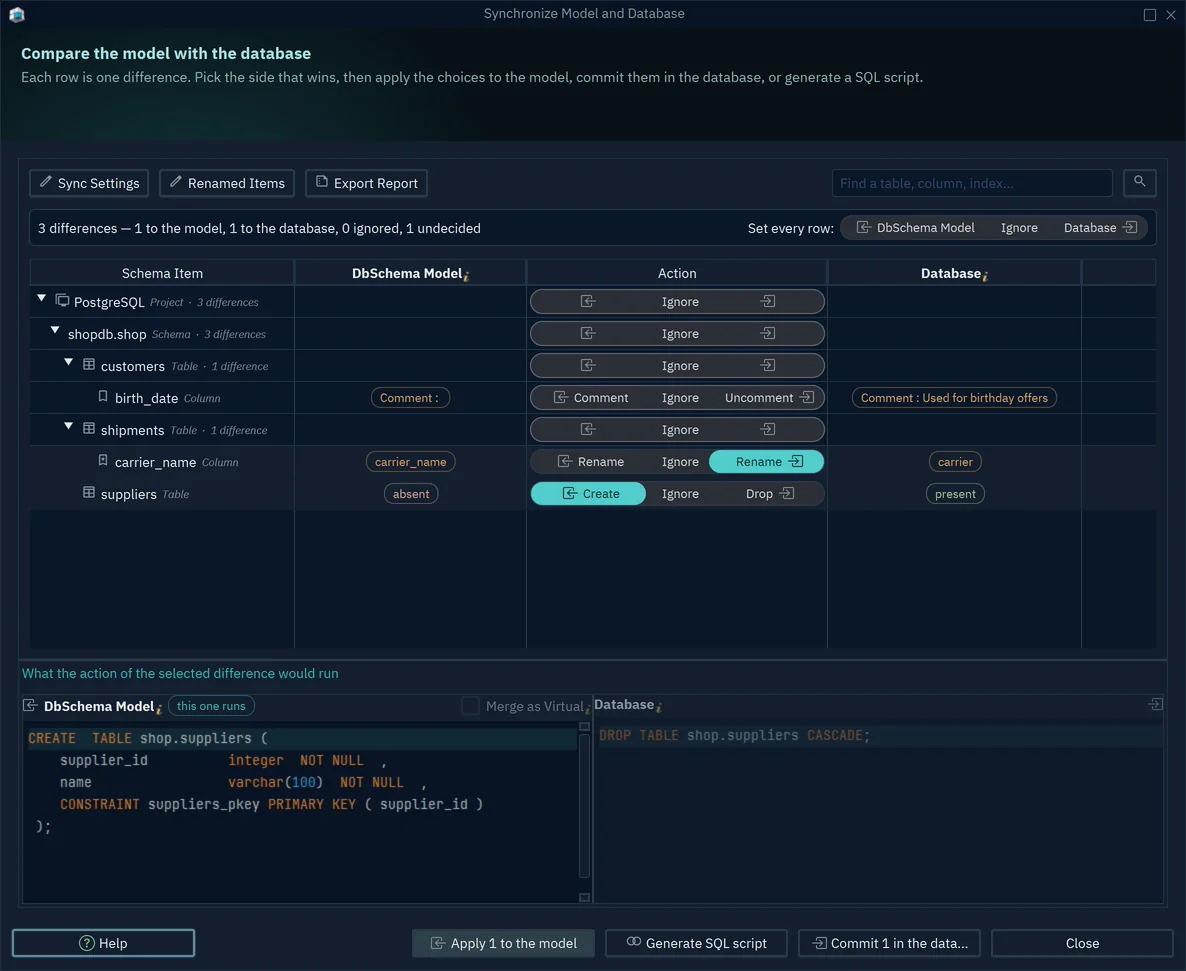
When you rename a column, DbSchema remembers its previous name. The script then renames the column, instead of dropping it and creating a new one. A drop would lose the data in that column.
Query without typing joins
A join combines the rows of two tables, such as each customer with their orders. The Query Builder builds the join from a foreign key. A foreign key is a column that points to a row in another table.
The Query Builder needs DbSchema Pro. Right-click a table on the diagram and choose Query Editor.
Click the icon next to a key column, and pick the table to join. Then press Run.
The SQL Server design tool guide covers SQL Server 2025 data types. The SQL Server schema comparison tools compares the sync step in detail.
What each option costs over three years
A subscription is paid every year to keep using the software. The costs below are per developer, from each vendor's price list on 15 November 2026.
| Tool | Licence | Year 1 | Over 3 years |
|---|---|---|---|
| DbSchema Pro | Perpetual, updates optional from year 2 | 294 USD | 444 USD |
| DBeaver Enterprise | Yearly subscription | 255 USD | 765 USD |
| VS Code with MSSQL, SSMS | Free | 0 | 0 |
DbSchema Pro includes one year of updates. Each later year of updates costs 75 USD, which gives the 444 USD.
If you stop paying for updates, Pro keeps working for good. You keep every version released within a year of your purchase.
DBeaver also sells Lite at 113 USD a year[6]. Its edition table lists neither ER diagram editing nor schema compare for Lite[7].
Over three years, DbSchema Pro costs 321 USD less than DBeaver Enterprise. Both edit the schema in a diagram and deploy changes with a schema compare, so the comparison is fair.
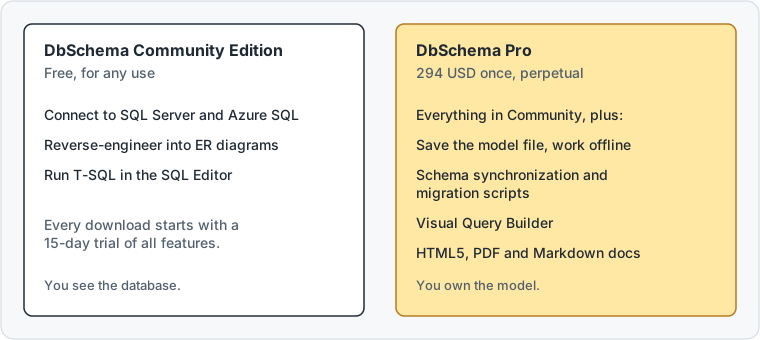
Against the free Microsoft tools, the 294 USD buy the model file, Git review, migration scripts, the Query Builder and the documentation.
Diagrams and the SQL Editor stay free in the Community Edition. The model file, schema synchronization, the Query Builder and documentation need DbSchema Pro, listed on the purchase page.
Download DbSchema and connect to your SQL Server or Azure SQL database. Try all features free for 15 days.
Frequently asked questions
Do I need a licence to connect DbSchema to SQL Server?
No, the free Community Edition connects to every database DbSchema supports, SQL Server and Azure SQL included.
What happens when the trial ends?
You keep using the free Community Edition, or you buy a licence.
Sources
- Microsoft Learn: What's happening with Azure Data Studio
- Microsoft Learn: MSSQL extension for Visual Studio Code
- Microsoft Learn: Schema designer in the MSSQL extension
- Microsoft Learn: SSMS frequently asked questions
- Microsoft Learn: Design database diagrams (SSMS)
- DBeaver: Pricing
- DBeaver: Edition comparison
Query and design SQL Server from Windows, macOS or Linux
Connecting, diagrams and the SQL Editor are free in the DbSchema Community Edition. The model file, the Query Builder, HTML5 documentation and schema synchronization are in DbSchema Pro.