SQL Server Schema Comparison Tools
For the SQL Server DBA choosing a schema comparison tool who wants the schema itself under version control, not only a diff between two live instances.
On this page
Two SQL Server instances that should hold the same structure disagree, and the release is waiting on somebody proving which of them is right. DbSchema is what to buy for that job if you want the structure in a file you own: it reverse-engineers the SQL Server database into an interactive diagram, saves the design as a plain XML .dbs file you commit next to the application code, and compares that file against any live instance to generate the T-SQL. Three SQL Server specialists sit next to it. Redgate SQL Compare compares live databases, backups, snapshots and folders of scripts. Devart's dbForge Schema Compare integrates with SQL Server Management Studio. xSQL Schema Compare covers SQL Server 2005 through 2022 and Azure SQL from one interface.
What a SQL Server schema is, and what a comparison reads
A schema in Microsoft SQL Server is a named container for database objects that groups them into separate namespaces[1], the way the AdventureWorks sample database keeps Production, Sales and HumanResources apart. The full four-part name is Server.Database.DatabaseSchema.DatabaseObject[1]. When an object is referenced by a one-part name, SQL Server first looks in the user's default schema, then in the dbo schema, and returns an error if the object is in neither[1].
That container is also where permissions are administered. Security rules applied to a schema are inherited by all objects in it, and once access permissions are set up on the schema they are applied automatically as new objects are added to it[1]. One GRANT covers the views added to that schema next quarter:
GRANT SELECT ON SCHEMA :: reporting TO ReportingRole;
The scope qualifier :: is required in that statement[2]. Ownership is separable from the objects too: database users can be dropped without affecting schemas, and object ownership is transferred with the ALTER AUTHORIZATION statement[3].
How to compare schemas in SQL Server
The catalog views answer the narrow question by hand. Run this against both databases and you have two lists of columns to diff:
SELECT s.name AS schema_name, t.name AS table_name,
       c.name AS column_name, ty.name AS data_type, c.is_nullable
FROM sys.columns c
JOIN sys.tables t ON t.object_id = c.object_id
JOIN sys.schemas s ON s.schema_id = t.schema_id
JOIN sys.types ty ON ty.user_type_id = c.user_type_id
ORDER BY s.name, t.name, c.column_id;
Getting from those two lists to a deployment is the part that takes the afternoon. You write the ALTER statements yourself, in an order the foreign keys accept, and you repeat the exercise for indexes, defaults, check constraints, views, procedures and triggers, each with its own catalog view. DbSchema and the three products below read both sides, match the objects, and write the ordered script for you, which is the process comparing two database schemas walks through.
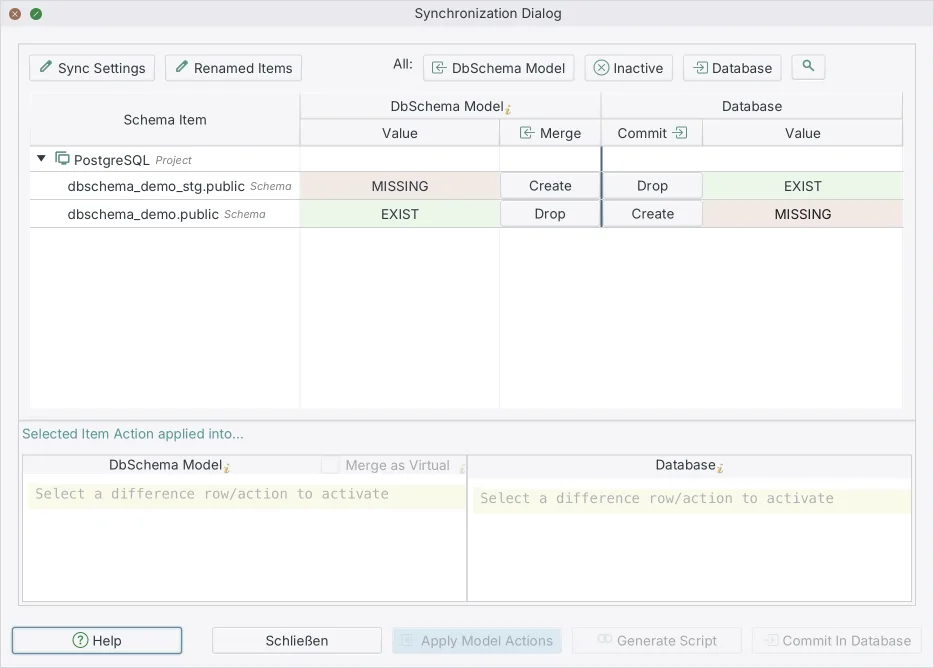
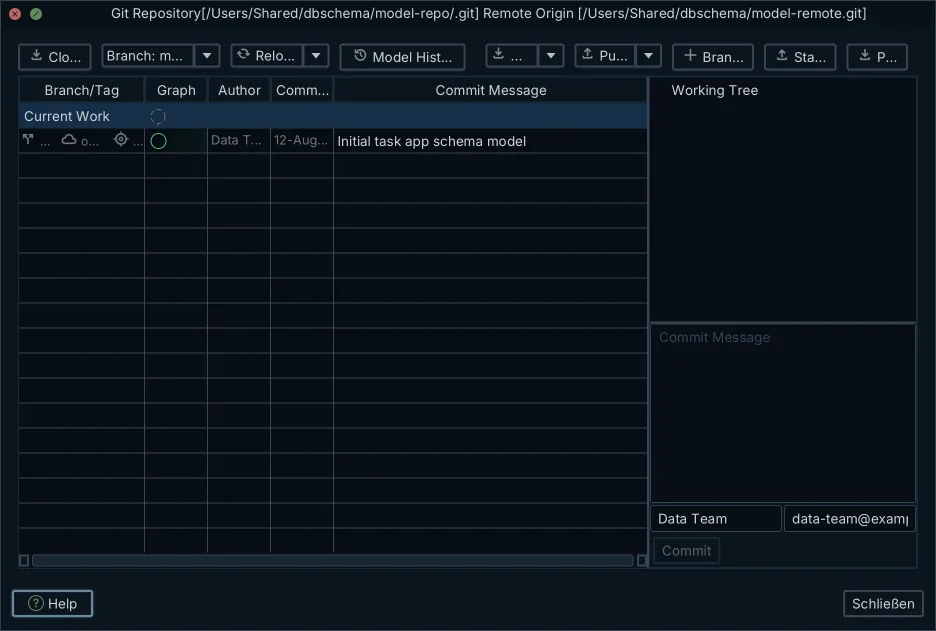
DbSchema does that comparison against a model file rather than only against a second server, which is the difference that matters when the question is which release changed the column. The .dbs file is in Git, so the version the database should match is a checkout away, and DbSchema also opens two model files at once and synchronizes between them.
What is the best SQL Server schema compare tool?
For the DBA who wants the schema versioned, DbSchema is the one to start with: the design lives in a file you commit, the diagrams come from the database itself, and the same model connects to 70+ SQL and NoSQL databases through the JDBC Driver Manager, so a SQL Server model and a PostgreSQL model open in the same application. The three products beside it are SQL Server and Azure SQL specialists.
| Tool | What it compares | Structure you keep outside the server |
|---|---|---|
| DbSchema | a design model against a live database, or two design models | .dbs XML file, committed to Git |
| Redgate SQL Compare | live databases, backups, snapshots, script folders | scripts folder or schema snapshot |
| dbForge Schema Compare | live databases, native backups, snapshots, script folders | snapshot or scripts folder |
| xSQL Schema Compare | live databases and its own snapshots | proprietary database snapshot |
Redgate SQL Compare produces a dependency-ordered deployment script and runs from the command line, and its feature list covers SQL Server, Azure SQL and SQL Server on Amazon RDS[4]. dbForge Schema Compare integrates with SSMS, exports comparison results to HTML, Excel and XML, and takes source control revisions as a comparison source[5]. xSQL Schema Compare saves comparison sessions in its workspace so a frequent comparison reruns with one click, and ships a command-line utility and its own database snapshots[6]. If your team works on Linux or macOS, the Redgate SQL Compare alternatives round-up covers what runs there.
What each one costs today
Every figure below was read on the vendor's own page on 5 September 2026. Two of the three vendor figures move with where you sit or what you click on the page, and each paragraph says so where that applies.
DbSchema Pro is a one-time purchase that includes the first year of updates, with a yearly renewal afterwards if you want to keep updating, or a monthly subscription you can cancel, at the figures on the DbSchema pricing page. Schema synchronization, saving the design offline to a .dbs file, and the HTML5, PDF and Markdown documentation are the Pro features; the Community edition below them is free with no time limit.
Redgate lists SQL Compare on its product page at $327 per user for a one-year subscription in the band of one to four users, with lower per-user rates at five to nine and ten or more[4]. That page prices by the visitor's location: the SQL Compare pricing page showed the same one-to-four band as €300 per user per year when it was opened from Europe today, so check the figure in your own currency before budgeting. One line on Redgate's product page is worth reading before you plan a pipeline around the command line: "To use Redgate's command line tools as part of a Redgate Pipeline (an automated database change delivery process) a Redgate Flyway Enterprise, Redgate Deploy or SQL Toolbelt license is required."[4]
Devart's ordering page for dbForge Schema Compare lists two subscription tiers for one year, Standard at $289.95 and Professional at $359.95, with the command-line interface and the Git, Azure DevOps and SVN support in the Professional tier[5]. That page has a purchase-type switch and a duration switch, so the figure changes as soon as you pick Perpetual instead of Subscription, or two or three years instead of one[5].
xSQL sells Schema Compare as a one-year per-user subscription in two tiers, Silver at $299 and Gold at $749, with volume and extended licensing handled by its sales address[6].
| Tool | Engines covered | Licence and price today | Free tier |
|---|---|---|---|
| DbSchema | SQL Server, Azure SQL and 70+ other SQL and NoSQL databases | Pro, one-time perpetual licence | Community, no time limit |
| Redgate SQL Compare | SQL Server, Azure SQL, SQL Server on Amazon RDS | $327 per user per year, 1 to 4 users | 14-day trial |
| dbForge Schema Compare | SQL Server, Azure SQL | $289.95 per year, Standard tier | trial download |
| xSQL Schema Compare | SQL Server 2005 to 2022, Azure SQL | $299 per user per year, Silver tier | Lite Edition |
Is SQL Compare free?
Redgate SQL Compare is a paid product with a fully functional 14-day trial, and after that it needs the subscription above[4]. DbSchema has a free edition with no time limit.
DbSchema Community is free with no time limit and no feature clock: it connects to SQL Server, reverse-engineers the schema, draws the interactive diagrams, creates tables and columns, and runs queries in the SQL editor. Schema synchronization and saving the design offline sit in Pro, and a new installation starts a 15-day free Architect trial that includes them, so the comparison can be tried against your own database before anything is bought. Where a free database design tool stops is the deployment script, and the Architect trial is how you cross that line before deciding.
xSQL runs Schema Compare in Trial mode, fully functional with no restrictions, for two weeks after installation, then switches to the Lite Edition if no license is found[6]. The Lite Edition compares SQL Server Express with no restrictions, and limits other SQL Server editions to 25 tables and 40 views, procedures or functions each[6].
Synchronizing SQL Server schemas with DbSchema
The whole loop, from a database nobody versioned to a change deployed from a reviewed model:
- Connect DbSchema to the instance with Windows or SQL Server authentication. DbSchema downloads the Microsoft JDBC driver itself, and the JDBC Driver Manager is where you supply the jar when downloads are blocked.
- Reverse-engineer the database, which reads tables, views, foreign keys, procedures and triggers into the design model and draws the diagram.
- Save the model as a
.dbsfile inside the repository that holds the application code, and commit it as the baseline. Nothing in the database has changed at this point. - Make the next schema change in the DbSchema diagram, where it goes into the model file only, and commit that file so a reviewer reads the structural diff in the pull request.
- Open Schema → Compare Model with Database against the target instance and read the differences object by object, choosing for each one to update the model, push the change to the database, or skip it.
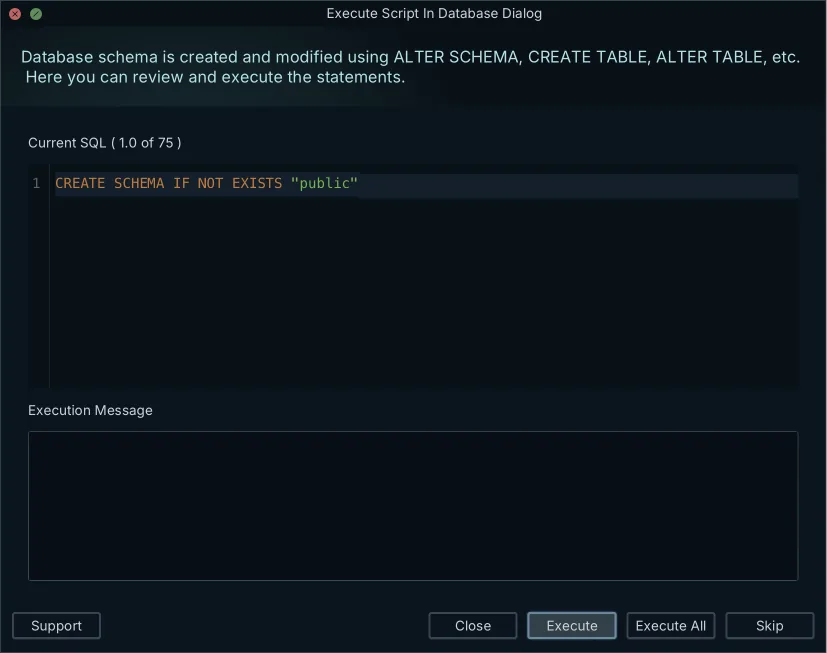
- Open Schema → Synchronize Model with Database, edit the generated T-SQL in the Sync Dialog, and click Execute. That click is the point where the SQL Server database changes.
Pro is the edition that compares and generates the script, on top of a Community Edition that connects, reverse-engineers and draws the diagrams for free, and a new installation starts a 15-day free Architect trial, no credit card needed. Download DbSchema at https://dbschema.com/download.html and start with the instance you trust most: reverse-engineer it, commit the model, and compare the others against that file.
Frequently asked questions
Can I compare a SQL Server database against an earlier version of its schema?
Check out the .dbs file from the earlier commit and open both versions in DbSchema, which synchronizes between two model files without a second server in the middle. Comparing a release branch with main works the same way.
Which tools run the comparison inside a CI/CD pipeline?
DbSchema runs schema tasks and documentation generation headless from Groovy automation scripts or DbSchemaCLI, which the CI pipeline can call; the comparison itself you review in the Synchronization Dialog, one decision per difference. Redgate SQL Compare and dbForge Schema Compare also run from the command line, under the licensing conditions the pricing section above states.
What is the difference between schema and data comparison?
Schema comparison reads the catalog: tables, columns, indexes, constraints, procedures. Data comparison reads the rows inside those tables, and vendors sell it as a separate product: Devart lists dbForge Data Compare for SQL Server[7] and xSQL lists Data Compare for SQL Server[8], each apart from its schema comparison tool. DbSchema covers the structure side with schema synchronization, and its Pro edition also ships the data importer for loading CSV, XML and XLS files into those tables.
Sources
Diff your SQL Server schema against a model you control
DbSchema reverse-engineers SQL Server into an interactive ER diagram, saves the model as a Git-versioned .dbs file, and compares it against any live database to generate the migration script. Free Community edition included.









