Drop All Tables in PostgreSQL: Safe Methods, CASCADE, and TRUNCATE
For developers and DBAs who reset a development or test database in PostgreSQL and need to know what each method removes besides the tables.
On this page
Your test database has to be empty before the next run, but PostgreSQL has no DROP ALL TABLES statement. The shortest way is to drop the schema that holds the tables, and create the schema again:
DROP SCHEMA public CASCADE;
CREATE SCHEMA public AUTHORIZATION pg_database_owner;
GRANT USAGE ON SCHEMA public TO PUBLIC;
On PostgreSQL 15 and later, CREATE SCHEMA and GRANT restore the owner and privileges of a fresh public schema. PUBLIC in the GRANT means every role. Where views, functions or extensions must survive, drop only the tables, or empty them:
| Method | Tables | Views on the tables | Functions, types, extensions | Schema owner and privileges |
|---|---|---|---|---|
DROP SCHEMA public CASCADE | dropped | dropped | dropped | recreated |
DROP TABLE ... CASCADE for each table | dropped | dropped | kept | kept |
TRUNCATE ... RESTART IDENTITY | emptied | kept | kept | kept |
PostgreSQL 18.6 produced every output below. Run each example on this sample: two tables, a view on one of them, and a function.
CREATE TABLE customers (customer_id int PRIMARY KEY, name text NOT NULL);

CREATE TABLE orders (
    order_id    int GENERATED ALWAYS AS IDENTITY PRIMARY KEY,
    customer_id int NOT NULL REFERENCES customers,
    total       numeric(10,2) NOT NULL
);

CREATE VIEW customer_totals AS
SELECT customer_id, sum(total) AS total
FROM orders
GROUP BY customer_id;

CREATE FUNCTION add_tax(amount numeric) RETURNS numeric
RETURN amount * 1.2;

INSERT INTO customers VALUES (1, 'Ada'), (2, 'Grace');
INSERT INTO orders (customer_id, total) VALUES (1, 40.00), (1, 12.50), (2, 99.90);
Before you start
- Confirm the database you are connected to:
SELECT current_database();returns its name. - If anyone might want the data later, take a backup with
pg_dump. - Connect as the owner of the tables. Any other role gets
ERROR: must be owner of table customers.
Try each method between BEGIN and ROLLBACK first. In PostgreSQL, ROLLBACK undoes DROP TABLE, DROP SCHEMA and TRUNCATE:
BEGIN;
DROP TABLE customers, orders CASCADE;
ROLLBACK;
After the ROLLBACK, both tables, the view and the three orders are back. Once you commit, the drop is final.
Drop the public schema with CASCADE
DROP SCHEMA ... CASCADE removes the schema and every object in it. For this example, add the pgcrypto extension to the sample. PostgreSQL then lists each object that it drops:
CREATE EXTENSION pgcrypto;
DROP SCHEMA public CASCADE;
NOTICE:  drop cascades to 5 other objects
DETAIL:  drop cascades to table customers
drop cascades to table orders
drop cascades to view customer_totals
drop cascades to function add_tax(numeric)
drop cascades to extension pgcrypto
After the reset, install the extension again with CREATE EXTENSION.
After a plain CREATE SCHEMA public, the role that ran the statement owns the new schema, and other roles have no privileges on it. The dropped schema belonged to pg_database_owner, a predefined role that means the database owner. If another role, such as postgres, recreates the schema, an application that connects as the database owner has no rights on it. The application's next CREATE TABLE fails:
ERROR: no schema has been selected to create in
On PostgreSQL 14 and earlier, every role can create objects in public. On those versions, recreate the schema with CREATE SCHEMA public; and GRANT ALL ON SCHEMA public TO PUBLIC;. On 15 and later, every role has that right only "in databases upgraded from PostgreSQL 14 or earlier", according to the schema documentation.
Generate the DROP TABLE statements and review them
Let PostgreSQL write one DROP TABLE statement per table, and read the list before you run it:
SELECT format('DROP TABLE IF EXISTS %I.%I CASCADE;', schemaname, tablename) AS drop_sql
FROM pg_tables
WHERE schemaname = 'public'
ORDER BY tablename;
| drop_sql |
|---|
| DROP TABLE IF EXISTS public.customers CASCADE; |
| DROP TABLE IF EXISTS public.orders CASCADE; |
%I adds double quotes where a name needs them, such as order or Mixed Case. Without quotes, those names break the script. Copy the rows into your editor and run them. In psql, end the query with \gexec instead of the semicolon. psql then runs each row as a statement and prints:
NOTICE:  drop cascades to constraint orders_customer_id_fkey on table orders
DROP TABLE
NOTICE:  drop cascades to view customer_totals
DROP TABLE
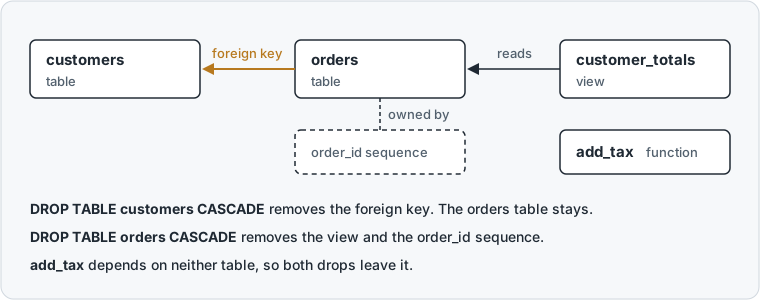
As the DROP TABLE documentation describes, dropping customers removed the foreign key of orders but kept the orders table. Dropping orders removed the view that reads orders, and the sequence that generates the order_id values. The function add_tax depends on neither table, so it stays.
Drop only the tables with a PL/pgSQL loop
In a script that runs unattended, drop the tables with a DO block. A DO block runs PL/pgSQL code once, as one statement:
DO $$
DECLARE
  r record;
BEGIN
  FOR r IN SELECT schemaname, tablename FROM pg_tables WHERE schemaname = 'public' LOOP
    EXECUTE format('DROP TABLE IF EXISTS %I.%I CASCADE', r.schemaname, r.tablename);
  END LOOP;
END $$;
The block drops every table or none. With CASCADE removed, the block stops at the first table that another object depends on. PostgreSQL then rolls back the drops that already ran:
ERROR:  cannot drop table customers because other objects depend on it
DETAIL:  constraint orders_customer_id_fkey on table orders depends on table customers
HINT:  Use DROP ... CASCADE to drop the dependent objects too.
Empty every table with TRUNCATE and keep the structure
If you only need empty tables, use TRUNCATE. It keeps the columns, constraints, views and grants. Name every table in one TRUNCATE statement. A TRUNCATE of customers alone fails, because orders references customers. This DO block collects the names from pg_tables:
DO $$
DECLARE
  table_list text;
BEGIN
  SELECT string_agg(format('%I.%I', schemaname, tablename), ', ')
  INTO table_list
  FROM pg_tables
  WHERE schemaname = 'public';

  IF table_list IS NOT NULL THEN
    EXECUTE 'TRUNCATE ' || table_list || ' RESTART IDENTITY';
  END IF;
END $$;
RESTART IDENTITY resets the identity column of orders, so the next order gets id 1. Leave out CASCADE here: CASCADE would also empty tables in other schemas that reference a listed table.
Run TRUNCATE when nobody else is using the database. TRUNCATE takes an ACCESS EXCLUSIVE lock on each table, "which blocks all other concurrent operations on the table".
Drop all tables in a specific schema
To clear another schema, replace 'public' in the WHERE clause of each query with that schema's name. Don't write current_schema() there. current_schema() depends on the session's search_path, the list of schemas that PostgreSQL searches for a table name. Under a job or a connection pool, that path can differ, and the script clears the wrong schema. To cover every schema except PostgreSQL's own, use WHERE schemaname NOT IN ('pg_catalog', 'information_schema'). That filter also matches temporary tables and the tables that an extension created, so read the list before you drop anything.
For a schema other than public, dropping and recreating the schema is shorter: DROP SCHEMA analytics CASCADE;, then CREATE SCHEMA analytics;. Afterward, restore the grants that you had made on analytics. List All Schemas in PostgreSQL shows which schemas a database holds.
Check what a drop reaches in DbSchema
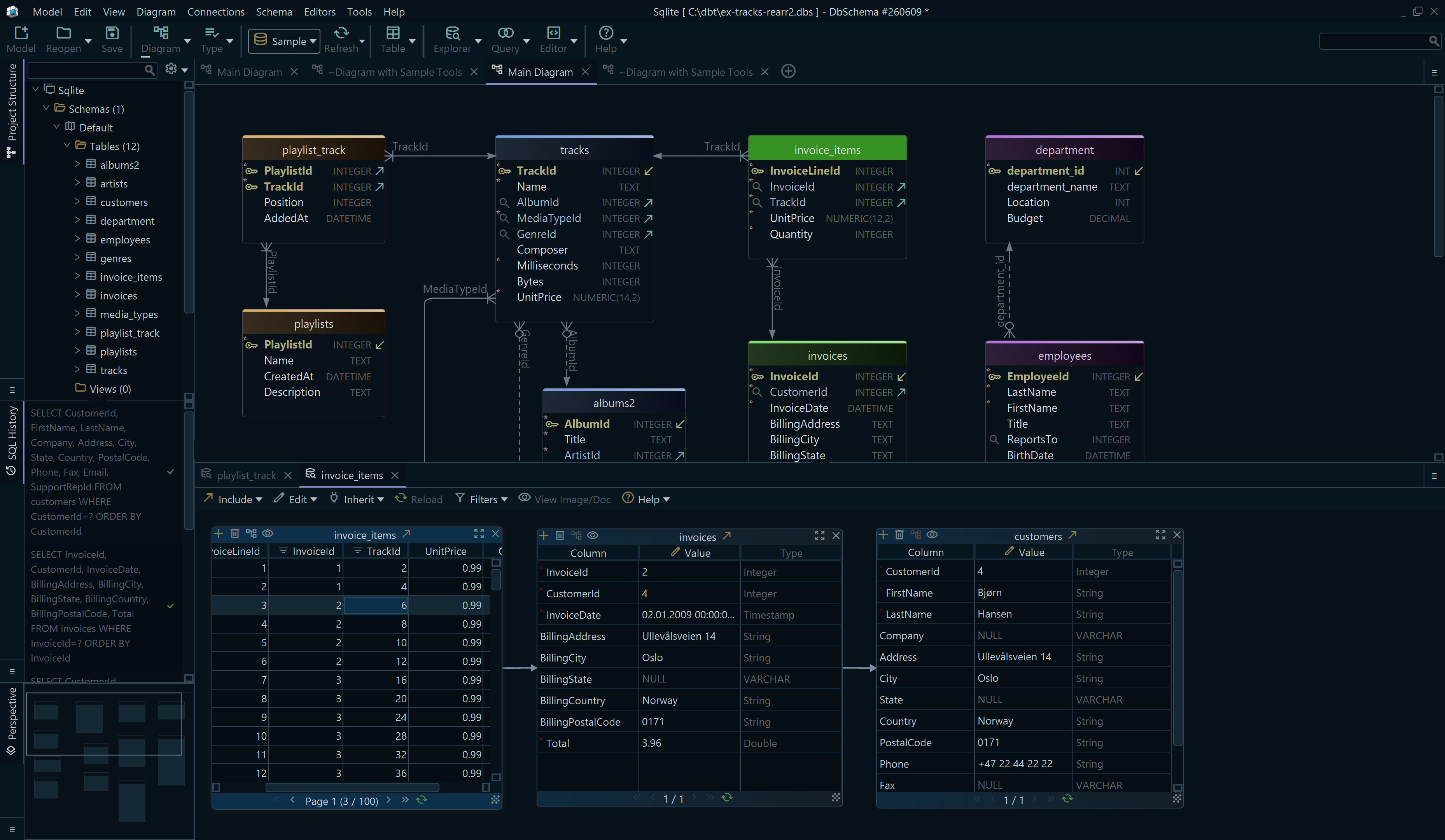
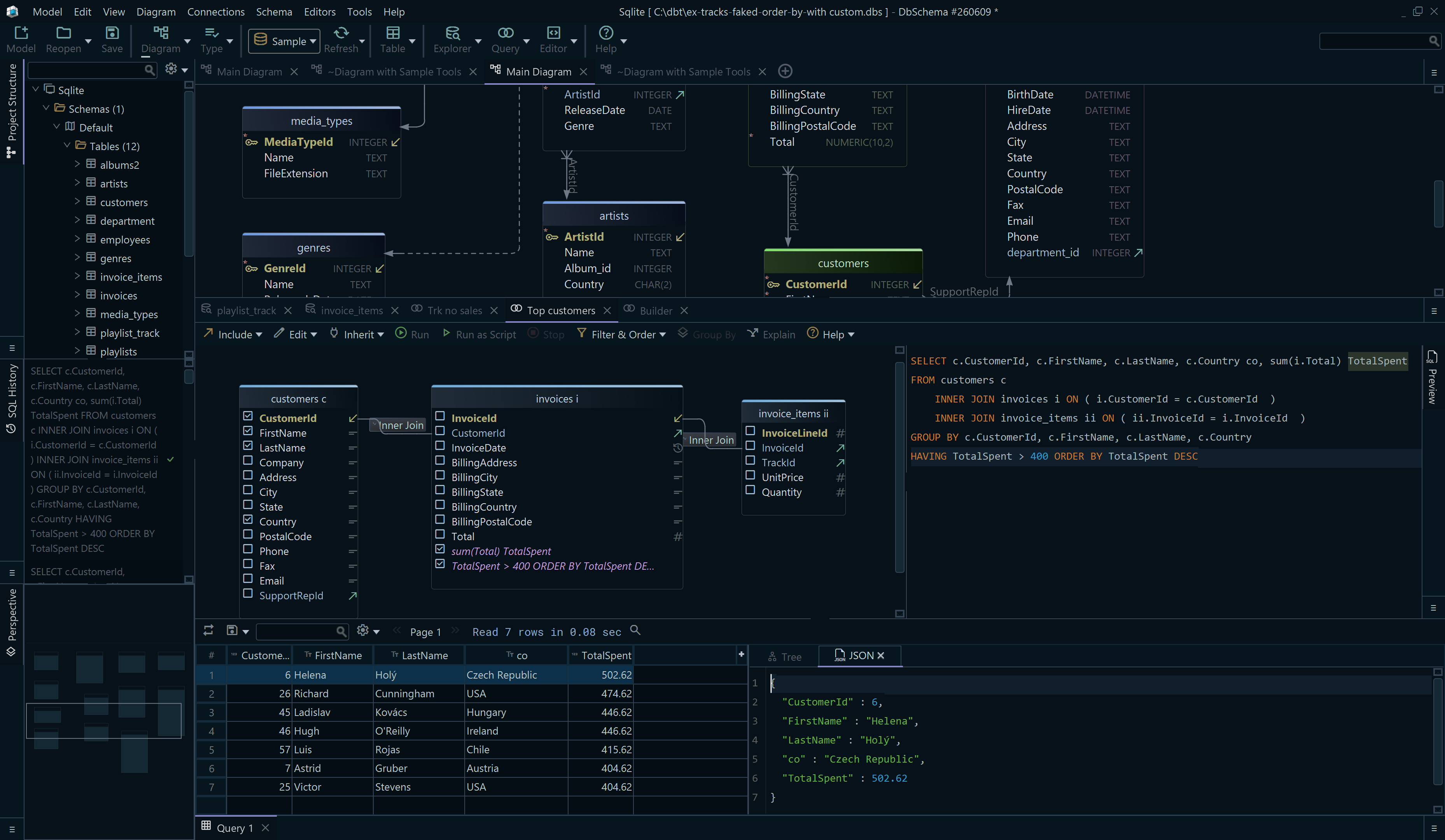
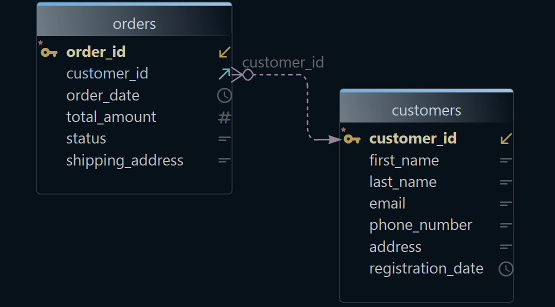
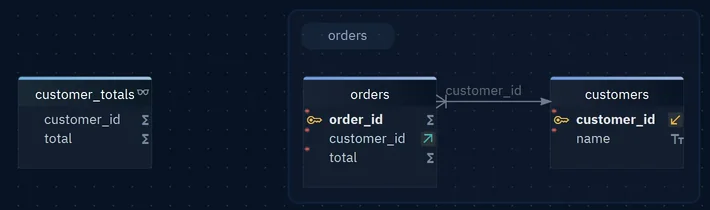
A reset can hit the wrong database, or remove an object that you did not know about. Connect DbSchema to the database and reverse-engineer the schema: DbSchema reads the tables and draws them in a diagram, with each foreign key as a line between two tables. You see which constraints a CASCADE will remove.
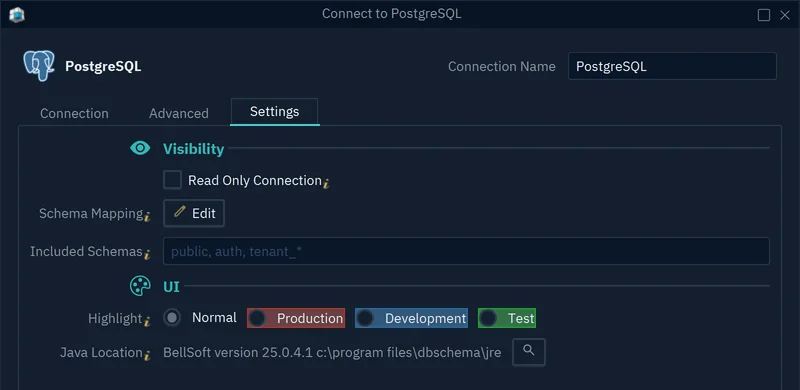
On the Access and Model tab of the connection, the Highlight setting colors the connection button as Production, Development or Test. For a database that nobody should clear, tick Read Only Connection. DbSchema then refuses to change the schema through that connection.
Then paste the generated DROP TABLE statements into the SQL Editor and run them with Run Script. Reverse-engineering changes only DbSchema's model, not the database.
Download DbSchema and connect it to the database that you are about to clear. Before you run the drop, check on the diagram which tables the foreign keys connect. Connecting, reverse-engineering, the diagram and the SQL Editor are in the free Community Edition.