MySQL JDBC URL and Connection String Parameters
The MySQL JDBC URL format, localhost and multi-host examples, and the connection properties worth setting: sslMode, connectionTimeZone and timeouts.
On this page
A MySQL JDBC URL is written as jdbc:mysql://host:port/database?key=value&key=value: the protocol, the server host, the port (3306 by default), an optional database and an optional list of connection properties. For a server on your own machine, jdbc:mysql://localhost:3306/mydb is the whole connection string, and the user name and password are passed as properties or as separate arguments.
This guide explains every part of a MySQL JDBC URL and the parameters worth setting, and how to try yours in the free DbSchema Community Edition.
MySQL JDBC URL format: protocol, hosts, database and properties
Connector/J, the MySQL JDBC driver published by MySQL, reads a URL with four parts: the protocol, one or more hosts, an optional database, and optional properties. The Connector/J URL syntax[1] reference writes the generic format as protocol//[hosts][/database][?properties], where the protocol keeps its trailing colon, as in jdbc:mysql:. Everything after the question mark is a key=value list joined by ampersands, and it is where most connection trouble and most connection tuning live. The driver's source lives in the mysql-connector-j repository[2] on GitHub.
- Protocol: jdbc:mysql: for ordinary and basic failover connections, jdbc:mysql:loadbalance: for load balancing, jdbc:mysql:replication: for source and replica routing. Each also has a +srv variant that resolves hosts through DNS SRV records.
- Hosts: a single host:port pair, or a comma-separated list for failover and load-balancing setups.
- Database: the catalog the connection opens by default; for MySQL, catalog simply means the database. Optional.
- Properties: key=value pairs after the ?, separated by &.
Two syntax rules catch people out. Keys are case-sensitive, and two keys that differ only in case count as conflicting, with no guarantee which one the driver uses. Reserved characters such as /, :, @, &, # and space must be percent-encoded wherever they appear in the URL. If the URL travels through XML configuration, the configuration properties reference[3] says to write each ampersand as the XML character literal &, because the ampersand is reserved in XML.
We ran both mistakes against MySQL 8.4.11 with Connector/J 26.7.0 on 10 October 2026. With sslmode=DISABLED (lowercase m) the driver ignored the key without an error and the session stayed encrypted with TLS_AES_256_GCM_SHA384. With sslMode=OFF it refused at once: The connection property 'sslMode' acceptable values are: 'DISABLED', 'PREFERRED', 'REQUIRED', 'VERIFY_CA' or 'VERIFY_IDENTITY'. The value 'OFF' is not acceptable.
MySQL JDBC URL for localhost: default host, port 3306 and database
The MySQL JDBC URL for localhost is jdbc:mysql://localhost:3306/database, and the shortest working form, jdbc:mysql:///database, leaves out both defaults. The URL-syntax reference shows a single-host URL as jdbc:mysql://host1:33060/sakila. Leave the host out and the driver assumes localhost. Leave the port out and it uses the default for the protocol: 3306 for a classic MySQL connection, 33060 for the X Protocol, the separate protocol behind the mysqlx: scheme of the X DevAPI. An IPv6 host goes inside square brackets, as in [1000:2000::abcd]. For a server another team runs, only the host and perhaps the port change: jdbc:mysql://db.internal.example.com:3306/billing.
| URL part | Default when omitted |
|---|---|
| Host | localhost |
| Port | 3306, or 33060 for X Protocol connections |
| Database | None: the connection opens with no default database |
The database segment sets the default catalog, which for MySQL is simply the default database. Without it the connection succeeds but has no database, so every table reference needs a database prefix unless you call Connection.setCatalog() first. Connector/J's documentation asks you to prefer setCatalog() over sending a USE statement.
Multi-host MySQL JDBC URLs for failover, load balancing and replication
A multi-host MySQL JDBC URL lists several host:port pairs separated by commas, so the driver has somewhere else to go when one server is down. Connector/J accepts that list under the ordinary protocol for basic failover, and it defines two dedicated protocols for setups that need more than failover.
jdbc:mysql://db1.example.com:3306,db2.example.com:3306/sales
jdbc:mysql:loadbalance://db1.example.com:3306,db2.example.com:3306/sales
jdbc:mysql:replication://source.example.com:3306,replica1.example.com:3306/sales
- jdbc:mysql:// with several hosts: the driver fails over to the next host when one is unreachable.
- jdbc:mysql:loadbalance://: the driver distributes connections across all hosts in the list.
- jdbc:mysql:replication://: the first host is the source and receives writes; reads go to the replicas when the application marks the connection read-only with Connection.setReadOnly(true), as the Connector/J replication guide[4] describes.
Each host in the list can carry its own port and its own properties, written either as address=(host=...)(port=...) blocks or as (host=...,port=...) groups. Wrapping the list in square brackets, as in [myhost1:3306,myhost2:3306], forms a host sublist that shares one set of credentials across all of its hosts.
MySQL JDBC connection properties: sslMode, connectionTimeZone and timeouts
MySQL JDBC connection properties are key=value pairs after the ? that configure the driver session. A property named without a value sets nothing: adding useServerPrepStmts alone to the URL does nothing, you need useServerPrepStmts=true. The table lists the properties integration work runs into most often, with values and defaults from the Connector/J 26.7 configuration-properties reference, read on 10 October 2026.
| Property | What it does | Default |
|---|---|---|
| sslMode | Controls encryption: DISABLED, PREFERRED, REQUIRED, VERIFY_CA or VERIFY_IDENTITY. It replaced the deprecated useSSL, requireSSL and verifyServerCertificate properties; useSSL=false is translated to sslMode=DISABLED. | PREFERRED |
| connectionTimeZone | Time zone the driver uses when converting instant values. Accepts a zone name, a UTC offset, LOCAL or SERVER. serverTimezone still works as an alias. | LOCAL |
| allowPublicKeyRetrieval | Allows the special handshake round-trip that gets the RSA public key directly from the server. | false |
| characterEncoding | Sets the session character set on the server. From Connector/J 8.0.26 the driver uses utf8mb4 when neither this property nor connectionCollation is set. | utf8mb4 since 8.0.26 |
| rewriteBatchedStatements | Rewrites batched INSERT and REPLACE statements into multi-value statements on executeBatch(). | false |
| connectTimeout | Milliseconds to wait for the socket connect; 0 means no timeout. | 0 |
| socketTimeout | Milliseconds to wait on socket reads; 0 means no timeout. | 0 |
| zeroDateTimeBehavior | What the driver does with all-zero DATETIME values: EXCEPTION, ROUND or CONVERT_TO_NULL. | EXCEPTION |
connectTimeout and socketTimeout both default to 0, an unbounded wait. An integration that talks to a server behind a firewall that silently drops packets hangs instead of failing, so set both explicitly on anything that leaves your data center. For a server on another network, sslMode=REQUIRED always encrypts but does not check the server certificate; VERIFY_CA and VERIFY_IDENTITY also verify it against configured CA certificates, so they need a trust store. The Connector/J security properties[5] page defines each value.
In our run on 10 October 2026, a URL pointing at the unroutable address 10.255.255.1 without connectTimeout had no answer after 30 seconds, and we killed the process. With connectTimeout=3000 the same URL failed after about 4 seconds with Communications link failure, SQLState 08S01. In the same run, a 1,000-row PreparedStatement batch reached the server as 1,000 INSERT statements by default and as 1 INSERT statement with rewriteBatchedStatements=true, 3,233 ms against 155 ms on one laptop.
MySQL JDBC connection string with username, password and time zone
A MySQL JDBC connection string carries the username and password as the user and password properties, or you pass them as separate arguments to DriverManager.getConnection(). The DriverManager example[6] in the Connector/J guide uses jdbc:mysql://localhost/test?user=minty&password=greatsqldb. In Java code the separate form is DriverManager.getConnection("jdbc:mysql://db.internal.example.com:3306/billing", user, password). A host can also carry its own credentials with a user:password@host prefix, which is how a multi-host URL signs in as a different user per host. Outside a GUI client, the driver is the mysql-connector-j jar on your tool's classpath, published on Maven Central[7] as groupId com.mysql and artifactId mysql-connector-j.
A URL with a password in it ends up in more places than you wrote it in: application logs that print the connection string, config files committed to Git, screenshots in tickets. Keep the password out of shared configuration and pass it as a separate argument, ideally for an account that has only the grants the integration needs. The server's owner sets that up when they create the MySQL user with CREATE USER and GRANT. On a fresh MySQL install the administrative account is usually root; the MySQL default username and password page lists what ships by default.
We reproduced the encoding trap with a throwaway account whose password contains & and #. Put into the URL unencoded, it failed with Access denied for user 'url_demo'@'172.17.0.1' (using password: YES), SQLState 28000, error 1045, which reads like a wrong password. Written as %26 and %23, the same password connected.
connectionTimeZone controls which zone the driver assumes when it converts timestamps, and it is the current name for what older URLs set as serverTimezone. Its default LOCAL means the JVM's own zone, which is why a service running in one zone reads shifted timestamps from a server in another. Setting connectionTimeZone=UTC pins the conversion without touching the server. The Connector/J session properties[8] page states that the property does not change the server session time zone; to do that you also need forceConnectionTimeZoneToSession=true.
In the same run, serverTimezone=UTC was read by the driver as connectionTimeZone=UTC, and connectionTimeZone=CEST failed with Could not create connection to database server., whose cause chain says Unknown time-zone ID: CEST, because an abbreviation is not a zone ID.
These settings do not have to be hand-edited into URLs. On the Advanced tab of the DbSchema connection dialog, the pencil next to SSL & Parameters opens a list of the driver's URL parameters, grouped into SSL / TLS, Authentication, Timeouts / Network, Session / Behavior, Performance and Multi-host / Failover, each one typed and explained. A group you leave unticked stays out of the URL, so the driver keeps its own default. The eye button next to SSL & Parameters shows the URL the dialog will connect with. Custom Time Zone sets a fixed zone for the connection. Properties takes key1=value1;key2=value2 settings that reach the driver as connection properties rather than as part of the URL, with Kerberos sign-in as the usual example.
How to check if a MySQL JDBC URL is correct
To check whether a MySQL JDBC URL is correct, take it apart, test the port from the machine that will connect, then connect and read the exact error text. Most reported driver problems are URL problems, so do this before you touch the driver.
- Split the URL at the ?. The part before it must read jdbc:mysql://host:port/database. Check the protocol spelling, the host, and the port.
- Test the port from the machine you are connecting from: nc -vz dbserver.example.com 3306 or telnet dbserver.example.com 3306 shows whether anything answers.
- Connect with any client and read the exact error text.
The error text tells you which half failed. An Access denied message means the server was reached and the account, or the host that account is allowed to log in from, is wrong, as the MySQL driver page puts it. A timeout means the traffic never arrived, so the cause is the server's bind address or a firewall in the way. A URL copied from a SQL Server setup that still says port 1433 reaches nothing MySQL listens on; that port belongs to SQL Server remote connections.
The message alone does not always separate the causes. In our run, port 3307 with nothing listening and the unroutable host both ended in the same Communications link failure; the cause chain said java.net.ConnectException: Connection refused for the first, and nc -vz reported Connection refused against Operation timed out.
Test Connection in the connection dialog runs the same check before anything is read from the database: it reports the driver's error, with advice for the errors it recognizes.
Entering a MySQL JDBC URL in the connection dialog
The connection dialog gives you two ways to enter a MySQL JDBC URL. The Standard method builds jdbc:mysql://host:port/db from the fields you type, and its MySQL URL pattern presets five parameters: connectionTimeZone=UTC, useUnicode=true, characterEncoding=UTF-8, zeroDateTimeBehavior=convertToNull and useOldAliasMetadataBehavior=true. The Paste a JDBC URL method takes the full string, which is what a cloud console hands you. Under "Where is the database running?" the choices match those methods: This computer, default port; Remote computer or custom port; or Paste a JDBC URL, as the connection documentation lists them.
Checked on 10 October 2026 with the installed 10.5.2 preset and Connector/J 26.7.0: the driver read zeroDateTimeBehavior=convertToNull as CONVERT_TO_NULL, so a zero DATETIME came back as null instead of the default error, Zero date value prohibited.
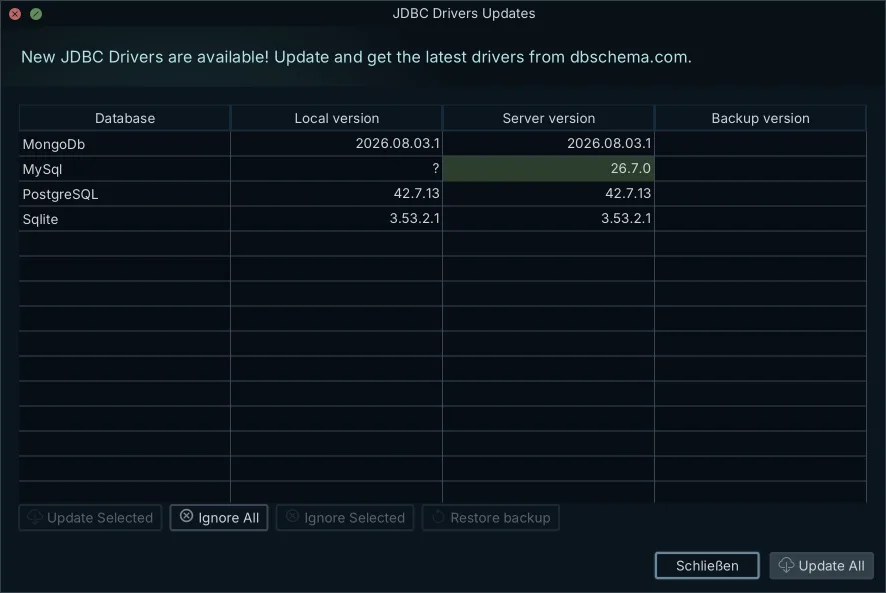
You do not download the driver yourself. The JDBC driver is downloaded automatically the first time you connect, free in the Community Edition. The JDBC Drivers Manager takes over when a company proxy blocks the download or you want to upload a jar of your own. The MySQL driver class is com.mysql.cj.jdbc.Driver, as the MySQL JDBC driver page lists it.
If you would rather watch the steps once, the video MySQL JDBC Driver: Download, Configure and See Your Database as an ER Diagram[9] walks through the driver download, the connection settings, a test connection and the reverse-engineered diagram in about three minutes.
Try your MySQL JDBC URL in the free Community Edition
The Community Edition is free forever, for any use, and connecting needs no license, as the connect documentation states. It uses the JDBC URL from this article to reach the MySQL server and downloads the driver itself. It then reverse-engineers the database you named into an interactive ER diagram, which is how you see a schema you did not build, with a SQL editor for the queries that follow, as the MySQL connection page lists. Get the installer from the free download page, paste your JDBC URL or let the dialog build one, and connect.
Frequently asked questions
What is the jdbc connection string for MySQL?
The JDBC connection string for MySQL is jdbc:mysql://host:port/database, optionally followed by ?key=value&key=value properties. Port 3306 is the default when the port is left out.
How to check if JDBC URL is correct?
Split the URL into protocol, host, port and database, test the port with nc -vz or telnet from the client machine, then connect and read the exact error text. Access denied means the server answered; a timeout means the traffic never arrived.
What is the MySQL database URL for localhost?
For a local MySQL server the URL is jdbc:mysql://localhost:3306/database_name. Because localhost and 3306 are the driver defaults, jdbc:mysql:///database_name also works.
Is the MySQL port 1433 or 3306?
MySQL listens on port 3306 by default. Port 1433 is the default port of Microsoft SQL Server.
What does a JDBC URL look like?
A JDBC URL starts with a driver-specific protocol, then the server address, port, target database and configuration properties. A MySQL example is jdbc:mysql://dbserver:3306/sales?sslMode=REQUIRED&connectTimeout=5000.
Sources
Paste your MySQL JDBC URL and connect
DbSchema builds the URL from host, port and database or takes a pasted JDBC URL, downloads the MySQL driver the first time you connect, and draws the schema as an ER diagram. Connecting and the diagrams are in the free Community Edition.









