Exploring Data Across MongoDB Collections
Link MongoDB collections with virtual relations in DbSchema and browse related documents side by side, without writing an aggregation pipeline.
On this page
For data analysts who need to read related documents across MongoDB collections and would rather not write an aggregation pipeline for every question.
You open an unfamiliar MongoDB database, spot a field in one collection that clearly points at documents in another, and find there is no join to follow. The route this article takes: draw the relationship yourself as a virtual relation in the model file, then read parent and child collections side by side in the Relational Data Editor, with the filter cascading through as many levels as the model allows.
Why MongoDB collections have no declared relationships
MongoDB neither declares nor enforces relationships between collections. A field that holds another document's _id is a manual reference: the application saves the _id of one document inside another and runs a second query to return the related data. MongoDB's documentation names two methods applications use to relate documents, and advises using manual references unless you have a compelling reason to use DBRefs.[1]
- Manual reference: a document stores the _id of another document, and the application runs a second query to resolve it.
- DBRef: a reference that carries the _id, the collection name and optionally the database name. Resolving one still requires an additional query, and the driver helpers that exist are not automatic.
Both are conventions your application honours, not constraints the database checks. The flexible data model goes further: documents within a single collection are not required to have the same set of fields, and a field's data type can differ between documents in the same collection.[2] Which pattern to use when writing the data, embedding or referencing, is the modelling decision covered in MongoDB Relationships: Embed vs Reference. This article is about the reading half: following an existing reference through an unfamiliar database.
What has to be in the model first
The relation has to exist in the model before the editor can follow it, so reverse-engineering comes first. Connect DbSchema to the database and it introspects a configurable sample of documents per collection to infer field names and BSON types; that inference step is covered in Seeing the Structure of a Schemaless Database, and the diagram it produces in MongoDB Database Design: Schema Visualization with Diagrams.
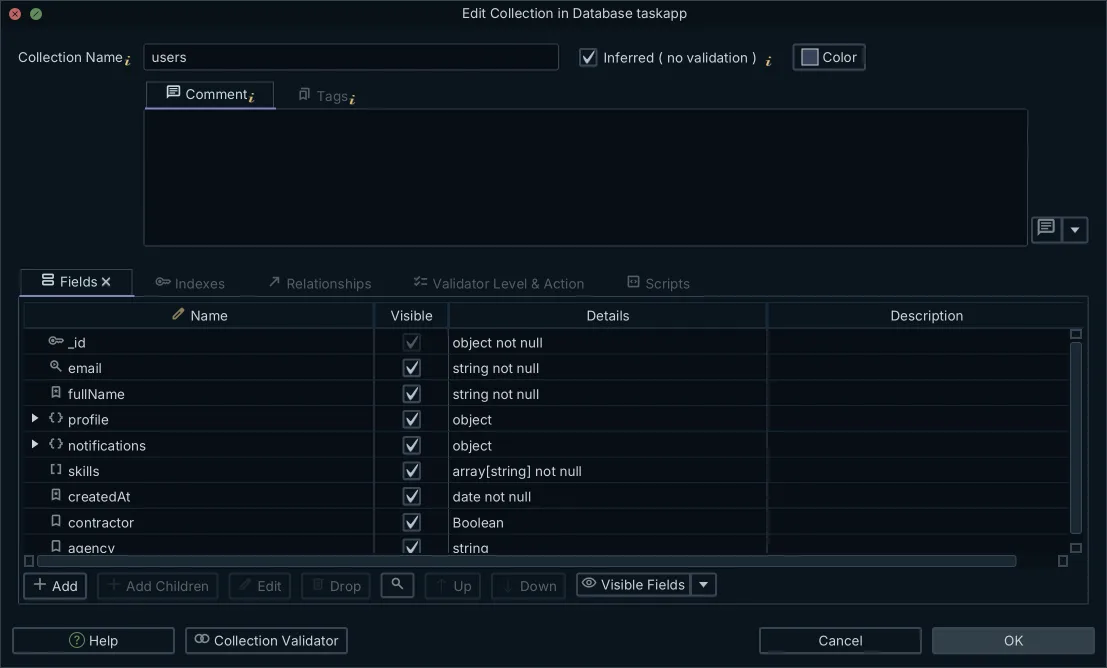
The fields you will drag next are usually _id and the fields that copy it. When an inserted document omits _id, the MongoDB driver automatically generates an ObjectId for that field. ObjectId values are 12 bytes in length, consisting of a 4-byte timestamp, a 5-byte random value generated once per client-side process, and a 3-byte incrementing counter per process.[3] It is its own BSON type, with the alias "objectId", which is not the same type as "string". Keep that distinction in mind; it decides whether a match succeeds later in this article.
Everything inferred here, and every relation you draw in the next section, is saved in the .dbs model file. The relations survive without a live connection, so you can keep working away from the database and hand the model to a colleague who has no access to it.
Drawing a virtual relation between two collections
Two collections make the example. One customer, and one order that carries the customer's _id in a field named customer_id:
// customers
{ "_id": ObjectId("651aea5870299b120736f442"), "name": "Ada" }

// orders
{ "_id": ObjectId("651aea5870299b120736f443"), "customer_id": ObjectId("651aea5870299b120736f442"), "total": 120 }
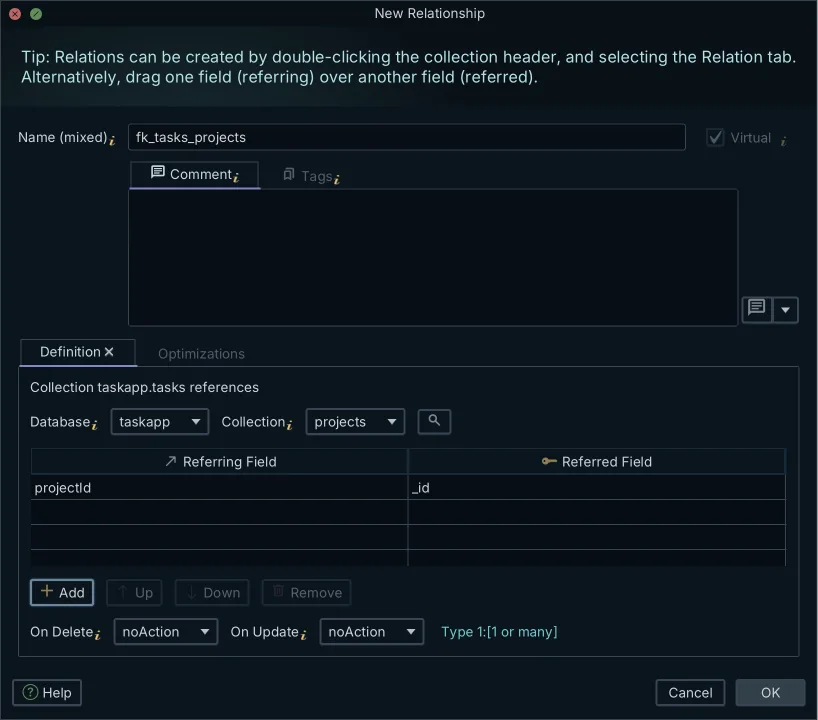
The orders document carries the _id of the customers document in customer_id. Nothing in the database states that; the field name is the only hint. A virtual relation records the hint so that tools can use it. Virtual relations, also called virtual foreign keys, are DbSchema-side links: you create one by dragging one field onto another in the diagram, it is displayed as a connector line between the two collections, and it is saved in the model file.
- Open the diagram that contains both collections.
- Drag the customer_id field from orders onto the _id field of customers.
- The connector line appears and the relation is stored in the model file.
The drag changes the model file and never the database. No DDL runs, nothing is written to MongoDB, and no index or constraint appears, because MongoDB has no constraint to write: a manual reference saves the _id of one document in another, and the application runs a second query to return the related data.[1] If you delete the relation tomorrow, the database is exactly as it was.
Opening parent and child collections side by side
With the relation in the model, the Relational Data Editor can open the two collections side by side. Selecting a record in the parent filters each child pane to documents whose field values match.
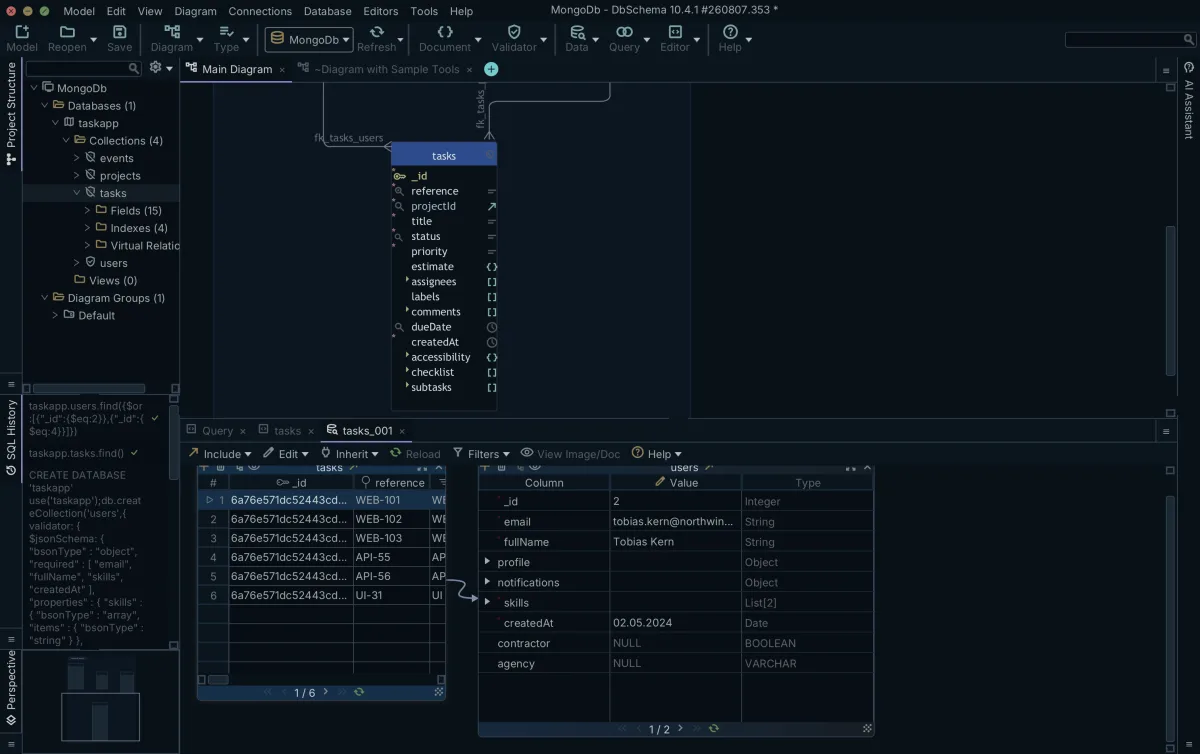
- Right-click the customers collection header in the diagram and choose Data Explorer, or choose Data Explorer from the Editors menu. The documentation calls the same two commands Open in Relational Data Editor and New Relational Data Editor; the shipping build labels both Data Explorer.
- The editor opens in the Tools panel at the bottom of the screen.
- Use the cascade button on the customers pane header, or the editor's Include menu, and choose the cascade that follows the virtual relation into orders. The child collection appears as an additional pane.
- Click the row for Ada in the customers pane. The orders pane reloads to show only the documents whose customer_id matches her _id.
These steps follow the Relational Data Editor documentation. The same editor works over real foreign keys in a relational database, which Exploring Master-Detail Data Across Foreign Keys covers; the difference here is that the keys are virtual. The editor uses them exactly like real ones, but they exist only in the model file.
The alternative you already know is $lookup. Inside an aggregation pipeline, $lookup performs a left outer join to a collection in the same database and adds a new array field to each input document containing the matching documents from the foreign collection.[4] That is the right tool when you need a result set. Browsing is a different job, not a worse one: you are following one record into its children and back, changing the question as you look, rather than computing one answer. When you do want the pipeline, MongoDB $lookup: Join Collections with Examples covers the syntax.
Cascading the filter through several levels
A third collection extends the chain. Each line item carries the _id of its order in order_id:
// order_items
{ "_id": ObjectId("651aea5870299b120736f444"), "order_id": ObjectId("651aea5870299b120736f443"), "product": "Keyboard", "qty": 2 }
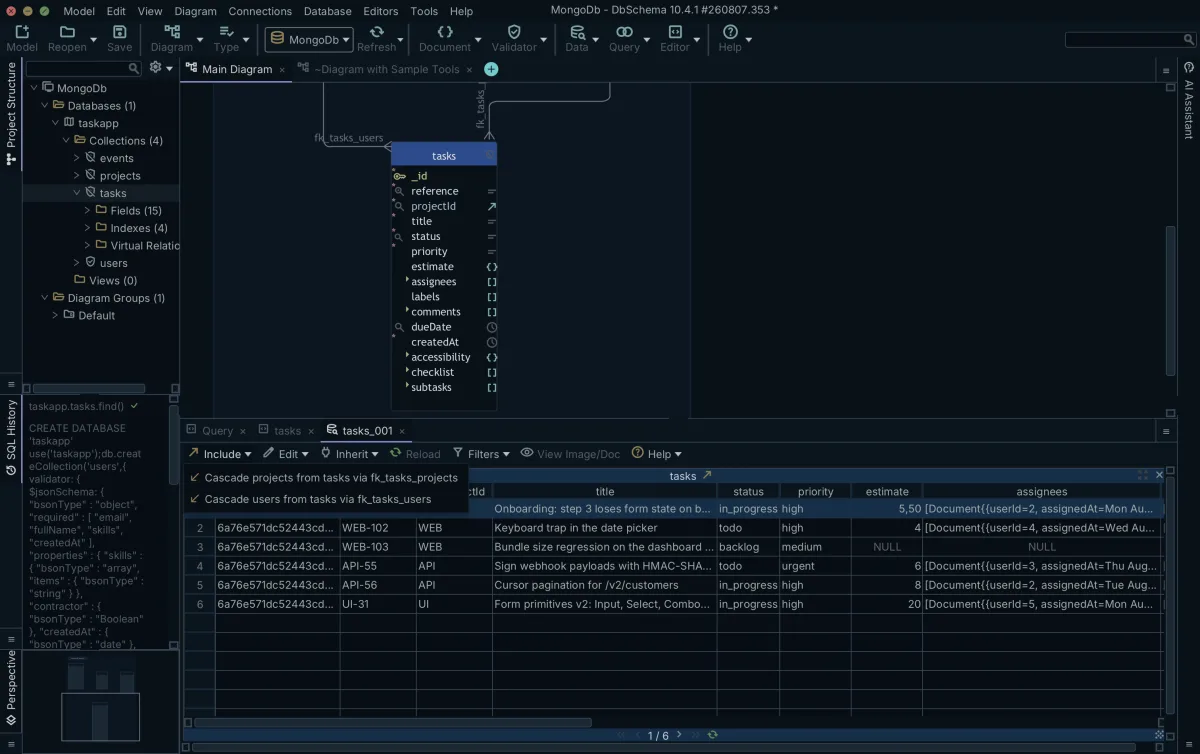
Draw a second virtual relation, from order_items.order_id to orders._id, and open all three collections in the editor. Select Ada in the customers pane and the orders pane filters to her orders. Select one of those orders and the order_items pane filters to that order's line items. The grandchild pane filters on the already-filtered child, so one selection in the parent narrows the whole chain. The documentation puts no limit on the depth: you can cascade through as many levels as the model has relations.
A pipeline wins when the question is computed. Aggregation operations process multiple documents and return computed results: group values from multiple documents, compute a single result from the grouped data, analyze data changes over time.[5] "How many orders did each customer place" is a $group. "What did this customer order, and what was on each order" is a browse, and the editor answers it without a pipeline.
Where a virtual relation stops matching
The relation is only as good as the data. The match compares field values, and a value includes its BSON type. A string holding the hex digits of an ObjectId and the ObjectId itself are different values to the matcher: BSON lists ObjectId (alias "objectId") and String (alias "string") as separate types, and an ObjectId value is 12 bytes in length.[3]
// written by one import job
{ "customer_id": "651aea5870299b120736f442" }

// written by another
{ "customer_id": ObjectId("651aea5870299b120736f442") }
The two fields hold the same 24 characters, but not the same value, and a relation drawn between them finds nothing.
| customer_id in orders | _id in customers | Relation matches the documents |
|---|---|---|
| ObjectId("651a...f442") | ObjectId("651a...f442") | Yes |
| "651a...f442" (string) | ObjectId("651a...f442") | No |
MongoDB's own join has a parallel failure. If an input document does not contain the localField, $lookup treats the field as having a value of null for matching purposes, so documents without the field fail to join rather than raising an error.[4] Absent fields and mismatched types both produce empty results silently, which is why the next section checks the pane against the documents.
Confirming the match against the documents
Before you trust the pane, run the match yourself. A find on the child collection with the parent document's identifier value returns exactly the documents the relation should find:
db.orders.find({ customer_id: ObjectId("651aea5870299b120736f442") })
The query returns:
| _id | customer_id | total |
|---|---|---|
| ObjectId("651aea5870299b120736f443") | ObjectId("651aea5870299b120736f442") | 120 |
If the pane shows fewer documents than the find returns, check the field's BSON type. The $type operator supports these type values to query fields by their BSON type, and the $type aggregation operator returns the BSON type of its argument.[3]
db.orders.find({ customer_id: { $type: "objectId" } })
If this returns the document and the pane does not, the relation points at fields that hold different types, which is the failure mode from the previous section. Fix the data, or draw the relation between the fields that do hold the same type.
Next steps with DbSchema Pro Edition
Download DbSchema, open your MongoDB model and draw the first virtual relation between two collections. The Relational Data Editor described here is part of DbSchema Pro Edition, because relational data browsing is a Pro feature.
The Community Edition covers connecting, reverse-engineering, interactive diagrams and the SQL editor, so you can reverse-engineer the collections and see the diagram before you decide. When your next step is a computed result set rather than a browse, the pipeline is still the tool, and the published $lookup guide picks that up where this article stops.
Frequently asked questions
Does MongoDB support foreign keys?
No. MongoDB has no foreign-key constraints between collections. The documented way to relate documents is a manual reference: one document stores another document's _id, and your application runs a second query to resolve it. The link is a convention your code follows, not something the database declares or enforces.
How do I see related documents across MongoDB collections?
Draw a virtual relation between the two collections in a DbSchema model, then open them side by side in the Relational Data Editor. Selecting a document in the parent pane filters each child pane to the documents whose field values match, and the filter cascades if you open further levels. Relational data browsing is part of DbSchema Pro Edition.
What is a virtual foreign key in DbSchema?
A model-side link that exists only in the .dbs file. You create it by dragging one field onto another, it appears as a connector line on the diagram, and it is saved with the model. It records how two collections relate so the Relational Data Editor can follow the link; the database itself is unchanged.
Can I join two MongoDB collections without an aggregation pipeline?
For computing a result set, no: $lookup is MongoDB's join, a left outer join to a collection in the same database that runs inside an aggregation pipeline. For reading and exploring, yes: virtual relations let you browse from a parent document into its related documents without writing a pipeline for each question.
Does creating a virtual relation change my database?
No. The drag changes the model file only. There is no DDL, no write, and nothing added to MongoDB, because MongoDB has no relationship constraint to create. You can delete the relation from the model at any time and the database never knew it existed.
When should I use $lookup instead?
Use $lookup when you need a computed result: grouped counts, sorted output, a limited top-N, or a result set you will export or feed to another stage. Browsing answers exploratory questions about specific records. MongoDB's own documentation also notes that excessive use of $lookup may slow query performance, which is a reason to keep it for the queries that need it.
Sources
Browse related MongoDB documents without a pipeline
DbSchema reverse-engineers your collections, lets you draw virtual relations between them, and opens parent and child documents side by side in the Relational Data Editor, which is part of the Pro Edition.









