Relational Database Schema Design Procedure
For an architect running a schema design from requirements to deployment; every one of the seven steps closes with the decision it has to produce.
On this page
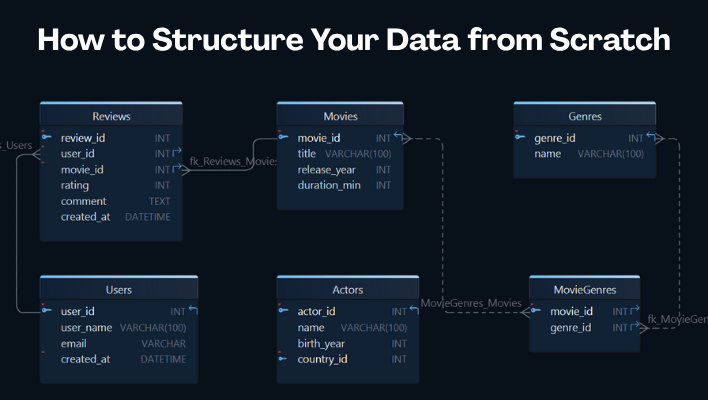
Six months after the release, nobody can say why that column is nullable. The diagram survived and the reasoning did not, which is the usual way a schema becomes something people work around instead of with. Designing one is a procedure of seven steps, each ending in a decision short enough to write down.
- List the questions the application must be able to ask, and mark what release one leaves out.
- Turn each noun into a table and each fact about it into a column, adding a junction table wherever a relationship runs both ways.
- Give every table a primary key, every dependency a foreign key, and every relationship a referential action.
- Normalize until one business change means one row change.
- Fix the type and the constraints of every column on the engine you are deploying to.
- Add an index only where a query you can name pays for its write cost.
- Load sample rows, run the questions from step 1 against them, and read the plans rather than only the results.
A relational schema is the structural definition of a database: its tables, columns, constraints and the relationships between them. One example runs through all seven steps here, a streaming service whose catalogue, accounts and reviews are the kind of small domain that still manages to raise every question. For the concepts under the procedure, read Relational Database Schema: Definition and Worked Example.
Step 1: Write down the questions the database must answer
Start with questions, not tables, because a schema is correct only in relation to what the application has to ask it. The questions that settle the scope:
- what the application stores, and who writes it
- which business events have to be recorded, and in what order
- which questions will be asked frequently enough to shape the structure
- which records must be unique, and by what rule
- which relationships are mandatory rather than optional
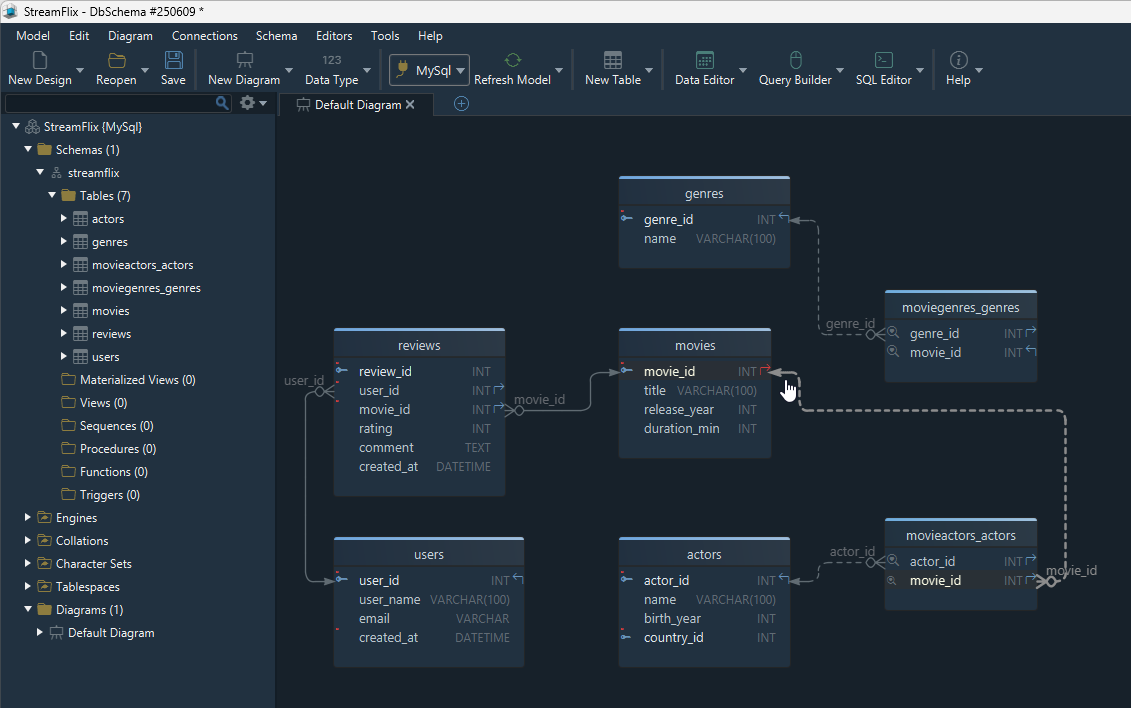
For the streaming service the first pass is short. Users create accounts, films belong to one or more genres, films have a cast, users write reviews, and users save films to a watchlist.
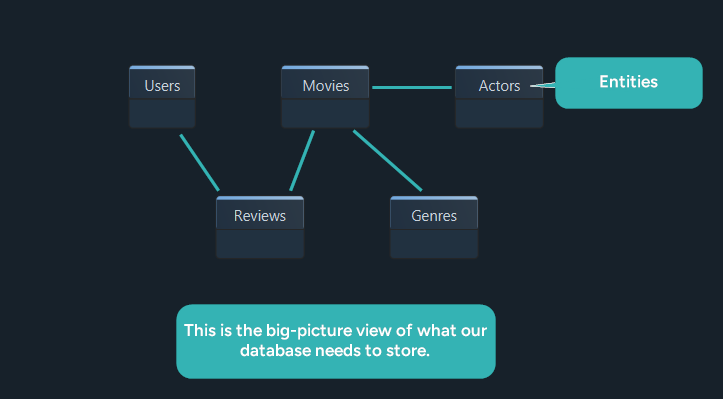
Decision: lock a written list of user actions and the data each one needs, and mark explicitly what release one will not support. Everything after this step is measured against that list.
Step 2: Turn the nouns into tables and columns
Each business concept becomes a table and each fact about it becomes a column. Junction tables appear here too, the moment a relationship runs both ways.
| Table | Core fields | Why it exists |
|---|---|---|
| Users | user_id, username, email, created_at | the account that writes everything else |
| Movies | movie_id, title, release_year, duration_minutes | the catalogue item |
| Genres | genre_id, name | a lookup, so genre names are stored once |
| Actors | actor_id, name, birth_year, country | a lookup shared across films |
| Reviews | review_id, user_id, movie_id, rating, comment, created_at | one user's opinion of one film |
| MovieGenres | movie_id, genre_id | a film has several genres, a genre several films |
| MovieActors | movie_id, actor_id | the cast link between films and performers |
| Watchlist | user_id, movie_id, added_at | a junction that carries a fact of its own |
Do not aim for completeness on the first pass. Aim for the entities without which release one cannot work, and notice that Watchlist already earns a column nobody asked for: the date something was added is the first thing anyone will want to sort by.
Decision: fix the entity list for release one and move the edge cases to a parking list. A table added later is cheap, and a table removed after data lands in it is not.
Step 3: Pick the keys and wire the relationships
Every table needs an identifier that never changes, and every dependency you rely on needs a foreign key behind it.
- Give each table a stable primary key, and prefer a surrogate key to anything a user can edit.
- Create a foreign key for every dependency the application assumes. An assumption the database does not enforce will drift.
- Use a junction table for every many-to-many relationship, and give it its own columns where the relationship carries data, as Watchlist does with added_at.
- Decide per relationship whether the child may exist without the parent, because that answer becomes the NULL rule on the column.
- Decide what happens on delete and on update before the first row is inserted.
If foreign keys are new territory, read What Is a Foreign Key? alongside this step.
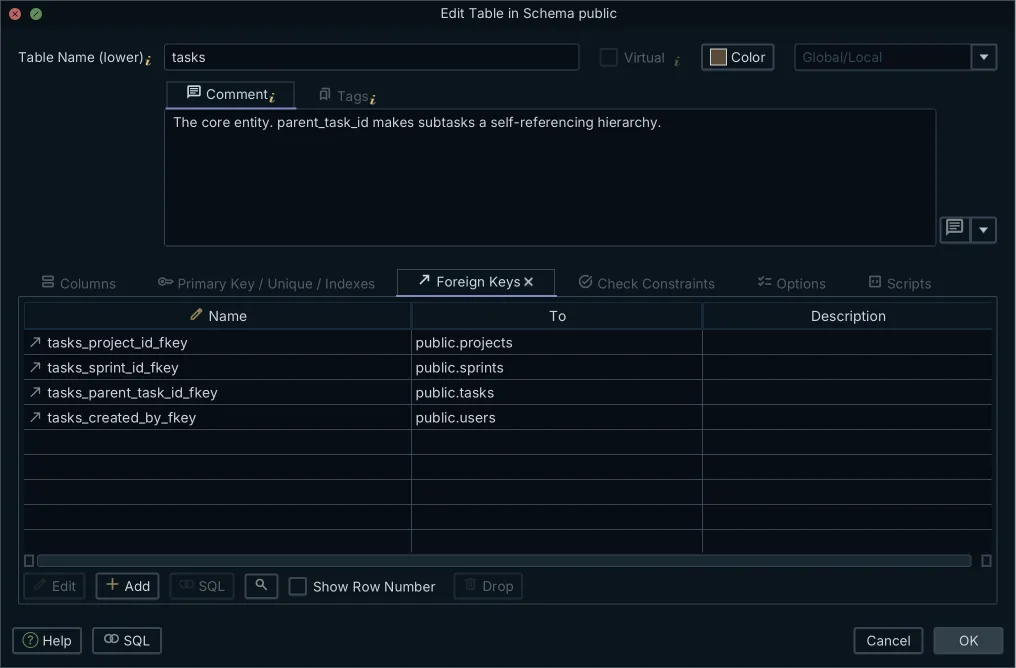
Decision: for each relationship, write down the cardinality, whether it is optional, and the referential action. Three answers per relationship, recorded before anyone implements it.
Step 4: Normalize until updates stop repeating themselves
Normalization is the test of whether one business change means one row change, which is a question about updates rather than about theory.
| Normal form | What it removes | In this schema |
|---|---|---|
| 1NF | repeating groups and multi-value columns | comma-separated genres move into MovieGenres |
| 2NF | attributes depending on part of a composite key | descriptive data moves out of the junction tables |
| 3NF | non-key attributes depending on other non-key attributes | genre names stay in Genres, not on Movies |
That table is the summary. The before and after rows for each form are worked through in the normalization section of Relational Database Schema: Definition and Worked Example.
Decision: normalize to 3NF by default. Denormalize only against a measured query, never against a hunch, and write down which query paid for it.
Step 5: Choose data types and constraints per engine
A portable design meets one specific engine here. The same logical column becomes a different type on each of them, and the differences change behaviour rather than only storage.
| Logical column | MySQL | PostgreSQL | SQL Server | Oracle | SQLite |
|---|---|---|---|---|---|
| Surrogate key | BIGINT AUTO_INCREMENT | BIGINT GENERATED ALWAYS AS IDENTITY | BIGINT IDENTITY(1,1) | NUMBER(19) GENERATED AS IDENTITY | INTEGER PRIMARY KEY |
| UUID key | BINARY(16) or CHAR(36) | UUID | UNIQUEIDENTIFIER | RAW(16) | TEXT or BLOB |
| Short text | VARCHAR(n) | VARCHAR(n) or TEXT | NVARCHAR(n) | VARCHAR2(n) | TEXT |
| Boolean flag | TINYINT(1) | BOOLEAN | BIT | NUMBER(1) with a CHECK | INTEGER 0 or 1 |
| Money | DECIMAL(19,4) | NUMERIC(19,4) | DECIMAL(19,4) | NUMBER(19,4) | NUMERIC |
| Timestamp with zone | TIMESTAMP | TIMESTAMPTZ | DATETIMEOFFSET | TIMESTAMP WITH TIME ZONE | TEXT in ISO-8601 |
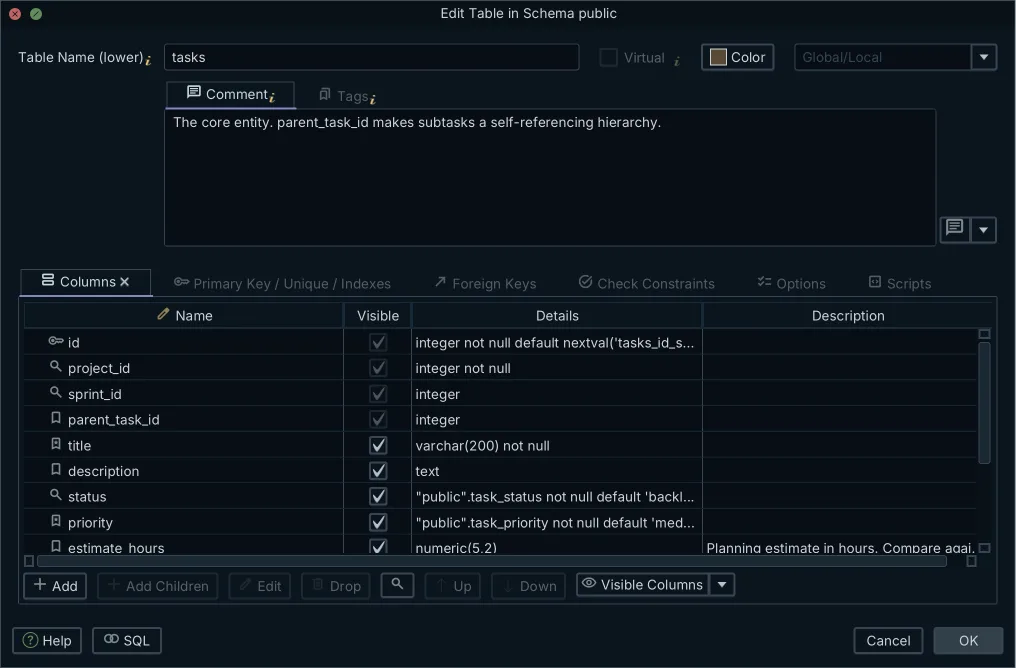
Some of those cells hide behaviour worth knowing before you commit to them:
- MySQL 8.4 has no separate boolean type, since BOOL and BOOLEAN are synonyms for TINYINT(1), so a CHECK is what keeps the column to 0 and 1.
- PostgreSQL 18 ignores any time zone indication in a value going into a timestamp without time zone, so a value that arrived with an offset comes back without one. Choose TIMESTAMPTZ unless you have a reason not to.
- SQLite treats a declared type as a recommendation rather than a requirement, and since 3.37.0 a STRICT table is how you get the enforcement other engines give by default.
- Oracle AI Database 26ai treats a character value of length zero as null, which breaks a NOT NULL assumption carried over from another engine, and the documentation advises against relying on it either way.
On every engine, money goes in a fixed-point type and never in a floating-point one.
Set the constraints in the same pass:
- NOT NULL where a value is mandatory
- UNIQUE on natural identifiers such as an email address
- CHECK for ranges such as a rating between 1 and 5
- a default only where every row genuinely has one
For the syntax on MySQL, see CREATE TABLE.
Decision: name the exact type for every column on the engine you are deploying to, and choose the smallest type that holds the real range. A type list that still says "string" is not finished work.
Step 6: Decide which indexes earn their cost
An index is a trade: reads get faster and every write gets slower, so each one has to be justified by a query you can name.
Foreign keys are the first candidates, and what the engine does for you differs. PostgreSQL 18 does not create an index on the referencing columns of a foreign key, and its documentation notes that a delete or an update on the parent then scans the child table for matching rows, which is why indexing them is worth it. MySQL 8.4 creates that index automatically if no suitable one exists.
After the foreign keys, the candidates are:
- a column in a WHERE clause that runs frequently, on a table large enough for a scan to hurt
- the column behind an ORDER BY or GROUP BY that the plan is currently sorting by hand
- any UNIQUE rule, where the index is the enforcement rather than an optimization
- a composite index whose leading columns match a real query, in that query's order
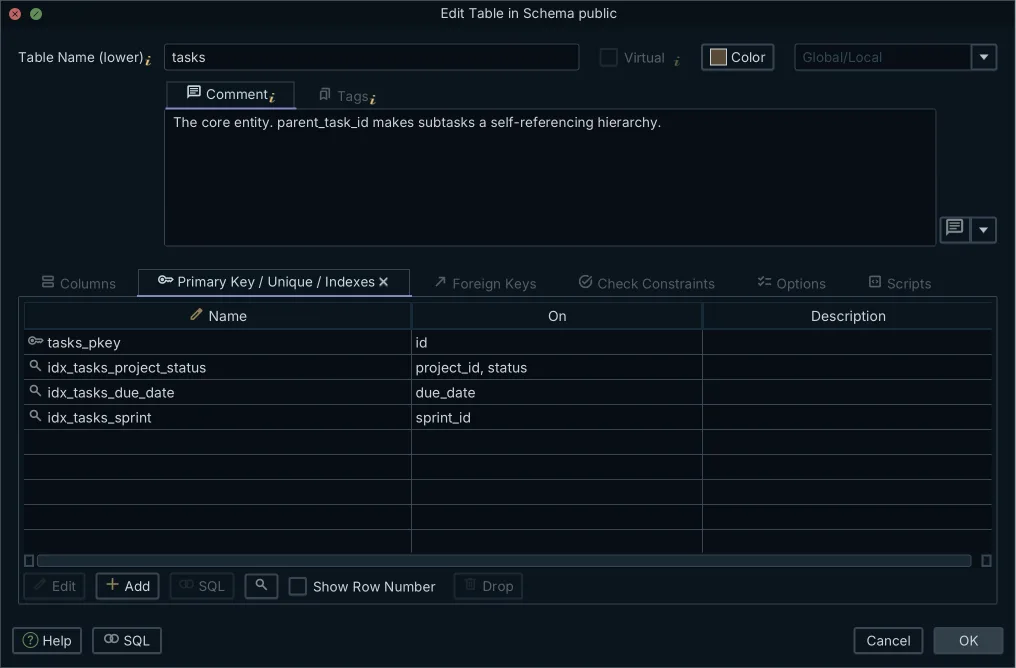
Leave the index out when the column has few distinct values, such as a status flag on a small table, or when the table is written far more often than it is read, or when an existing composite index already covers the column as its leading key. Leave it out above all when you are guessing: an index added before a measured query is a write cost with no matching benefit. How indexes and foreign keys interact is worked through in Indexes and Foreign Keys.
Decision: index every primary key and every foreign key, then add nothing else until a query plan asks for it. Record which query each secondary index exists for, so the next person can delete it safely.
Step 7: Prove the design with sample data and real queries
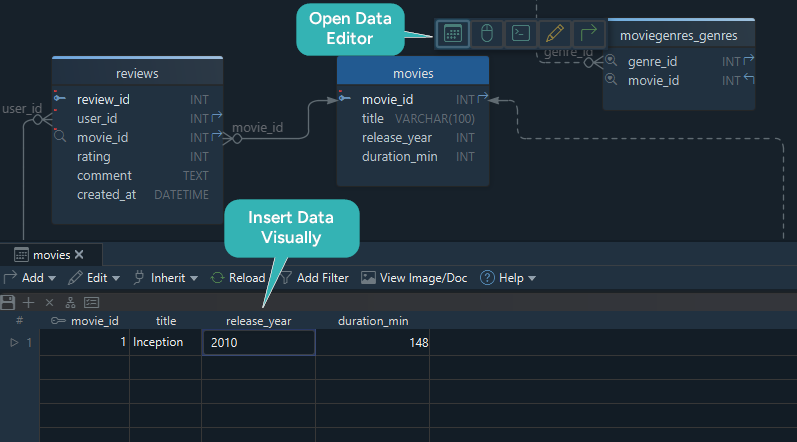
A diagram that looks right is not evidence. Load rows and run the questions from step 1 against them:
INSERT INTO Movies (movie_id, title, release_year, duration_minutes)
VALUES (1, 'Inception', 2010, 148);

INSERT INTO Genres (genre_id, name) VALUES (1, 'Sci-Fi');
INSERT INTO MovieGenres (movie_id, genre_id) VALUES (1, 1);
Then run the five checks that catch a structural mistake rather than a typo.
- Insert a review for a film that does not exist. The foreign key must reject it.
- Insert the same email address twice. The UNIQUE constraint must reject it.
- Delete a film that has reviews and a watchlist entry. Confirm the referential action is the one you chose in step 3, not the engine's default.
- Run the three most frequent read queries from step 1, and read the plan rather than only the result.
- Insert a row with every optional column empty. If that row is meaningless, a NOT NULL is missing.
Decision: do not deploy until the critical read and write queries have run against sample data and the delete behaviour has been watched rather than assumed.
The pre-launch review checklist
Run this before the schema reaches an environment that holds real data.
| Check | Fails when | Fix |
|---|---|---|
| every table has a primary key | a junction table was created without one | add the composite key of both foreign keys |
| every dependency has a foreign key | a column ending in _id points nowhere | add the constraint or remove the column |
| referential actions are explicit | the engine default was accepted silently | set ON DELETE and ON UPDATE per relationship |
| no repeated business data | the same name is stored in two tables | move it to a lookup and reference it |
| NOT NULL, UNIQUE and CHECK are set | an optional column is really mandatory | tighten the constraint before data arrives |
| types are engine-specific | a column is still "string" or "number" | resolve it against the target engine |
| indexes match named queries | an index exists with no query behind it | delete it, or record the query |
| the schema is documented | only the DDL exists | publish a diagram and column comments |
The two rows that fail most often are the referential actions and the documentation, and both are cheap now and expensive later. The failure patterns behind the rest are collected in Database Design Mistakes.
Where DbSchema fits in the procedure
The procedure works on paper, and steps 2 to 5 are the ones that get shorter when the diagram, the constraints and the generated DDL come out of one model instead of three documents. In DbSchema as a database design tool, that model is a .dbs file, and the sequence is this.
- Sketch the entities and relationships on the diagram before the database exists, dragging from a column to the column it references to create each foreign key.
- Set the keys, the junction tables and the referential actions in the Foreign Key Editor rather than in DDL, by double-clicking the relationship line.
- Generate the SQL for the target engine, or connect and let DbSchema reverse-engineer what is already deployed.
- Export the diagram as HTML5, PDF or Markdown documentation, which is what makes the last row of the checklist pass.
Steps 1 and 2 change the model file only. Connected, DbSchema applies each schema change to the database as you make it; disconnected, the edits stay in the .dbs file until you reconnect, click Refresh Model from Database, and choose per object in the synchronization dialog whether to write it to the database, pull it into the model, or put it in a migration script. Drawing the diagram, connecting and reverse-engineering are in the free Community edition, and saving the model to a file, the documentation export and schema synchronization are in Pro.
Seven steps, seven decisions, and a written answer for each one: that is the difference between a schema somebody can review and a diagram somebody has to reconstruct. Download DbSchema at https://dbschema.com/download.html and start at step 2, drawing the entity list on a diagram with no database attached; the Community edition covers the diagram and the SQL editor, and the Pro edition covers the model file, the documentation export and the synchronization that steps 3 to 7 lean on.
FAQ
Should I start with an ER diagram or with SQL?
Start with the diagram when more than one person has to agree on the structure, because a reviewer can read a diagram and correct it before any DDL exists. For a small schema that only you read, writing the SQL first works too: once the tables exist, DbSchema reverse-engineers them into a diagram the moment a second person needs to review the structure.
How do I choose between a natural key and a surrogate key?
Use a surrogate key whenever the natural candidate can change, and an email address or a phone number always can. Keep the natural key as a UNIQUE constraint, so both properties hold at once: a stable identifier for the foreign keys, and a rule against duplicates for the business.
Can I design a relational schema without a live database?
Steps 1 to 4 need no database at all. Step 5 needs you to have chosen an engine, and step 7 needs somewhere to run the queries, which can be a local instance created for the purpose. In DbSchema the offline model is a .dbs file you can edit with nothing connected, which is in the Pro edition.
How do I know the design is finished?
When every row of the pre-launch checklist passes and each of the seven decisions is written down somewhere the next person will find it. A tidy diagram is not the test.
Design your schema visually, then generate the SQL
DbSchema reverse-engineers your database, keeps large diagrams readable, and generates DDL for your engine. The Community Edition is free.









