DbSchema vs Navicat, DbForge
For the person picking one tool for a team that designs database schemas, documents them and keeps them in step with the servers.
On this page
Three products keep turning up on the same shortlist, and they do different jobs. DbSchema is the one to buy when the schema is what your team owns: it reverse-engineers any SQL, NoSQL or cloud database over JDBC, keeps the design in a model file you version in Git, and generates the migration script from the difference between that file and the live database. Navicat Premium is an administration suite built around the live connection. dbForge Studio is an IDE sold one engine at a time.
How the three tools differ
The split that matters is where each product keeps the truth about your schema. DbSchema keeps it in a file on your disk, so the design can exist before the database does, travel through a pull request, and be compared against a server whenever you want to know how far the two have drifted. Navicat Premium and dbForge Studio keep it in the database, and read it back when you ask.
That choice decides the rest: what you can do with no connection open, what a colleague reviews, and whether documentation comes out of a design or out of a snapshot. DbSchema also spans the widest set of engines of the three, because it talks JDBC and downloads the driver when you pick the database.
Editions matter as much as features here, on all three sides. DbSchema Community connects, reverse-engineers, draws interactive diagrams and runs SQL; the model file, synchronization and documentation are Pro. Navicat puts its models and its synchronization in Enterprise. Devart splits dbForge Studio by engine, so the tier question becomes a count of databases.
Feature comparison table
| Capability | DbSchema | Navicat Premium | dbForge Studio |
|---|---|---|---|
| Engines | 70+ SQL and NoSQL databases over JDBC | 16 engines plus cloud variants | SQL Server, MySQL, Oracle, PostgreSQL |
| Design offline in a file | Yes, Pro | Model workspaces, Enterprise | Live connection |
| Interactive ER diagrams | Yes, Community | ER diagram view, Enterprise | Database designer per product |
| Model against live database | Yes, Pro | Model to database and back, Enterprise | Schema compare between databases |
| Git on the design | Yes, Pro | Not listed | Source control, SQL Server |
| Documentation | HTML5, PDF, Markdown, Pro | Data dictionary export, Enterprise | Documenter per product |
| Data generator | Yes, Pro | Yes, Enterprise | Yes |
| Runs on | Windows, macOS, Linux | Windows, macOS, Linux | Windows natively |
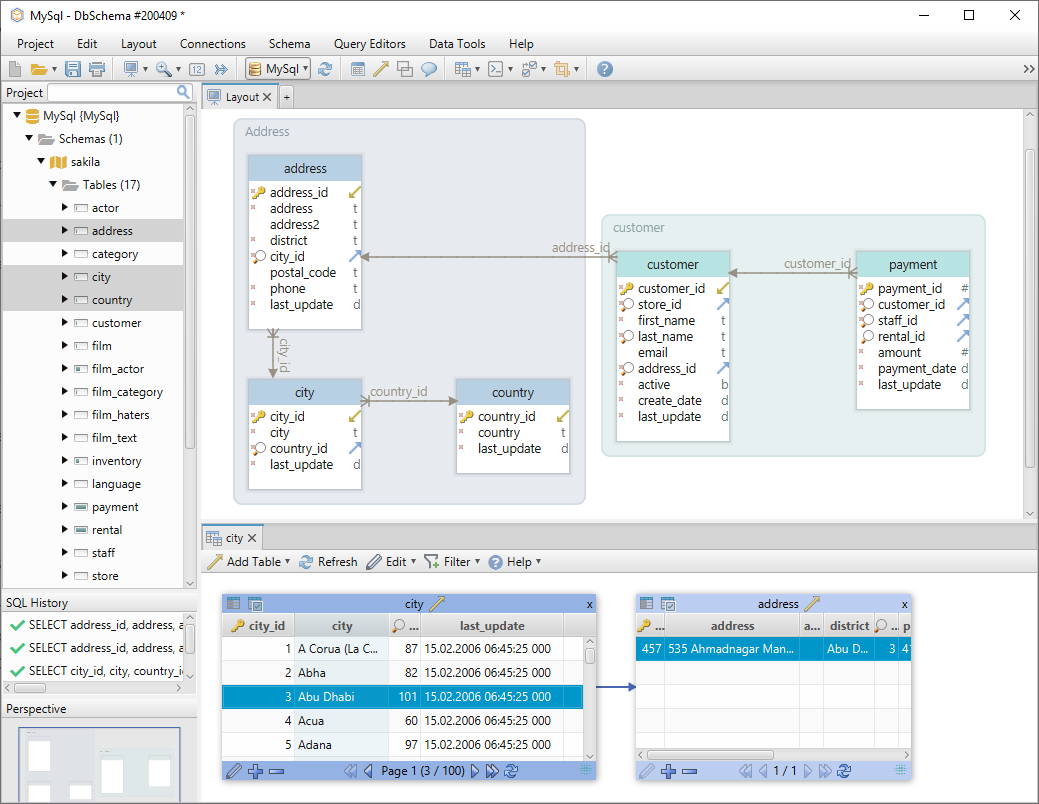
DbSchema is the visual design surface of the three: create tables, columns and foreign keys by dragging on the diagram, and edit any object from there. The connection accepts any SQL, NoSQL or cloud database with a JDBC driver, and DbSchema downloads that driver when you choose the engine. The model file makes the schema portable, which is how it gets shared in a team through Git or any other version control system.
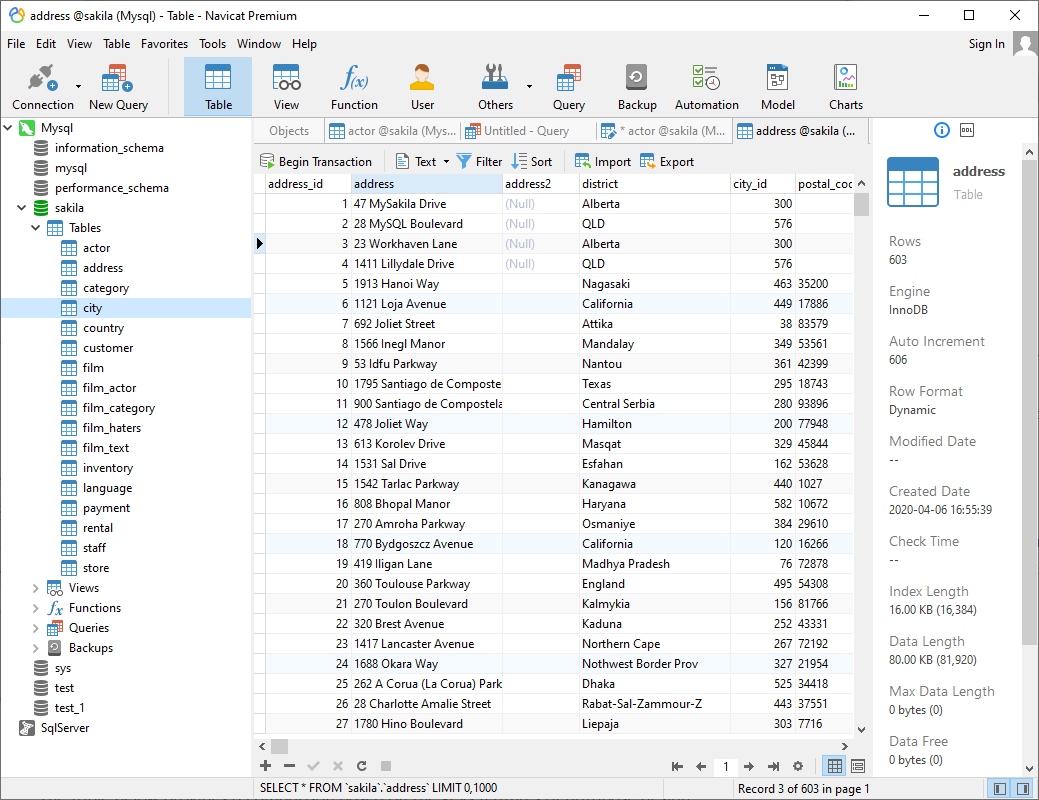
Navicat Premium 17.3.11 covers 16 engines and their cloud variants, with structure and data synchronization between two live databases, backups, data transfer and a report builder. Its conceptual, logical and physical models, its ER diagram view and its data dictionary export are Enterprise features, and its feature matrix lists no version control[1]. The free Navicat Premium Lite covers connections, the grid view and the query editor[2]. A closer read of that pair is in DbSchema vs Navicat.
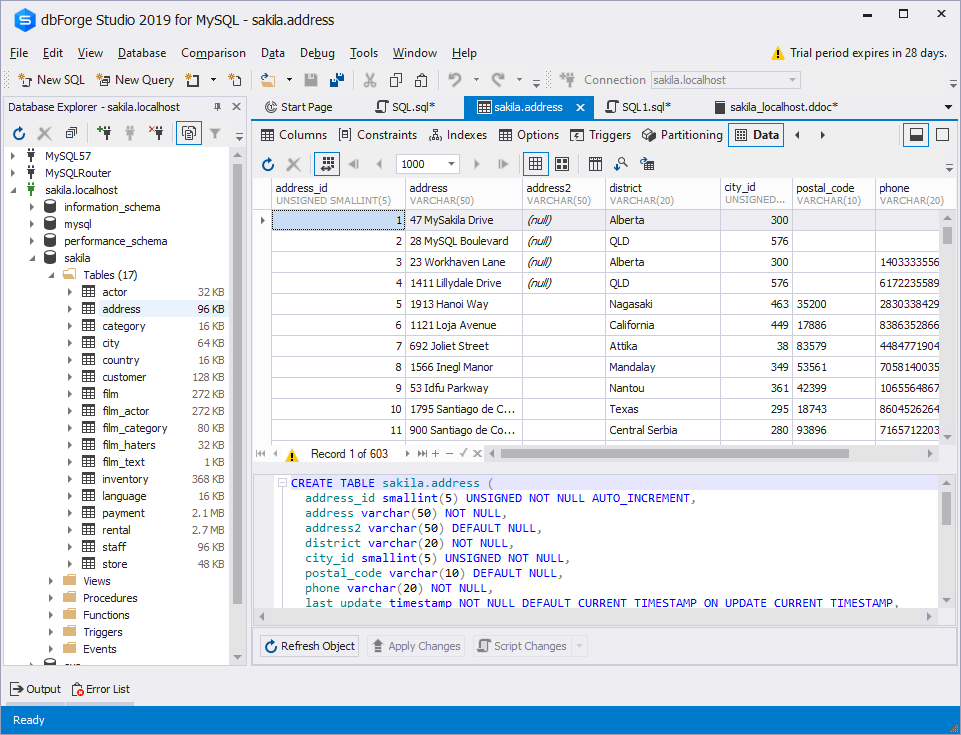
dbForge Studio is four products rather than one: Devart sells a separate Studio for SQL Server, for MySQL, for Oracle and for PostgreSQL[3], each with its own schema compare, data compare, data generator, documenter, query builder and ER diagrams. Buying it for two engines means buying it twice, which is the licence question to settle before the trial starts. dbForge Studio for MySQL is natively a Windows IDE and runs on macOS and Linux through CrossOver or Wine[4].
Visual modeling and ER diagrams
The diagram is where DbSchema and the other two part company. In DbSchema the diagram is the model: click and drag to create tables, columns, indexes and foreign keys, and split a wide schema into several diagrams in one project, each with its own layout and its own visible tables. Those edits change the model file. The database keeps the shape it had until Schema → Synchronize Model with Database runs the generated SQL, which you read and edit first.
Two more surfaces sit on the same relationships. The Query Builder writes the joins for you when you follow a foreign key from one table to the next, and the Relational Data Editor opens parent and child tables side by side, refiltering every child pane as you move through the parent. Where a schema declares no foreign keys, drag one column onto another in the diagram to create a virtual foreign key, saved in the model file, and both surfaces use it as if the database had declared it. Both are Pro.
Navicat Premium draws its ER diagram view and its models in the Enterprise edition[1]. dbForge Studio ships a database designer and ER diagrams inside each per-engine product[3].
What each tool is built for
| Tool | Built for | Free edition |
|---|---|---|
| DbSchema | Designing, documenting and versioning a schema across every engine | Community Edition, all databases |
| Navicat Premium | Administering live servers, scheduled data transfer and backups | Navicat Premium Lite, up to 5 accounts |
| dbForge Studio | A per-engine IDE with compare, profiling and unit testing | Express edition, where one exists |
DbSchema is the one product of the three that covers the whole path from a blank diagram to documentation the rest of the company can read, on relational and document stores alike. Diagram → Export HTML5 or PDF Documentation writes an interactive HTML5 page that opens in any browser with no server behind it, carrying the diagram as a vector image, a searchable table list and every column description as a mouse-over tooltip, and the same dialog writes PDF and Markdown.
Navicat Premium is where scheduled data work lives: backup, data transfer, data synchronization, data generation and data dictionary generation each run on a schedule, with profiles from several servers in one batch job[1]. dbForge Studio works on one engine at a time, with a query profiler and, on SQL Server, source control and unit testing[3].
Price
DbSchema sells a perpetual licence with the first year of maintenance included: Pro is one payment with an optional renewal a year later, Architect sits a step above it on the same terms, and the renewal buys later releases rather than continued use. Community Edition is free for any use, and a new installation starts a 15-day free Architect trial with no credit card. The purchase page carries the figure for each edition, in your local currency and on separate tabs for Business, Personal and Universities & Students.
Neither of the other two publishes a readable list price. Navicat's store quotes Navicat Premium after you choose platform, edition and quantity, and publishes its volume steps, 15% off at five to nine licences and 20% off at ten or more[5]. Devart sells dbForge with both perpetual and subscription licences, priced per product[3], so the figure depends on how many engines you cover.
Buy DbSchema when the schema is the deliverable and one tool has to reach every engine you own. The download is at https://dbschema.com/download.html: connect to a database you already run and let DbSchema reverse-engineer the schema into a diagram before you compare anything else. Connecting, reverse engineering, the interactive diagrams and the SQL editor are in the free Community Edition. The model file, schema synchronization, HTML5 documentation, the Query Builder, the Relational Data Editor and the data generator are Pro, and logical and conceptual design is Architect.
Sources
Model any database offline, then document it
DbSchema connects to any SQL, NoSQL or cloud database over JDBC, reverse-engineers the schema into interactive diagrams and saves the design to a local model file your team can version in Git. Offline design, interactive HTML5 documentation and schema synchronization are Pro and Architect features; connect, reverse-engineer and diagrams are free in Community.









