A modern desktop client for a foundational database

Bring Legacy Ingres Schemas into a Visual Diagram

Ingres still runs production systems in government, finance, and industry — often with documentation that retired along with its designers. DbSchema connects over JDBC, reads the system catalogs, and gives the schema a diagram, a SQL editor, and current HTML documentation.

  • Reverse engineer tables, columns, and constraints from the system catalogs
  • Query from a desktop editor instead of a terminal isql session
  • Generate documentation that matches the live schema, not a dusty binder
  • Export diagrams that carry knowledge to the next maintainer

Free Community Edition No signup required 15-day Architect trial included
Free Download

Trusted by teams at
The Schema Outlived Its Designers
The Documentation Did Not

Ingres predates most of the tooling your team uses today — its ideas shaped PostgreSQL, and Actian develops it still. But an inherited installation usually arrives with sparse notes and nobody left who drew the original design, so the structure gets reconstructed one catalog query at a time.

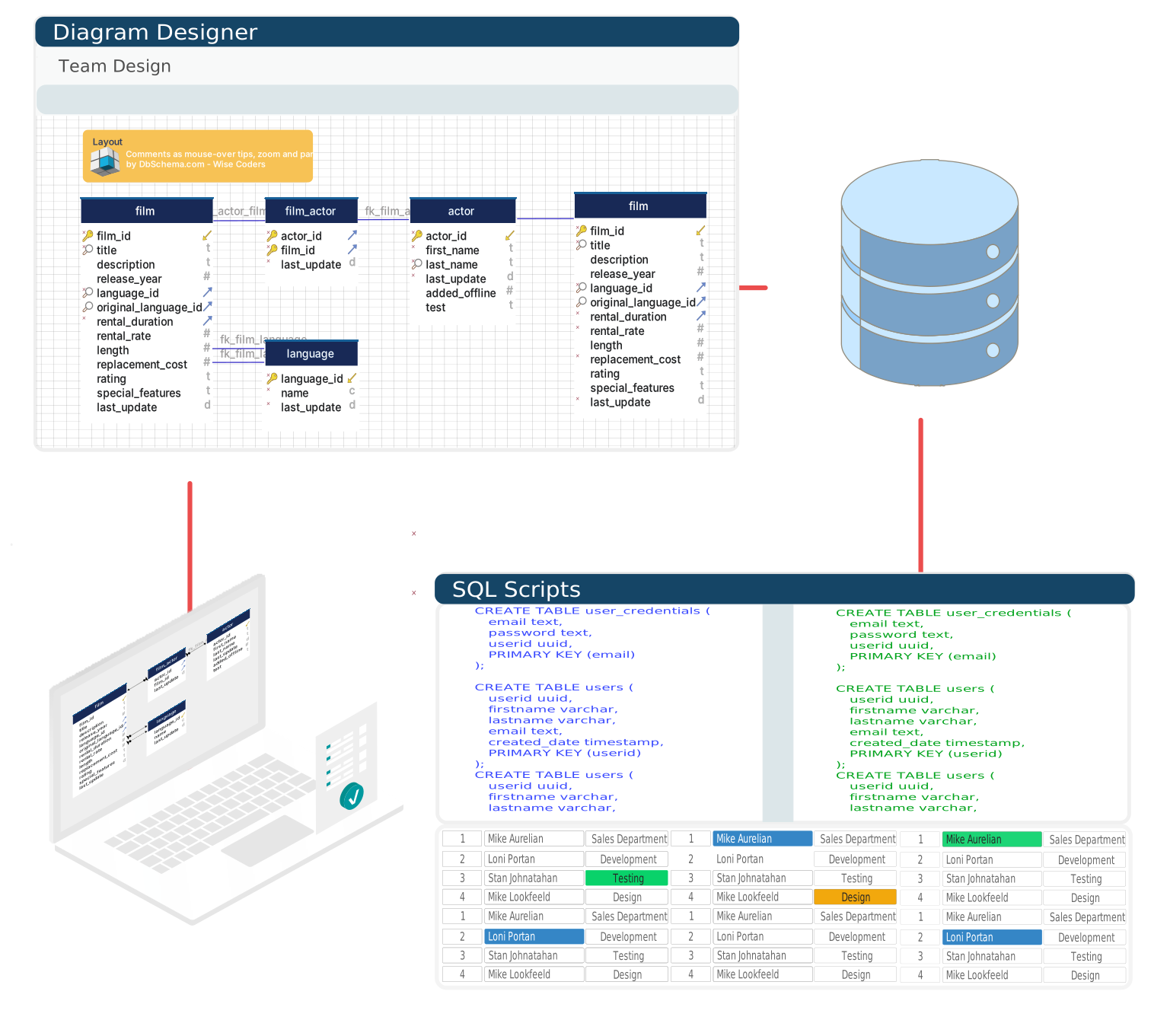
DbSchema reconstructs it in one pass: connect, and tables, columns, and constraints come back as an ER diagram you can reorganize, annotate, and hand to the team.

Explore, Query & Preserve
an Inherited Ingres System

Three things every legacy takeover needs, in one desktop app.

Reverse engineer an Ingres schema into an ER diagram
From System Catalogs to a Picture

DbSchema reads table definitions, column metadata, and constraint information over JDBC and lays them out as a diagram — the onboarding aid an inherited system rarely has.

Run Ingres SQL queries in the DbSchema SQL editor
Queries Beyond the Terminal

Write and run Ingres SQL in an editor that shows results in a grid — the schema stays in view while you type, and no isql session is involved.

Generate HTML documentation from a legacy Ingres schema
Documentation Somebody Can Open

One export produces HTML documentation of the live structure — a dependable reference for maintenance work and for planning what a migration would touch.

A Schema Born Before Git
Versioned in Git at Last

The DbSchema model is a file, so an Ingres schema from another era drops straight into a modern repository. Every structural change becomes a commit with an author and a diff, and reviews happen in the pull request — the same workflow the rest of your code follows.

Ingres schema model tracked and reviewed in Git

Ingres Connection Facts: Driver Class, Port, and URL

The JDBC driver comes from Actian's download pages; register the JAR under Connections > Manage Drivers. The driver class is com.ingres.jdbc.IngresDriver. On the server side, the Ingres network server must be running — ingstart with networking enabled.

Ingres accepts connections on port 21064 by default. Build the URL as jdbc:ingres://host:21064/dbname, with the database name matching the installed Ingres instance name exactly. More setup detail is on the Ingres JDBC driver page.

Turn the System Catalogs into a Diagram

Free Community Edition, a 15-day Architect trial, and no signup anywhere.

Teams working with Ingres often use these engines too. Explore dedicated guides and JDBC setup for each.

Browse all 100+ supported databases