Design and Manage Greenplum Databases Visually with DbSchema

DbSchema lets you design, manage, and document Greenplum databases. Create ER diagrams, define tables and columns, and generate SQL scripts - with or without a live database connection.

Use Git to share the design, compare it with the Greenplum database, and deploy changes. DbSchema also includes a data editor, query builder, and HTML5 documentation - everything you need in one tool.

DbSchema Database Designer

Download DbSchema Download Greenplum JDBC Driver

Visualizing Greenplum's Distributed Table Design

Greenplum is a massively parallel analytical database built on PostgreSQL, with distribution keys and partition policies that govern how data is spread across segment hosts. These design choices are critical to query performance but remain invisible in standard database management tools. DbSchema connects to the Greenplum master node via the PostgreSQL JDBC driver, reads distribution and partition metadata from the system catalog, and renders the full schema as a visual ER diagram. Data engineers can review distribution key assignments, spot missing partition definitions, and understand table dependencies without querying catalog tables directly.

Design Greenplum Schemas with Distribution Awareness

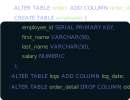
DbSchema's diagram editor supports Greenplum's PostgreSQL-compatible SQL dialect and lets you create tables, set distribution clauses, and manage partitions through the visual editor. DbSchema generates the corresponding Greenplum DDL, including DISTRIBUTED BY and PARTITION BY clauses, ready for execution against the master node.

Designing a Greenplum distributed table schema in the DbSchema visual editor

Run Analytical SQL Against the Greenplum Cluster

DbSchema's SQL editor connects to the Greenplum master and dispatches queries for parallel execution across segment hosts. The editor includes syntax support for Greenplum's PostgreSQL dialect, result tabulation, and query history — making it a practical desktop client for analytical workloads without needing psql or another client tool.

Running analytical SQL on a Greenplum cluster in the DbSchema SQL editor

Generate Schema Documentation for Data Engineers

DbSchema exports Greenplum schemas as browsable HTML documentation with embedded ER diagrams and table definitions, including distribution metadata. Data engineering teams use this to maintain a persistent reference for schema design decisions and to onboard new engineers to the warehouse structure.

Auto-generated Greenplum schema documentation showing distribution metadata

Connecting DbSchema to Greenplum

Greenplum uses the same default port as PostgreSQL: 5432. DbSchema downloads the PostgreSQL JDBC driver automatically. The JDBC URL format is jdbc:postgresql://master_host:5432/dbname, where master_host is the Greenplum master segment host — not a segment host. Connecting to the master ensures that DbSchema can issue DDL and DML statements that the master distributes across the cluster. DbSchema reflects the full schema including distributed table metadata sourced from the Greenplum catalog views.

Why Teams Use DbSchema with Greenplum

  • Visualize distribution keys, partition policies, and FK relationships in a single diagram
  • Write and execute Greenplum SQL from a desktop client with PostgreSQL syntax support
  • Document the distributed warehouse schema for data engineering teams
  • Design schema changes in a visual editor and preview DDL before deploying to production
  • Compare Greenplum schemas between environments to identify configuration drift