SQL EXISTS Operator Explained with Practical Examples
For SQL beginners who can write a SELECT over one table and now have a question that depends on what a second table holds.
On this page
You want the rows of one table that have at least one matching row in another table, each returned once. EXISTS does that: it checks a subquery for each outer row, and is true when the subquery returns a row and false when it returns none. NOT EXISTS keeps the rows with no match.
SELECT a.column_name
FROM table_a a
WHERE EXISTS (
    SELECT 1
    FROM table_b b
    WHERE b.a_id = a.id
);
Every statement below ran on PostgreSQL 17.9, MySQL 9.1.0 and SQLite 3.50.4 and returned the same rows on all three, except where a section says otherwise.
What EXISTS returns
Two tables carry every example: four students, and five enrolments. Enrolment 5 has no student recorded, which matters only once NOT IN comes up.
CREATE TABLE students (
    student_id   INT PRIMARY KEY,
    student_name VARCHAR(20),
    age          INT
);

CREATE TABLE courses (
    course_id   INT PRIMARY KEY,
    student_id  INT,
    course_name VARCHAR(20)
);

INSERT INTO students VALUES
    (1, 'Alice',   21),
    (2, 'Bob',     22),
    (3, 'Charlie', 23),
    (4, 'Dana',    20);

INSERT INTO courses VALUES
    (1, 1,    'Math'),
    (2, 2,    'History'),
    (3, 3,    'Science'),
    (4, 1,    'History'),
    (5, NULL, 'Art');
Alice is enrolled twice and Dana not at all. The students enrolled in something:
SELECT student_name
FROM students s
WHERE EXISTS (
    SELECT 1
    FROM courses c
    WHERE c.student_id = s.student_id
);
| student_name |
|---|
| Alice |
| Bob |
| Charlie |
The subquery names s.student_id, a column of the outer query, so it asks a different question for each student: does this student have a course row? A subquery that refers to the outer row like that is called correlated. The PostgreSQL 17 manual defines the result the same way: true if the subquery returns at least one row, false if it returns none.
What the subquery selects makes no difference. The MySQL 8.4 manual puts it plainly: "MySQL ignores the SELECT list in such a subquery, so it makes no difference." SELECT * and even SELECT NULL keep the same rows. SELECT 1 tells the next reader that the columns don't matter.
A subquery that ignores the outer row
Leave the correlation out, and the subquery asks one question about the whole table:
SELECT student_name
FROM students
WHERE EXISTS (SELECT 1 FROM students WHERE age > 21);
| student_name |
|---|
| Alice |
| Bob |
| Charlie |
| Dana |
Alice is 21 and Dana is 20, yet both come back. The subquery only asks whether anyone is over 21. Bob and Charlie are, so the answer is true for every row. An EXISTS without a reference to the outer row keeps every row or none, and it's the first thing to check when an EXISTS query returns too much: it runs without an error and returns rows that look plausible.
SQL NOT EXISTS
NOT EXISTS keeps the outer row when the subquery returns nothing, which is how you ask for what is missing:
SELECT student_name
FROM students s
WHERE NOT EXISTS (
    SELECT 1
    FROM courses c
    WHERE c.student_id = s.student_id
);
| student_name |
|---|
| Dana |
Dana is the only student with no row in courses. Enrolment 5 never matches a student, because a comparison with NULL is never true.
NOT EXISTS against NOT IN
student_id IN (SELECT student_id FROM courses) returns the same three students as the first EXISTS query. The negated forms part ways because of enrolment 5, whose student_id is NULL:
SELECT student_name
FROM students
WHERE student_id NOT IN (SELECT student_id FROM courses);
It returns no rows on all three engines, not even Dana. NOT IN compares Dana's student_id, 4, with every value the subquery returns, and 4 <> NULL is unknown rather than true, so the condition as a whole is never true. PostgreSQL's manual states the rule in its NOT IN section: with no equal value and at least one NULL on the right, the result is null, not true. SQL IN operator draws the comparison out step by step.
NOT EXISTS has no such gap, because it only asks whether a matching row came back, and it returned Dana above. Use NOT EXISTS whenever the column that the subquery reads allows NULL. IN still reads better for a short list of values you type yourself, such as course_name IN ('Math', 'History').
EXISTS against a join
A join answers a different question, and the difference shows as soon as a student has two enrolments:
SELECT s.student_name, c.course_name
FROM students s
JOIN courses c ON c.student_id = s.student_id
ORDER BY c.course_id;
| student_name | course_name |
|---|---|
| Alice | Math |
| Bob | History |
| Charlie | Science |
| Alice | History |
A join returns one row per matching pair, so Alice appears once per course. The EXISTS query returned her once, because it only asks whether a match exists:
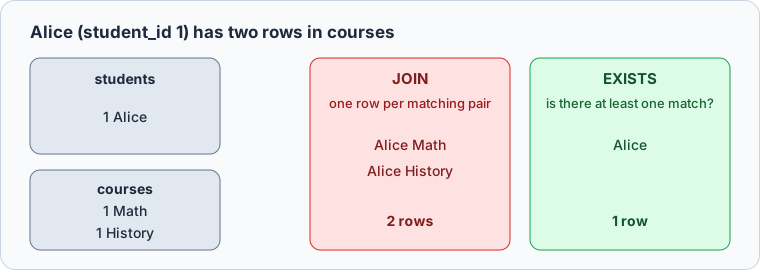
Join when the result needs columns from the second table. Use EXISTS when the second table is only a condition, and you won't need a SELECT DISTINCT to undo the duplicates.
Practice this: Lesson 11 of the SQL tutorial runs EXISTS, NOT EXISTS and the NOT IN trap on a shop database in your browser, with checked exercises.
EXISTS in a DELETE or an UPDATE
The WHERE clause of a DELETE or an UPDATE takes EXISTS just as a SELECT does. This DELETE removes the students with no enrolment:
DELETE FROM students
WHERE NOT EXISTS (
    SELECT 1
    FROM courses
    WHERE courses.student_id = students.student_id
);
PostgreSQL reports DELETE 1, and the table keeps three rows:
| student_id | student_name | age |
|---|---|---|
| 1 | Alice | 21 |
| 2 | Bob | 22 |
| 3 | Charlie | 23 |
An uncorrelated subquery does far more damage here than in a SELECT:
DELETE FROM students
WHERE EXISTS (SELECT 1 FROM students WHERE age > 22);
On PostgreSQL and SQLite it deletes all four students (DELETE 4 on PostgreSQL), because Charlie is over 22 and the condition is therefore true for every row. MySQL rejects it with error 1093, "You can't specify target table 'students' for update in FROM clause", because the MySQL 8.4 manual forbids deleting from a table and selecting from the same table in a subquery. An UPDATE whose EXISTS reads the table it updates gets the same error on MySQL.
Before you run either statement, run a SELECT with the same WHERE clause. The rows it lists are the rows the statement will change.



Build and test an EXISTS query in DbSchema
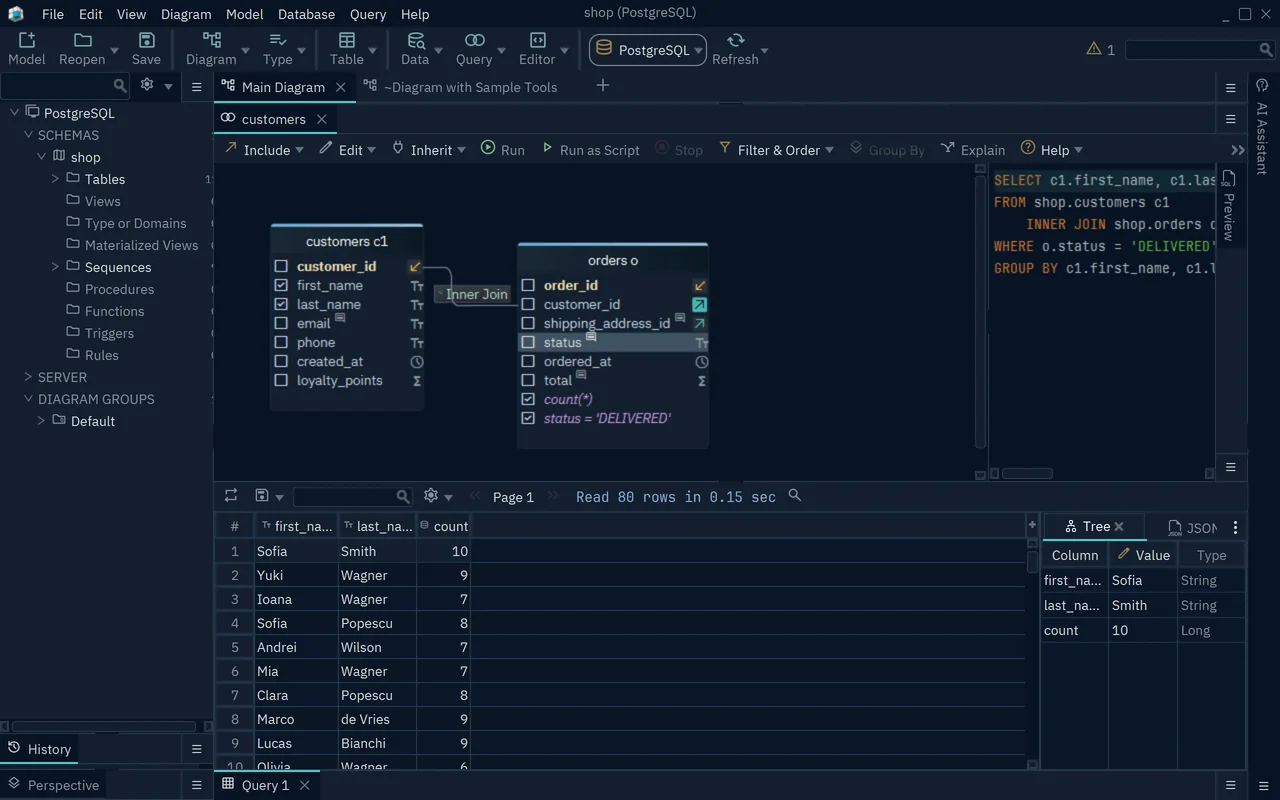
DbSchema's Query Builder writes the join condition from the foreign key, so you never type the correlation. Right-click a table on the diagram and choose Query Editor, or press Ctrl+B. Click the icon at the right of a key column and pick the linked table to join it. Then click the join label on the line between the two tables and choose Exists or Not Exists. The SQL at the right of the builder changes with every click, and Run fills the result grid below it.
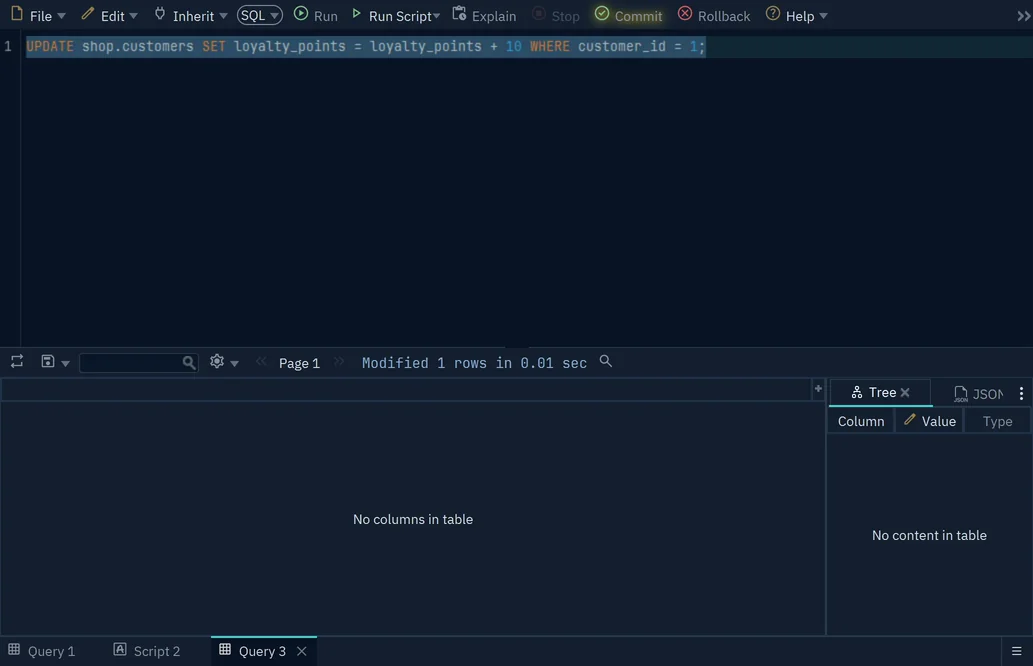
To run a DELETE against the live database, open the SQL Editor with Ctrl+E and press Run. DbSchema keeps the change in an open transaction: the Commit button blinks, and other users of the database don't see the change yet. If the result says more rows were modified than the SELECT listed, press Rollback.
Download DbSchema, connect to your database, and run the SELECT form of your EXISTS condition in the SQL Editor before you turn it into a DELETE. The SQL Editor and the diagram are in the free Community Edition; the Query Builder, with its Exists and Not Exists joins, is in DbSchema Pro.
Frequently asked questions
Is EXISTS faster than IN?
Neither is faster by rule. The PostgreSQL manual says an EXISTS subquery generally runs only until it finds one row, and the MySQL manual says an EXISTS subquery gets the same semijoin transforms as the equivalent IN, so the two can end up with the same plan. Compare them with EXPLAIN on your own data.









