SQL Server Client for Mac and Linux: An SSMS Alternative
How DbSchema connects to SQL Server from a Mac or a Linux laptop, signs you in with your Windows account, and compares schema changes before they run.
On this page
Words in this article
Words in this article
- SQL Server client
- A desktop app that connects to SQL Server and runs your queries.
- T-SQL
- The SQL language of SQL Server and Azure SQL.
- Schema
- The structure of a database: its tables, columns and the links between them.
- ER diagram
- The picture of a schema: tables as boxes, their links as lines.
- JDBC driver
- A small Java library that lets an app talk to one kind of database.
- Certificate
- The server's signed proof of its name, checked when the connection is encrypted.
- Kerberos
- The login system behind Windows networks; it signs you in without a database password.
- Docker container
- A small, self-contained Linux system that runs on your computer.
- Model file
- DbSchema's .dbs file with your design, kept outside the server.
The short answer
Your team's database is SQL Server, but you work on a Mac or a Linux laptop. SQL Server Management Studio, Microsoft's own tool, runs only on Windows: there is no SSMS for Mac. Azure Data Studio on Mac filled that gap until Microsoft retired the app on 28 February 2026. DbSchema connects to SQL Server from macOS and Linux and runs your queries.
No Windows machine needed
Runs on macOS and Linux, connects to SQL Server and Azure SQL, and runs your T-SQL.
A company login, not a password
DbSchema signs you in with your Windows account through Kerberos, picked in a menu.
Changes the team must review: DbSchema Pro
Keeps the design in a model file and writes each schema change as a script you read first.
A SQL Server client is the desktop app that connects to the server and runs your queries. The steps below set one up on any laptop.
What DbSchema adds on a Mac or Linux laptop
Why DbSchema
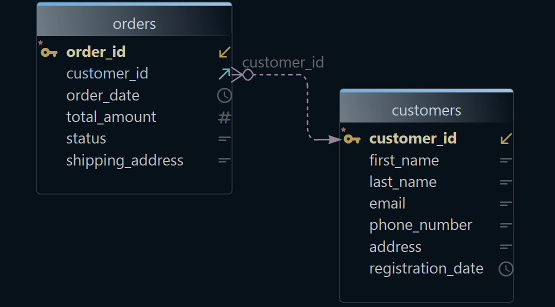
T-SQL is the SQL language of SQL Server, and the SQL Editor runs it. A schema is the structure of a database: its tables, columns and the links between them. DbSchema shows that structure as an ER diagram, short for entity-relationship diagram, with tables as boxes and their links as lines.
One app on every laptop
DbSchema installs on macOS from a
.dmgfile and on Linux from a.sh,.debor.rpmpackage. It downloads the SQL Server driver on the first connect.Kerberos from a menu
DbSchema signs you in with Kerberos, the login system behind Windows networks. You pick Java Kerberos in a menu, instead of typing driver settings.
T-SQL with auto-complete
The SQL Editor suggests table and column names while you type. It is in every edition.
Schema changes you read first
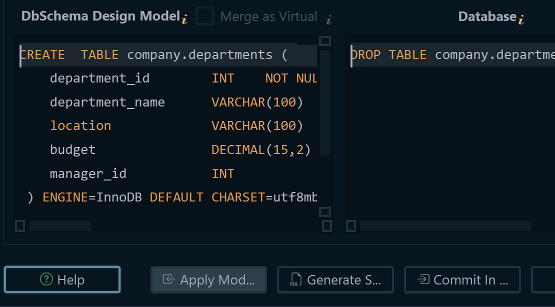
DbSchema Pro keeps the design in a model file. Schema synchronization compares it with the server and writes the SQL script.
The same app for your other databases
PostgreSQL, MySQL, MongoDB and the other supported databases, more than 100 in all, open in the same connection dialog.
Then, in DbSchema Pro:ER diagramModel fileCompareDocumentation
Key takeaways
- On a Mac with an Apple chip, connect to a SQL Server elsewhere; Microsoft's container needs an Intel or AMD processor.
- Encryption and the Windows login are the two settings to check first, and both errors have known fixes.
- Model files, compares and change reports keep schema changes reviewable in DbSchema Pro.
What users say
The schema synchronization feature is also great for environments where you want to apply the schema to multiple databases. … it can run on Windows, macOS, and Linux.
I like how schema synchronization has been useful when clients discuss changes to their existing systems.
Where the server runs matters on a Mac
You may also want SQL Server itself on your laptop, for testing. Microsoft ships SQL Server for Linux as a Docker container. Docker runs small, self-contained Linux systems, called containers, on your computer.
These containers are supported only on x86-64 processors, the 64-bit chips from Intel and AMD. Emulation such as Rosetta 2, Apple's translation layer for Intel apps, is not tested or supported[2]. On a Mac with an Apple processor, connect DbSchema to a server elsewhere: a Linux or Windows server on your network, or Azure SQL, Microsoft's cloud version of SQL Server.
On a Linux laptop with an Intel or AMD processor, the container is one command:
SQL Server 2025 in Dockerx86-64 Linux
docker run -e "ACCEPT_EULA=Y" -e "MSSQL_SA_PASSWORD=<password>" \
   -p 1433:1433 --name sql1 --hostname sql1 \
   -d mcr.microsoft.com/mssql/server:2025-latest
Replace <password> with at least eight characters from three of these sets: uppercase letters, lowercase letters, digits, symbols. Otherwise SQL Server stops. -p 1433:1433 makes the container's port 1433 reachable as port 1433 on your laptop. ACCEPT_EULA=Y accepts Microsoft's licence terms.
DbSchema connects toCommunity
Host: localhost
Port: 1433
User: sa
The sa login is SQL Server's built-in administrator account.
Two connection settings to check first
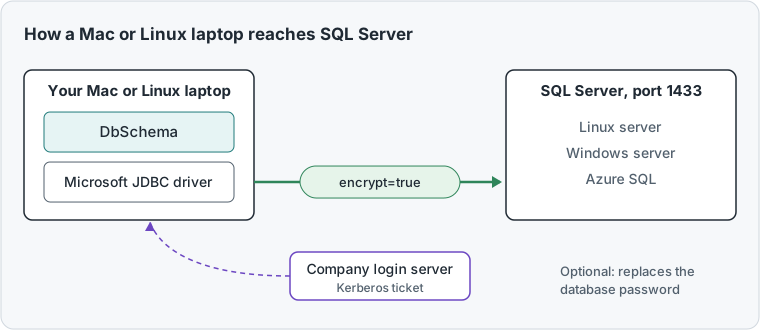
DbSchema talks to SQL Server through Microsoft's JDBC driver, a small Java library for one kind of database. Check two of its settings before the first connection.
Encryption. With encrypt=true, the driver encrypts the connection and checks the server's certificate. A certificate is the server's signed proof of its name. A test server often has a self-signed certificate: the server signed it itself, so no trusted authority vouches for the name. For such test servers, Microsoft documents trustServerCertificate=true: the driver then skips the certificate check[3]. Keep the check on for production.
The Windows login. Your company may sign you in to SQL Server with your Windows account instead of a database password. On macOS and Linux, DbSchema does this through Kerberos, once you hold a Kerberos ticket, a short-lived proof of your company login[4]. The Kerberos guide shows how to get one.
Both messages below come from TLS, the standard that encrypts the connection; SSL is its older name. If the first connection shows one of them, the fix is known.
What it means
The host name you typed is not the name in the server's certificate.
Fix
Connect with the name in the certificate. On a test server, set trustServerCertificate=true.
What it means
An old server, such as SQL Server 2012 without its updates, offers only TLS 1.0 or 1.1. DbSchema's Java refuses both.
Fix
Install the server's TLS 1.2 update. If it can't change, tick Edit → Settings → Network → SSL Certificates → Allow Legacy TLS Algorithms in DbSchema and restart.
The second fix lowers security for every connection DbSchema makes, so use it only for that server.
Connect SQL Server in DbSchema, an SSMS for Mac alternative
Connecting needs no licence. Connecting and importing only read from the database and change nothing in it.
-
Install and start DbSchema Community
Download DbSchema for macOS or Linux and run the installer. Choose File → New Model, and keep Connect to Database selected.
-
Choose SQL Server Community
Click SQL Server, or Azure SQL for a cloud database. On the right, choose New Connection, then press Connect to SQL Server. The connection dialog opens.
-
Fill in the server Community
Choose the Method SQL Database Login, then Remote computer or custom port. Fill in the server host, the port, the database user and the password.
-
Sign in with your Windows account (optional) Community
Open the Network and Driver tab and press the pencil next to SSL & Parameters. Choose Authentication → Integrated Security Scheme → Java Kerberos. Integrated Security Scheme is the driver setting that decides how your Windows account signs in. The eye button next to it shows the full URL that DbSchema connects with.
-
Test, connect and import Community
Press Test Connection, then Connect. In Reverse Engineer the Database, tick the schemas you want and press Import. DbSchema draws the tables as a diagram.
A Where the server runsKeep the Method SQL Database Login and choose Remote computer or custom port. Then type the server's DNS name or IP address and the port, 1433 unless your admin says otherwise.
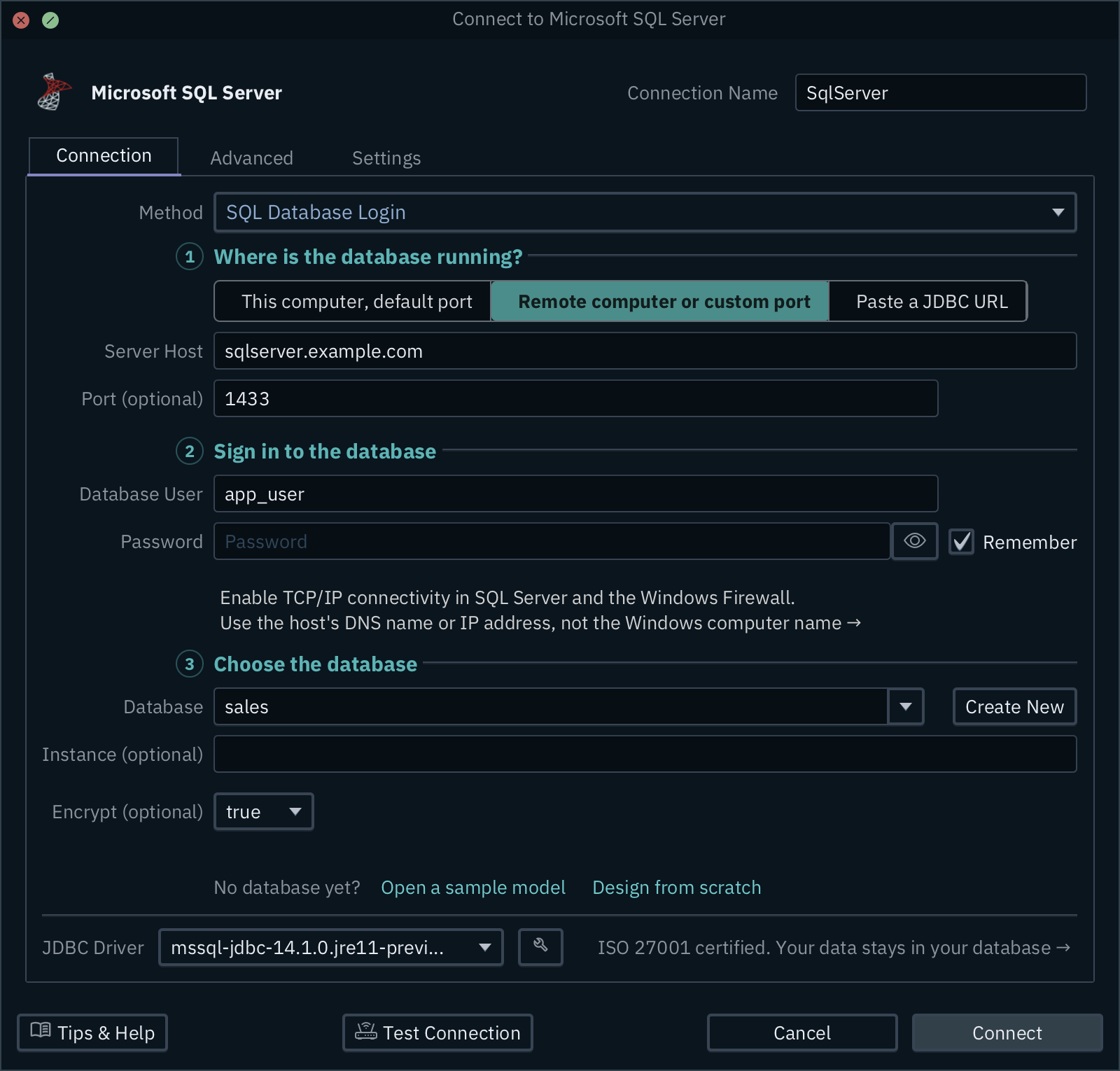
C Encrypt (optional)Set to true, the driver encrypts the connection and checks the server's certificate.
D Test ConnectionChecks the host, the login and the driver before you press Connect.
B Database user and passwordThe SQL Server login your admin gave you. Tick Remember to keep the password for the next connection.
To run T-SQL, choose Query → SQL Editor, type the query and press Run, or Ctrl+Enter. The rows appear in a grid under the editor. An UPDATE or DELETE you run stays in an open transaction, a group of changes the database keeps private, until you press Commit or Rollback. The save button of the result grid writes the rows as CSV, JSON or Excel.
Compare SQL Server schemas on macOS and Linux
DbSchema gives you more than a query window: it gives you the model, your own copy of the design, kept in a .dbs file outside the server. Comparing that model with a database needs DbSchema Pro[5].
- Work offline. Choose Database → Offline (connect later). Your edits stay in the model file until you compare.
- Compare with the server. Connect again and choose Compare. Synchronize Model and Database lists every difference, and Generate SQL script writes the statements without running them.
- Compare two environments. Model → Compare Model with Other Model From File compares your model with another
.dbsfile, such as the schema of the test server. - Keep a report. Export Report writes the differences as HTML or Markdown, to keep with a release.
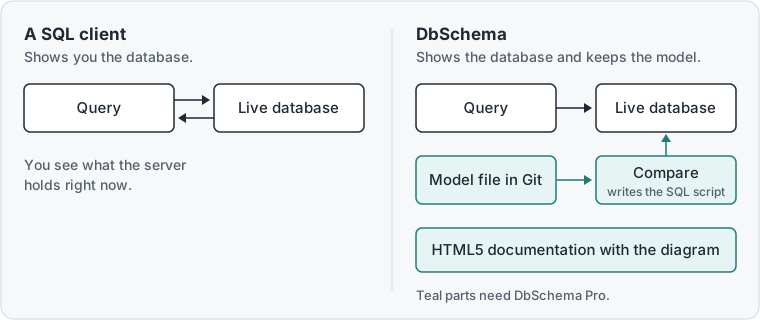
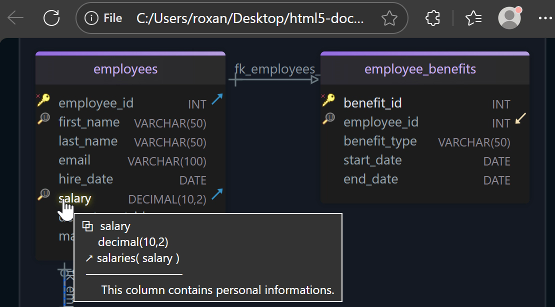
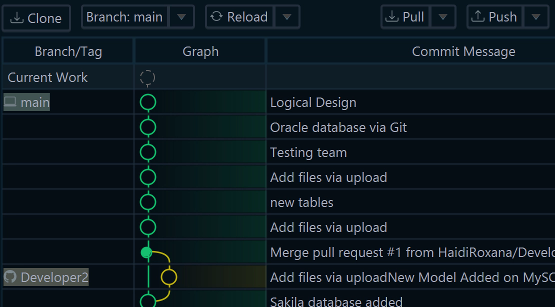
The model file also goes into Git, which stores every version of a file: File → Git Collaboration opens it, so a colleague reviews a schema change like code. File → Export As... → HTML5/PDF Documentation writes the schema documentation with the diagram, for readers without a SQL Server login. And the Query Builder builds a SELECT while you click tables on the diagram.
Which DbSchema edition fits you
DbSchema Pro fits you if you change the SQL Server schema with a team. The design lives in a model file, and schema synchronization shows every difference before it reaches the server. The documentation is one page anyone can open. DbSchema Architect fits database developers who live in stored procedures, small programs saved in the database. Its flow diagrams, generated from your SQL, show which procedures read and write each table. The pricing page lists the editions and their prices[6].
Download DbSchema on your Mac or Linux laptop, try all features free for 15 days and connect it to SQL Server. The Community Edition stays free for any use after the trial. For schema work in a team, choose DbSchema Pro.
Frequently asked questions
Is there SSMS for Mac?
No. SQL Server Management Studio runs only on Windows. On a Mac, DbSchema takes its place for daily work: the connection steps above are the same as on Windows, and Kerberos gives you the Windows login.
Can I draw a SQL Server database diagram on Linux?
Yes. DbSchema reverse-engineers the database on Linux and draws its tables and foreign keys. Large schemas and logical design are covered in SQL Server database diagrams with DbSchema.
Sources
- Microsoft Learn, What's happening with Azure Data Studio, and the SQL Server Management Studio FAQ (learn.microsoft.com), read 19 November 2026.
- Microsoft Learn: Run SQL Server Linux container images with Docker, read 19 November 2026.
- Microsoft Learn: Connecting with encryption, JDBC Driver for SQL Server, read 19 November 2026.
- DbSchema documentation: Connect to a database
- DbSchema documentation: Schema synchronization
- DbSchema purchase page, read 19 November 2026.
Query and design SQL Server from your Mac or Linux laptop
DbSchema connects to SQL Server and Azure SQL on Windows, macOS and Linux. DbSchema Pro adds the model file, schema synchronization and documentation. Try all features for 15 days.