Why Version a Schema at All
For the engineering manager or lead deciding whether schema changes deserve the same version control as application code.
On this page
Your services ship from tags and your infrastructure lives in code, but the database still changes when somebody on the call decides it has to. Put the schema under version control and one file in the repository holds the structure you intend, so a change gets reviewed before it runs and the deployment script comes from the file rather than from somebody's hands. The database earns that treatment more than anything else in the stack, because you cannot redeploy it from a commit: it holds data, and every change lands on top of the last one.
What schema versioning looks like on a real change
A team adds multi-factor authentication, which needs one boolean flag on an existing table. Without a versioned schema, that flag is an ALTER TABLE somebody runs on staging and forgets to put in the production runbook, and the first production request that selects the column fails.
With the design saved as a plain XML .dbs file, the same change is a commit, and this is what the reviewer sees:
 <table name="users" >
   <column name="password_hash" type="varchar" length="255" mandatory="y" />
+  <column name="is_mfa_enabled" type="boolean" mandatory="y" defaultValue="false" />
 </table>
The name is_mfa_enabled, the boolean type, the fact that the column is mandatory, and the false default that will fill it for every existing row are all on the plus line. A reviewer approves or rejects that before any DDL reaches a database, and the same four attributes are what the deployment script will be generated from later.
The workflow around that diff is short. Change the table in the model file, open a pull request and let a colleague read the diff, generate the DDL for each target database from the difference between the model and that database, and run it against a throwaway database in continuous integration before it goes anywhere real. Reading a Git diff on a .dbs model file is what makes the middle step possible, and the rules for making the generated DDL safe to run are in turning a schema diff into a safe migration script.
Semantic versioning in plain terms
Semantic Versioning is a specification built on a three-part number, MAJOR.MINOR.PATCH, where each increment says what changed and whether it stays backward compatible[1]. It exists so that a consumer can decide from the number alone whether an upgrade needs work.
| Segment | Increments when | For the consumer | Example |
|---|---|---|---|
| MAJOR | An incompatible API change | Must update | Removing an endpoint |
| MINOR | Backward compatible functionality | Nothing to do | Adding an optional parameter |
| PATCH | A backward compatible bug fix | Nothing to do | Fixing a calculation |
That contract is why a dependency declared as ^2.1.0 can resolve to 2.4.1 without anyone reading a changelog. It works because the artifact being versioned is replaceable. A database is not, and the second half of this article is about what changes when the thing you version holds state.
The three schema levels, and which one you version
The word schema covers three levels of the same design, usually called conceptual, logical, and physical. The conceptual level names the things the business cares about and how they relate, with no engine chosen. The logical level is logical design in DbSchema's sense: modelling what data exists and how it relates before committing to a database engine, with its own vocabulary, where a table is an entity, a column is an attribute, and a foreign key is a relation. The physical level is the same design expressed for one engine, with data types, indexes, storage choices and the exact DDL that creates it.
Version control belongs on the physical level, without exception. The conceptual and logical models guide the argument about what the design should be, and they are worth keeping, but the physical schema is the one that produces statements a database executes. A disagreement at the conceptual level is a discussion in a meeting. A disagreement at the physical level is a query that returns the wrong column type at two in the morning.
What database version control actually means
Database version control means the structure of a database at any moment corresponds to a state you can name, find in the repository, and reproduce. Every table creation, column change, index and constraint is in that history, with the commit and the author attached, for every environment.
The reason it is harder than versioning code is that a schema cannot be replaced, only transformed. Deploying a new build of a service replaces the running binary, and a failed deploy is undone by starting the previous image. Nothing about a database works that way.
| Dimension | Application code | Database schema |
|---|---|---|
| What a deploy does | Replaces the artifact | Transforms the artifact in place |
| Rollback | Redeploy the previous image | Run a compensating script |
| Two versions at once | Normal during a canary rollout | One shared structure |
| Worst failure | An error response | Data that no longer exists |
Because the rows have to survive every structural transition, a schema change is a one-way operation that you plan rather than an artifact you swap. Knowing which version each database is at is what tells you which transition is safe to run next.
How to handle schema versioning
The schema change belongs in version control next to the application code that needs it, and the pipeline needs a record of which change has run against which environment. Four phases follow from that, and they are the same four you already apply to code.
- Make the change in the design model, and decide whether it is additive, such as a nullable column, or destructive, such as a drop or a narrowing type change. The two need different deployment plans.
- Open the pull request with the changed model file, and read the index choices, the constraint names, the lock the change will take, and whether the currently deployed application still works against the new shape.
- Get one named person to sign off, having checked the change against your naming conventions and against what the operations schedule allows that week.
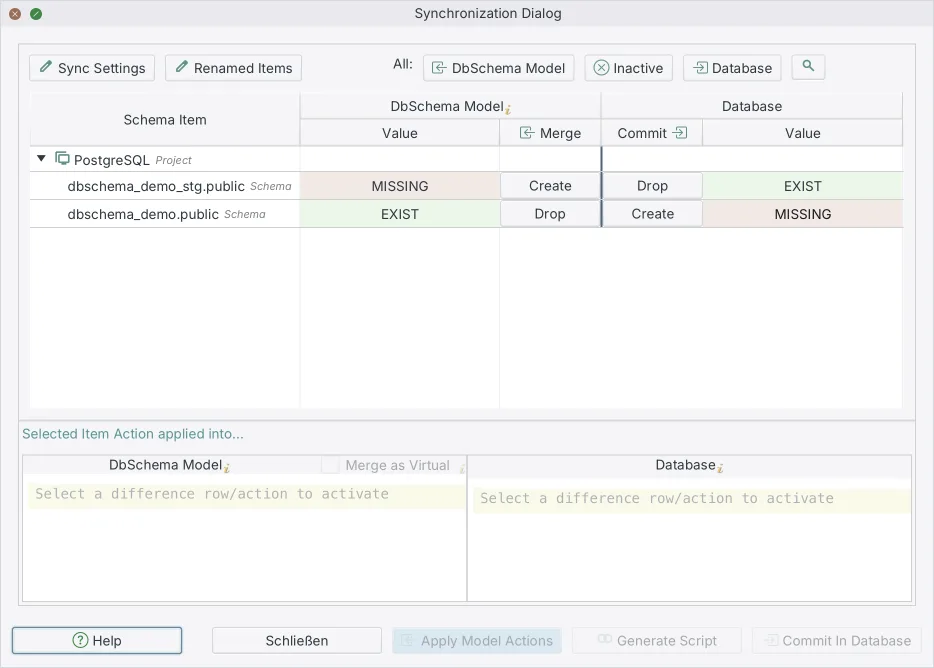
- Run the generated script against development, then staging, then production, and compare the model against each database afterwards.
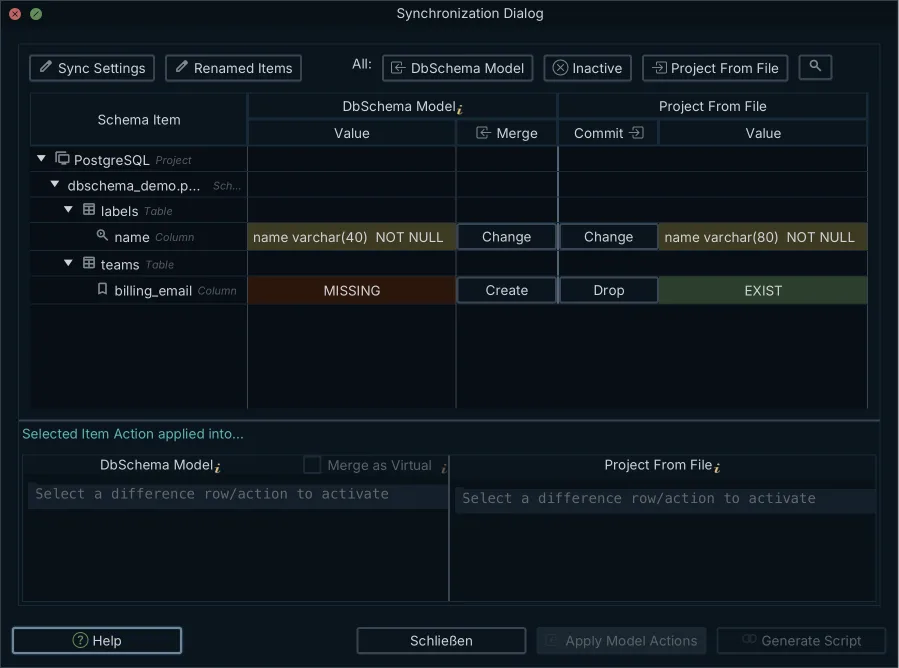
Steps 1 to 3 change the model file and nothing else. Step 4 is where the database changes, and the script it runs comes from a comparison rather than from anybody's memory: DbSchema puts the model next to the live catalog in the Synchronization Dialog and generates the ALTER statements from the differences, which is the practical work described in comparing two database schemas.
Why semantic versioning falls short for a database
Semantic Versioning gives you a way to retire an interface: mark it deprecated in a minor release, let old and new consumers coexist, and remove it in the next major one[1]. Removing a column does not work like that, because the column holds the only copy of its data.
Three things break the analogy. Old and new application instances run at the same time during a rolling deployment, and both talk to one database, so the schema has to satisfy both versions at once rather than one at a time. A dropped column is not recoverable by checking out an earlier tag, since the tag restores the definition and not the values. And a change that a version number would present as a single step is in practice a sequence: add the new column, backfill it, write to both, move the reads, and drop the old column only once nothing references it.
So a database version is a position in a sequence of transitions rather than a compatibility promise. A timestamp or an increasing number attached to each change tells you what has been applied and what comes next, which is the question you actually ask during a deployment.
The bottlenecks versioning removes
Manual database changes slow a team down in a specific way: they make every release conditional on somebody knowing something. Whether the column is on staging, whether the index was ever created in production, whether last month's hotfix was written down. Each of those is a question a version-controlled schema answers by being read.
What that buys you is worth stating plainly. Pipelines apply a script that was generated and reviewed rather than assembled during the deployment window. Comparing the model against a live database finds the edits that were made outside the process, which is the only way to find them at all. Structural changes get reviewed by the same people and in the same place as the code that depends on them. And every change is attached to a commit, an author, and a pull request, which is what an auditor asks for and what you want six months later when the question is why a column exists. All of it starts with putting the database schema in Git.
DbSchema models and deploys schemas across 70+ SQL and NoSQL databases. Download it at https://dbschema.com/download.html, connect to the database you are least sure about, and reverse-engineer it into a diagram to see what is actually there. Connecting, reverse-engineering and the interactive diagram are in the free Community Edition; saving that design to a .dbs file and schema synchronization are Pro Edition features.
Frequently asked questions
What is database version control?
Database version control means every structural state of a database corresponds to a commit you can find, read and reproduce. The practical test is whether you can say which version each environment is at without connecting to it and looking.
Why do databases need version control?
A database structure is transformed in place rather than replaced, so a change nobody recorded stays in it until something breaks against that change. The section on what database version control means sets that against deploying application code, dimension by dimension.
How does schema drift impact data reliability?
Drift means two environments disagree about structure, and the failures it causes are the quiet ones. A column that is numeric(10,2) on one instance and float on another gives two different answers to the same report, with no error raised anywhere.
What is a schema migration script?
A migration script is the set of DDL statements that moves a database from one schema version to the next. When it is generated from the difference between a design model and a live database, it contains only the statements that database is missing, which is why the same model produces different scripts for staging and for production.
Why is semantic versioning challenging for databases?
Semantic Versioning assumes a deprecated interface can coexist with its replacement until a major release removes it[1]. A column cannot: dropping it deletes the data, and restoring the earlier definition restores an empty column.
How does Git integrate with database schema versioning?
DbSchema saves the design as a plain XML .dbs file, so Git tracks it like any source file and a schema change appears as a line-by-line diff in a pull request. The commit history then carries the author and the reason for every column and table.
Sources
Open the model against your own database
Download DbSchema, reverse-engineer your existing database into a design model, and diff it in Git. Connecting, reverse-engineering, interactive diagrams and the SQL editor are in the free Community Edition; saving the model to a .dbs file and schema synchronization are Pro Edition features.









