Your MySQL schema, modeled and versioned

MySQL Database Designer: ER Diagrams, Schema Design, and SQL

DbSchema is a desktop MySQL GUI for Windows, macOS, and Linux: reverse engineer the schema into an interactive ER diagram, edit tables visually, and roll out reviewed changes to every environment.

  • Turn a live MySQL database into a browsable ER diagram in minutes
  • Draw tables and foreign keys on the canvas — DbSchema writes the DDL
  • Diff two databases and get the exact ALTER statements between them
  • One workflow for MySQL, MariaDB, and Aurora MySQL

Free Community Edition No signup required 15-day Architect trial included
Free Download

Trusted by teams at
The Database Behind Your Web App
Outgrew the Scripts That Built It

MySQL runs more web applications than any other open-source database, and most of those schemas grew table by table, hotfix by hotfix. Foreign keys drift, indexes multiply, and the only map is in one developer's head.

DbSchema turns that schema into a shared visual model — one diagram set, one documentation site, one review flow for every change.

A MySQL Client Built Around the Schema,
Not Just the Query Tab

Discover, redesign, and deploy — the whole schema lifecycle in one desktop tool.

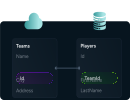

Reverse engineer a MySQL schema into an ER diagram
See the Schema Behind the Application

Connect and DbSchema discovers every table, foreign key, index, and constraint automatically, then lays them out as a diagram you can rearrange to match your domain.

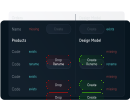
Compare and synchronize MySQL schemas across environments
Keep Dev, Staging, and Production in Step

Compare two MySQL databases — or the model against a live one — and get the exact ALTER, CREATE, and DROP statements that close the gap, reviewed before anything executes.

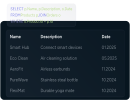
MySQL SQL editor with autocomplete in DbSchema
An Editor That Knows Your Tables

MySQL-aware autocomplete suggests table names, columns, functions, and keywords as you type; run the statement and inspect results without leaving the window.

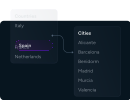
Explore MySQL data across related tables
Follow a Row Across Tables

Browse and filter data through foreign keys — real or virtual — and edit records inline, instead of writing one-off SELECT queries for every lookup.

Generate test data for a MySQL database
Test Data That Looks Real

Fill development and QA databases from reusable patterns and rules, so features are tested against plausible data instead of three hand-typed rows.

Generate HTML5 documentation for a MySQL database
Docs a New Teammate Can Open on Day One

Export searchable HTML5 documentation — diagrams, table and column comments — that reads in a browser, with nothing for the reader to install.

One shared model instead of tribal knowledge.

The Live Database Is a Poor Place
to Draft Schema Changes

DbSchema keeps the design in a model file next to your code. Draft there, review there, and let the server receive only what survived the review.

Draft MySQL schema changes offline
Draft Offline

Change the model freely — the production server never notices a draft.

Version the MySQL schema in Git
Version in Git

Schema history sits next to code history, reviewable in pull requests.

Read the generated MySQL ALTER statements first
Read the ALTER First

The generated statements are shown in full before they run anywhere.

Apply reviewed MySQL changes per environment
Roll Out in Order

Apply the approved change to each environment, one deliberate step at a time.

Migrations Without
the Guesswork

Keep the model in the repository, let reviewers comment on schema diffs like any other change, and generate the migration script from the approved version instead of writing ALTER statements from memory.

MySQL schema synchronization between the Git model and database instances

Answer "What's in This Table?"
Once, for Everyone

Publish the model as interactive HTML5 documentation: searchable diagrams, column comments, and hover details that analysts and new team members browse on their own. The MySQL documentation guide walks through the export step by step.

Explore the Documentation Tool

Interactive HTML5 documentation generated from a MySQL schema

Ask in English, Get MySQL Back

The AI Assistant writes the query you describe, explains the one you paste in, and suggests the index a slow report is waiting for — grounded in your design model, so it speaks in your table names.

See What the AI Assistant Can Do

DbSchema AI assistant generating MySQL from a plain-English question

Watch: A MySQL Schema
Becomes an ER Diagram

Connecting to MySQL and designing the schema (5 min). DbSchema downloads the MySQL Connector/J JDBC driver automatically on first connect; there is also a written guide to creating MySQL ER diagrams.

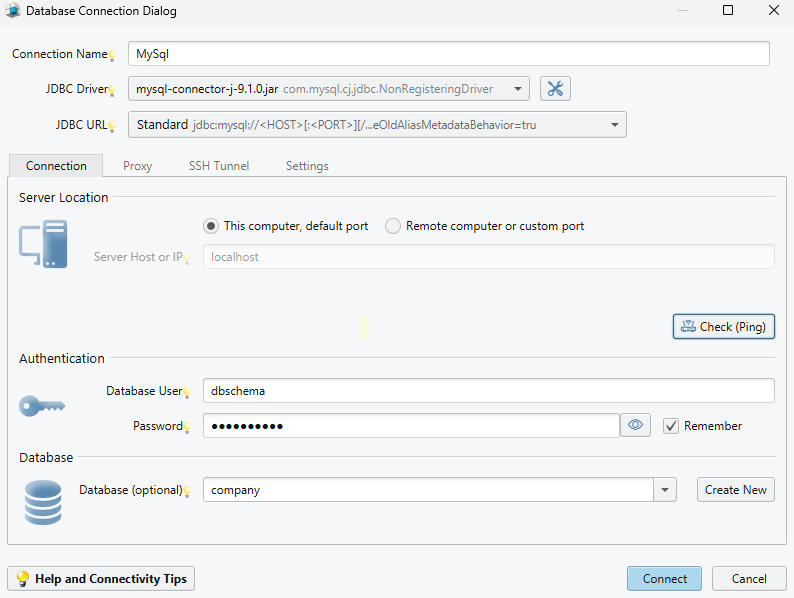
DbSchema database connection dialog for MySQL with JDBC driver and SSH tunnel options

MySQL listens on port 3306 by default, with URLs of the form jdbc:mysql://host:3306/dbname. For remote servers, set a non-loopback bind-address in my.cnf and grant the user access from the connecting host — GRANT ALL ON dbname.* TO 'user'@'app-host', avoiding '%' outside development. Append ?sslMode=REQUIRED to enforce TLS with Connector/J 8.x; SSH tunnels are configured right in the connection dialog. MariaDB and Aurora MySQL follow the same steps.

DbSchema vs MySQL Workbench

MySQL Workbench is Oracle's official free tool and a solid administrator's companion. DbSchema concentrates on the design half of the job and works across engines: administer the server with Workbench, design and document the schema with DbSchema — plenty of teams run both.

DbSchema MySQL Workbench
Supported databases 100+ — MySQL, MariaDB, PostgreSQL, SQL Server, MongoDB, Snowflake, and more MySQL
ER diagrams and visual schema design Yes, with multiple layouts per schema Yes (EER diagrams)
Offline design model versioned in Git Yes — model file with built-in Git integration (Pro) Model file is not designed for diff-based review
Schema compare and migration scripts Compare any two databases or model versions and generate reviewed migration SQL (Pro) Model–database synchronization
Interactive HTML documentation Searchable HTML5 diagrams with comments (Pro) DBDoc reports
Visual query builder Yes (Pro)
Test data generator and data importer Yes (Pro)
MySQL server administration — (schema design focus) Yes — users, backup, performance dashboards
Price Free Community edition; paid Pro with 15-day trial Free

Comparison based on typical usage of MySQL Workbench 8.x; both tools evolve — check the official documentation for current capabilities.

Give Your MySQL Schema a Picture

Community handles everyday client work free; the 15-day trial unlocks the Pro features. No signup.

Tutorials and guides

Frequently asked questions

Yes. The free Community edition includes interactive ER diagrams, schema reverse engineering, visual table editing, and the SQL editor. Pro features such as schema synchronization and HTML documentation can be tested with a 15-day trial.

For schema design, documentation, and multi-database work, yes: DbSchema adds an offline design model with Git versioning, schema compare between environments, interactive HTML documentation, and support for 100+ databases. MySQL Workbench remains the official Oracle tool and is strong for MySQL server administration.

Yes. Connect to the database and DbSchema reverse engineers tables, foreign keys, and indexes into an interactive ER diagram automatically — no manual drawing needed.

Yes. DbSchema is a desktop application for all three operating systems, so mixed teams can work on the same MySQL schema model.

Yes. MySQL-compatible engines use the same JDBC workflow; see the MariaDB and Aurora MySQL guides for connection details.

Yes. DbSchema compares development, staging, and production models and generates migration scripts for review.

jdbc:mysql://host:3306/database — DbSchema can download the driver automatically on first connect.

Teams working with MySQL often use these engines too. Explore dedicated guides and JDBC setup for each.

Browse all 100+ supported databases