ERD Diagrams | MySQL Database Design and Docs with DbSchema
For a developer or DBA who runs a MySQL database and wants to see, document and change it visually; every menu path is the one the DbSchema documentation shows.
On this page
Your MySQL schema has outgrown what you can keep in your head, and the only description of it is the DDL. DbSchema connects to the server, reads every table and foreign key, and draws them as an ER diagram. From that diagram you export documentation, keep the design in Git, compare it with the live database, and browse or generate data.
Connect DbSchema to MySQL
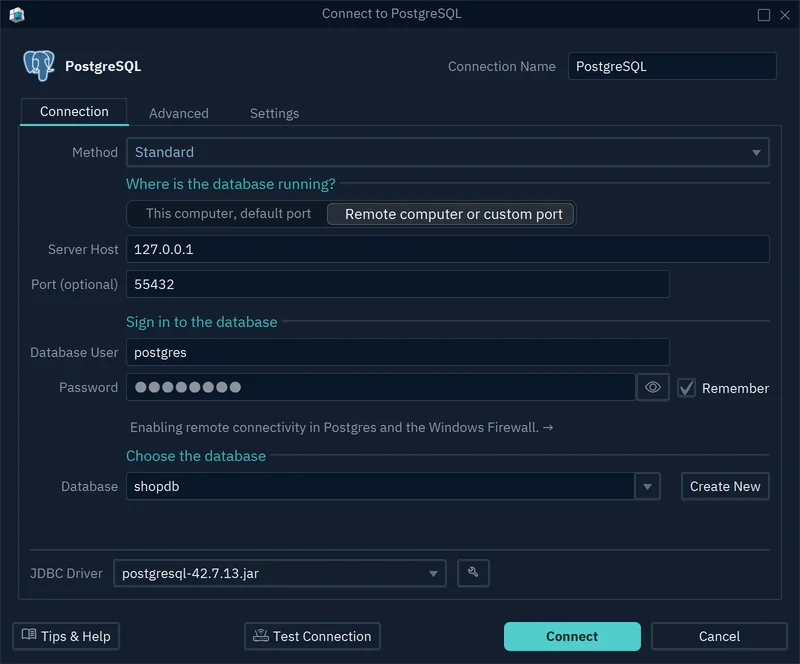
- In DbSchema, choose File → New Model and keep Connect to Database selected.
- Click MySQL, choose New Connection, and press Connect.
- For a server on your own machine, choose This computer, default port. For any other server, choose Remote computer or custom port and type the Server Host and Port.
- Type the Database User and Password, pick the Database, and press Test Connection, then Connect.
DbSchema downloads the MySQL JDBC driver the first time, reads the schema and draws the tables, without changing anything in MySQL. For a production server, tick Read Only Connection on the Settings tab of the connection dialog, and MySQL then refuses every change made through it.
Read the tables and foreign keys on the diagram
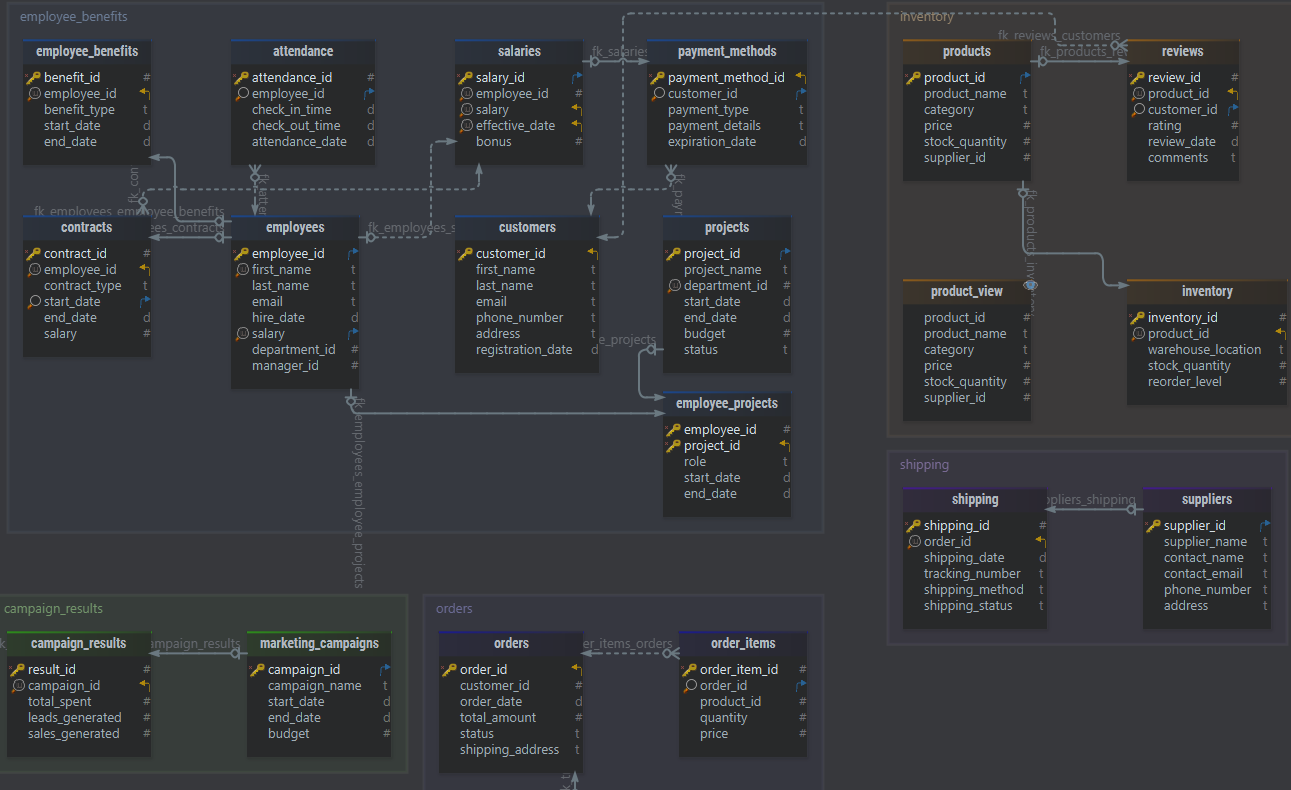
On the DbSchema diagram, each table is a box with its columns, and each foreign key is a line between two boxes. The marks at the line ends show the cardinality, such as one customer to many orders. View → Diagram Display → Column Data Type writes the data type next to each column, and View → Foreign Keys → Foreign Key Notation switches between Information Engineering, Barker and Idef1x.
A large schema reads better in parts. In DbSchema, Diagram → New Diagram (Ctrl+L) creates a diagram for one area, such as orders, and Diagram → Create Group of Tables boxes tables that belong together. A diagram changes only the model, never the database.
Draw the relationships that MySQL does not store
Only InnoDB and NDB tables check foreign key constraints. A MyISAM table accepts the FOREIGN KEY clause and throws it away:
CREATE TABLE customers (
  customer_id INT PRIMARY KEY,
  name        VARCHAR(100) NOT NULL
) ENGINE=MyISAM;

CREATE TABLE orders (
  order_id    INT PRIMARY KEY,
  customer_id INT NOT NULL,
  FOREIGN KEY (customer_id) REFERENCES customers (customer_id)
) ENGINE=MyISAM;

SHOW CREATE TABLE orders;
MySQL 9.1.0 created both tables without a warning, and orders kept only an index:
CREATE TABLE `orders` (
  `order_id` int NOT NULL,
  `customer_id` int NOT NULL,
  PRIMARY KEY (`order_id`),
  KEY `customer_id` (`customer_id`)
) ENGINE=MyISAM DEFAULT CHARSET=utf8mb4 COLLATE=utf8mb4_0900_ai_ci
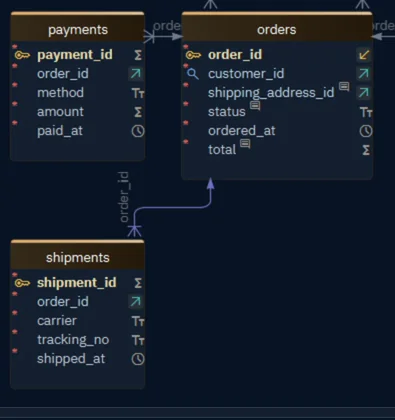
With no constraint to read, DbSchema draws no line between orders and customers. The same happens on InnoDB when nobody declared the key. Add the line yourself as a virtual foreign key: drag orders.customer_id onto customers.customer_id, tick Virtual, and press OK. DbSchema keeps it in the model and never creates it in MySQL, and the Query Builder and the Data Explorer follow it like a real one. Model → Find Virtual Foreign Keys suggests them between columns with matching names.
Export the schema as HTML5 documentation
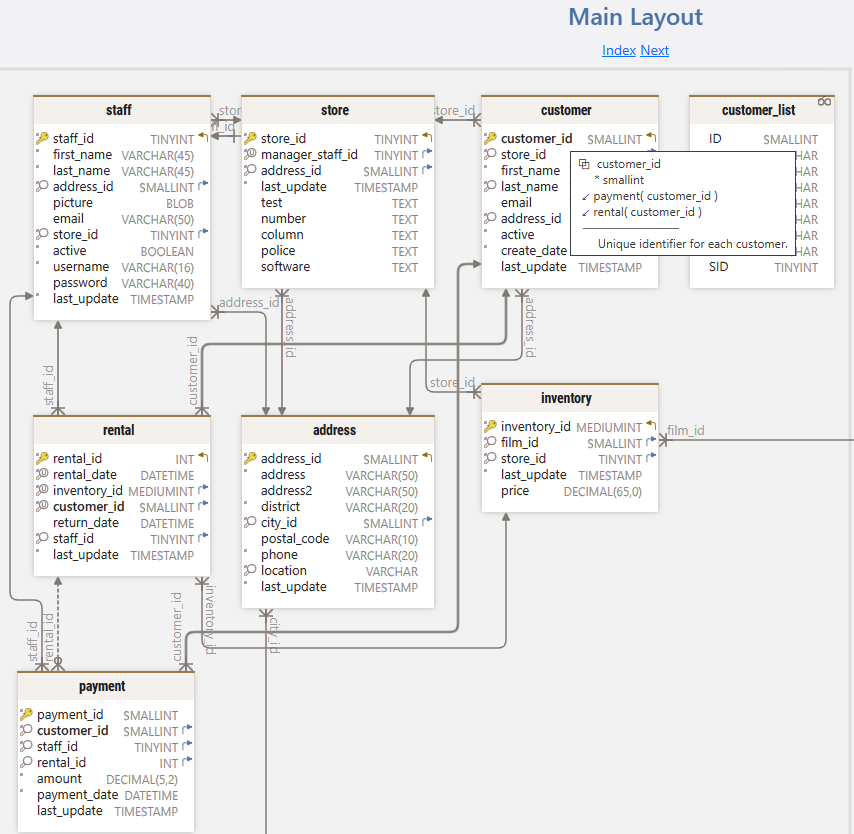
In DbSchema, choose File → Export As... → HTML5/PDF Documentation (Ctrl+D), type a Title, choose HTML5, PDF or Markdown, and press Generate. The HTML5 documentation is a single .html file that opens in any browser, with no server behind it. It holds the diagram, a search box, and a card for each table with its columns, indexes and foreign keys, so people can read the schema without an account on the MySQL server.
The text comes from your comments: double-click a table header and type in the Comment box, which columns have too. When you are connected, DbSchema writes the comment to MySQL as well. With Image Mouse-Over Tooltips ticked, the reader sees each comment by pointing at the table or column in the diagram.
Keep the model file in Git
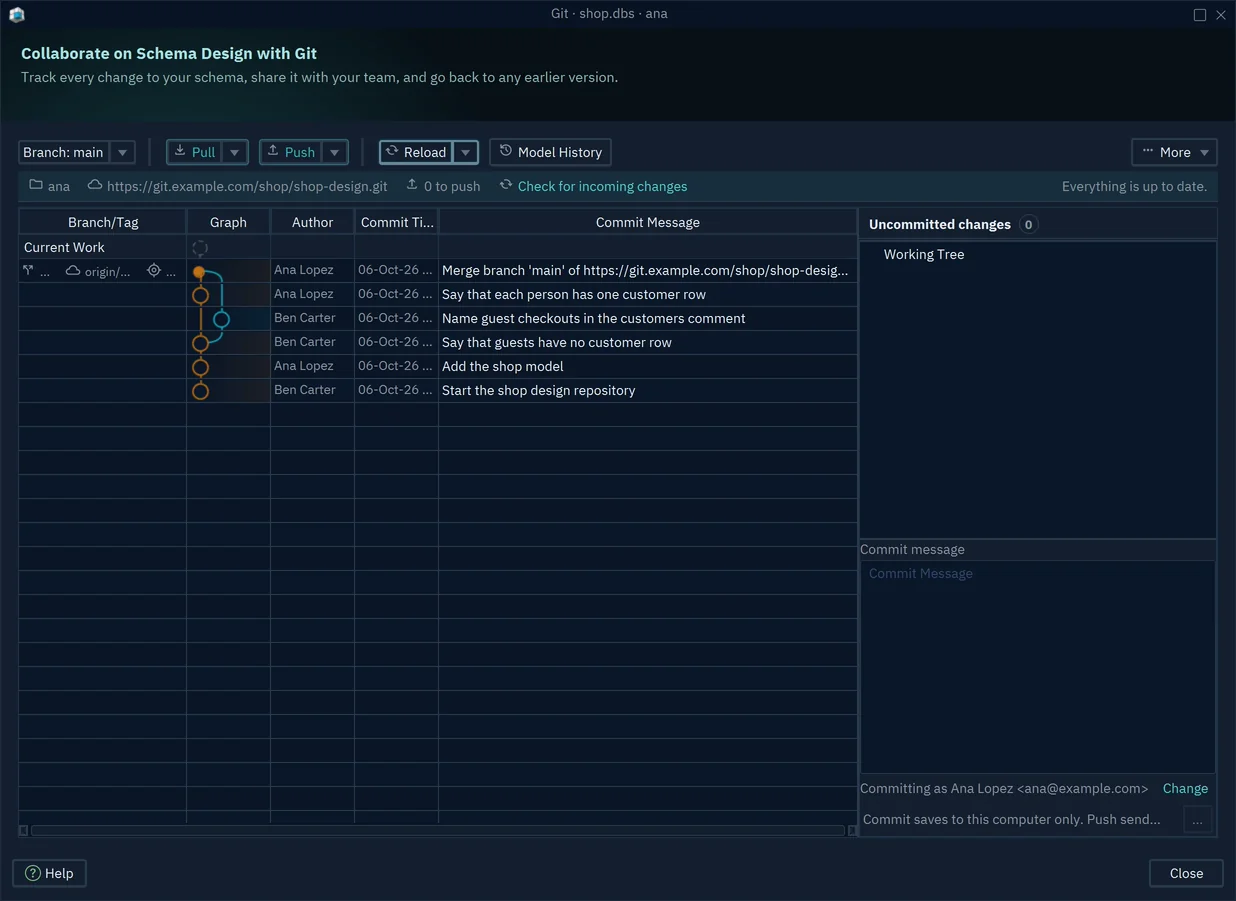
DbSchema saves the whole design, with its tables, foreign keys and diagrams, in one .dbs file. Save it with File → Save Model to File, then open File → Git Collaboration. The Git dialog clones a repository with More → Clone, commits the ticked files with your message, and has Push and Pull buttons. GitHub and Bitbucket refuse your account password there, so type an access token or app password under Credentials.
A teammate who pulls your commit presses Model History to see which tables and columns each commit changed, and Diff with Current to compare a version with the current model. Git changes only the model file; the change reaches MySQL when someone synchronizes.

Build queries with the Query Builder and the SQL Editor
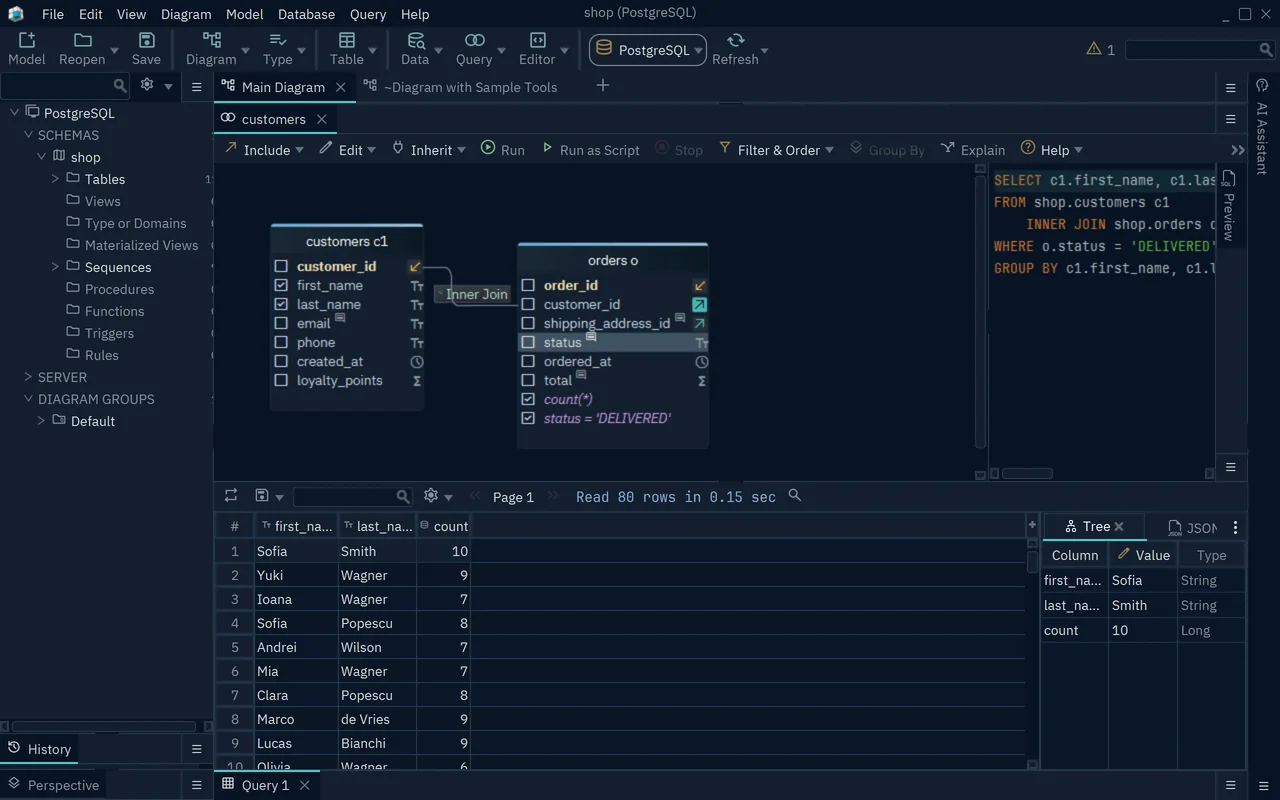
In DbSchema, right-click a table on the diagram and choose Query Editor (Ctrl+B) to open the Query Builder. Click the icon at the right of a key column and choose a linked table, and DbSchema writes the join from the foreign key. Click the join label to change it to Left Join, Full Join, Exists or Not Exists. Right-click a column for Filter, which adds a WHERE condition, or Aggregate, which adds a function such as Count(*) and a GROUP BY over the other ticked columns. Press Run to see the rows.
For SQL you write yourself, the SQL Editor (Ctrl+E) completes table and column names as you type, and Run (Ctrl+Enter) runs the statement at the cursor. An INSERT, UPDATE or DELETE waits for Commit or Rollback.
Synchronize the model with the MySQL database
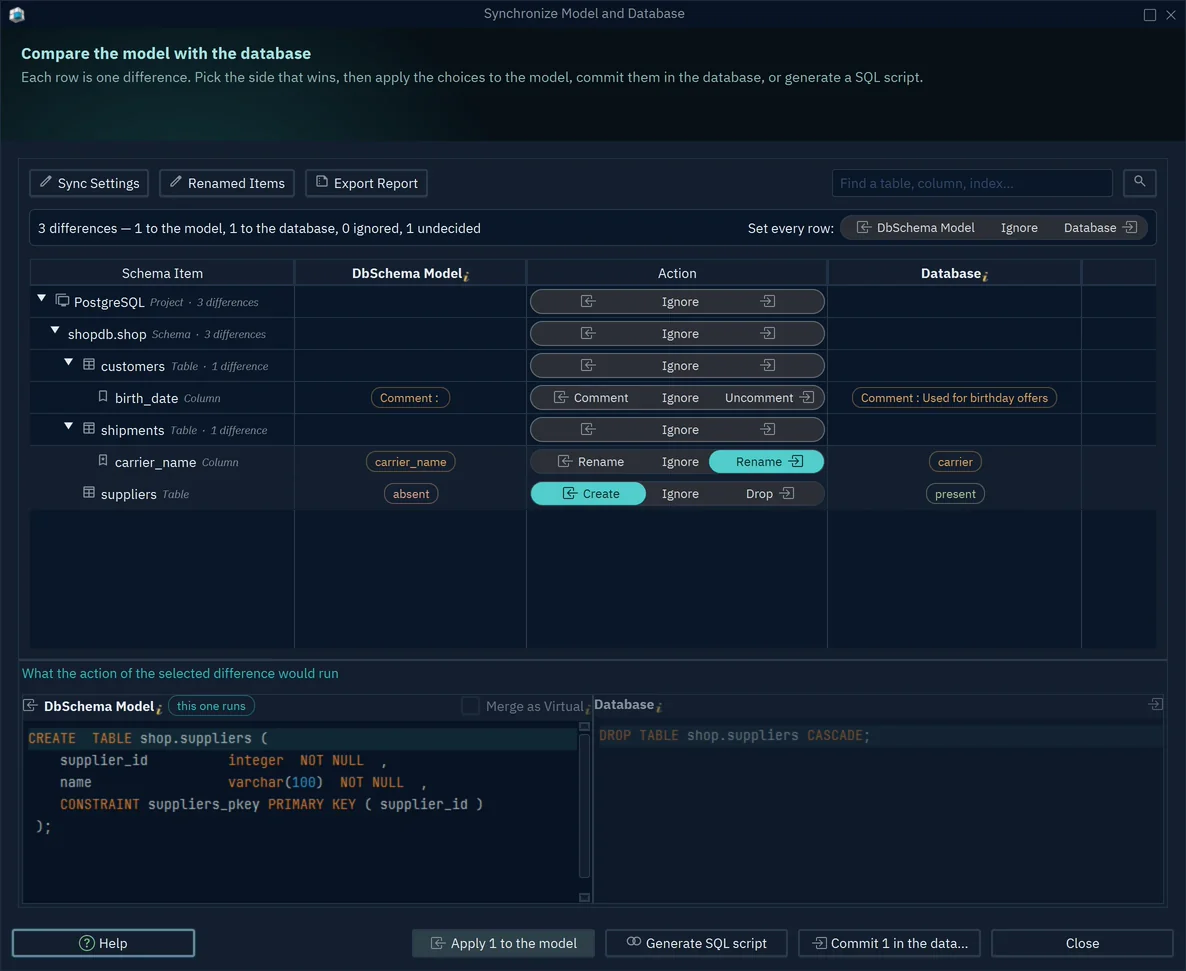
While DbSchema is connected, every table change you confirm with OK runs in MySQL at once. To design first and apply later, choose Database → Offline (connect later). Your changes then stay in the model. When you connect again, DbSchema offers Compare, then decide difference by difference, or Write the model into the database, which shows the generated CREATE and ALTER statements before they run.
After someone runs a migration on the server, Database → Refresh Model from Database makes DbSchema report the differences. In the Synchronize Model and Database dialog, you choose for each row whether the model or the database wins. Commit in the database runs the SQL, and Generate SQL script writes it to an SQL Editor or a file for review. The synchronization page covers every option.
Browse related rows in the Data Explorer
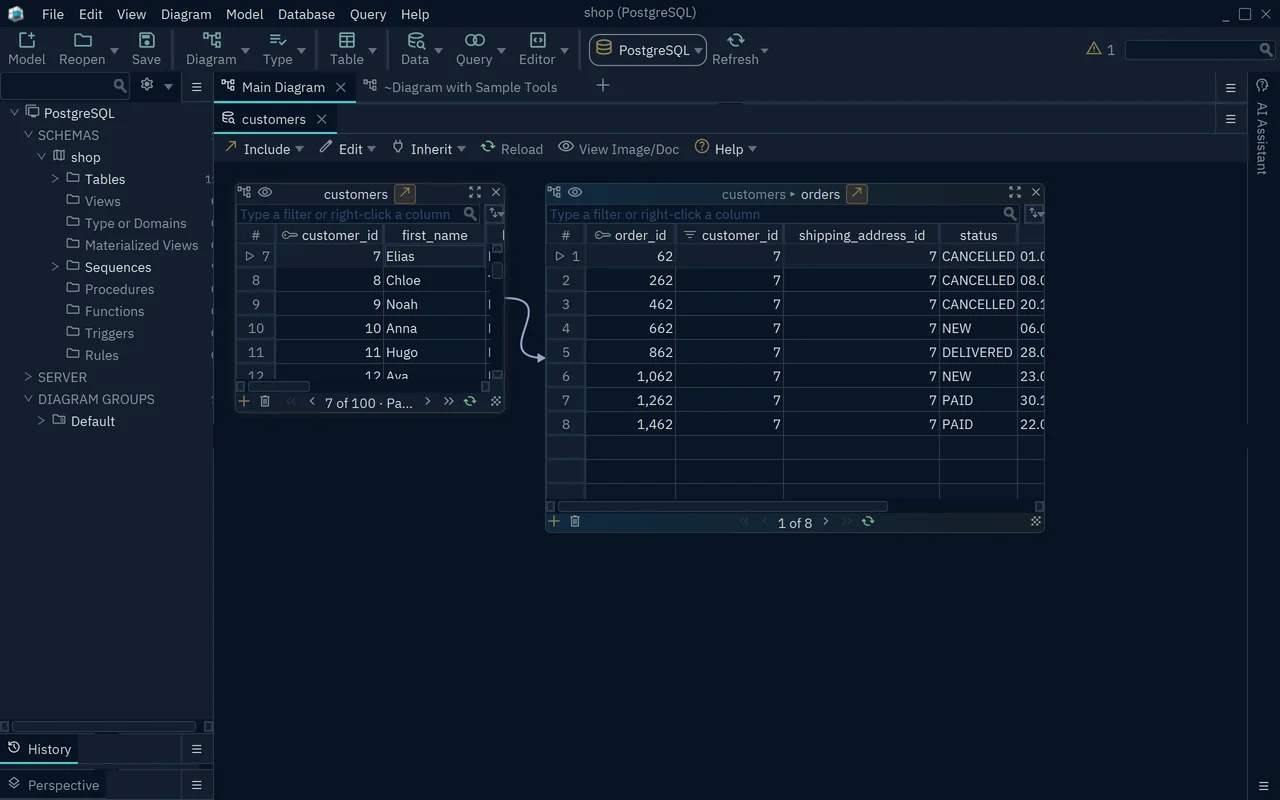
One MySQL table at a time tells you little about an order. In DbSchema, right-click a table on the diagram, choose Data Explorer, and click a row. Then click the arrow button next to the table name and pick a linked table. The Data Explorer shows the linked rows beside it, such as the orders of the selected customer, reloads them when you click another row, and follows the next foreign key the same way.
The filter box above each table takes an SQL condition, such as status = 'CANCELLED'. You can edit, add and delete rows there too; DbSchema asks you to confirm an update, then runs it in MySQL at once.
Fill the tables with test data
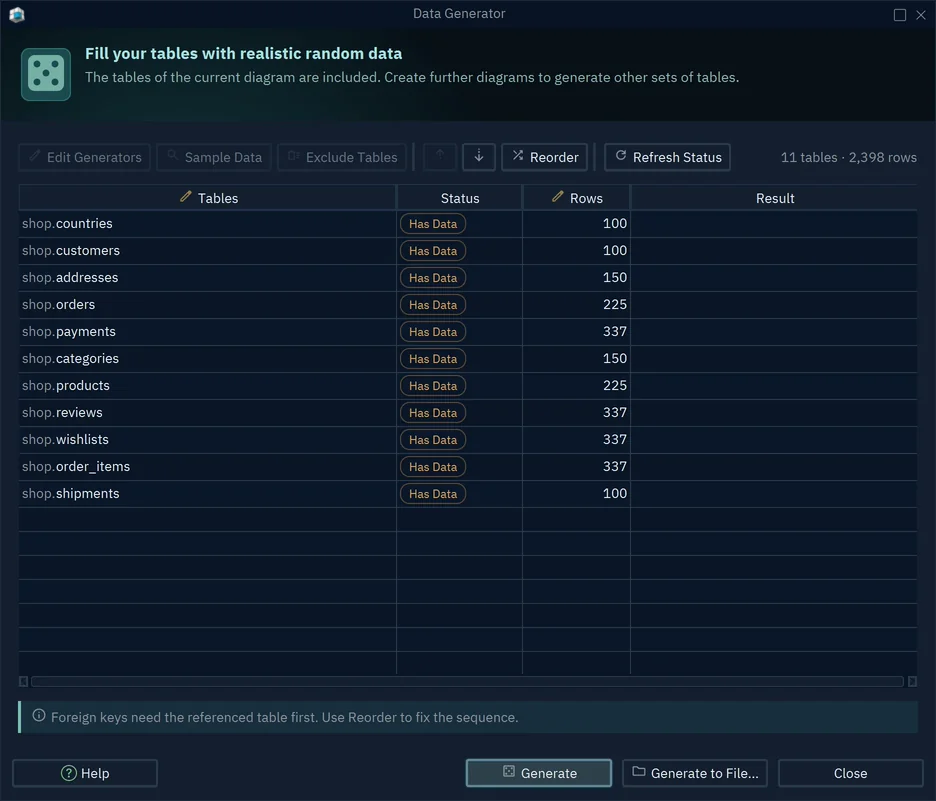
An empty schema is hard to judge. In DbSchema, choose Database → Data Generator, type the number of Rows for each table, and press Generate. The Data Generator picks a pattern for each column from its name and type, such as names, email addresses or dates. A foreign key column takes values from the parent's primary key, so parents must be filled first; Reorder sorts the tables that way.
If a table already holds rows, DbSchema asks whether to Leave Current Data or Drop Current Data; never drop on a database whose data you need. The patterns are saved in the model, and the rows go into MySQL.
To try this on your own schema, download DbSchema, connect it to your MySQL server, and open the diagram it draws. Connecting, reverse-engineering, the diagrams and the SQL Editor are in the free Community Edition. The Pro edition adds saving the model to a .dbs file, which the Git workflow needs, plus the HTML5, PDF and Markdown documentation, the Query Builder, synchronization, the Data Explorer and the Data Generator.









