Decades-old Btrieve tables, mapped today

Finally, a Schema Diagram for Your Pervasive PSQL App

Pervasive PSQL — now marketed as Actian PSQL — powers point-of-sale, retail, and manufacturing applications that have run for decades. DbSchema connects over JDBC and reverse-engineers the SQL schema into a diagram, for the systems whose designers moved on long ago.

  • Tables, columns, indexes, and inferred relationships on a visual canvas
  • Works with workgroup and client-server PSQL installations alike
  • Query the database without PSQL Control Center or the host application
  • Export HTML reports that seed migration planning and audits

Free Community Edition No signup required 15-day Architect trial included
Free Download

Trusted by teams at
Twenty Years of Transactions
Zero Pages of Schema Docs

Vertical-market applications on Pervasive PSQL tend to outlive their original designers: the Btrieve-derived engine keeps processing sales and work orders while the knowledge of why the tables look this way retires, one developer at a time.

DbSchema reads the catalog from the running database and rebuilds the missing picture — a diagram you can rearrange to match how the application really groups its data.

Recover, Inspect & Document
the Schema You Inherited

From undocumented database to navigable reference.

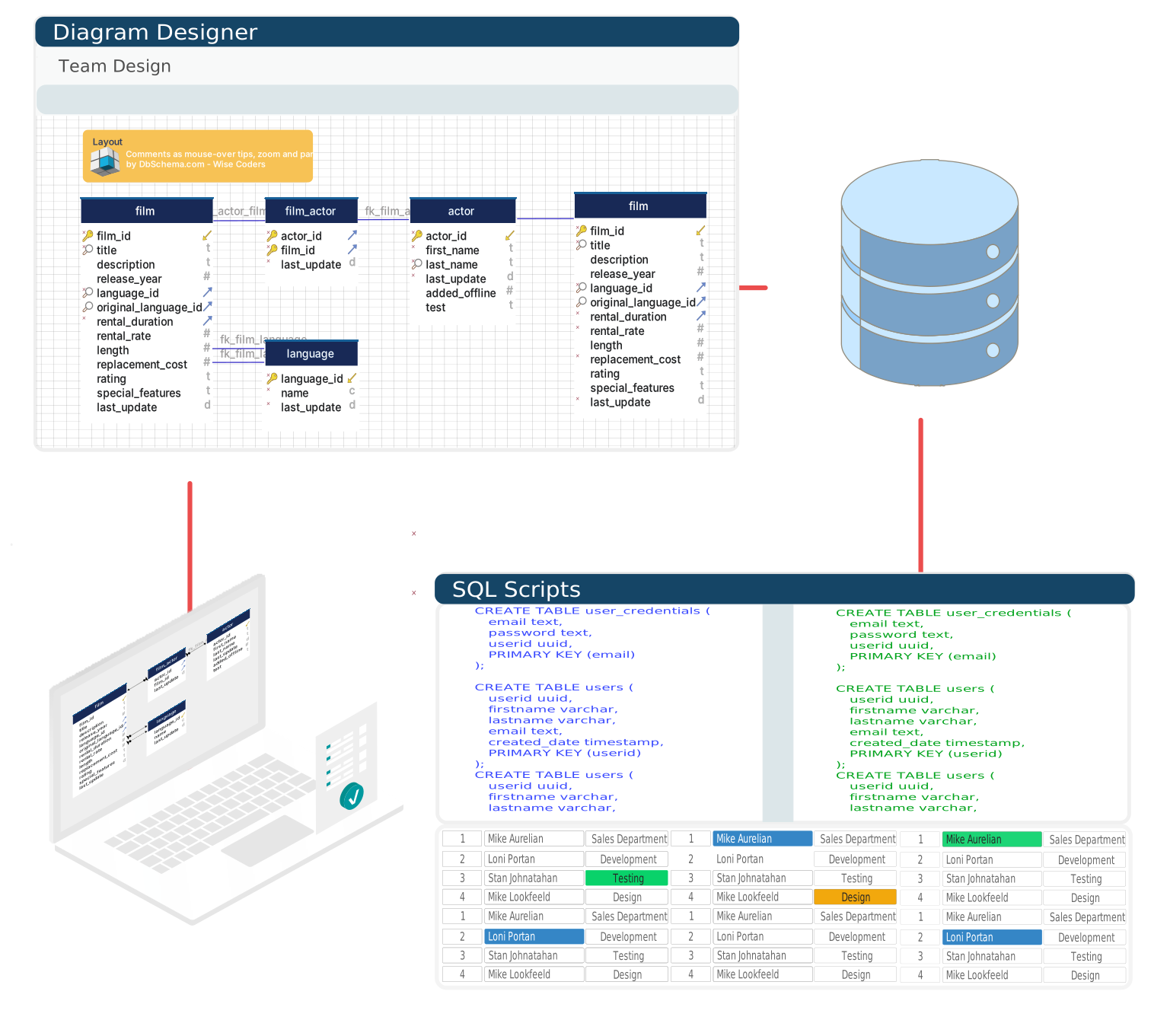
Reverse engineer a Pervasive PSQL database into a first ER diagram
The Missing ER Diagram, Rebuilt

DbSchema loads tables, columns, data types, and indexes from the PSQL catalog and draws relationships automatically — a first map for a database that never had one.

Export HTML schema reports from Pervasive PSQL for migration planning
Evidence for the Migration Case

Export the schema as navigable HTML with table listings, column definitions, and diagrams — the reference a migration plan or compliance review starts from.

Inspect Btrieve-originated column types visually in DbSchema
Btrieve Types in a Structured View

Inspect Btrieve-originated column types and constraints in a visual editor, and split the schema into focused layouts per application module.

Plan changes without touching the live application.

The POS Keeps Selling
While You Redesign in a File

DbSchema holds the schema in a model file independent of the server: study it offline, propose changes, and see the SQL a change implies before any running application feels it.

Study the Pervasive PSQL schema offline
Study It Offline

Open the model anywhere — the store's server stays untouched.

Keep the Pervasive PSQL model in Git for future maintainers
History for the Next Maintainer

Keep the model in Git so successors inherit context, not mysteries.

Review the SQL of a planned Pervasive PSQL change first
Statements Before Side Effects

Review the exact SQL of a planned change before it runs.

Move Pervasive PSQL changes between environments in steps
Change in Controlled Steps

Move approved changes between environments one at a time.

Pervasive PSQL Connection Facts

Download the Pervasive JDBC driver from the Actian developer portal and register the JAR in DbSchema's driver manager. The default server port is 1583, giving jdbc:pervasive://host:1583/dbname — the same connection works for a local workgroup engine and a remote server engine.

On Windows, PSQL also supports ODBC, but JDBC gives DbSchema direct access with no data source name configured on the client. Setup steps are on the Pervasive PSQL JDBC driver page.

Make the Legacy Schema Legible Again

Community Edition: free. Architect trial: 15 days. Signup: none.

Teams working with Pervasive PSQL often use these engines too. Explore dedicated guides and JDBC setup for each.

Browse all 100+ supported databases