SQL INSERT INTO SELECT: Syntax, Examples, and Safe Data Copy
For someone who can write a SELECT and now has to copy its rows into a table that already exists.
On this page
Reading rows out of one table and writing them into another through your application means a round trip per row and a stretch of time in which the two tables disagree. INSERT INTO SELECT does the copy in a single statement, on the server, into a table that already exists:
INSERT INTO destination_table (column1, column2)
SELECT column1, column2
FROM source_table
WHERE condition;
The values the query returns are matched to the destination columns by position, not by name.
What SQL INSERT INTO SELECT does
Everything after INSERT INTO destination_table (...) is an ordinary SELECT. It can join, filter, aggregate, and compute expressions, and the rows it produces become rows in the destination table. That is what the statement is for:
- copying rows into a backup table
- filling a reporting or staging table
- moving rows into an archive table, then removing the originals with SQL DELETE Statement
- reshaping rows during a migration to a new table layout
- combining columns from several source tables into one destination row
The examples below run against three tables:
CREATE TABLE students (
    student_id INT PRIMARY KEY,
    name       VARCHAR(50),
    email      VARCHAR(100)
);

CREATE TABLE grades (
    student_id INT,
    subject    VARCHAR(50),
    grade      CHAR(1)
);

CREATE TABLE backup_students (
    student_id INT PRIMARY KEY,
    name       VARCHAR(50),
    email      VARCHAR(100)
);

INSERT INTO students VALUES
    (1, 'Ada',   '[email protected]'),
    (2, 'Grace', '[email protected]'),
    (3, 'Linus', '[email protected]');

INSERT INTO grades VALUES
    (1, 'Databases', 'A'),
    (2, 'Databases', 'B'),
    (3, 'Databases', 'A');
Practice this: Lesson 13 of the SQL tutorial runs INSERT, UPDATE and DELETE on a shop database in your browser, with checked exercises.
INSERT INTO SELECT vs SELECT INTO
The two statements answer different questions. INSERT INTO SELECT writes rows into a table that already exists, so you control its columns, its types, and its constraints. SELECT INTO creates the destination table from the shape of the query result and then fills it:
SELECT student_id, name INTO students_copy FROM students;
That is the SQL Server form, and students_copy appears with the column types the query produced and no primary key, no index, and no foreign key. PostgreSQL 17 writes the same idea as CREATE TABLE students_copy AS SELECT .... Reach for it when the destination is a scratch table you are about to throw away, and for anything you intend to keep, create the table yourself and use INSERT INTO SELECT. SQL SELECT INTO Statement covers the creating form on its own.
Copy all rows into another table
When the two tables have the same columns in the same order, the shortest form works:
INSERT INTO backup_students
SELECT * FROM students;
SELECT * FROM backup_students;
| student_id | name | |
|---|---|---|
| 1 | Ada | [email protected] |
| 2 | Grace | [email protected] |
| 3 | Linus | [email protected] |
Write the column list anyway:
INSERT INTO backup_students (student_id, name, email)
SELECT student_id, name, email
FROM students;
The two statements do the same thing today. They stop doing the same thing the moment someone adds a column to either table, because SELECT * then returns a different number of values and the positions shift. The version with the column list keeps working, or fails loudly, instead of writing an email address into a column meant for something else.



Copy selected columns and constant values
The query does not have to return every column of the source, and it does not have to return only columns:
CREATE TABLE student_names (name VARCHAR(50));

CREATE TABLE student_feedback (
    name     VARCHAR(50),
    feedback VARCHAR(100)
);
INSERT INTO student_names (name)
SELECT name FROM students;
SELECT * FROM student_names;
| name |
|---|
| Ada |
| Grace |
| Linus |
A literal in the select list fills a destination column that has no source column behind it:
INSERT INTO student_feedback (name, feedback)
SELECT name, 'No feedback yet'
FROM students;
SELECT * FROM student_feedback;
| name | feedback |
|---|---|
| Ada | No feedback yet |
| Grace | No feedback yet |
| Linus | No feedback yet |
The literal is repeated on every row, and it can be any expression: a number, a date, a concatenation of two source columns. Names do not have to agree between the two tables, because only the position and the type matter.
Use INSERT INTO SELECT with JOIN
A join before the insert is where the statement earns its place, because one destination row can then carry columns that live in two source tables:
CREATE TABLE honors_students (
    student_id INT,
    name       VARCHAR(50),
    grade      CHAR(1)
);
INSERT INTO honors_students (student_id, name, grade)
SELECT s.student_id, s.name, g.grade
FROM students s
JOIN grades g ON s.student_id = g.student_id
WHERE g.grade = 'A';
SELECT * FROM honors_students;
| student_id | name | grade |
|---|---|---|
| 1 | Ada | A |
| 3 | Linus | A |
Grace is missing because her grade is B, and the WHERE clause filtered her out before the insert saw her. Watch the join itself as well as the filter: a student with two A grades would produce two rows here, since the join returns one row per matching pair. Count the rows the SELECT returns before you turn it into an INSERT, and you know how many rows the destination is about to gain.
Avoid duplicates when copying data
Copy jobs get run twice. Someone re-runs the script, or a scheduled job overlaps with itself, and the second run meets the rows the first one wrote. Running the first copy again against a destination that has a primary key gives you this, in MySQL 8.4:
INSERT INTO backup_students
SELECT * FROM students;
Duplicate entry '1' for key 'backup_students.PRIMARY'
The statement is rejected whole, so nothing is copied, not even the rows that would have been new. A new student arrives:
INSERT INTO students VALUES (4, 'Edsger', '[email protected]');
NOT EXISTS lets the copy skip what the destination already holds and take only that row:
INSERT INTO backup_students (student_id, name, email)
SELECT s.student_id, s.name, s.email
FROM students s
WHERE NOT EXISTS (
    SELECT 1
    FROM backup_students b
    WHERE b.student_id = s.student_id
);
SELECT * FROM backup_students ORDER BY student_id;
| student_id | name | |
|---|---|---|
| 1 | Ada | [email protected] |
| 2 | Grace | [email protected] |
| 3 | Linus | [email protected] |
| 4 | Edsger | [email protected] |
The subquery runs per candidate row and asks whether the destination already has that key. Rows 1 to 3 fail the test and are skipped; row 4 passes and is copied. The statement is now safe to run as many times as you like, which is what you want from anything a scheduler starts.
TOP, LIMIT, ORDER BY, and engine differences
Copying only the first few rows of a sorted query needs a keyword that differs by engine:
| Database | Limits the copied rows with |
|---|---|
| MySQL, PostgreSQL | LIMIT n |
| SQL Server | TOP (n) |
| Oracle | FETCH FIRST n ROWS ONLY |
The MySQL and PostgreSQL form puts the clause at the end of the source query:
CREATE TABLE recent_students (
    student_id INT,
    name       VARCHAR(50)
);
INSERT INTO recent_students (student_id, name)
SELECT student_id, name
FROM students
ORDER BY student_id DESC
LIMIT 2;
SELECT * FROM recent_students;
| student_id | name |
|---|---|
| 4 | Edsger |
| 3 | Linus |
The SQL Server form puts the count in the select list instead:
INSERT INTO recent_students (student_id, name)
SELECT TOP (2) student_id, name
FROM students
ORDER BY student_id DESC;
The ORDER BY decides which two rows the limit keeps. It says nothing about the order those rows are stored in. SQL Server states that plainly: with INSERT ... SELECT, the ORDER BY clause "doesn't guarantee the rows are inserted in the specified order". Sort the destination when you read it, not when you fill it.
Use INSERT INTO SELECT safely
Three checks catch a wrong join or a missing filter before anything is written:
- Run the
SELECTby itself. Its row count is the number of rows the destination is about to gain. - Read the columns it returns. Those are the values that land in the destination, in that order.
- Wrap the insert in a transaction, read the destination, and commit only then.
The destination in the block below is a new, empty table:
CREATE TABLE students_archive (
    student_id INT PRIMARY KEY,
    name       VARCHAR(50),
    email      VARCHAR(100)
);
BEGIN;

INSERT INTO students_archive (student_id, name, email)
SELECT student_id, name, email
FROM students
WHERE student_id > 2;

SELECT * FROM students_archive ORDER BY student_id;

ROLLBACK;
The SELECT in the middle of the block reports what the insert did:
| student_id | name | |
|---|---|---|
| 3 | Linus | [email protected] |
| 4 | Edsger | [email protected] |
ROLLBACK then empties students_archive again, so you can run the whole block, read the result, and decide. Replace it with COMMIT when the destination looks right.
Two things the transaction will not save you from. Types have to be compatible in the direction of the copy, because a value the destination column cannot hold ends the statement. And the constraints on the destination apply to every copied row, so a primary key, a unique constraint, or a foreign key can reject the batch, as the duplicate above did. Primary Key in SQL and What Is a Foreign Key? cover what those constraints check.
Copy data between two databases
Two databases on the same SQL Server instance are reachable from one statement. A table name there is written in three parts, the database, the schema, and the table:
INSERT INTO ReportingDB.dbo.monthly_sales (region, total)
SELECT region, total
FROM LiveDB.dbo.sales
WHERE month = '2024-01';
MySQL qualifies a table the same way with one level fewer, as database_name.table_name, and the same statement works across two databases on one server. PostgreSQL is the one that does not: a session there is attached to a single database, so a cross-database copy goes through the postgres_fdw module, which "can be used to access data stored in external PostgreSQL servers". You create a foreign table once, and after that the copy is the same INSERT INTO SELECT as everywhere else.
Two servers rather than two databases is a different job. The statement runs inside one server, so rows crossing between servers travel through a foreign table or through an export and an import.
Run data-copy queries in DbSchema
The awkward part of a copy is that the source and the destination are rarely on the same screen. DbSchema connects to the database, reverse-engineers the schema, and draws both tables on one interactive diagram with their columns, types, and foreign key lines, so you can compare the column order of the two tables before writing the statement that depends on it.
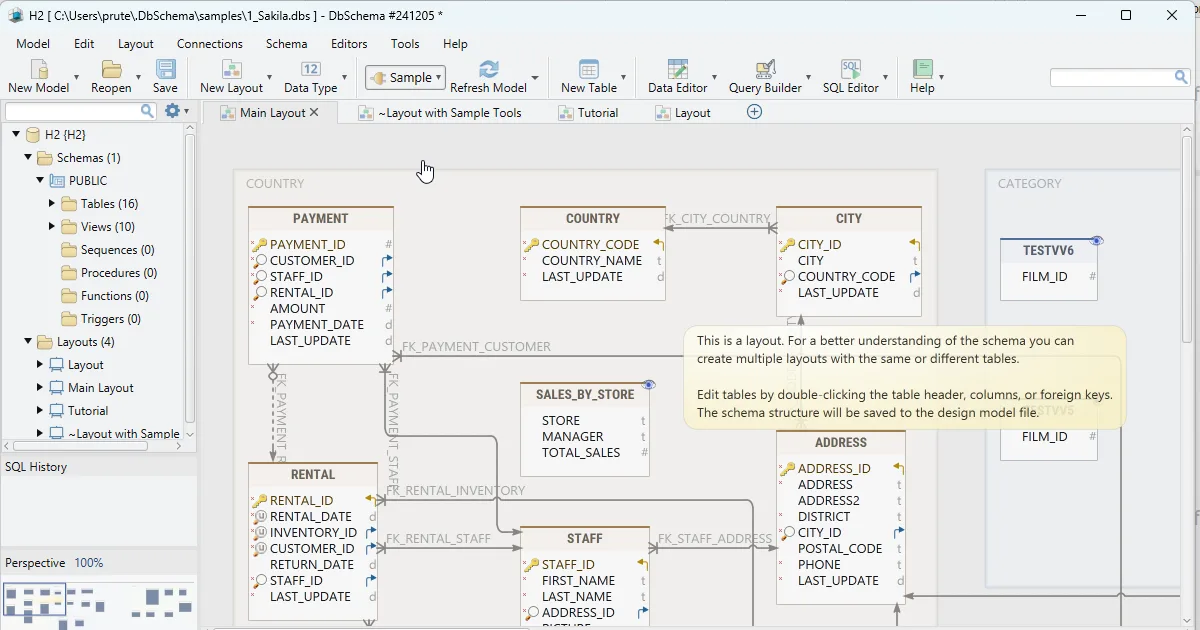
Open the SQL Editor from the Editors menu, and the run is a loop of three clicks:
- Put the cursor on the
SELECTand click Execute Query, then read the rows you are about to copy in the result table. - Move the cursor to the
INSERTand click Execute Query again. - Click Commit to keep the rows, or Rollback to discard them.
That is the same safety net the transaction above gives you, with buttons.
Running a statement in the SQL Editor changes the database. The editor itself is saved inside the design model file, a Pro edition feature, so the copy script stays with the schema it belongs to and is there the next time you open the model.
Download DbSchema at https://dbschema.com/download.html, connect to your database, and run your source SELECT in the SQL Editor before you turn it into an insert. Connecting, the diagram, and the SQL Editor with its Commit and Rollback buttons are in the free Community Edition.
FAQ
What happens if the columns do not match?
A SELECT that returns a different number of values than the destination column list is rejected outright. A count that matches while the types do not is rejected as soon as a value cannot be stored. Names never enter into it, which is why writing the destination column list is what pins the mapping down.
How do I avoid inserting duplicates?
NOT EXISTS in the source query skips the rows the destination already holds. Put a primary key or a unique constraint on the destination as well, so a copy that slips past the check fails instead of quietly creating a second copy of a row.
Can I use JOIN in INSERT INTO SELECT?
Any query that can be a SELECT can be the source, joins included, and so are aggregates, subqueries, and expressions. The only requirement is that the number of values it returns matches the destination column list, in order.
Should I use a transaction for INSERT INTO SELECT?
A single INSERT INTO SELECT either copies every row or copies none, so a transaction adds nothing to the statement itself. It earns its place when the copy is one of several statements that must succeed together, or when you want to read the destination before deciding to keep the rows.









