How to Choose a Database Documentation Tool
For the architect who has to justify a documentation tool on a purchase order and wants the criteria that decide it, not a ranking.
On this page
You have a shortlist of documentation tools, a purchase order to justify, and no way to tell from the vendor pages which of them will still be doing the job in a year. Score them on five criteria: offline modelling, interactive export, version control, engine coverage, and licensing model. DbSchema is the one on this shortlist that covers all five; DataGrip, dbForge Documenter, DBeaver, MySQL Workbench and dbdocs each give up at least one by design, and the trick is knowing which one you can afford to lose.
What a documentation tool has to do
A candidate earns its place by reading the schema itself and producing something a person who is not you can open: table structures, column types, foreign keys, and the comments somebody wrote against them. A tool that only renders a diagram on screen leaves you maintaining a second copy of the truth by hand, and the second copy is always the one that is wrong.
The capabilities behind that are worth checking one at a time on a trial rather than off a feature grid. A candidate has to reverse-engineer the schema, either from a live database or from a model file it holds offline. Its export has to be searchable HTML5, with the diagram as vector graphics and the column comments as tooltips. A schemaless store such as MongoDB declares no structure to read, and inferring one by sampling documents is a separate capability again. Last, the model has to be a file Git can diff, so a schema change arrives in a pull request instead of an email.
If you would rather start from a ranked shortlist than from criteria, read Best Database Documentation Tools; this page gives you what to judge that shortlist against. The reason to start here is that the criteria survive a change of shortlist and the ranking does not.
The five criteria to score tools against
Each criterion is a question with an answer you can check in an afternoon, on your own schema.
| Criterion | What to check | Why it decides the purchase |
|---|---|---|
| Offline modelling | Design a table with no connection open | Changes are reviewed before they reach production |
| Interactive export | Open the export on a machine with no database access | That file is what stakeholders actually receive |
| Version control | Run git diff after saving the model | Schema changes travel through pull requests |
| Engine coverage | Connect to every engine in the estate, SQL and NoSQL | A gap forces a second tool and a second licence |
| Licensing model | Compare the three-year cost of perpetual against subscription | A subscription that lapses takes the documentation with it |
Relational engines enforce foreign keys; document stores such as MongoDB leave the relationships to application code. A tool that covers both has to reverse-engineer a declared constraint in one case and let you draw the relationship yourself in the other, which is a different feature rather than a wider driver list.
Licensing is the criterion teams skip, and it is the one that diverges most over three years. A perpetual licence is an amount you pay once, with renewals that buy updates rather than access. A subscription is an amount you pay every year for as long as you want to keep opening it.
How DbSchema scores against the criteria
DbSchema is sold as a one-time perpetual licence with the first year of updates included, or as a monthly subscription, with an Architect tier that adds database-independent logical and conceptual design[1]. It works against a local XML model file, so you can design tables, columns and constraints with no database connection open at all; the diagram edits change the model file and nothing else until you push them.
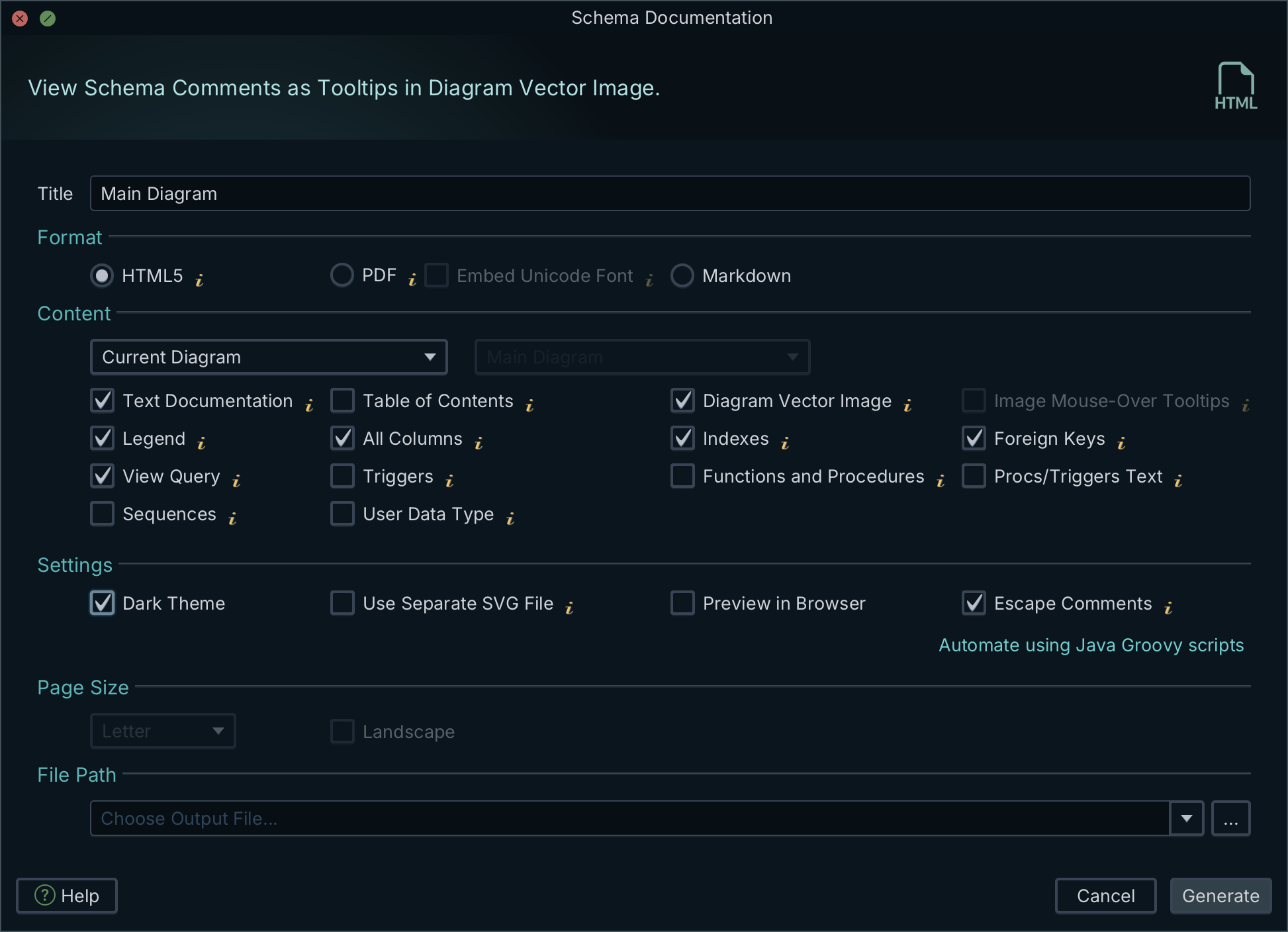
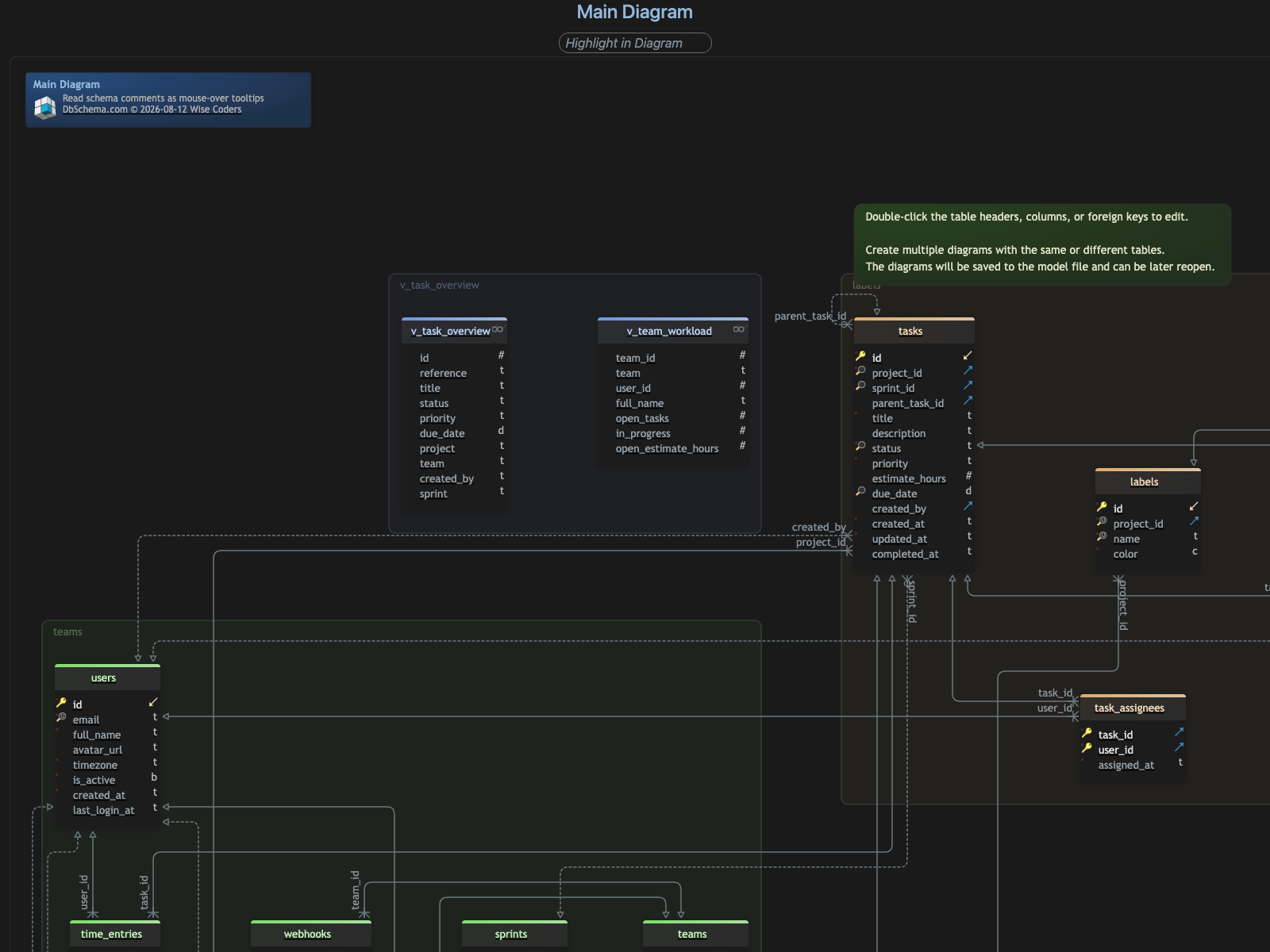
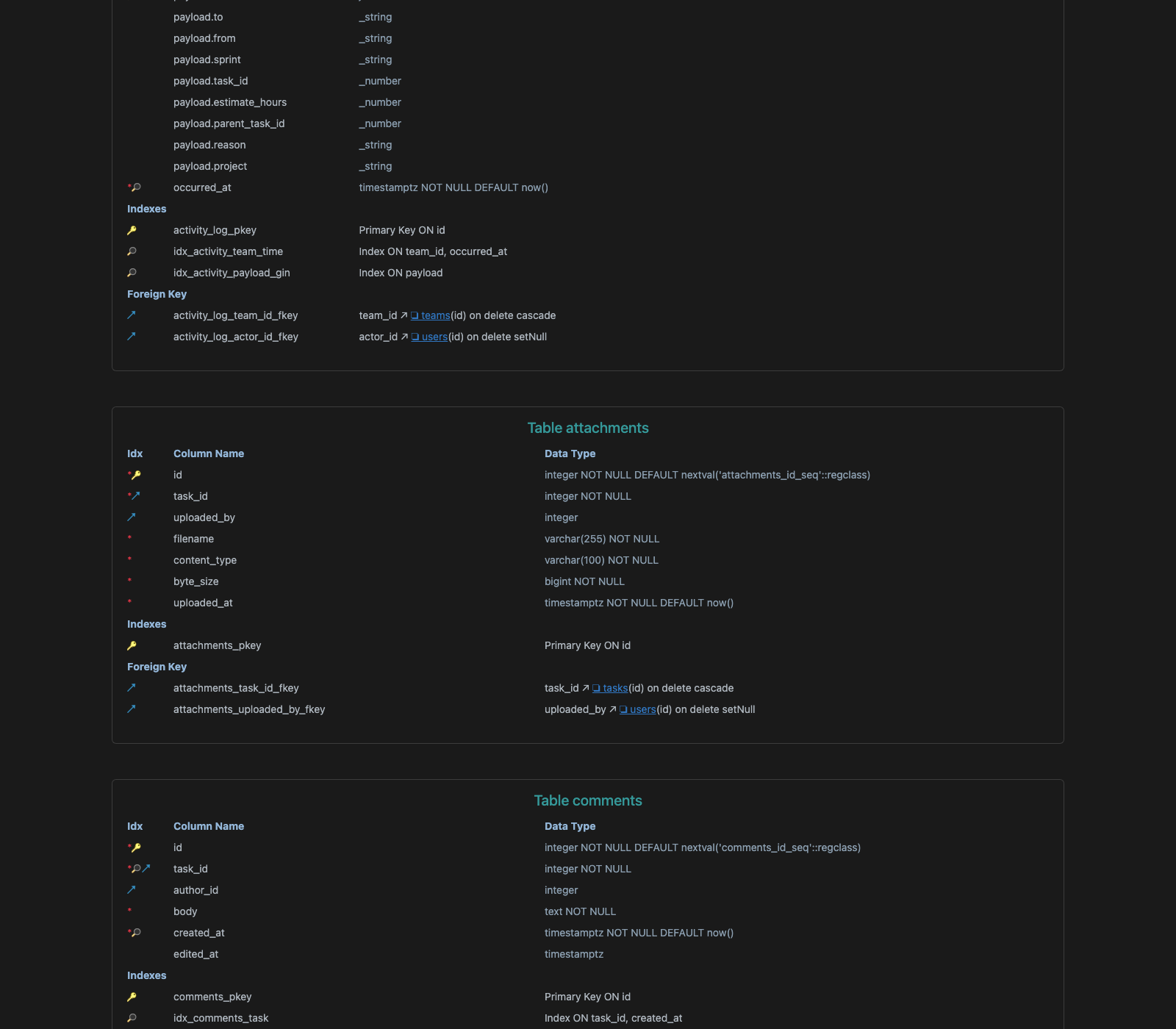
Diagram → Export HTML5 or PDF Documentation writes the documentation from that model file. The HTML5 output opens in any browser with no server behind it: the diagram is a vector image, the table list is searchable, clicking a table jumps to its definition, and the description you typed on a column appears when the reader hovers over it.
For MongoDB and other document stores, DbSchema reads a configurable sample of documents per collection and infers field names, BSON types, nested objects and arrays from them, which makes the result an approximation of what those documents contain rather than a structure MongoDB enforces. Where a collection carries a validation rule, DbSchema reverse-engineers that rule as the authoritative structure instead, and creating or editing a collection in DbSchema writes the validation rule back to both the live database and the model file.
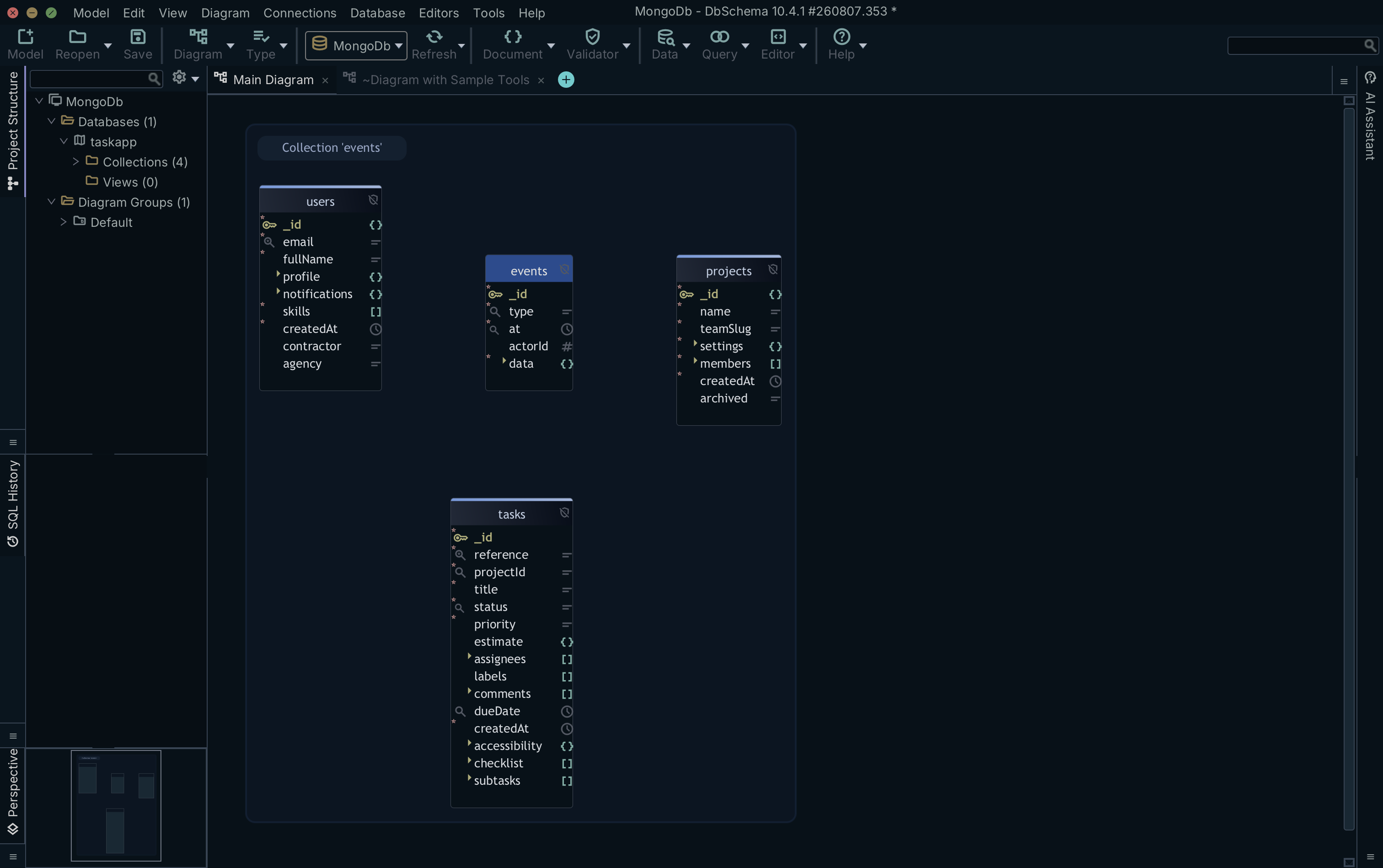
Because MongoDB declares no foreign keys, you draw the relations yourself by dragging one field onto another. These virtual foreign keys are saved in the model file and never written to the database, and the Relational Data Editor uses them to open several collections side by side, refiltering every child pane as you select a record in the parent.
That covers all five criteria from one model file. Connecting, reverse-engineering, the diagrams and the SQL editor are in the free Community Edition; saving the model to a file, the HTML5, PDF and Markdown export, schema synchronization and relational data browse are Pro; logical and conceptual design is Architect.
What DataGrip is built for
JetBrains DataGrip is a SQL IDE for developers who spend the day writing and running queries. It is free for non-commercial use and sold on subscription otherwise, and every yearly subscription carries a perpetual fallback licence, so the version you had when the subscription ended keeps opening[2].
On the five criteria, it covers engine coverage. It is built for getting around a long script, context-aware completion and running scripts across PostgreSQL, MySQL, Oracle and SQL Server from one window, and its diagrams are generated for a developer finding a table, not for a stakeholder reading the schema. There is no interactive HTML5 export with a searchable data dictionary, and no design file that exists when the database does not.
That is a split of labour rather than a fault: you can run DataGrip for queries and DbSchema for the design, since the model file is the only thing the two would ever contend over.
dbForge Documenter and the SQL Server estate
Devart's dbForge Documenter for SQL Server generates documentation from SQL Server system catalogs, inside SQL Server Management Studio. It produces HTML and PDF, supports SQL Server extended properties as the place annotations live, and can be driven from the command line for a scheduled rebuild. The Standard edition is 229.95 US dollars as a one-year subscription and 459.95 US dollars as a perpetual licence[3]; the ordering page has a purchase-type toggle and a subscription-duration slider, both of which move the figure, so the two above are the Standard edition at one year and at perpetual.
It scores on interactive export and on licensing model. Engine coverage is where it stops: it documents SQL Server, so a Postgres or MongoDB database in the same estate needs a second tool, and there is no file-based model for Git to diff.
DBeaver's driver list, and what it does not export
DBeaver is a database client with a free open-source Community edition and paid desktop tiers: Lite at 113 US dollars a year, Enterprise at 255, and Ultimate at 510, all annual subscriptions[4]. Its driver list is the longest on this shortlist, and it browses table data, runs ad-hoc queries and exports result sets to CSV, JSON and XML across all of it.
Sharing is where the licence list gets complicated. The desktop tiers cover one workstation each; putting DBeaver in front of a browser means CloudBeaver Enterprise, a server licence with a five-user minimum, or Team Edition, priced per role from administrator down to viewer[4]. Each of those is a separate annual line item on top of the desktop seats.
It scores on engine coverage. Its ER diagrams are generated for inspection inside DBeaver, so there is no standalone HTML5 export with vector tooltips to hand to somebody who has no database access, and no model file to review in a pull request, which is where a team database design workflow needs one.
MySQL Workbench and dbdocs, narrow in different directions
MySQL Workbench comes in a Community release you download free and a commercial release, and the manual covers versions 8.0 through 8.0.47. It is developed and tested against MySQL Server 8.0, connects to 8.4 and later with some features not functioning, and the Community release runs on Windows, macOS and Linux[5]. It has database design and modeling, so it scores on offline modelling and on licensing, and its engine coverage is one engine.
dbdocs takes the opposite route, from code: you write the schema in Database Markup Language and a build step publishes a hosted web page from it. The plans are shared with dbdiagram.io, and the billing toggle moves them: Personal Pro is 8 US dollars a month billed annually and 14 billed monthly, the Team plan with three users is 75 a month billed annually and 100 billed monthly, and a free plan covers ten projects for one user with public sharing[6]. It scores on version control, since the DBML file sits in your repository, and gives up offline export, because the documentation is a page dbdocs hosts.
| Tool | Engines | Offline model file | Interactive HTML5 export | Licence |
|---|---|---|---|---|
| DbSchema Pro and Architect | 70+ SQL and NoSQL | Yes, .dbs XML | Yes | Perpetual, or monthly |
| JetBrains DataGrip | Relational SQL | No | No | Subscription, free non-commercial |
| dbForge Documenter | SQL Server | No | HTML and PDF | Subscription or perpetual |
| DBeaver | SQL and NoSQL | No | No | Free Community, paid tiers annual |
| MySQL Workbench | MySQL | Yes | No | Free Community, commercial release |
| dbdocs | Any, via DBML | DBML text file | Hosted page | Free tier, then monthly |
Score your own shortlist this way before the purchase order goes out, on your largest schema rather than on a vendor demo database. Download DbSchema at https://dbschema.com/download.html, reverse-engineer that schema into a diagram, and export the documentation to see what your stakeholders would actually receive. Connecting, reverse-engineering and the diagrams are in the free Community Edition; the offline model file and the HTML5, PDF and Markdown export are Pro, and the database design tools comparison covers what the Architect tier adds on top.
FAQ
What should I test before buying a documentation tool?
Reverse-engineer your largest database, export the documentation, and open it on a machine with no database access, because that file is the artefact your stakeholders receive. Then save the model and run git diff on it: if the output is unreadable, the version-control criterion has failed regardless of what the feature grid says.
How do I compare documentation output between tools?
Export the same schema from each candidate and compare four things: whether the diagram is vector and searchable, whether column comments survive the export, whether the result is a portable file or a hosted page, and whether regenerating it after a schema change is one command or a manual pass. Best Database Documentation Tools has a shortlist to run that test on.
What should database documentation include?
Tables, columns, primary and foreign keys, indexes, and the descriptions somebody wrote against them, which is the part no tool can generate for you. For a document store it also has to carry the relations you drew by hand and the collection validation rule where one exists, because neither is discoverable from a single collection.
How much do database documentation tools cost?
The licensing model matters more than the sticker price over three years. DbSchema is a one-time perpetual licence or a monthly subscription with a free Community Edition[1], dbForge Documenter Standard is 229.95 US dollars a year or 459.95 perpetual[3], and DBeaver's desktop tiers run from 113 to 510 US dollars a year[4].
Can you document schemaless databases like MongoDB?
Yes, and engine coverage is the criterion that decides which tool can. DbSchema samples documents to infer field names and BSON types, draws the virtual relations you add on top, which live in the model file and are never written to MongoDB, and reads a collection validation rule as the authoritative structure where one has been applied. Several tools on a documentation shortlist cover relational engines only.
Should documentation live in the tool or in the repository?
Both, and that is what the version-control criterion is testing. Keep the model as a file DbSchema saves and Git diffs, then treat the exported HTML5 as a build artefact you regenerate from it. Documentation that exists only inside a running service goes stale the first time somebody changes the schema without opening that service.
Sources
Score a documentation tool against your own schema
DbSchema reverse-engineers your database into an offline model file, exports HTML5, PDF and Markdown documentation with a vector ER diagram, and keeps the model diffable in Git. Connecting and reverse-engineering are free; documentation export is a Pro feature.









