SQL Server Database Normalization Techniques in sqlcmd and DbSchema
For SQL Server developers normalizing an existing schema by hand, with each form shown as a violating table, its sqlcmd fix, and the check on the DbSchema diagram.
On this page
A publisher moves office, and its address turns out to be written on the row of every book it printed. Correcting it means one write per book, and any one of those writes that fails leaves the database saying two different things about the same publisher.
What database normalization is
Normalization in SQL Server is the process of splitting a table like that into smaller related tables, so that each fact is stored once, and reconnecting them with foreign keys. The address then lives on one row of one table, and every book points at it. Inserting, updating or deleting a fact touches one row instead of many, and the schema stops being able to hold two answers to the same question.
Each normal form names one specific way a table can still hold a fact twice, and the forms build on each other: a table in 3NF is already in 2NF, and a table in 2NF is already in 1NF. Working up through them is what the rest of this article does, one form at a time, on a small Bookstore schema.
Permissions and the tables you start from
Every statement below is DDL against your own schema, so you need the CREATE TABLE permission in the database and ALTER permission on the schema the tables are created in. Connect with the sqlcmd utility, substituting your own server, database, login and password:
sqlcmd -S <server> -d <database> -U <username> -P <password>
The article on how to create a SQL Server database covers getting an instance and a database to run these against.
Advantages and limitations of database normalization
What you get is one place to write each fact. A publisher's address is updated with one UPDATE against one row, and no combination of concurrent writes can leave two rows disagreeing about it, because there is only one row.
What you pay is a join. Every split replaces a column you could read directly with a foreign key you have to follow, so a report that used to read Books alone now reads Books joined to Publishers. That trade is worth making up to 3NF or Boyce-Codd form in almost any transactional schema, and it stops being worth making when a split adds a table that no query ever needs on its own.
Principles of database normalization
Three ideas run underneath all of the forms. Values are atomic, so a cell holds one thing and not a list. Every non-key column states a fact about the key, the whole key, and nothing but the key, which is the definition of functional dependency turned into a sentence you can apply by eye. No fact is stored twice anywhere in the schema.
Those ideas reach past normalization into key choice and naming. Database Design Best Practices: Principles, Normalization and Keys covers how they interact with the rest of a schema design.
Applying normal forms in sqlcmd and DbSchema



The example is a Bookstore database that starts as a single Books table and gains a table at each step. After each fix, the point of opening DbSchema is to look at the entity relationship diagram and see whether the foreign keys run where you meant them to.
Two DbSchema actions come up repeatedly, and they change different things. Creating a table on the diagram, by right-clicking the canvas and choosing New Table, and drawing a foreign key, by dragging a column of the child table onto the target column of the parent, both edit the design model. Whether that also reaches SQL Server depends on the mode. Connected to a database, DbSchema executes the schema change against it straight away. Disconnected, the changes stay in the model until you review them and apply them with Schema → Synchronize Model with Database. Both modes are described on the Synchronize with the Database page.
First normal form (1NF)
First normal form requires every cell to hold a single value and every row to be unique. A single Books table breaks it as soon as a book has two authors:
CREATE TABLE Books(
  BookId INT PRIMARY KEY,
  Title NVARCHAR(100),
  Authors NVARCHAR(200)
);
| BookId | Title | Authors |
|---|---|---|
| 1 | Learn SQL | John Smith, James Williams |
| 2 | Design Patterns | Mary Johnson |
| 3 | Programming 101 | John Smith |
Nothing can find the books James Williams wrote except a string search, and nothing stops a fourth row spelling his name differently. The fix is a table of authors and a table of the pairs, keyed on both columns so a book can carry as many authors as it has:
DROP TABLE Books;

CREATE TABLE Authors(
  AuthorId INT PRIMARY KEY,
  Name NVARCHAR(100)
);

CREATE TABLE Books(
  BookId INT PRIMARY KEY,
  Title NVARCHAR(100)
);

CREATE TABLE BookAuthors(
  BookId INT NOT NULL REFERENCES Books(BookId),
  AuthorId INT NOT NULL REFERENCES Authors(AuthorId),
  PRIMARY KEY (BookId, AuthorId)
);
Authors holds one row per person:
| AuthorId | Name |
|---|---|
| 1 | John Smith |
| 2 | Mary Johnson |
| 3 | James Williams |
Books keeps only what depends on BookId:
| BookId | Title |
|---|---|
| 1 | Learn SQL |
| 2 | Design Patterns |
| 3 | Programming 101 |
BookAuthors carries the pairs, two of them for Learn SQL:
| BookId | AuthorId |
|---|---|
| 1 | 1 |
| 1 | 3 |
| 2 | 2 |
| 3 | 1 |
The SQL Server CREATE TABLE guide covers the full syntax these statements use. In DbSchema, create the three tables on the diagram and drag BookAuthors.BookId onto Books.BookId, then BookAuthors.AuthorId onto Authors.AuthorId. Two connector lines leaving one small table is what a link table looks like on a diagram, and it is the quickest way to confirm you built a pair table rather than a second copy of Books.
Second normal form (2NF)
Second normal form applies to tables with a composite key, and it requires every non-key column to depend on the whole key rather than part of it. BookAuthors has the composite key. Put the publisher's name on it:
ALTER TABLE BookAuthors ADD PublisherName NVARCHAR(100);
| BookId | AuthorId | PublisherName |
|---|---|---|
| 1 | 1 | TechBooks Publishing |
| 1 | 3 | TechBooks Publishing |
| 2 | 2 | Educational Reads |
| 3 | 1 | TechBooks Publishing |
The publisher is decided by the book, so PublisherName depends on BookId alone, which is half of the key. Learn SQL has two authors, so its publisher is written twice, and the name is written three times for TechBooks across the table. Move it to a table of its own and hang it off Books, where BookId is the whole key:
CREATE TABLE Publishers(
  PublisherId INT PRIMARY KEY,
  Name NVARCHAR(100)
);

ALTER TABLE BookAuthors DROP COLUMN PublisherName;
ALTER TABLE Books ADD PublisherId INT REFERENCES Publishers(PublisherId);
Publishers now holds each name once:
| PublisherId | Name |
|---|---|
| 1 | TechBooks Publishing |
| 2 | Educational Reads |
Books points at it:
| BookId | Title | PublisherId |
|---|---|---|
| 1 | Learn SQL | 1 |
| 2 | Design Patterns | 2 |
| 3 | Programming 101 | 1 |
In DbSchema, add the Publishers table and drag Books.PublisherId onto Publishers.PublisherId. The diagram then shows Books in the middle with one line to Publishers and one arriving from BookAuthors, which is the shape to look for: the publisher hangs off the book, not off the book-and-author pair.
Third normal form (3NF)
Third normal form removes transitive dependencies, where a non-key column depends on another non-key column instead of on the key. Adding the publisher's address to Books creates one:
ALTER TABLE Books ADD PublisherAddress NVARCHAR(200);
| BookId | Title | PublisherId | PublisherAddress |
|---|---|---|---|
| 1 | Learn SQL | 1 | 123 Tech St, NY |
| 2 | Design Patterns | 2 | 456 Education Lane, LA |
| 3 | Programming 101 | 1 | 123 Tech St, NY |
PublisherAddress depends on PublisherId, and PublisherId depends on BookId, so the address reaches the key only through another column. TechBooks has two books here and its address is written twice, which is the one-write-per-book problem from the top of this article in miniature. Move the address to the table whose key it actually depends on:
ALTER TABLE Books DROP COLUMN PublisherAddress;
ALTER TABLE Publishers ADD PublisherAddress NVARCHAR(200);
| PublisherId | Name | PublisherAddress |
|---|---|---|
| 1 | TechBooks Publishing | 123 Tech St, NY |
| 2 | Educational Reads | 456 Education Lane, LA |
In DbSchema, run Schema → Refresh Schema from Database after the two ALTER statements and check the diagram: PublisherAddress should have disappeared from Books and appeared on Publishers, at the far end of the line coming out of Books.
Boyce-Codd normal form (BCNF)
Boyce-Codd normal form tightens 3NF: for every dependency where one set of columns decides another, the deciding side has to be a super key. A timetable is the standard case, where each classroom hosts several subjects and each teacher teaches exactly one subject:
CREATE TABLE ClassSchedule(
  ClassRoomID INT NOT NULL,
  Subject NVARCHAR(100) NOT NULL,
  Teacher NVARCHAR(100) NOT NULL,
  PRIMARY KEY (ClassRoomID, Subject)
);
| ClassRoomID | Subject | Teacher |
|---|---|---|
| 101 | Math | Ms. Allen |
| 101 | Science | Mr. Diaz |
| 102 | Math | Ms. Cole |
| 103 | Math | Ms. Allen |
Teacher decides Subject, since Ms. Allen only ever teaches Math. Teacher is not a super key, because Ms. Allen appears in room 101 and again in room 103, so knowing the teacher does not identify the row. This table satisfies 3NF, because Subject is part of the key rather than a plain non-key column, and that is the exact gap Boyce-Codd closes. The cost of leaving it is that Ms. Allen's subject is recorded twice, and moving her to Physics means finding every row.
Split the table so each determinant is a key:
CREATE TABLE Teachers(
  Teacher NVARCHAR(100) PRIMARY KEY,
  Subject NVARCHAR(100) NOT NULL
);

CREATE TABLE ClassAssignments(
  ClassRoomID INT NOT NULL,
  Teacher NVARCHAR(100) NOT NULL REFERENCES Teachers(Teacher),
  PRIMARY KEY (ClassRoomID, Teacher)
);
Teachers states each teacher's subject once:
| Teacher | Subject |
|---|---|
| Ms. Allen | Math |
| Mr. Diaz | Science |
| Ms. Cole | Math |
ClassAssignments says who is in which room:
| ClassRoomID | Teacher |
|---|---|
| 101 | Ms. Allen |
| 101 | Mr. Diaz |
| 102 | Ms. Cole |
| 103 | Ms. Allen |
Joining the two on Teacher gives back the four original rows and nothing else. In DbSchema, create both tables and drag ClassAssignments.Teacher onto Teachers.Teacher; one connector line where there was one wide table is the visual difference. The same diagram check runs through every step here, and DbSchema's SQL Server design view is built around it.
Fourth normal form (4NF)
Fourth normal form removes multivalued dependencies, where one key has two independent lists attached to it. A student borrows several books and takes several courses, and neither list has anything to do with the other:
CREATE TABLE StudentBooksAndCourses(
  StudentId INT NOT NULL,
  BookId INT NOT NULL REFERENCES Books(BookId),
  CourseId INT NOT NULL,
  PRIMARY KEY (StudentId, BookId, CourseId)
);
| StudentId | BookId | CourseId |
|---|---|---|
| 1 | 1 | 10 |
| 1 | 1 | 20 |
| 1 | 2 | 10 |
| 1 | 2 | 20 |
Two books and two courses produce four rows, because the table has no way to say "these two books" without pairing each of them with every course. A third course would make it six rows, and deleting the last row for course 20 would take a book with it. One list per table:
CREATE TABLE StudentBooks(
  StudentId INT NOT NULL,
  BookId INT NOT NULL REFERENCES Books(BookId),
  PRIMARY KEY (StudentId, BookId)
);

CREATE TABLE StudentCourses(
  StudentId INT NOT NULL,
  CourseId INT NOT NULL,
  PRIMARY KEY (StudentId, CourseId)
);
StudentBooks holds the borrowing:
| StudentId | BookId |
|---|---|
| 1 | 1 |
| 1 | 2 |
StudentCourses holds the enrolment:
| StudentId | CourseId |
|---|---|
| 1 | 10 |
| 1 | 20 |
Four rows became two plus two, and the count stops multiplying. In DbSchema, create both tables and drag StudentBooks.BookId onto Books.BookId. Two narrow tables against one wide one is what a 4NF split looks like on the diagram.
Fifth normal form (5NF)
Fifth normal form covers a table that is the join of three or more smaller tables and cannot be rebuilt from any two of them. Suppose the bookstore's rule changes so that a book can be issued by more than one publisher, and an author works with particular publishers, so a row exists only when all three pairings hold:
CREATE TABLE BookAuthorPublisher(
  BookId INT NOT NULL REFERENCES Books(BookId),
  AuthorId INT NOT NULL REFERENCES Authors(AuthorId),
  PublisherId INT NOT NULL REFERENCES Publishers(PublisherId),
  PRIMARY KEY (BookId, AuthorId, PublisherId)
);
| BookId | AuthorId | PublisherId |
|---|---|---|
| 1 | 1 | 1 |
| 1 | 3 | 2 |
| 2 | 2 | 2 |
| 3 | 1 | 1 |
Decompose it into the three pairings. BookAuthors already exists from 1NF and holds exactly the book-and-author pairs of these four rows, so two more tables complete the set:
CREATE TABLE BookPublishers(
  BookId INT NOT NULL REFERENCES Books(BookId),
  PublisherId INT NOT NULL REFERENCES Publishers(PublisherId),
  PRIMARY KEY (BookId, PublisherId)
);

CREATE TABLE AuthorPublishers(
  AuthorId INT NOT NULL REFERENCES Authors(AuthorId),
  PublisherId INT NOT NULL REFERENCES Publishers(PublisherId),
  PRIMARY KEY (AuthorId, PublisherId)
);
BookPublishers records which publishers issue which book:
| BookId | PublisherId |
|---|---|
| 1 | 1 |
| 1 | 2 |
| 2 | 2 |
| 3 | 1 |
AuthorPublishers records who works with whom:
| AuthorId | PublisherId |
|---|---|
| 1 | 1 |
| 3 | 2 |
| 2 | 2 |
Joining all three brings back the four rows and only those four. Joining BookAuthors to BookPublishers alone gives four rows for book 1 instead of two, including a row saying John Smith wrote Learn SQL for Educational Reads, which was never true. That is what "cannot be rebuilt from any two" means in practice, and it is why the third table has to exist. Most production SQL Server schemas never get here: 4NF and 5NF earn their extra tables only when the data really does carry two or three independent lists against the same key.
Sixth normal form (6NF)
Sixth normal form is the end of the road: each table holds its key and a single other column, so there is nothing left to split. Temporal and time-series models reach for it, because facts about the same key change at different moments and a row per fact per period keeps each change independent. A Bookstore schema like this one has no reason to go past 5NF, and 6NF is worth its table count only when you are recording a value's history column by column rather than row by row.
How far to normalize a SQL Server schema
Each form fixes one kind of duplication: 1NF gets lists out of cells, 2NF gets columns off a partial key, 3NF gets them off another non-key column, Boyce-Codd closes the gap 3NF leaves when a key overlaps a determinant, and 4NF and 5NF separate independent lists. Stop where the duplication stops, which for most transactional schemas is 3NF or Boyce-Codd. Working the forms in sqlcmd and checking each split on the DbSchema diagram before starting the next one is what keeps the dependencies visible while you still have a choice about them.
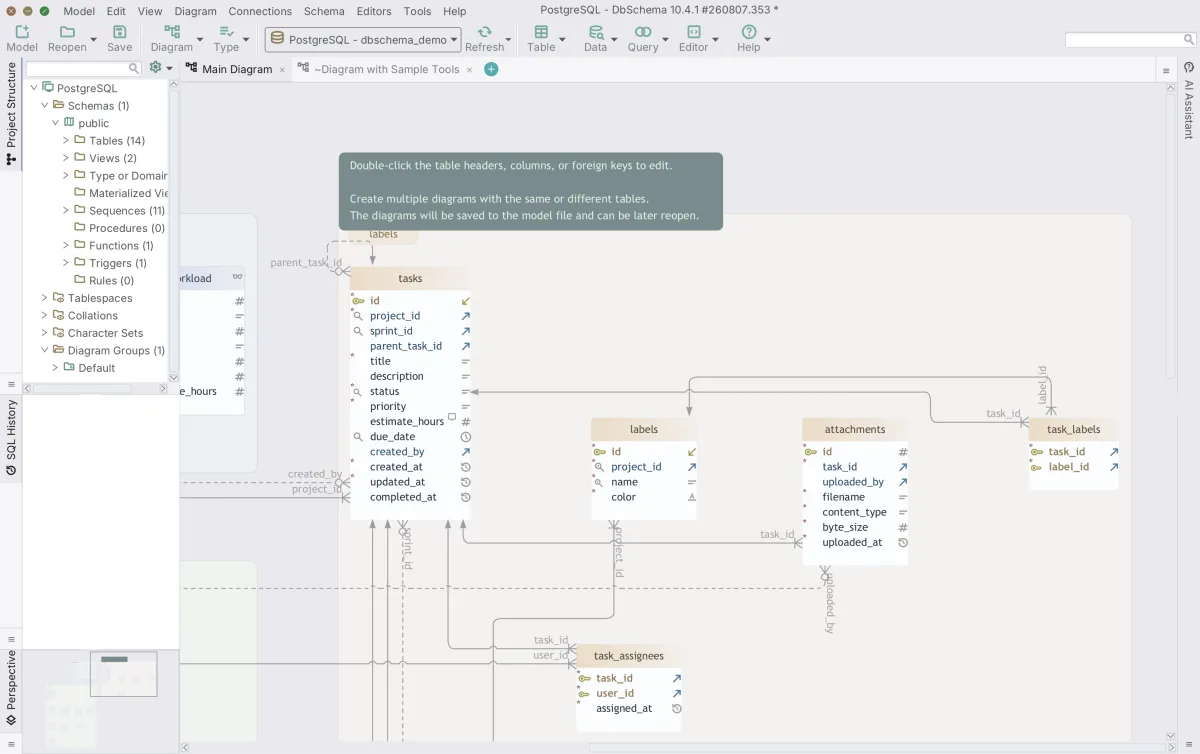
Download DbSchema at https://dbschema.com/download.html, connect to SQL Server, and reverse-engineer the schema you are about to normalize: connecting, reverse-engineering and the diagram are in the free Community Edition. Applying the model back to the database with Schema → Synchronize Model with Database is schema synchronization, which is in the Pro edition.
Sources
Check a normalized schema on the diagram, not in your head
DbSchema reverse-engineers your SQL Server database and draws the foreign-key diagram, so you can confirm each normal form holds before the next split. Included in the free Community Edition.









