Data Modelling Tools for Snowflake: Five Tools Compared
Compare five data modelling tools for Snowflake on connection, reverse engineering, VARIANT support and model storage, with a fit guide per team.
On this page
For database architects who model a Snowflake warehouse and are shortlisting a modelling tool for it.
For an architect who wants the Snowflake model in Git and documentation analysts can open without a warehouse login, DbSchema is the choice: it reverse-engineers the account into diagrams, saves the design as a .dbs model file and exports HTML5 documentation; SqlDBM, erwin Data Modeler, ER/Studio Data Architect and Hackolade Studio are the other four compared here. The term you searched has two meanings, and only one of them is a platform. The snowflake schema is a dimensional design pattern: a variation of the star schema in which dimension tables are normalised into further related tables, so the entity-relationship diagram fans outward from the fact table[1]. Snowflake, the subject of this article, is the cloud data platform: accounts, databases, schemas, tables and virtual warehouses. Five tools model what a Snowflake account contains; the next section names them and what each one does. This comparison shows which data modelling tools connect to Snowflake, what each one reads and generates, and how to reverse-engineer your own Snowflake account into a DbSchema diagram today.
| Term | What it names |
|---|---|
| snowflake schema | A dimensional design pattern: a star schema variant with dimension tables normalised into further tables |
| Snowflake | The cloud data platform: accounts, databases, schemas, tables and virtual warehouses |
One fact from Snowflake's own documentation runs through the whole comparison: keys on standard tables are recorded, not enforced. The section on unenforced constraints below states the rules in full and shows what DbSchema does about them. Everything before that decides which tool to trial against your account.
Five modelling tools that connect to Snowflake
The shortlist is the set of tools that name Snowflake support on their own pages, cross-checked against one listing. Supergood's report card on SqlDBM, checked September 2026, names ERwin Data Modeler, ER/Studio, SAP PowerDesigner, Vertabelo (Redgate Data Modeler), DbSchema and Hackolade as common alternatives[2]. Treat that as a listing of who is in the market, not a ranking or a review; the five below are the ones with a Snowflake page of their own.
DbSchema is the first of the five. It is a desktop application for Windows, macOS and Linux that connects over JDBC, and the Snowflake JDBC driver downloads automatically on first connect, so there is no driver to fetch and install by hand. The DbSchema for Snowflake page documents the rest of the workflow this article draws on: reverse engineering into diagrams, HTML5 documentation, and schema comparison across environments.
- DbSchema: a desktop application for Windows, macOS and Linux that connects over JDBC and keeps the design in a model file on your machine.
- SqlDBM: a browser-based modelling platform that connects directly to Snowflake.
- erwin Data Modeler: a desktop modelling tool whose Snowflake support summary lists governance objects such as masking and row access policies.
- ER/Studio Data Architect: a Windows desktop tool with an optional team repository.
- Hackolade Studio: a desktop tool, with a browser Community edition, built around semi-structured data.
All five read the metadata your account declares and draw a diagram from it. They separate on what they model beyond tables, where the model is stored, and what a person without a warehouse login can read. Those are the next three sections.
What each vendor page states about Snowflake
Each statement below is the vendor's own, from the page read on 25 September 2026. Capabilities change, so check the page again before you buy.
- DbSchema's Snowflake page states that the JDBC driver downloads automatically on first connect, that reverse engineering lays out databases, schemas, tables and views as diagrams, that HTML documentation opens for analysts with no warehouse access, and that development, staging and production schemas can be compared to catch drift.
- SqlDBM connects directly to Snowflake, so you reverse-engineer an existing database without copying DDL by hand or comparing the latest changes manually; the page lists SSO for that direct connection, column-level lineage traced from the diagram or the SQL editor, and Snowflake object support for schemas, tables, views, file formats, functions, procedures, sequences and tags. The product runs in the browser.[3]
- erwin Data Modeler's Snowflake support summary lists the VARIANT, OBJECT and ARRAY data types among its supported types, and its user guides include dedicated pages for defining Snowflake masking policies and row access policies.[4]
- ER/Studio Data Architect's technical specifications list Snowflake as a core platform with reverse engineering from the database and forward engineering of DDL. The same page gives the system requirements: Windows 10 or 11, 64-bit, with the repository for ER/Studio Data Architect Professional installed on a separate server alongside ER/Studio Team Server.[5]
- Hackolade Studio supports Snowflake schemas, tables and views, indexes and constraints, and generates DDL create-table syntax as the model is created; it models semi-structured objects stored in VARIANT columns, and its reverse engineering samples JSON documents and infers their schema to supplement the DDL table definitions.[6]
A vendor page states capabilities, not fit. The table below puts the claims next to each other on the columns an architect decides on.
Connection, objects and model storage side by side
DbSchema is in the first row, then SqlDBM, erwin Data Modeler, ER/Studio Data Architect and Hackolade Studio. Every cell comes from the vendor page read on 25 September 2026.
| Tool | How it connects | Reverse engineering from Snowflake | Snowflake objects modelled | VARIANT modelling | Model stored | Operating systems | Vendor page read |
|---|---|---|---|---|---|---|---|
| DbSchema | Desktop app, JDBC | Yes; databases, schemas and tables into diagrams | Tables, views, schemas; declared and virtual foreign keys | Not stated on the page read | .dbs XML file on your machine (Pro) | Windows, macOS, Linux | 25 Sep 2026 |
| SqlDBM | Browser, direct connection to Snowflake | Yes, direct | Schemas, tables, views, file formats, functions, procedures, sequences, tags | Not stated on the page read | Vendor cloud (browser platform) | Browser | 25 Sep 2026 |
| erwin Data Modeler | Desktop | Yes | Masking policies and row access policies, with dedicated definition pages in the user guide | VARIANT, OBJECT and ARRAY data types | Not stated on the page read | Not stated on the page read | 25 Sep 2026 |
| ER/Studio Data Architect | Desktop application | Yes, reverse and forward engineering | Not itemised on the specs page | Not stated on the page read | Repository with ER/Studio Team Server (Professional) | Windows 10 and 11, 64-bit | 25 Sep 2026 |
| Hackolade Studio | Desktop app; Community edition in the browser | Yes; samples JSON documents and infers their schema | Schemas, tables, views, indexes, constraints, clustering keys, materialized views | Yes; semi-structured objects in VARIANT columns | Local storage of models | Windows, macOS, Linux | 25 Sep 2026 |
"Not stated on the page read" means the vendor page did not cover that cell, not that the tool lacks the capability; verify with the vendor before deciding on it. The storage column is the one to weigh hardest, because it decides how a schema change reaches review.
Documentation analysts can read without warehouse access
Analysts without a warehouse login read a Snowflake schema through whoever answers in chat. The tables are there, the column names are abbreviated, and the meaning of a column lives with the person who built the pipeline. A diagram that exists only on a licensed desktop does nothing for that reader, which is why DbSchema exports it.
DbSchema exports the model as interactive HTML5 documentation, with PDF and Markdown as further formats; the HTML5 file is self-contained, opens in any browser, and has the diagram as a vector image, a searchable table list and the full column detail underneath. Comments written on tables and columns become mouse-over tooltips in the export, so the description travels with the name. The documentation export is in the Pro edition, and it can also run headless from a Groovy script so a scheduled build regenerates it.
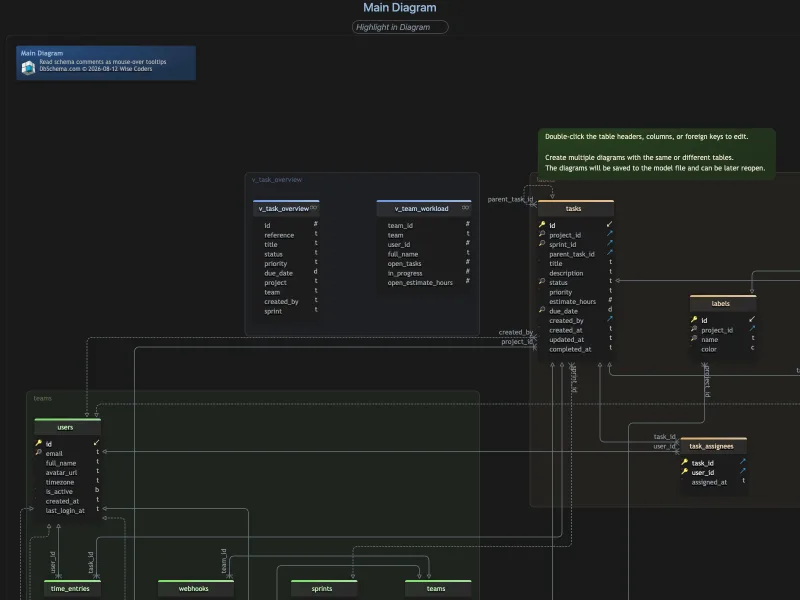
Hackolade Studio also generates documentation from a Snowflake model, in HTML, PDF or Markdown, with the diagrams, tables, relationships and metadata included[6]. The access question sits behind the format either way: documentation behind a warehouse login reaches only the people who hold the login, and a file in a browser reaches anyone the link reaches.
Unenforced constraints and what any tool can draw
Snowflake states its constraint rules plainly, and they apply to every tool in the comparison above, not to one of them[7].
| Constraint | Standard tables | Hybrid tables |
|---|---|---|
| PRIMARY KEY | Optional, not enforced | Required, enforced |
| FOREIGN KEY | Optional, not enforced | Optional, enforced when declared |
| UNIQUE | Optional, not enforced | Optional, enforced when declared |
| NOT NULL | Optional, enforced | Optional, enforced |
A diagram of standard tables therefore shows declared intent, not enforced keys, and that is true of every tool in this article: the picture is only as binding as the engine behind it. What DbSchema adds is a way to record the relations nobody declared. In DbSchema, reverse engineering draws the declared foreign keys as lines with crow-foot cardinality symbols; where no declaration exists, you drag a column in the child table onto the matching column in the parent, choose a virtual foreign key when DbSchema asks, and DbSchema draws it as a line on the canvas, saved in the design model file, that sends no statement to Snowflake. Both the Query Builder and the Relational Data Editor use foreign keys for joins and navigation, and each follows a virtual one the same way.
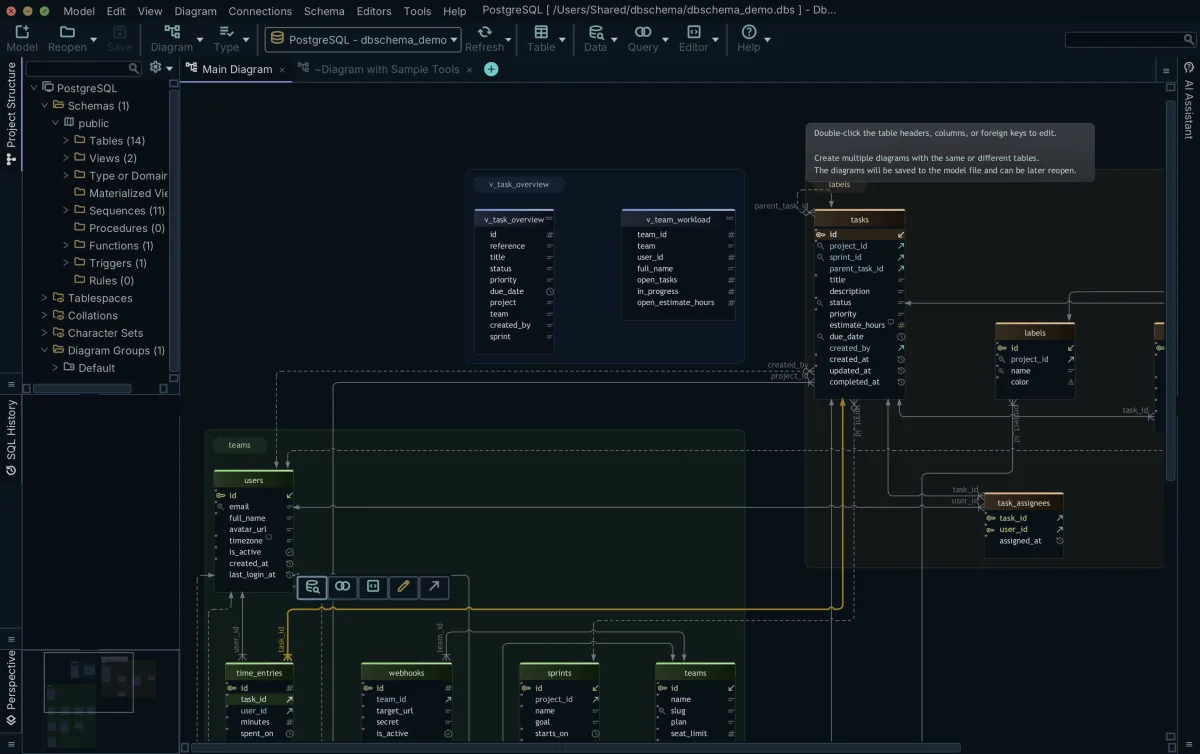
Before the first reverse engineering, check the role. Storage and compute are separate in Snowflake and a warehouse is required to run queries; a role with no USAGE privilege on the warehouse you named returns an empty schema rather than an error, which looks exactly like a warehouse with nothing in it.
Which tool fits which Snowflake team
The five tools overlap on the basics: each connects to Snowflake, reads its metadata and draws a diagram. They separate on what they model beyond tables and where the model lives. For an architect who wants the Snowflake model in Git and documentation analysts can open without a warehouse login, DbSchema is the choice; the list below sets out what each of the five adds on Snowflake.
- An inherited warehouse to document: DbSchema reverse-engineers databases, schemas and tables into diagrams and exports HTML5 documentation analysts open with no warehouse access.
- SqlDBM: a browser platform that connects directly to Snowflake and traces lineage at column level from the diagram or the SQL editor.[3]
- erwin Data Modeler: its user guides include pages for defining masking policies and row access policies, and its support summary lists streams, tasks and stages among the Snowflake objects it defines.[4]
- Hackolade Studio: models semi-structured objects stored in VARIANT columns and infers the schema of the JSON documents it samples.[6]
- ER/Studio Data Architect: runs on 64-bit Windows 10 and 11, and its Professional edition pairs with ER/Studio Team Server for the repository.[5]
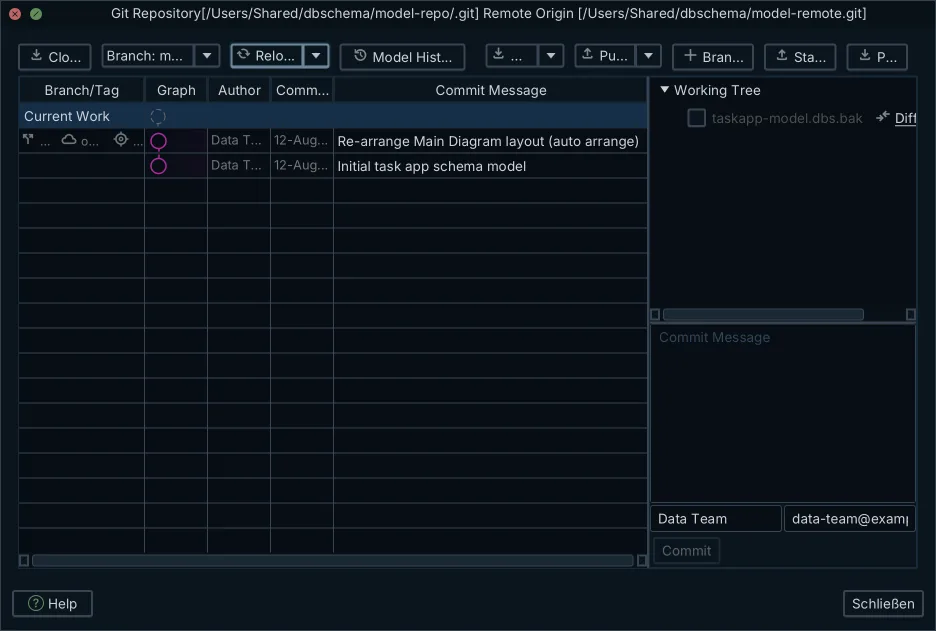
- A model file in Git and drift caught between environments: DbSchema saves the design as the .dbs design model file, an XML file you branch and pull-request, and compares development, staging and production schemas to catch drift.
Two situations sit slightly outside that list. If the model must exist before any physical target does, logical and conceptual design is the Architect Edition's territory, and the choice among logical database design tools compared is its own article. And if the team is on mixed desktops, DbSchema runs the same model file on Windows, macOS and Linux, which takes the operating system out of the decision.
Reverse-engineering your account in DbSchema
DbSchema ships one kit with everything in it: the free Community Edition and a 15-day Architect trial, no signup required. Community connects to Snowflake, reverse-engineers the schemas you select into diagrams and runs the SQL editor, which is enough to see whether the diagram of your account is worth having before anything is paid.
To connect, download DbSchema and enter the host, which is your account identifier followed by .snowflakecomputing.com, then name a database, a warehouse and a role. A warehouse is required for queries, so give the connection one your role can use. For production, a privateKey value in the advanced connection properties authenticates with a key pair instead of a password.
The features this comparison turns on are DbSchema Pro Edition: the saved .dbs model file for Git, the HTML5 documentation export, and compare and synchronization between the model and your development, staging and production schemas. When you synchronize, DbSchema lists every difference and you decide per object whether to keep it in the model, commit it to Snowflake or skip it. The step-by-step connection, and the visual query builder, the relational data editor and the data generator on Snowflake, are covered in the guide to model and document a Snowflake schema in DbSchema.
Download DbSchema, connect with your account identifier, a warehouse and a role, and reverse-engineer your Snowflake schemas; the 15-day Architect trial covers the saved model, documentation and synchronization.
Frequently asked questions
How can I use Snowflake for data modeling?
Connect DbSchema over JDBC, reverse-engineer the databases and schemas into a diagram, edit the model, and deploy the changes back to the account with schema synchronization. DbSchema lays out the databases, schemas, tables and views the account declares, and records relations nobody declared as virtual foreign keys in the model file. A warehouse is required to run queries, so name one in the connection along with a role.
What is a snowflake data model?
Two things share the name. The snowflake schema is a dimensional design pattern in which the dimension tables of a star schema are normalised into further related tables, so the entity-relationship diagram resembles a snowflake. Snowflake with a capital S is the cloud data platform. This article compares tools for the platform; the dimensional pattern is a design choice you can draw in any of them.
What tool can model and document a Snowflake schema?
The five tools compared here connect to Snowflake: DbSchema, SqlDBM, erwin Data Modeler, ER/Studio Data Architect and Hackolade Studio. DbSchema reverse-engineers the account into diagrams and exports interactive HTML5 documentation that analysts open in a browser without warehouse access. For an architect who wants the model in Git and documentation analysts can read without a warehouse login, DbSchema is the choice; the comparison table above sets out what the other four list on their Snowflake pages.
Does Snowflake enforce foreign keys?
Not on standard tables. PRIMARY KEY, FOREIGN KEY and UNIQUE are recorded as declarations but not enforced; NOT NULL and CHECK are the constraints Snowflake enforces on a standard table. On hybrid tables the primary key is required and enforced, and foreign key and unique constraints are enforced once declared. A modelling tool therefore draws declared intent; the virtual foreign key described above is the way to record a relation nobody declared.
Where does the data model live in each tool?
It depends on the tool. DbSchema saves the design to a .dbs file in XML on your machine, which you can branch and pull-request in Git; that saved model file is a Pro feature. SqlDBM keeps models in the browser platform. ER/Studio Data Architect Professional adds a repository packaged with ER/Studio Team Server, and the tool runs on 64-bit Windows 10 and 11.
Can I version a Snowflake schema in Git?
Yes. In DbSchema the whole design is one .dbs file in XML, so you commit it, branch it and review a teammate's changes as a diff before anything reaches the warehouse; saving the model to a file is part of the Pro edition. ER/Studio Data Architect's technical specifications list Git support among its version-history entries, and SqlDBM keeps models in its browser platform.
Do I need a warehouse to connect a modelling tool to Snowflake?
Yes. Storage and compute are separate in Snowflake, and a warehouse is required to run queries and all DML operations, so the connection needs one. Also check the role, for the reason given in the limits section above: a role without USAGE privilege on the warehouse returns an empty schema rather than an error.
Sources
Give your Snowflake account a map
DbSchema reverse-engineers your Snowflake schemas into diagrams, keeps the model in a file you version in Git, and exports interactive HTML5 documentation. Free Community Edition included.









