How to Generate Database Documentation (HTML5, PDF, Markdown)
For the person who has to hand a database schema to someone who will not open a SQL client: a client, a new joiner, an auditor.
On this page
Someone has asked for the schema, and they are not going to read your DDL. Generate the documentation instead of writing it: DbSchema reads the schema from the database into a model and writes it out as an interactive HTML5 page, a PDF or a Markdown file. The export reads the model only, so nothing changes in the database.
- Connect DbSchema to the database with File → New Model, or open a saved model.
- Open the diagram you want to document.
- Choose File → Export As... → HTML5/PDF Documentation, or press Ctrl+D.
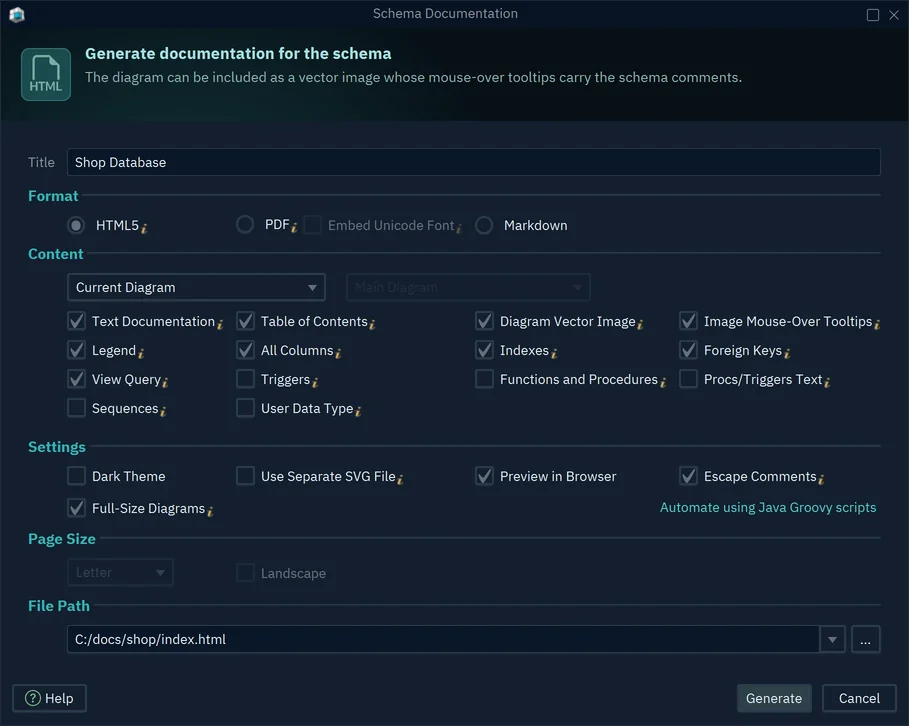
- Type a Title, and choose HTML5, PDF or Markdown.
- Under File Path, type the file name, then press Generate.
Split the schema into diagrams first
The documentation follows the diagrams, and one canvas of four hundred tables makes a document nobody reads. Split the schema by topic first, with Diagram → New Diagram: one diagram for orders, one for billing, one for reporting. Each diagram becomes a section, and a reader goes straight to the part they asked about.
The first list under Content picks the diagrams. Diagrams with 'documentation' tag takes every diagram tagged documentation in Diagram → Diagram Properties, in the order of the tag values 1, 2, 3. To see what a reader gets, open the sample below.
Table and column comments become the descriptions
What a reader needs is what each table holds and what each column means, and the documentation takes that from the comments on tables and columns. DbSchema reads the comments already in the database along with the schema. PostgreSQL 17 writes them with COMMENT ON:
CREATE SCHEMA shop;
CREATE TABLE shop.customers (
    customer_id integer PRIMARY KEY,
    email       varchar(120) NOT NULL UNIQUE
);
COMMENT ON TABLE shop.customers IS 'Everyone who created an account';
COMMENT ON COLUMN shop.customers.email IS 'Login and contact address, unique per customer';
DbSchema 10.5.2 read this schema and generated this Markdown:
### Table shop.customers
Everyone who created an account

|Idx |Name |Data Type |Description |
|---|---|---|---|
| * 🔑  | customer\_id| integer  |  |
| * 🔍 | email| varchar(120)  | Login and contact address, unique per customer |
Where comments are missing, write them in DbSchema: double-click a table header on the diagram and type in the Comment box, and each column has a Comment box of its own. While the model is connected, DbSchema saves the comment in the database as well as in the model.
HTML5 interactive documentation
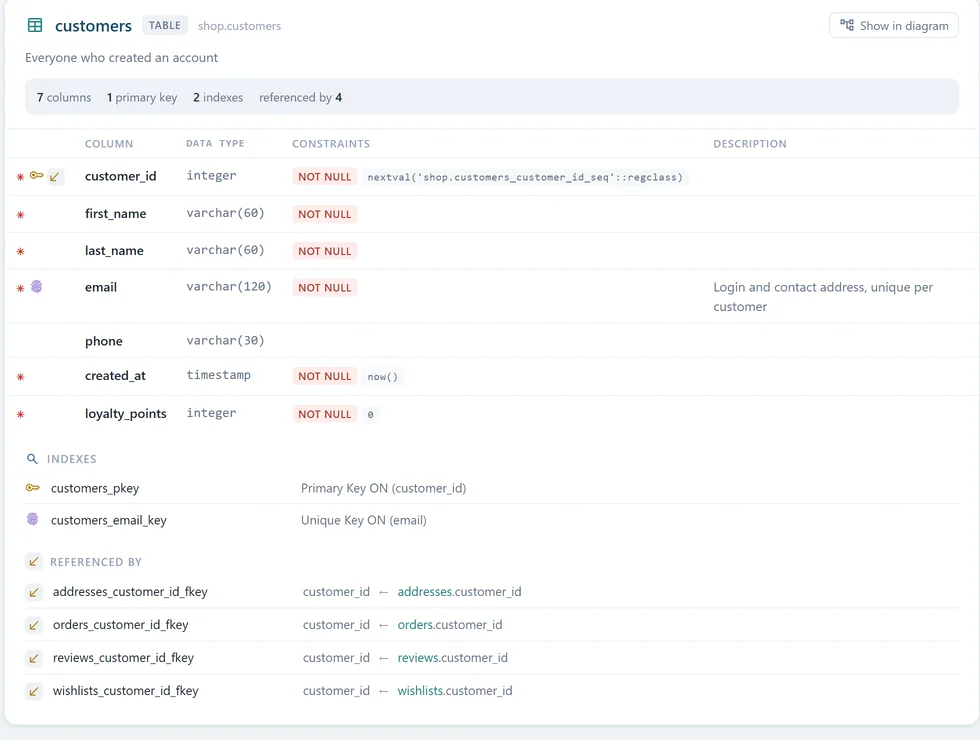
The HTML5 export is a single .html file that opens in any browser, with no server and no DbSchema on the reader's machine. Put it on an intranet, attach it to a ticket or send it to a client.
A search box finds tables, columns and comments. The diagram is a vector image you can drag and zoom, and pointing at a column shows its comment. Below it, each table gets a card with its columns, constraints, indexes and the foreign keys that reference it.

PDF for reviews, Markdown for repositories
PDF suits a review that has to be archived: one file with the diagram, the table details and every comment, on paper sizes from Letter and A4 up to A0. If names or comments use Cyrillic, Arabic, Chinese or other non-Latin letters, tick Embed Unicode Font so that the PDF carries a font for them.
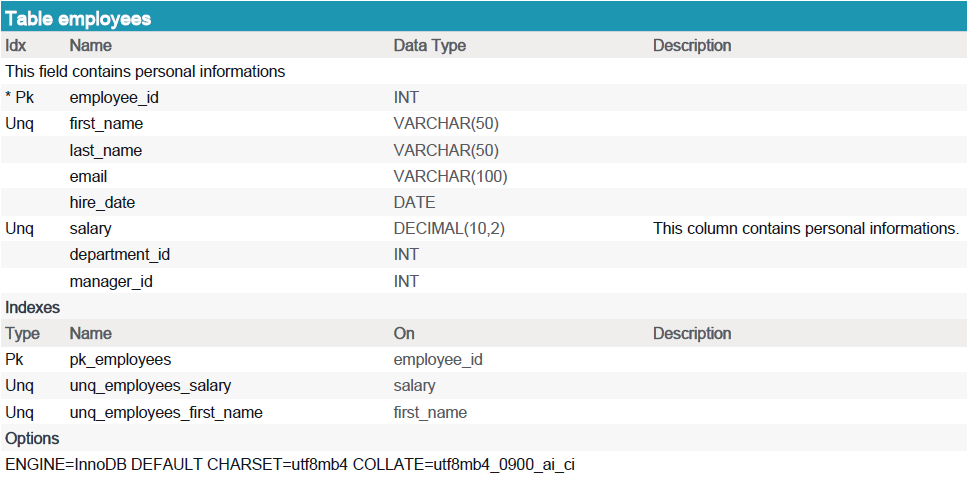
Markdown suits documentation that lives next to the code. DbSchema writes one .md file, laid out like the sample above, plus an .svg image of each diagram. The Idx icons are HTML codes such as 🔑, which GitHub and most wikis show as icons. Export into the repository's docs folder, and a schema change and its documentation go through the same pull request.
Regenerating the documentation when the schema changes
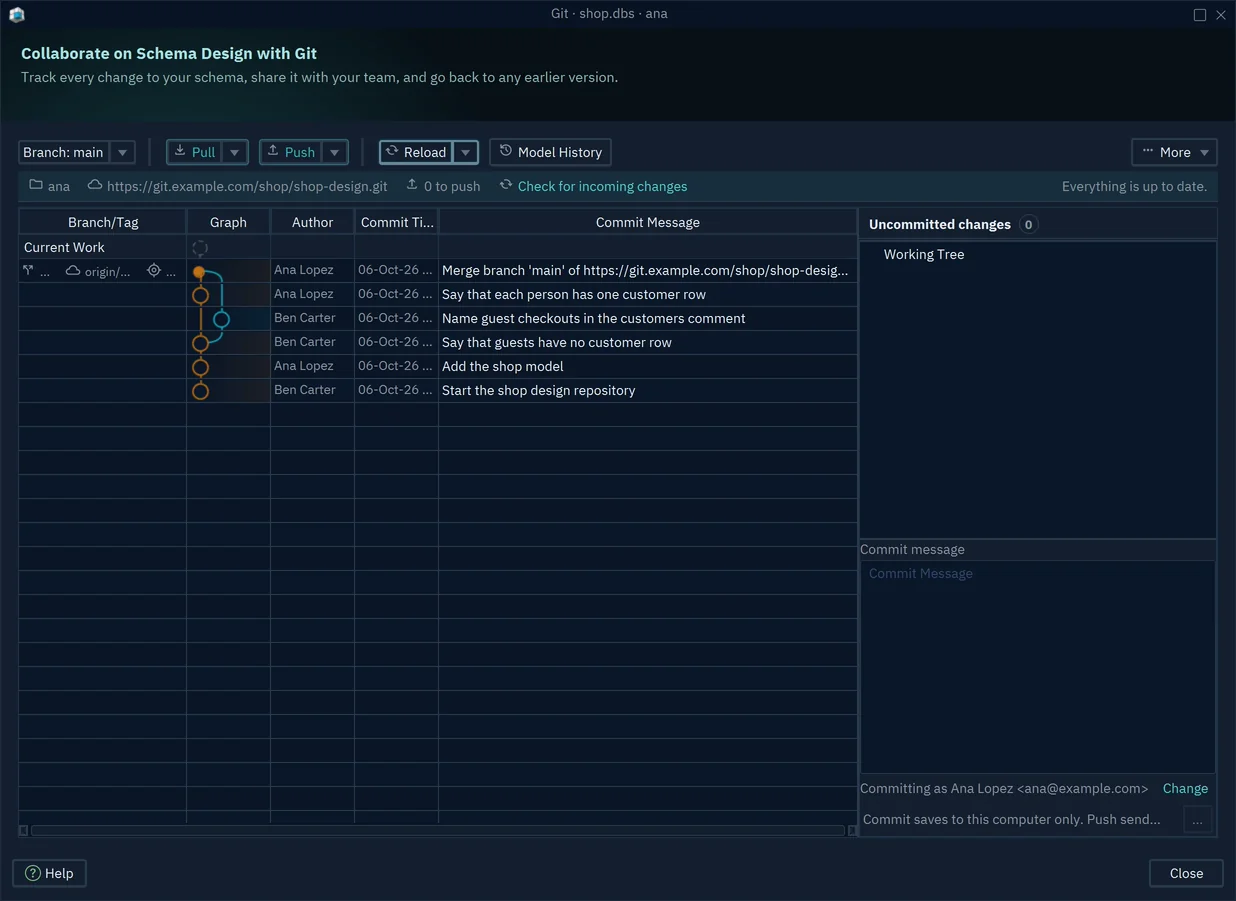
Documentation goes stale between a schema change and the next export. Two habits close that gap. First, keep the model in Git: DbSchema saves the whole design, comments and diagrams included, in one .dbs file. Save it with File → Save Model to File and commit it from File → Git Collaboration, and each branch carries its own model.
Second, let a script do the export. DbSchema runs Groovy automation scripts without opening its window. This one loads a model file and writes the HTML5 documentation of all its diagrams:
import com.wisecoders.dbschema.schema.Expose
import com.wisecoders.dbschema.schema.store.ProjectLoader

def loader = new ProjectLoader()
new File(parameters[1]).withInputStream { input -> loader.parse(input) }
def project = loader.project

def expose = new Expose(new File(parameters[2]), project, project.diagrams)
project.diagrams.get(0).generateHtmlDocumentation(expose)
println 'Wrote ' + parameters[2]
Run it from a scheduled task or a pipeline step, with full paths:
"C:\Program Files\DbSchema\DbSchema.exe" -x C:/scripts/export-docs.groovy C:/models/shop.dbs C:/docs/shop.html
For PDF or Markdown, call generatePdfDocumentation or generateMarkdownDocumentation instead. DbSchema exits with code 0 even when the script fails, so have the pipeline check the output for the Wrote line.
Exporting documentation and saving the model file need DbSchema Pro; connecting and drawing diagrams work in the free Community Edition. Download DbSchema, which includes a 15-day Architect trial, connect it to your database, fill in the comments on the tables people ask about most, and export the HTML5 page first. During the trial the diagram image carries a "DbSchema Trial" mark, which goes once a Pro license is registered.









