Migrating From PowerDesigner
For the database architect who holds an SAP PowerDesigner physical model and needs the schema in a tool the whole team can open.
On this page
SAP PowerDesigner generates SQL DDL from a physical data model, and that script is the road into DbSchema. Apply it to a staging database, connect DbSchema over JDBC, and the tables, columns, keys, indexes, constraints and comments come back as an ER diagram you arrange and save. DbSchema also parses a DDL file directly, with no database in between. VBScript automations, custom extended attributes and repository permissions are the part you rebuild.
What a PowerDesigner project holds
PowerDesigner splits a design across separate model files, one per level of abstraction. SAP's own documentation for 16.7 SP10 describes a conceptual data model (.cdm) that identifies entities, attributes and the relationships between them; a logical data model (.ldm) that carries migrated identifiers but no views or indexes; a physical data model (.pdm) that holds the tables, views and other objects of a specific DBMS; and a business process model (.bpm) for control flow and data flow, using BPMN among other process languages[1].
One of those files does the work in a migration. The physical data model names real tables, real data types and real constraints, and SAP's documentation says it is the model you generate for a DBMS from. Everything the repository adds on top of it, the version history, the user permissions, the deployed glossary, is governance metadata that lives in the repository database rather than in the schema, so it does not travel inside a script.
What carries over through the DDL script
Relational structure survives the trip because both ends speak SQL. PowerDesigner generates the physical model as CREATE TABLE statements with their keys, indexes and constraints, and DbSchema reads those statements back, either from a staging database it reverse-engineers over JDBC or from the script itself. Reading the script needs no staging database at all: DbSchema parses the file as text and builds the model from it, and nothing in the script is executed.
| PowerDesigner element | In the DbSchema model | Carried by |
|---|---|---|
| Tables and columns | Tables on the diagram | CREATE TABLE |
| Primary and alternate keys | Primary key and unique indexes | Constraint clauses |
| Foreign keys | Foreign key lines | REFERENCES clauses |
| Data types and defaults | Column type and default | Column definitions |
| Indexes | Entries on the Indexes tab | CREATE INDEX |
| Check constraints and nullability | Table constraints | Column and table clauses |
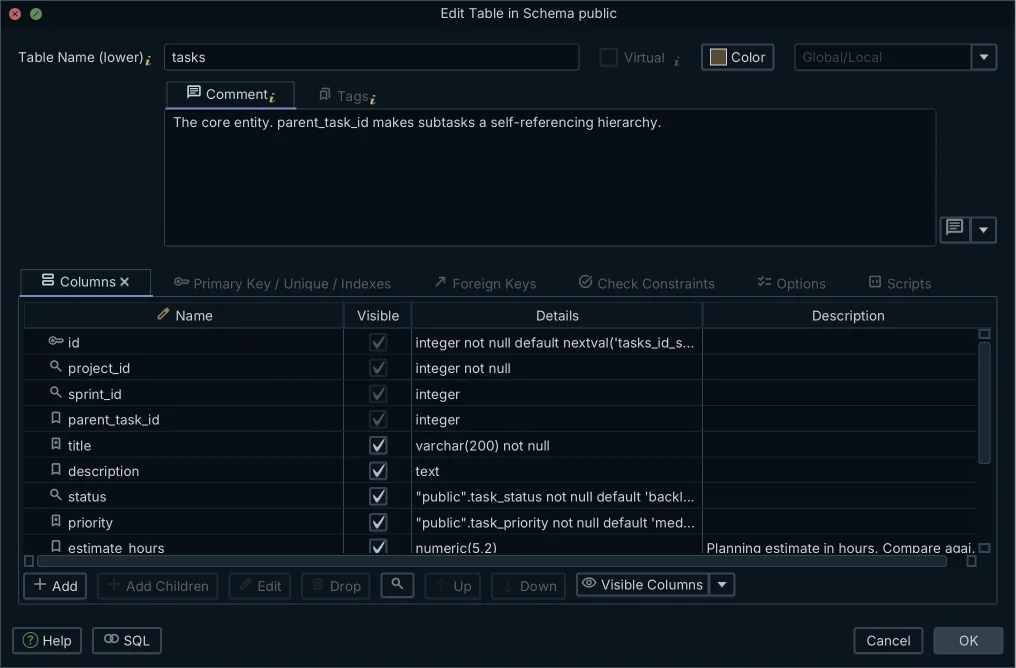
| Table and column comments | Descriptions in the Table Dialog | COMMENT statements |
Descriptions are the row worth checking afterwards, because they ride along only when the generated script emits them. Set PowerDesigner's generation options to include comments, or type the text into the Table Dialog in DbSchema; either way it lands in the model file and in the documentation exported from it. A .ldm you still care about has a home too: the Architect edition holds the database-independent logical layer alongside the physical one.
What you rebuild by hand
The work to budget for is the metadata PowerDesigner kept in its own formats. None of it is expressible in DDL, so none of it arrives with the script, and each piece has a place to go in DbSchema.
VBScript macros become Groovy. DbSchema runs Groovy from Tools → Automation Scripts, with the full DbSchema API available to the script, so a validation or transformation you had automated is rewritten against the model object rather than against PowerDesigner's object model. Checks that only test the schema need no code at all: they go in as rules under Model → Model Validation.
Custom extended attributes are re-recorded as descriptions and comment tags. A tag is a key-value pair on any table or column, which is where an owner, a sensitivity level or a retention flag belongs; DbSchema puts both into the generated documentation and makes them readable from an automation script.
Engine-specific storage settings are re-entered against the target database. The Options tab of the Table Dialog holds engine, charset, tablespace and the other settings your DBMS defines, so a tablespace assignment is set there rather than patched into the deployment script by hand.
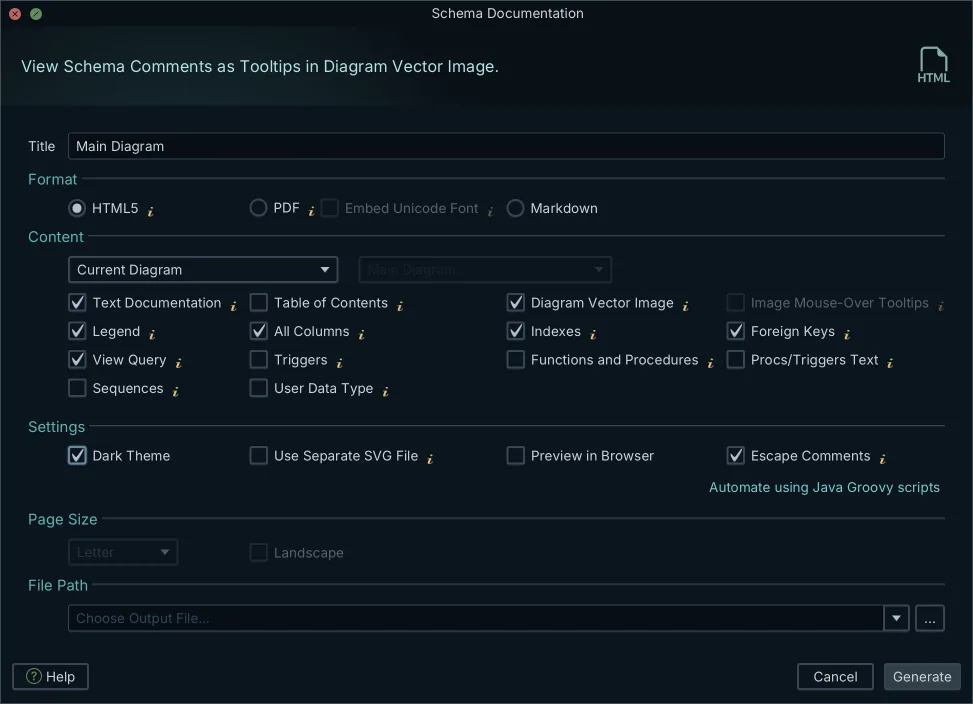
Repository permissions turn into repository rules. The .dbs model file is XML in a Git repository, so who may change what is decided by branch protection and pull request review, and DbSchema stages, commits and pushes the file from its own Git — Collaborative Design dialog. RTF and web reports have a direct replacement: Diagram → Export HTML5 or PDF Documentation writes an interactive HTML5 page with a vector diagram, a searchable table list and column descriptions as mouse-over tooltips.
The order of the steps
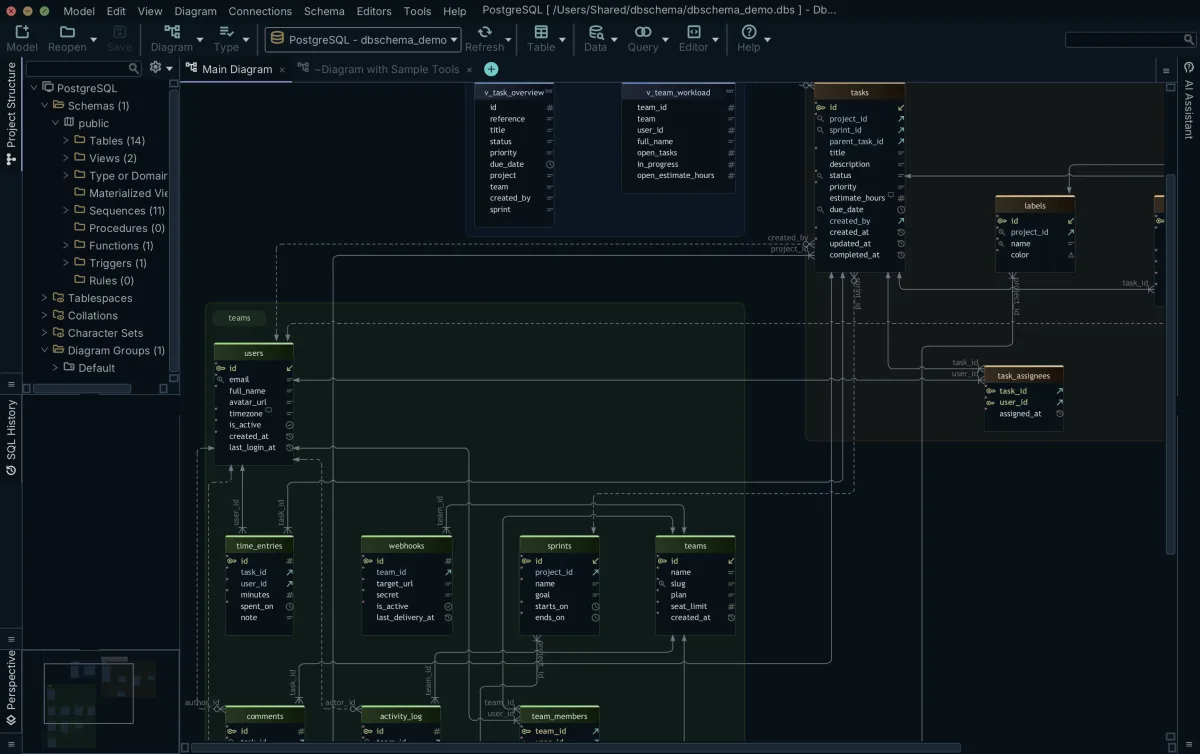
Run the migration in this order, and the structure is in place before anyone spends time on layout.
- Open the physical data model in SAP PowerDesigner and generate the database script. Keep the
.sqlfiles, or apply them to an isolated staging database. - Point DbSchema at the result. Connect to the staging database over JDBC, or open
Model → Import from External Formatand select the generated SQL files. - Reverse-engineer the schemas, tables and views you want in the model. DbSchema reads the catalog and draws the ER diagram from what it found.
- Split a large schema into several diagrams, one per module, and group the tables inside each. Drag a column onto another to add a virtual foreign key where the database enforces no constraint.
- Save the project as a
.dbsfile and commit it to the repository the team reviews in.
Steps 2 to 5 write to the model file and nowhere else. Nothing reaches a database until you open Schema → Synchronize Model with Database, read the SQL that DbSchema generated from the difference, and click Execute.
What is the alternative to Liquibase?
DbSchema is the visual alternative: you edit the diagram, and DbSchema writes the migration SQL from the difference between the model file and the target database. Liquibase asks for the change in a changelog you author. Its changelogs can be written in SQL, XML, YAML or JSON, and when a root changelog uses the include or includeAll tags to reference other changelogs, that root file must be an XML, YAML or JSON file[2]. The same visual route runs through the other Liquibase alternatives with a visual schema diff.
| Capability | DbSchema | Liquibase |
|---|---|---|
| Change is defined | On the ER diagram | In a changelog file |
| Change format | XML .dbs model file | SQL, XML, YAML or JSON |
| Differences shown as | Object-by-object diff | Command-line output |
| Script produced | Generated from the diff | Executed from the changeset |
| Deployment | Synchronization Dialog | Command-line pipeline |
The Synchronization Dialog lists the generated statements before anything runs, and you can edit them there, so the script that reaches the database is one a person has read.
What is the alternative to Lucidchart?
DbSchema is the closer replacement, because it reads the database rather than being drawn on top of it. Lucidchart is a canvas of vector shapes, so a diagram made there is accurate on the day it is drawn and nothing pulls the tables back in as they change. DbSchema connects over JDBC to SQL and NoSQL engines alike and redraws the diagram from the catalog it just read. The same reasoning runs through the wider field of Lucidchart alternatives for database diagrams and through moving a dbdiagram.io schema to a connected model.
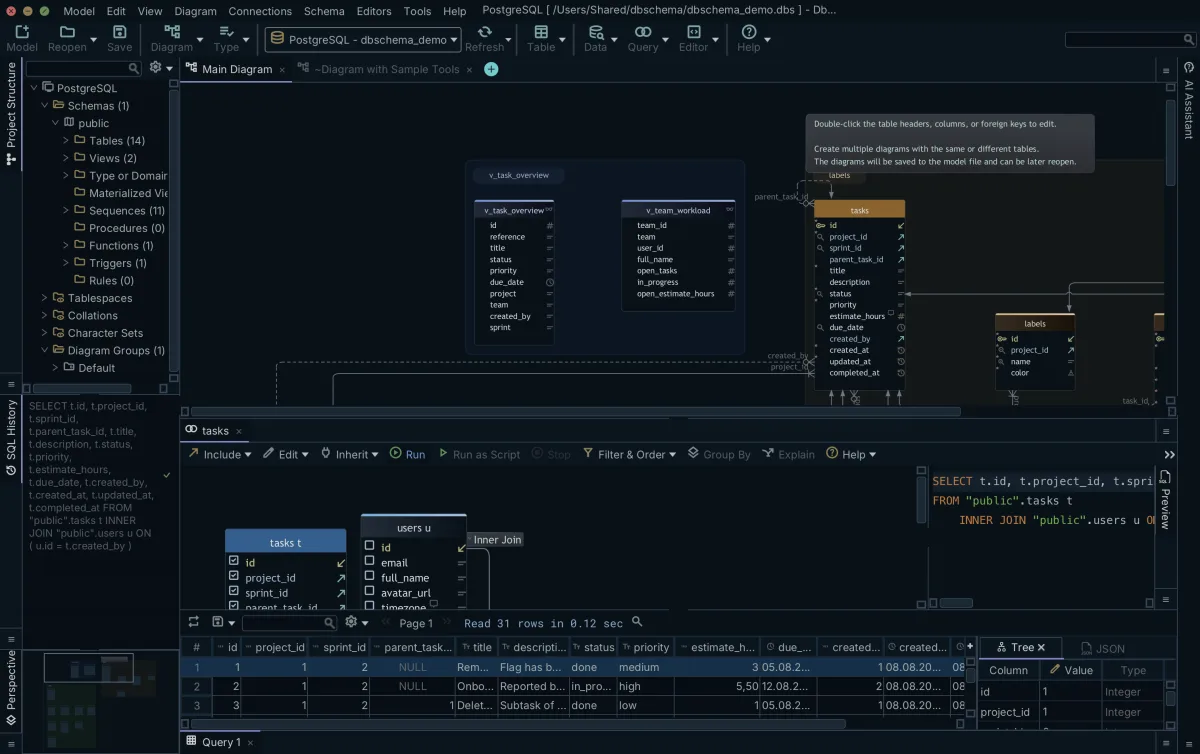
The connection buys more than an accurate picture. Click a table header on the diagram and DbSchema opens the Query Builder loaded with that table; follow a foreign key to add the next one, tick the columns you want, and the generated SELECT runs against the database with its rows in the Result Pane. The Query Builder is a Pro feature.
Validating the model before the team opens it
Check the imported structure once, before the model file becomes the thing everyone works from. Open Model → Model Validation and write the rules a schema review used to apply by eye: every table has a primary key, every column has a description, all table names match a naming pattern, no column uses a data type your team has retired. Click Validate and the results panel lists each table, column, index or foreign key that failed a check, with a click that takes you to the object on the diagram. A condition the built-in checks cannot express goes in as a Java Groovy Check, which receives the schema object being tested and returns true or false.
Validation reads the model file, so you can run it on a schema that exists nowhere else yet, then commit the file and let the review happen in a pull request.
Download DbSchema at https://dbschema.com/download.html, connect it to the staging database you deployed the PowerDesigner script to, and let it reverse-engineer the schema into a diagram. Connecting, reverse-engineering, the diagrams and the SQL editor are in the free Community edition; saving the model to a file, schema synchronization, the documentation export, Model Validation and the Query Builder are Pro; the database-independent logical and conceptual layer is Architect.
Frequently asked questions
What is the alternative to Liquibase for database migrations?
DbSchema compares the .dbs model file against a live database and generates the SQL migration from the differences you select. It also reads an existing folder of migration scripts: point Model → Import from External Format at the folder, set the target to Current Design, and DbSchema replays the scripts in the order a database would have applied them and shows the result as differences against the model you already have.
What is the alternative to Lucidchart for database design?
Virtual foreign keys are the part a canvas of shapes has no answer to. Drag one column onto another in DbSchema and the relationship is saved in the model file, and the Relational Data Editor then treats it like a declared key: pick a row in the parent pane and every child pane refilters to the matching records, as many levels deep as the schema goes.
How do I export an SAP PowerDesigner model?
Generate the database script from the physical data model, which is the PowerDesigner model type documented as the one you can generate for a DBMS from[1]. Apply the script to a staging database and reverse-engineer that, or open the script itself with Model → Import from External Format in DbSchema.
Which PowerDesigner features have to be rebuilt?
VBScript macros, custom extended attributes, repository permissions and RTF report templates. A macro becomes a Groovy script that receives the DbSchema project as an injected variable, and DbSchema runs it either from Tools → Automation Scripts or with no user interface at all, started from the command line with the script as an argument.
Sources
Move your PowerDesigner model onto a live database
DbSchema reverse-engineers your staging database over JDBC and rebuilds the ER diagram automatically. Offline model files, schema synchronization and HTML5 documentation come with Pro and Architect.









