SQLite UNION vs UNION ALL Explained with Examples
For SQLite users who write SELECT statements and need the rows of two of them in one result; duplicates, column names and the compound rules are explained where they appear.
On this page
Two tables hold the same kind of row and the report needs both: staff and contractors on one list, or an archive table beside the live one. In SQLite, UNION stacks the results of two SELECT statements and removes the duplicate rows. UNION ALL stacks them and keeps every row.
SELECT column1, column2 FROM table1
UNION
SELECT column1, column2 FROM table2
ORDER BY column1;
Write UNION ALL in place of UNION to keep the duplicates. Every SELECT returns the same number of columns, and the one ORDER BY goes after the last SELECT.
The example tables
The examples run in the sqlite3 shell. Start it with a file name, and SQLite opens that database or creates it; .open sampleDB.db does the same from inside the shell. Our article on creating a SQLite database covers installing sqlite3.
sqlite3 sampleDB.db
Then create two tables with the same three columns:
CREATE TABLE Employees (
  id INTEGER PRIMARY KEY,
  name TEXT,
  department TEXT
);

INSERT INTO Employees (name, department) VALUES
('John Doe', 'Sales'),
('Jane Doe', 'Marketing');

CREATE TABLE Contractors (
  id INTEGER PRIMARY KEY,
  name TEXT,
  department TEXT
);

INSERT INTO Contractors (name, department) VALUES
('John Doe', 'Sales'),
('Mark Smith', 'Sales'),
('Jane Smith', 'Marketing');
John Doe in Sales is on both lists, and he is the row the two operators treat differently. Every result and error message below was copied from a run of these statements through Python's sqlite3 module, on SQLite 3.50.4.
What UNION returns and what UNION ALL returns
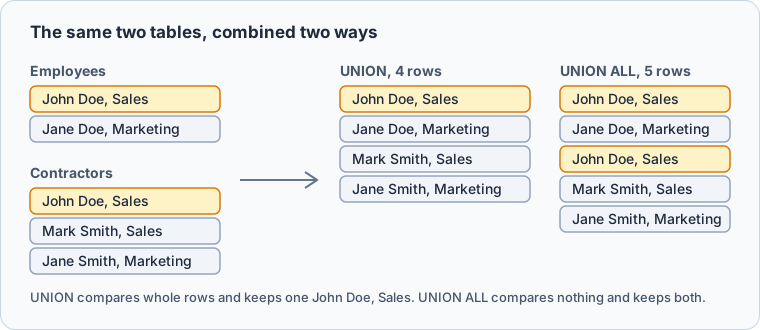
UNION removes duplicate rows from the final result, so John Doe appears once:
SELECT name, department FROM Employees
UNION
SELECT name, department FROM Contractors
ORDER BY name;
| name | department |
|---|---|
| Jane Doe | Marketing |
| Jane Smith | Marketing |
| John Doe | Sales |
| Mark Smith | Sales |
UNION ALL returns every row of the first SELECT and every row of the second, without comparing them. The same query returns five rows instead of four:
SELECT name, department FROM Employees
UNION ALL
SELECT name, department FROM Contractors
ORDER BY name;
| name | department |
|---|---|
| Jane Doe | Marketing |
| Jane Smith | Marketing |
| John Doe | Sales |
| John Doe | Sales |
| Mark Smith | Sales |
A duplicate is a whole row, not one column. Had the contractor John Doe been booked to Marketing, his two rows would differ and UNION would keep both. Without the ORDER BY, SQLite promises no order at all, so add one whenever the order matters.
| UNION | UNION ALL | |
|---|---|---|
| Duplicate rows | Removed | Kept |
| Compares rows | Yes, with a temporary b-tree | No |
| Rows from the example tables | 4 | 5 |
Column names come from the first SELECT
The result takes its column names from the first SELECT, so that is where aliases go. A constant column can label the table each row came from:
SELECT name AS person, 'employee' AS source FROM Employees
UNION
SELECT name, 'contractor' FROM Contractors
ORDER BY person;
| person | source |
|---|---|
| Jane Doe | employee |
| Jane Smith | contractor |
| John Doe | contractor |
| John Doe | employee |
| Mark Smith | contractor |
The second SELECT needs no aliases, and the ORDER BY can use person. John Doe now appears twice even under UNION: his two rows differ in source, so they are no longer duplicates.
Why UNION costs more than UNION ALL
Removing duplicates means comparing each row with the rows already returned. EXPLAIN QUERY PLAN shows where SQLite does it. These are the detail values it returns for the two queries without their ORDER BY:
| UNION | UNION ALL |
|---|---|
| COMPOUND QUERY | COMPOUND QUERY |
| LEFT-MOST SUBQUERY | LEFT-MOST SUBQUERY |
| SCAN Employees | SCAN Employees |
| UNION USING TEMP B-TREE | UNION ALL |
| SCAN Contractors | SCAN Contractors |
UNION USING TEMP B-TREE is a temporary b-tree that SQLite fills with the rows it has returned, so that it recognizes a row it has already seen. UNION ALL has no such step. With the ORDER BY, the UNION plan becomes MERGE (UNION) and sorts both inputs instead, but it still compares rows.
So write UNION ALL whenever the inputs cannot overlap, such as an archive table beside a live one, or one table per month. Write UNION when the same row can come from both inputs and you want it once.
The rules a compound SELECT must follow
A compound SELECT is two or more SELECT statements joined by UNION, UNION ALL, INTERSECT or EXCEPT. The rules come from the SELECT documentation. SQLite rejects a compound whose SELECTs return different numbers of columns:
SELECT name, department FROM Employees
UNION
SELECT name FROM Contractors;
SQLite refuses it with SELECTs to the left and right of UNION do not have the same number of result columns. Putting ORDER BY name on the first SELECT fails with ORDER BY clause should come after UNION not before, and a LIMIT there fails the same way.
- Every SELECT returns the same number of columns.
- ORDER BY and LIMIT appear once, after the last SELECT, and apply to the whole result.
- To sort or limit one SELECT on its own, wrap it in a subquery:
SELECT * FROM (SELECT name FROM Employees ORDER BY name LIMIT 1). - Three or more SELECTs group from left to right:
A UNION B UNION Cruns as(A UNION B) UNION C. - SQLite has no UNION DISTINCT. It stops with
near "DISTINCT": syntax error. - A compound holds at most 500 SELECTs, the default of SQLITE_MAX_COMPOUND_SELECT.
The column types do not have to match. SQLite applies no type conversion when it compares rows, so SELECT 1 UNION SELECT '1' returns two rows, the integer 1 and the text '1'. NULL counts as equal to NULL here, unlike in a WHERE clause, where NULL = NULL is never true, so SELECT NULL UNION SELECT NULL returns one row.
UNION in the DbSchema SQL Editor



DbSchema runs the same queries against the SQLite file and shows the rows in a grid:
- Choose File → New Model, keep Connect to Database selected, click SQLite and connect to
sampleDB.db. DbSchema reads Employees and Contractors and draws them on a diagram. - Press Editor in the toolbar and choose SQL Editor, or press Ctrl+E.
- Type the UNION query and press Run, or Ctrl+Enter. The rows show in the result grid under the editor.
Starting from an empty file instead, paste the CREATE TABLE block first and press Run Script, which runs the statements one after the other and creates the tables in the SQLite file itself. The SQL Editor works in every edition of DbSchema, Community included.
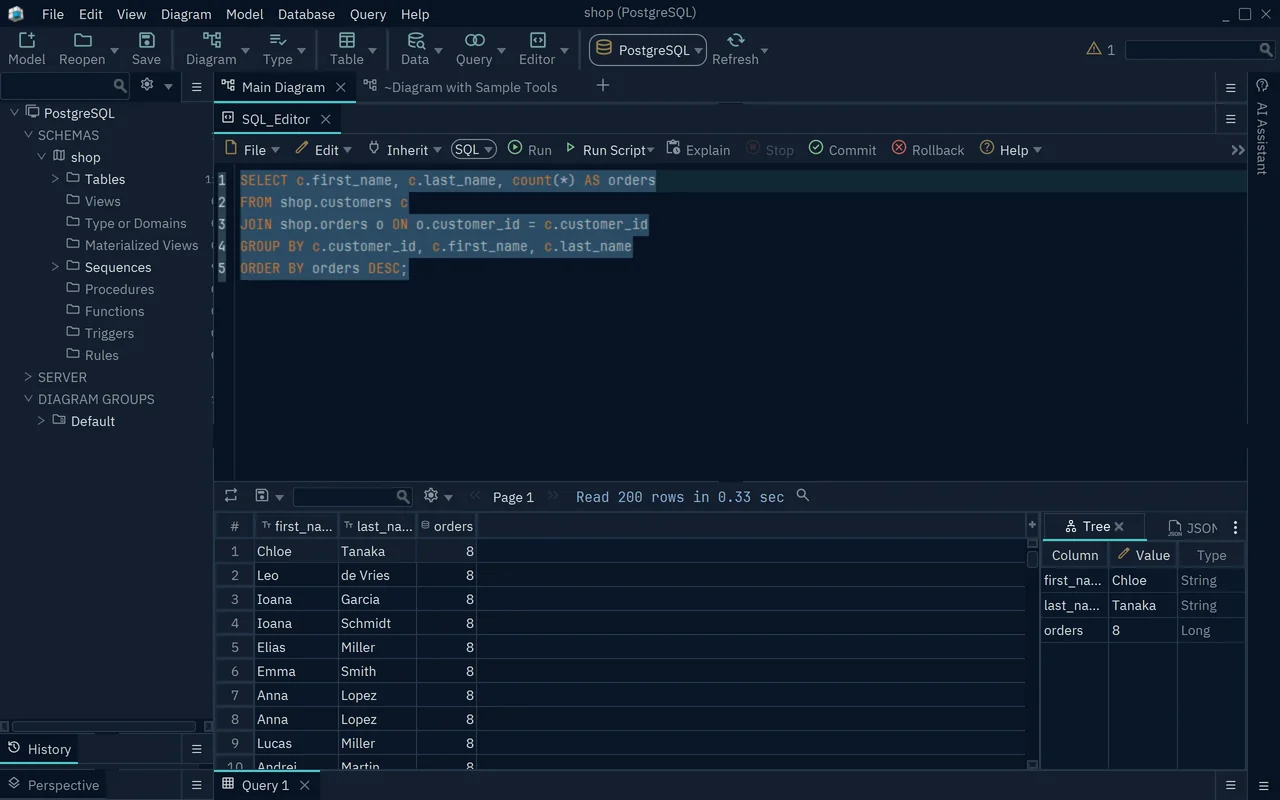
Download DbSchema, connect it to your SQLite database, and run the UNION ALL query above in the SQL Editor. Connecting, the diagram and the SQL Editor are all in the free Community Edition.









