Documenting a MySQL Database
For the architect who owns a MySQL schema and has to hand it to people who will never open a SQL client.
On this page
What a MySQL schema document has to contain
A developer joins the team and asks which values one particular column accepts. The DDL gives its type and nothing else, so the real answer lives in somebody's memory or in a chat thread from two years ago. Documentation is where that answer sits next to the column, together with the facts the DDL does carry: the storage engine, the character set and collation, the keys, the indexes and the routines.
MySQL has a place to put the sentence. A column definition takes a COMMENT option of up to 1024 characters, a table takes a comment of up to 2048, and an index definition takes one of up to 1024[1]:
CREATE TABLE orders (
  order_id int NOT NULL,
  customer_id int NOT NULL,
  status varchar(20) NOT NULL COMMENT 'new, paid, shipped or cancelled',
  placed_on date NOT NULL,
  PRIMARY KEY (order_id)
) ENGINE=InnoDB COMMENT='Customer orders, one row per order';
Comments written that way are metadata, so you read them back with a query rather than by opening the source file:
SELECT COLUMN_NAME, DATA_TYPE, IS_NULLABLE, COLUMN_COMMENT
FROM INFORMATION_SCHEMA.COLUMNS
WHERE TABLE_SCHEMA = 'shop' AND TABLE_NAME = 'orders'
ORDER BY ORDINAL_POSITION;
| COLUMN_NAME | DATA_TYPE | IS_NULLABLE | COLUMN_COMMENT |
|---|---|---|---|
| order_id | int | NO | |
| customer_id | int | NO | |
| status | varchar | NO | new, paid, shipped or cancelled |
| placed_on | date | NO |
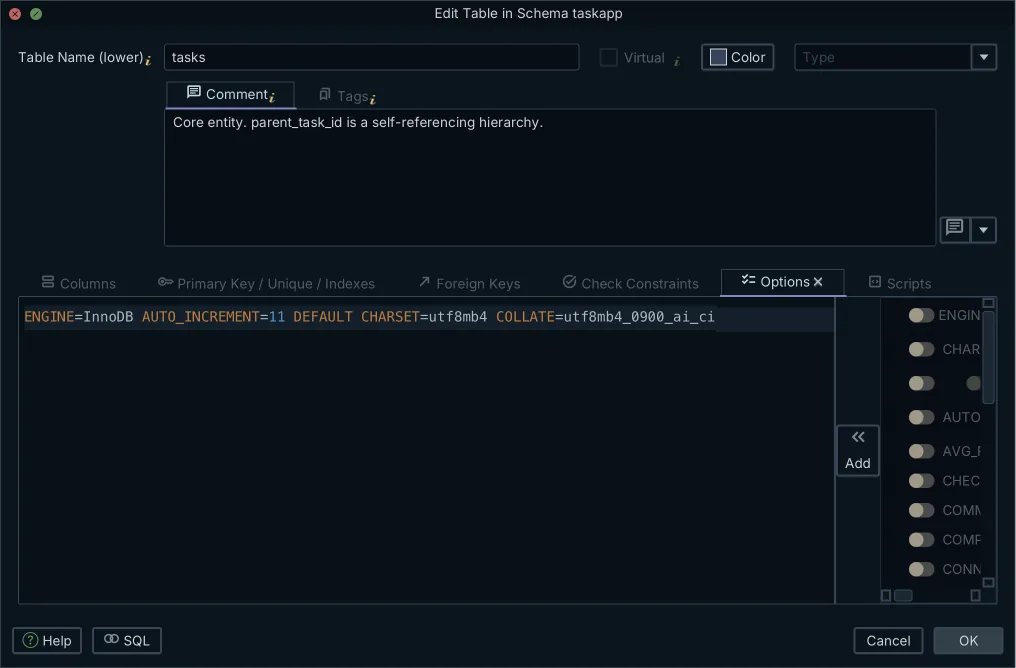
DATA_TYPE and IS_NULLABLE come free with the table; COLUMN_COMMENT is empty until somebody writes it. That is the work documentation actually is, and a query result is a poor place to read it back. Several hundred rows of column metadata tell you nothing about which table depends on which. An entity relationship diagram does, and DbSchema builds one from the same catalog, with each description shown against the object it belongs to. Text you type into the Description field of a table or column in DbSchema is stored in the model and carried into every documentation format it generates. The wider modeling workflow is covered in designing a relational database schema.
Where a schema reference sits among the 4 types of documentation
The Diátaxis framework, written by Daniele Procida, splits technical documentation into four forms that answer four different needs: tutorials, how-to guides, technical reference and explanation[2]. A tutorial teaches a newcomer by walking them through a whole project. A how-to guide solves one operational problem for somebody who already knows the system. Technical reference states the facts about the machinery. Explanation gives the background and the reasoning behind a design.
Schema documentation is technical reference, and knowing that decides how you write it. Whoever opens it is at work in the middle of something, looking up which table a foreign key points at, whether a column accepts NULL, or which columns an index covers. Nobody reads it end to end. That makes random lookup the property to optimize: a searchable table list, a diagram you can click into, and a description on every object, rather than a narrative that has to be read for beeing useful.
Does anyone use MySQL anymore?
The question usually comes up because the schema in front of you is old, not because MySQL stopped moving. Oracle's 8.4 reference manual documents MySQL 8.4 through 8.4.11[3]. It names InnoDB the default storage engine in MySQL 8.4, and says CREATE TABLE creates InnoDB tables by default[4].
For a schema that has been running for a decade, that default is exactly the thing your documentation has to record per table rather than once at the top. Tables created before the InnoDB default may still be MyISAM, which the manual describes as small-footprint tables whose table-level locking limits performance in read/write workloads. Its engine feature table answers foreign keys in one word per engine, Yes for InnoDB and No for MyISAM[4]. A long-lived MySQL database also accumulates columns nobody claims, indexes added for a report that was retired, and relationships the application enforces without telling the server. Documenting it is reconstruction work, which is why generating the reference from the live catalog beats maintaining a hand-written one.
Is MariaDB or MySQL better?
For the job on this page, neither is better, because both hand you the same kind of catalog. MariaDB documents an INFORMATION_SCHEMA providing metadata about all other databases, tables, columns, and server-level objects[5], which is where MySQL keeps its own metadata too. A documentation workflow that reads catalog tables therefore runs against either engine without a second implementation.
DbSchema connects to both over JDBC and reverse-engineers them into the same design model, so a team running MariaDB databases next to MySQL ones publishes the reference for both from one model file and one export dialog. The comments you attach to a table survive the move between the two, because they live in the model rather than in an engine-specific report format.
Where the two do differ is in the objects a schema actually contains, and that difference reaches the generated pages rather than the export step. A stored routine written against one engine's built-in functions is documented as it stands and reads as that engine's SQL, which is what somebody looking it up wants to see. Pick the engine on operational grounds and let the reference follow, instead of choosing a documentation format first and discovering later that it understands only one of them.
What is the best tool for database documentation?
DbSchema is the one to reach for when the output has to outlive the connection. It reverse-engineers the MySQL catalog into a local .dbs model file, plain XML on your disk, and generates the documentation from that model rather than from a live session, so you can regenerate the reference on a laptop with no access to production. General-purpose diagramming applications draw a picture that is correct on the day you draw it; DbSchema reads the catalog again and the picture follows the schema.
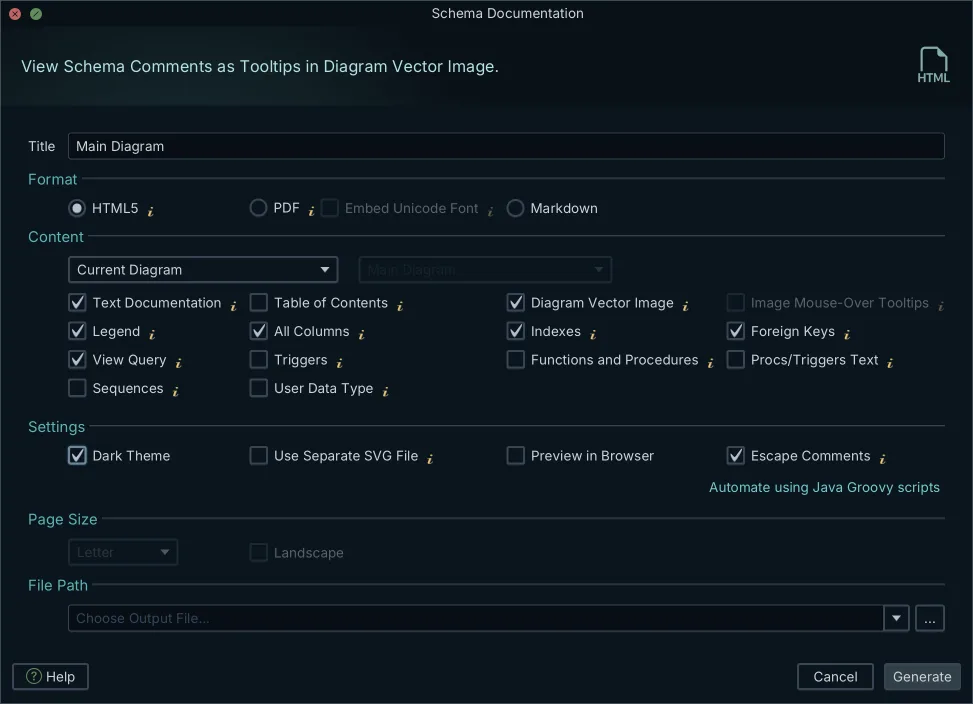
Open Diagram → Export HTML5 or PDF Documentation in DbSchema and pick the format, the diagrams to include, and which schema elements go in. Building several diagrams first, one per area of the schema, is worth the ten minutes: the documentation is organized the way the diagrams are.
| Format | What it produces | Where it goes |
|---|---|---|
| HTML5 | Interactive pages with a vector diagram and a searchable table list | Any browser, no server |
| A printable report with diagram images and column descriptions | Reviews, audits, sign-off | |
| Markdown | One section per table with columns, types and descriptions | A Git repository or a wiki |
The database documentation tool page shows what each of the three looks like, and the tools worth comparing covers the field more widely.
What is the most popular program for documentation?
MySQL Workbench is the one most MySQL administrators meet first, because Oracle ships it with the server tooling. It gives you visual SQL editing, server administration, user privilege management and physical ER diagrams.
Its documentation feature carries a licensing boundary worth knowing before you plan around it. Oracle's manual states that DBDoc Model Reporting is available only in the MySQL Workbench Commercial Editions, and lists its four templates: HTML Basic Frames, HTML Basic Single Page, HTML Detailed Frames and Text Basic[6]. A team on the free Community release has no DBDoc, and a team with a commercial license gets frame-based HTML or a text file. DbSchema generates its HTML5, PDF and Markdown documentation in the Pro edition, on Windows, macOS and Linux, from the same model file the whole team can check out of Git.
Which tool is best for web-published documentation?
DbSchema, because its HTML5 export is a folder of files rather than an application. The export writes static HTML, CSS and SVG, so it opens in any browser with no server-side runtime, no client install and no database account for the reader. Put it behind your internal web server and the reference is a URL you can send to a product manager.
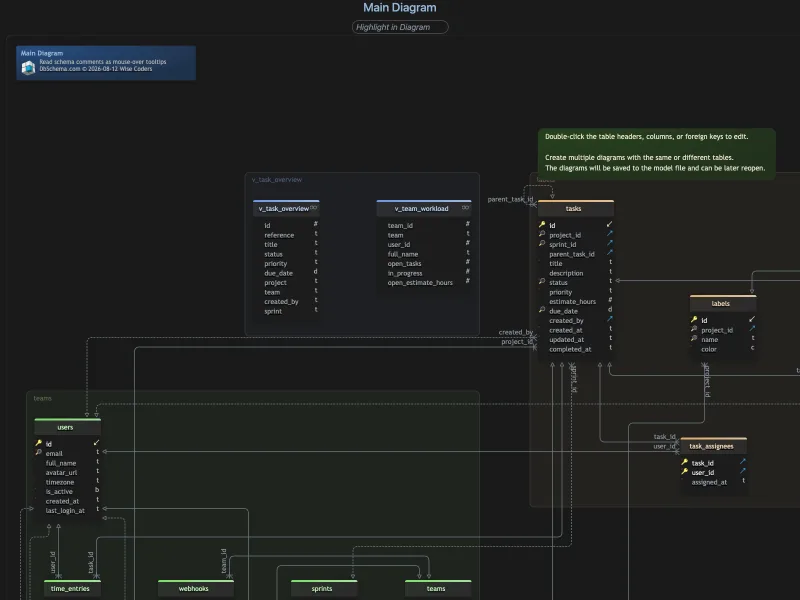
What makes it usable as reference is what the vector diagram carries. Click a table to jump to its definition, and hover a table or a column name to read its description as a mouse-over tooltip, so the sentence about the status column arrives at the moment somebody wonders about it. DbSchema also attaches comment tags, key-value pairs on any table or column, which is where structured metadata such as an owner or a sensitivity level goes; the tags appear in the generated documentation alongside the free-text descriptions.
Point DbSchema at your MySQL database and let it reverse-engineer the schema into a model, then fill in the Description field on the tables whose meaning nobody has written down yet. Diagram → Export HTML5 or PDF Documentation turns what you have into the reference. The download is at https://dbschema.com/download.html: connecting, reverse-engineering and the interactive diagrams are in the free Community edition, while saving the model to a file and the HTML5, PDF and Markdown documentation are in Pro.
Frequently asked questions
How do you document a database schema?
Where MySQL keeps the description, and how you read it back, is in what a MySQL schema document has to contain. Before you export, draw one diagram per area of the schema and tag those diagrams documentation: the DbSchema export dialog takes all diagrams carrying that tag as one selection, and the tag value decides the order they appear in.
Does the free version of MySQL Workbench have DBDoc?
The free Community release generates none of those reports, and the editions that do, with the four templates they carry, are named in the section on the most popular program for documentation. A commercial edition produces the report from an open model through Model → DBDoc - Model Reporting, whose Base Options frame sets the report title and the output directory.
Can I use MySQL tools to document MariaDB?
Documentation generated from catalog tables rather than from a proprietary file serves either engine, which is what the MariaDB section sets out. DbSchema downloads the MariaDB JDBC driver for you when you create the connection, and where your environment blocks downloads, Upload JDBC driver takes the driver .jar file from your own disk.
How can I share database documentation online?
The HTML5 export is a folder of static files you put behind a web server, described in the section on web-published documentation. To keep the published copy current, generate it from a DbSchema Groovy automation script instead of the dialog, which is how a CI build refreshes it after a schema change.
Sources
Export MySQL documentation your team can open in a browser
DbSchema reverse-engineers a MySQL schema into an interactive model in the free Community Edition, and DbSchema Pro exports HTML5 documentation. The generated files open in any browser with no license and no install, and the comments you add to tables, columns and foreign keys are carried into them.









