NoSQL Data Modeling Tools: Hackolade Alternatives for MongoDB
What a MongoDB modelling tool has to read from your collections and write back to them, and what the alternatives to Hackolade cost over three years.
On this page
Hackolade Studio is a paid data modelling tool for MongoDB and other databases, sold by the year. DbSchema is the alternative for MongoDB teams that want to pay once. Like Hackolade Studio, it reads your collections, draws them as a diagram and writes rules back to MongoDB.
Every DbSchema download starts with a 15-day trial of all features, with no registration. After the trial, the Community Edition stays free forever, for any use.
Short answer
The alternatives to Hackolade Studio for MongoDB fall into three groups:
- Data modelling tools, such as DbSchema and Moon Modeler. They read a database's structure, let you redesign it and write it back.
- MongoDB IDEs (integrated development environments), such as Studio 3T. They are built for queries and moving data.
- MongoDB Compass, MongoDB's free client. It draws a diagram, but its relationships are notes only.
DbSchema Pro costs 294 USD once. Hackolade Studio Professional costs 1,500 EUR per seat every year.
- DbSchema Pro costs 444 USD over three years, less than one year of Hackolade Studio Professional.
- The free DbSchema Community Edition reads an existing MongoDB database into a model; Hackolade Community does not.
- DbSchema Pro keeps the model in a file you can put in Git and publishes it as HTML5 documentation.
Nobody can say which fields your collections hold? DbSchema turns them into one model you can check, fix and share.
What DbSchema adds for MongoDB modelling
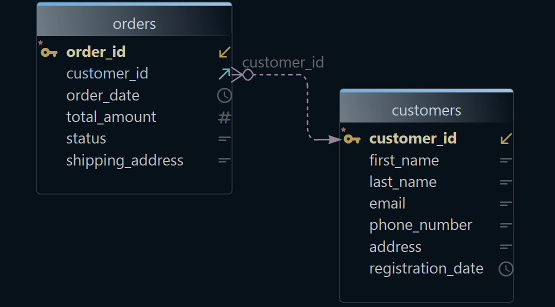
A model is a design copy of your database: collections, fields, types and the links between them. DbSchema builds that model from your real documents and can write it back to MongoDB:
- See which fields really exist. DbSchema lists every field of each collection with its type. This is an inferred schema: a schema guessed from a sample of documents, so an approximation. It works in the Community Edition, as Read more documents to find every field shows.
- Links between collections, drawn for you. Every MongoDB document has an
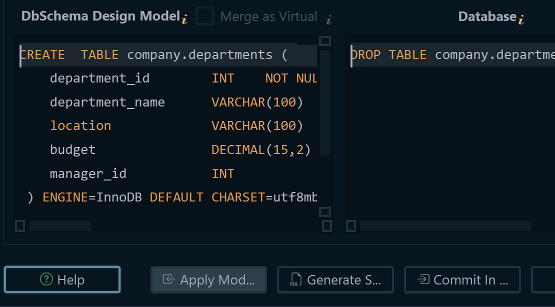
_idfield, its unique id. Where a field holds the_idof a document in another collection, DbSchema draws a line. These lines are virtual relations: links kept in the DbSchema model that MongoDB never sees. The Community Edition draws them. Saving them in a model file needs Pro (See the relations between collections). - Rules MongoDB enforces. A validator is a rule attached to a collection that every new or changed document must pass. While you are connected, DbSchema writes each collection's design to MongoDB as a validator (Create collections and validators).
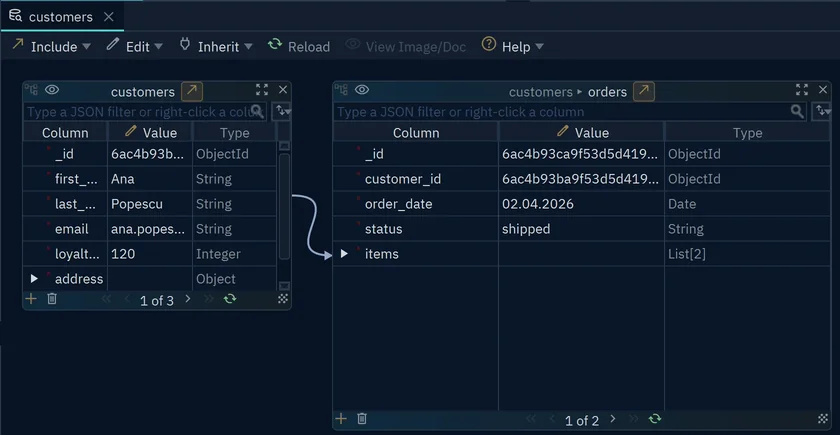
- One customer and all of their orders on one screen. The Relational Data Explorer is DbSchema's document browser. It shows a document and, next to it, the related documents. It needs DbSchema Pro.
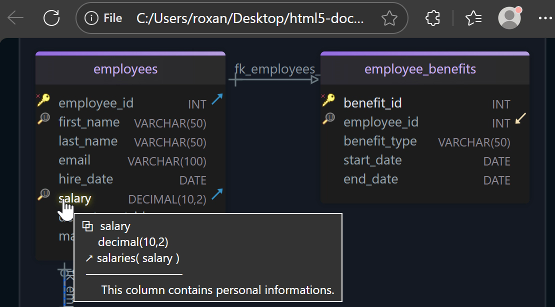
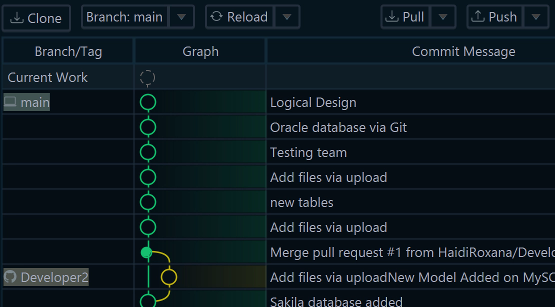
- A design your team can review and read. DbSchema Pro saves the model to a file you keep in Git. Git is the version history most teams already use. It publishes the model as HTML5 documentation, a web page with the diagram and every comment.
The steps are under Model a MongoDB database in DbSchema.
Three kinds of tool, and what one seat costs
The tools that come up for "MongoDB schema design" do different jobs. DbSchema, Hackolade Studio and Moon Modeler are data modelling tools. They read, design and generate what MongoDB needs.
An IDE is built for daily work with data. Studio 3T[1] is a MongoDB IDE for queries and aggregations.
MongoDB Compass sits in between: its Data Modeling tab draws a diagram from one database. Its relationships are for annotation only[2]. So the diagram never becomes a rule in the database.
Vendor pages checked on 15 November 2026, prices without tax:
| Tool | What it is | Paid licence | 3 years, one seat |
|---|---|---|---|
| DbSchema Pro | Modelling tool, query editor and data browser for MongoDB and SQL databases | 294 USD once; updates 75 USD a year from year 2 | 444 USD |
| Hackolade Studio Professional | Modelling tool for NoSQL, SQL and data formats | 1,500 EUR per seat per year | 4,500 EUR |
| Moon Modeler Basic | Modelling tool for MongoDB and other document databases | 99 USD once, 1 year of upgrades | 99 USD, renewals optional |
| Studio 3T Professional | MongoDB IDE for queries and aggregations | 499 USD per user per year | 1,497 USD |
| MongoDB Compass | MongoDB's own client, with a Data Modeling tab | free | free |
A perpetual licence is one you buy once and keep. DbSchema Pro is one: 294 USD, then 75 USD a year for updates, so 444 USD over three years. That is less than one year of Hackolade Studio Professional[3].
The free editions differ too. Hackolade Community[4] holds 50 objects per model. It cannot read an existing database into a model, a step called reverse-engineering. The free DbSchema Community Edition reverse-engineers MongoDB, for any use.
DbSchema Pro also models SQL databases under the same licence. Datensen, the maker of Moon Modeler, sells SQL modelling as a separate product, Luna Modeler[5]. The best MongoDB tools compares the query clients in more detail.
An inferred schema is a sample, so check it
A MongoDB collection has no fixed fields. Each document, one record stored as JSON, can carry its own fields. So a modelling tool has to infer the fields from the documents it reads.
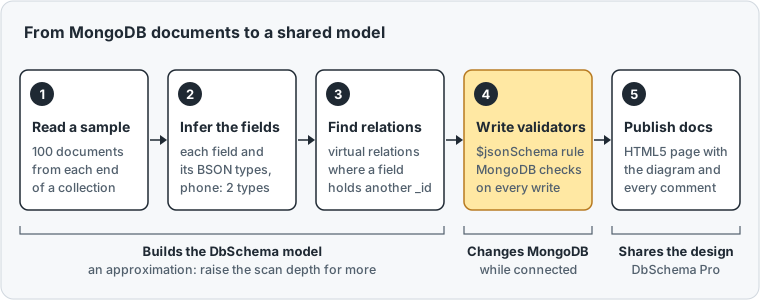
DbSchema reads 100 documents from the start and 100 from the end of each collection. It lists each field with its BSON type.
BSON is the binary format MongoDB stores documents in. Its types include string, int and double, a number with a decimal point.
An aggregation is a MongoDB query that runs documents through steps. We counted the fields of a small customers collection by hand with this one:
db.customers.aggregate([
  { $project: { f: { $objectToArray: '$$ROOT' } } },
  { $unwind: '$f' },
  { $group: { _id: '$f.k', types: { $addToSet: { $type: '$f.v' } }, docs: { $sum: 1 } } },
  { $sort: { docs: -1, _id: 1 } }
])
Result · MongoDB 7.0
| field | types | documents |
|---|---|---|
| _id | int | 4 |
| name | string | 4 |
| string | 3 | |
| address | object | 2 |
| phone | string, double | 2 |
Four documents already disagree. One has no email, and phone is a string in one document and a number in another. A tool that shows phone with one type hides the second one.
A field that appears only outside the sample can be missing from the model. Schema Scan Depth, a setting of the DbSchema connection, sets the sample size. Choose medium for 300 documents from each end, or full for every document (step 4 below).
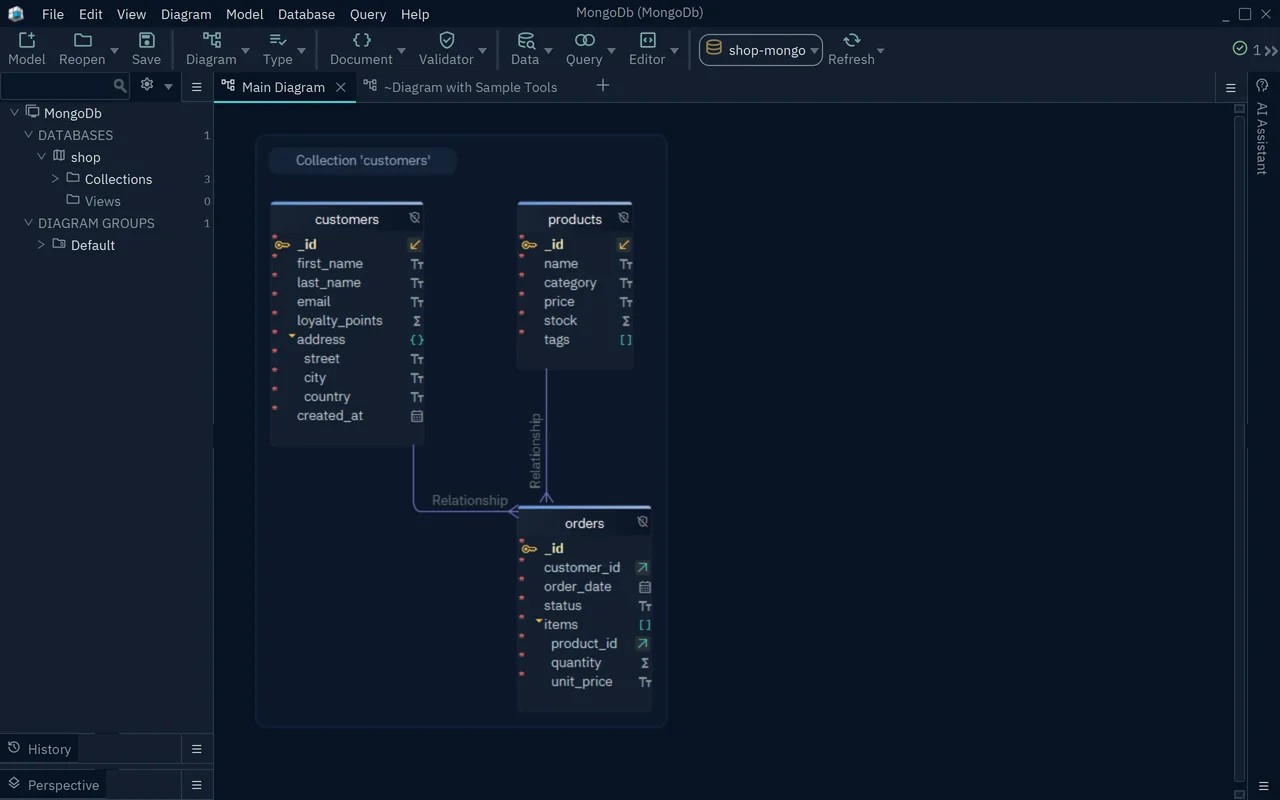
DbSchema finds a relation only where a field holds a matching ObjectId. An ObjectId is the 12-byte id MongoDB gives each document by default. A reference stored as a string gets no line, so you drag the field onto its target.
Write the design back as a validator
A diagram changes nothing in MongoDB. A validator does: MongoDB rejects every insert and update that breaks it. MongoDB writes validators in $jsonSchema, a JSON format that lists required fields and their types[6].
The collMod command below adds a validator to customers. It makes name and email required and phone a string. Then it tries to insert a document that breaks both rules:
db.runCommand({ collMod: 'customers', validator: { $jsonSchema: {
  bsonType: 'object', required: ['name', 'email'],
  properties: { email: { bsonType: 'string' }, phone: { bsonType: 'string' } } } } })

db.customers.insertOne({ _id: 5, name: 'Eva', phone: 4930654321 })
MongoDB refuses the insert with "Document failed validation". It lists both reasons: phone failed bsonType with "type did not match" (considered type double), and email is in missingProperties.
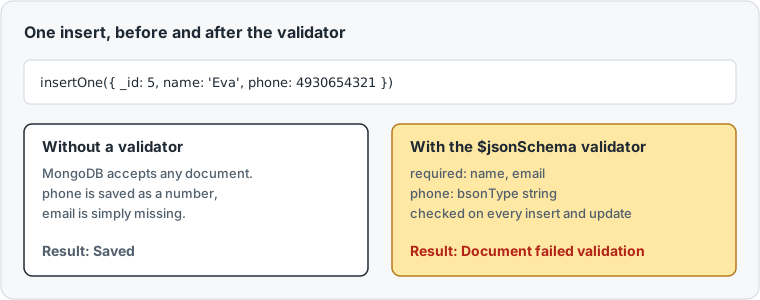
DbSchema writes these validators from the model. A collection may already have a validator. Then DbSchema reads its fields from the validator, not from the documents.
Hackolade Studio calls this step, writing the model to the database, forward engineering. There it starts with the Professional edition[4].
Model a MongoDB database in DbSchema
Steps 1 to 5 work in the free Community Edition. Step 6 writes to MongoDB while you are connected. Step 7 needs DbSchema Pro, or the 15-day trial.
-
Connect Community
Choose File → New Model, keep Connect to Database selected, click MongoDb and press Connect. Choose the Method that fits your server, type the Database and press Connect.
-
Read the collections Community
In Reverse Engineer the Databases, tick the databases to read and press Import. DbSchema draws the collections on a diagram.
-
Check the inferred fields Community
Double-click a collection header to open Edit Collection. The box Inferred ( no validation ) is ticked when the collection has no validator. Then DbSchema guessed the fields.
-
Read more documents Community
Choose Database → Manage → Edit Active Connection, open the Advanced tab and press the pencil next to SSL & Parameters. In DbSchema Schema Discovery, set Schema Scan Depth to
mediumorfull. Press OK, then choose Database → Refresh Model from Database. -
Add missing relations Community
Drag a field onto the field it refers to. Model → Find Virtual Relations looks for more relations by matching field names.
-
Write the validators
Choose Database → Create or Upgrade the Collection Validators into the Database. Collection Validator, at the bottom of Edit Collection, shows the commands first.
-
Save, document and browse Pro
Save the model with File → Save Model to File and commit it from File → Git Collaboration. Choose File → Export As... → HTML5/PDF Documentation for the web page. Right-click a collection header and choose Data Explorer to follow a relation to the related documents.
DbSchema Architect adds logical and conceptual design: drawing the data on paper level, before you pick a database. MongoDB database design with diagrams walks through these steps on one database. The MongoDB tool page lists what DbSchema does with MongoDB.
You can now read your collections into a model and check the inferred fields. Then you write the design back as validators. DbSchema Pro adds the model file for Git, the documentation and the Data Explorer. It is a one-time licence, listed on the purchase page. Download DbSchema and try all features free for 15 days.
Sources
Model MongoDB without a yearly subscription
DbSchema Community reverse-engineers MongoDB collections into a diagram for free. DbSchema Pro saves the model to a file, works offline and documents it, as a one-time licence. Try all features free for 15 days.