A MongoDB Compass Alternative for Schema Design: DbSchema
How DbSchema turns a MongoDB diagram into rules MongoDB enforces and into documentation the whole team can read.
On this page
Words in this article
Words in this article
- Collection
- A group of documents in MongoDB, much like a table in SQL.
- Document
- One record in MongoDB, stored as fields and their values.
- Validator
- A rule on a collection: MongoDB rejects a document that breaks it.
- ER diagram
- A diagram that shows each collection as a box, with lines for the links between them.
- Schema
- The structure of a database: its collections, their fields and the links between them.
- Reverse-engineering
- Reading the structure of a live database and drawing it.
- Model
- DbSchema's own copy of the structure, saved in a .dbs file in DbSchema Pro.
- Virtual relation
- A link that lives in the DbSchema model only. MongoDB never sees it.
The short answer
Your team browses MongoDB in Compass, but nobody agrees on what a document should hold. Fields drift from one document to the next, and new developers can't see how collections link. DbSchema is a MongoDB GUI that turns that into one design MongoDB enforces and the whole team can read. A collection is a group of documents, much like a table in SQL:
How do collections link?
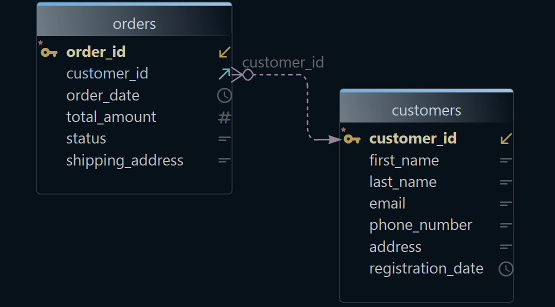
DbSchema draws all collections of a MongoDB database as one diagram.
Stop fields drifting: DbSchema validators
Writes your design into MongoDB as validators, so a document that breaks it is rejected.
Share one design: DbSchema Pro
Exports the design as a page anyone can open in a browser.
What DbSchema adds to MongoDB schema design
Why DbSchema
A document is one record in MongoDB, stored as fields and their values. A field can hold a nested document, a document inside the document, such as an address with its street and city. It can also hold an array, a list of values. A validator is a rule that stops a document with a missing or wrongly typed field from being saved. DbSchema keeps your design in a model, its own copy of the structure, and writes validators from it.
Every collection on one diagram
DbSchema reads a sample of documents from each collection and lists the fields it finds, with their types. Nested documents stay under their field (MongoDB).
Rules MongoDB enforces
DbSchema writes your collections and their validators from the model into MongoDB, so the database follows the design.
A design others can read
The diagram and every collection become one HTML5 page, a PDF or Markdown. Schema Documentation is in DbSchema Pro.
Related documents side by side
The Data Explorer shows one customer and, next to it, that customer's orders. Data browsing is in DbSchema Pro.
MongoDB and SQL in one tool
The same DbSchema connects to PostgreSQL, MySQL and more than 100 other SQL and NoSQL databases, in every edition.
Then, in DbSchema:ConnectRead documentsDraw relationsWrite validatorsExport the docs
Key takeaways
- One model holds the diagram, the rules and the documentation.
- Bad documents are stopped by MongoDB itself, not by code review.
- A new developer reads the agreed structure in a browser on day one.
What users say
…DbSchema, a leading data modeling tool for visually documenting SQL and NoSQL databases.
Visualize a MongoDB schema as a diagram
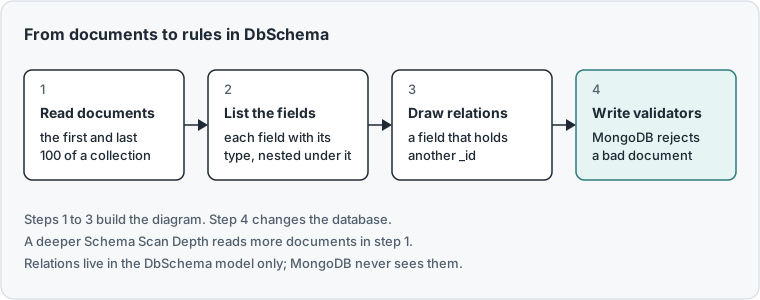
A schema is the structure of a database: its collections, their fields and the links between them. Reverse-engineering means reading that structure from a live database and drawing it. MongoDB stores no fixed schema, so MongoDB data modeling in DbSchema starts from the documents themselves:
-
Connect and reverse-engineer Community
Choose File → New Model, keep Connect to Database selected, click MongoDb and press Connect. Pick the Method for your server. MongoDB Atlas, MongoDB's cloud service, has its own Cloud (Atlas) methods. Then pick the Database and press Connect. In Reverse Engineer the Databases, tick your database and press Import.
-
Read more documents Community
DbSchema reads the first 100 and the last 100 documents of each collection. Say only a few orders in the middle carry a
discountfield: that field can be missing from the diagram. To read more, choose Database → Manage → Edit Active Connection. On the Advanced tab, press the pencil next to SSL & Parameters and open DbSchema Schema Discovery. Set Schema Scan Depth tomedium, which reads 300 documents from each end, orfull, which reads every document. Then choose Database → Refresh Model from Database. -
Draw the missing relations Community
MongoDB declares no links between collections. Every document has a unique key, its
_id. DbSchema draws a line where a field holds the_idof a document in another collection. For a reference stored as a string or a number, drag that field onto the field it refers to, or choose Model → Find Virtual Relations. A virtual relation lives in the DbSchema model only.
01 MethodOn-Premise - No Authentication for a local server without a login. For MongoDB Atlas, pick a Cloud (Atlas) method.
02 host:portWhere the server runs. List several, separated by commas, for a replica set.
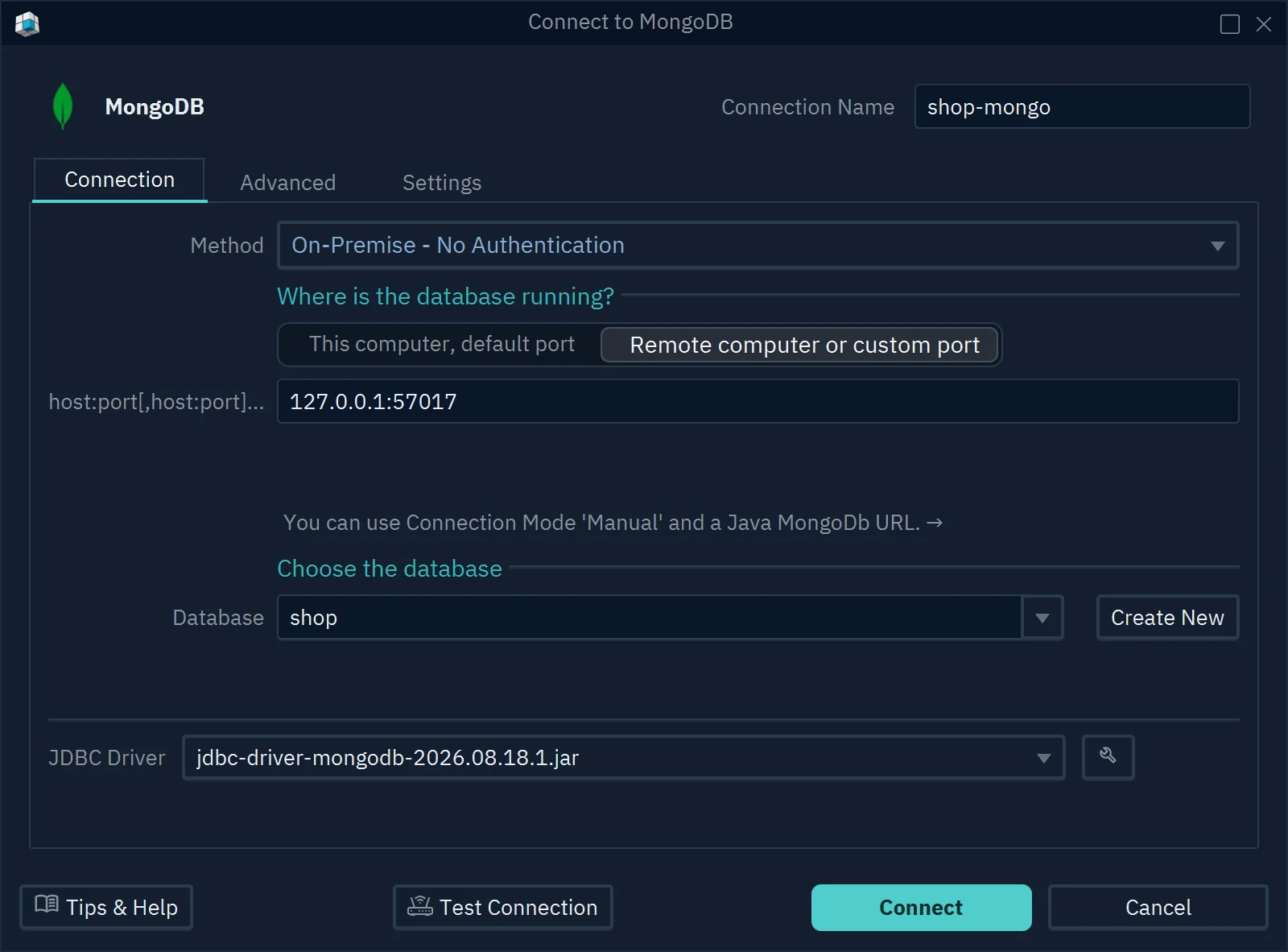
03 DatabaseThe database DbSchema opens. Create New makes an empty one.
04 ConnectTest Connection checks the settings first. Connect opens Reverse Engineer the Databases: tick your database and press Import.
01 addressA nested document stays under its parent field, with its own fields and types.
02 ValidatorThe toolbar keeps the validator commands at hand for the next section.
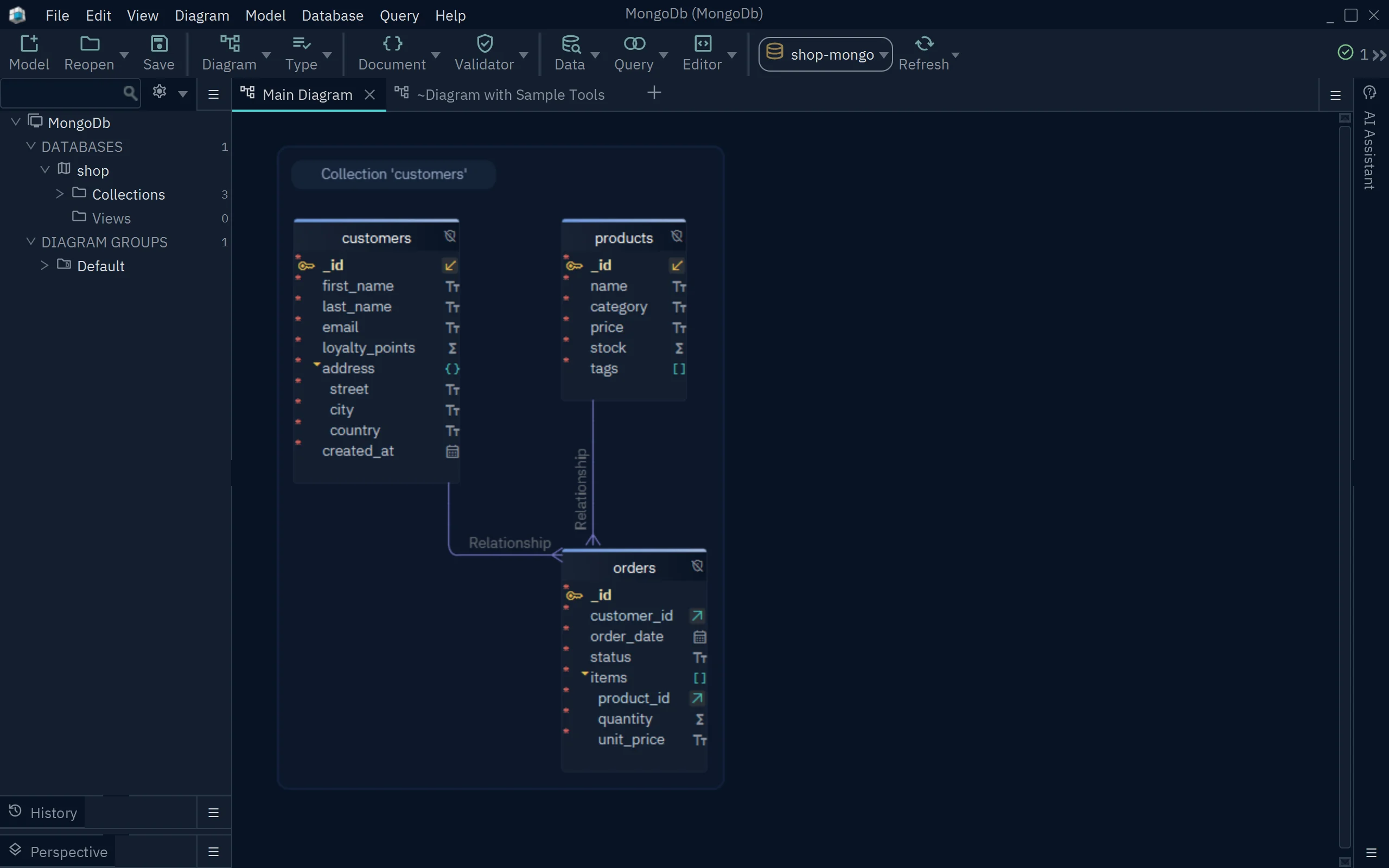
03 RelationshipThis line joins each order to its customer.
04 customer_idThe field in orders that the line starts from.
Turn the diagram into MongoDB schema validation rules
A diagram helps only while the database follows it. DbSchema closes that gap: the model becomes validators that MongoDB checks on every insert and update.
A validator in MongoDB is a $jsonSchema rule. Where a collection already has one, DbSchema reads the fields from the validator. Where it has none, Edit Collection shows Inferred ( no validation ) ticked: DbSchema found the fields by reading documents. So the diagram also tells you which collections are still unprotected.
You can design new collections the same way. Model → Create Collection adds a collection to the model, and you give it fields before it exists in MongoDB.
-
Write the validators
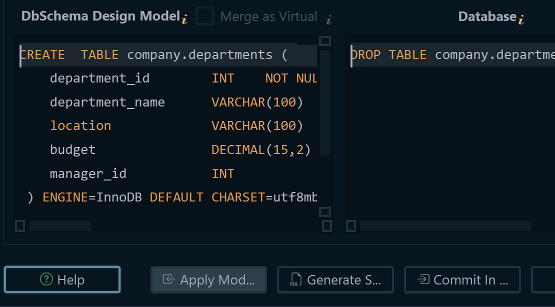
Double-click a collection header to open Edit Collection. The commands under Collection Validator at the bottom are what DbSchema will run, so you read them before anything changes. While you are connected, a change you confirm in Edit Collection reaches the database at once. Choose Database → Create or Upgrade the Collection Validators into the Database to write every collection's validator. File → Export As... → Export Schema Validation Script saves the same commands as a script instead. The edition table lists the edition.
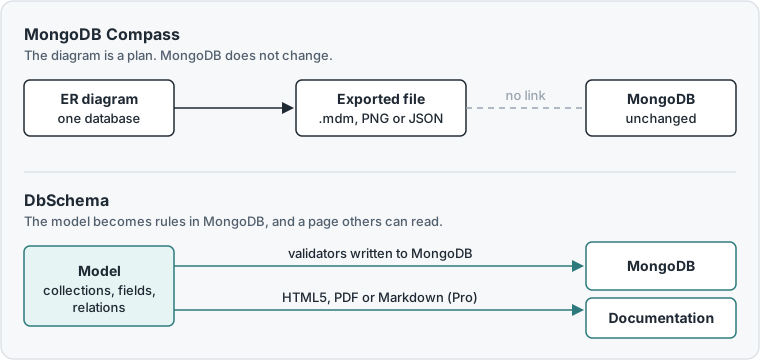
MongoDB Compass, MongoDB's own desktop app, also draws a diagram of one database. Its documentation says that changes to that diagram "won't affect your actual database", and its relationships are "for annotation purposes only". DbSchema is the alternative when the design has to reach MongoDB itself.
Join MongoDB collections and run queries
MongoDB queries get hard as soon as the answer spans two collections, such as a customer and their orders. The relations on the diagram take care of that join: the Data Explorer shows the documents of a collection, and the related documents of the next collection beside them.
-
Follow a customer to its orders Pro
Right-click a collection header, such as
customers, and choose Data Explorer. The documents show one at a time, with arrows to move between them. Type a JSON filter in the filter box to narrow them down. Then click the arrow icon next to the collection name and choose Cascade orders via Relationship. The orders of the selected customer show on the right, joined to the customer by a line.
This works for virtual relations too, so a support or data team can check one customer's orders without writing a query.
-
Run a find or an aggregation Community
Choose Query → Query Editor, or press Ctrl+E. The language button reads Mongo Queries. Type the query in MongoDB Shell syntax, MongoDB's command-line language, starting with the database name, and press Run:
shop.orders.find({ status: 'shipped' })The result shows as a table, and the selected document as a Tree or as JSON. Aggregations, such as a count of orders per status, run the same way.
Share the design as documentation
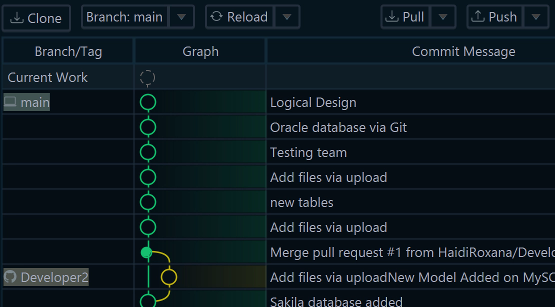
DbSchema Pro saves the model in one .dbs file. You can keep that file in Git, a system that records every version of a file, as the DbSchema MongoDB page describes. A new developer then reads the same design as the rest of the team.
-
Save and document Pro
Choose File → Save Model to File to keep the design and its relations. Then choose File → Export As... → HTML5/PDF Documentation, pick HTML5 under Format and press Generate. The HTML5 page opens in any browser, so readers need no DbSchema.
Our list of the best MongoDB tools covers more MongoDB clients.
Which DbSchema edition fits your team
DbSchema Pro is the edition for teams that want one agreed MongoDB design. It saves the model to a file, publishes it as documentation for people without DbSchema, and lets you follow documents across collections in the Data Explorer. DbSchema Architect adds logical design, for architects who plan the data before they choose a database. The diagram and the query editor stay free in the Community Edition. The pricing page lists every edition.
Download DbSchema, connect it to your MongoDB database and try all features free for 15 days. For the shared design and its documentation, choose DbSchema Pro.
Sources
- MongoDB, Compass Data Modeling documentation (mongodb.com/docs/compass/data-modeling), read 19 November 2026.
- DbSchema, MongoDB documentation, Schema Documentation, Relational Data Explorer, MongoDB tool page and purchase page.
Turn your MongoDB diagram into rules
DbSchema draws every collection from a sample of its documents, writes validators into MongoDB and exports the design as HTML5 documentation. DbSchema Pro keeps the saved model and publishes the documentation.