ER Postgres Design with DbSchema: Visual PostgreSQL Schema Workflow
For the developer or architect who owns a PostgreSQL schema and needs the design to stay current after the first diagram is drawn.
On this page
The diagram somebody exported at the end of the last project shows tables that have been renamed since and misses the ones added after it. Everybody knows that, so nobody opens it. The way out is to stop treating the ER diagram as an export and start treating it as the design file. DbSchema reverse-engineers PostgreSQL into a .dbs model that you edit offline, compare against the database before anything is applied, commit to Git, and publish as documentation.
If you only need a first ER diagram, start with Create ER Diagrams for PostgreSQL, and for a step-by-step beginner walkthrough see How to Design a PostgreSQL Schema Visually. This article is about the workflow around that diagram once more than one person depends on it.
The ER workflow in five stages
- Read the current schema, by reverse-engineering the database or by opening the model file a teammate committed.
- Shape the design in the diagram, from the tables and columns to the keys and the relationships between them.
- Keep it readable, by splitting it across diagrams and writing down what the names do not say.
- Review the difference between the model and the database, and choose what gets applied.
- Share the result, as a committed model file and as generated documentation.
Only stage 4 touches PostgreSQL. Stages 1 to 3 and 5 work on the .dbs file, which is why the whole sequence can happen on a branch, in a pull request, before anyone has execute rights on anything.
The stages run in that order the first time through. After that you re-enter the loop wherever the work starts: a colleague's migration puts you at stage 1, a new module at stage 2, and a release at stage 4.
What ER Postgres design means in practice
An ER design for a PostgreSQL project has to carry the objects you actually manage:
- schemas, tables and views
- primary keys and foreign keys
- PostgreSQL data types
- indexes and constraints
- descriptions that explain why the structure is the way it is
The last one is what separates a diagram from a design. A picture drawn once helps during onboarding and then ages out, because nothing brings it forward when a column changes. A model file that is reverse-engineered, edited and committed does move forward: it is compared against the database, so a drift between the two shows up as a list of differences rather than as a surprise in production.
Diagramming shows you the schema. A maintained design model is what you review, hand over and publish, and the difference shows up the first time somebody asks what changed since the last release. With a picture, the answer is whatever the person remembers. With a model file in Git, the answer is a diff, and with the model compared against the database, it is a list of objects.
Start from a live PostgreSQL database or from scratch
There are two entry points, and which one you take depends on whether the database exists.
Reverse-engineer an existing PostgreSQL database
Connect DbSchema to PostgreSQL and it reads the schema and draws it, tables and foreign key lines included. The PostgreSQL JDBC driver is downloaded for you when you create the connection, so there is nothing to install first. Take this route for a database that already powers an application, for an inherited system whose structure is only half understood, and whenever you want to see the shape of the thing before changing it.
Start with a blank model
For a new application, or a redesign of one module, start offline with no connection at all. Create the schemas, tables and relationships in DbSchema first, and connect later. Everything is saved to the .dbs file until you do, which means the design can go through review, and the DDL is generated at the end rather than typed into a database as you think.
Build the ER design visually in DbSchema
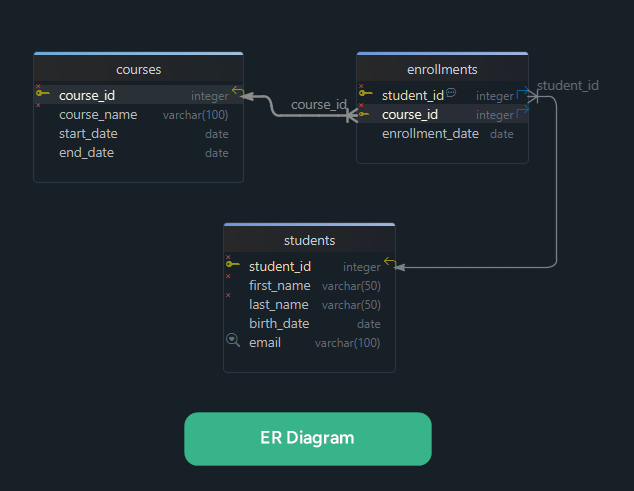
The two tables below are what the rest of this section works on:
CREATE TABLE customers (
  customer_id bigint PRIMARY KEY,
  name        text NOT NULL
);

CREATE TABLE orders (
  order_id    bigint PRIMARY KEY,
  customer_id bigint NOT NULL REFERENCES customers,
  placed_at   timestamptz NOT NULL
);
Right-click the DbSchema canvas and choose New Table to create one, or drag an existing table out of the tree panel onto the diagram. Double-click a table header to open the Table Dialog, where the tabs cover the columns and their PostgreSQL types, the indexes and the primary key, the foreign keys, and check constraints such as order_id > 0.
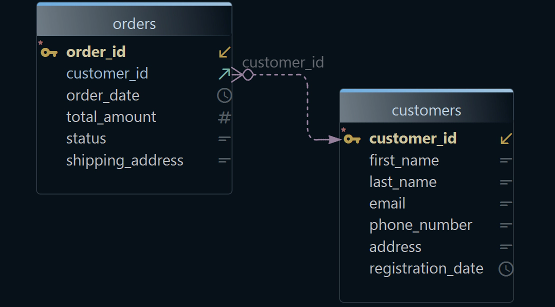
The relationship is the part worth doing with the mouse. Drag from orders.customer_id to customers.customer_id and DbSchema draws the relationship line immediately. That line carries the same fact as the REFERENCES customers clause in the block above: many rows in orders point at one row in customers. To read data types on the diagram rather than in a dialog, open the Diagram menu and enable Show Column Types.
Nothing so far has reached PostgreSQL. Tables you create, columns you add and foreign keys you drag are written to the .dbs model file, and reviewing the generated DDL before it runs is a separate step, covered below. For a slower walkthrough of the same operations, see How to Design a PostgreSQL Schema Visually.
Turn the diagram into a readable team artifact
The most useful diagram is rarely the biggest one. A PostgreSQL database that has grown for a few years holds several schemas, a migration history, tables nobody has queried in years and the module that shipped last month. Putting all of it on one canvas produces a picture of the complexity rather than a way through it.
One table can sit on several DbSchema diagrams at once, so splitting the schema across them costs nothing but the dragging. One diagram per subsystem means a new developer opens the billing diagram, an analyst opens the reporting one, and a reviewer opens the one the change touched. Related tables can also be collected inside a diagram: right-click the canvas, choose New Group, and drag the tables in. The group takes a name and a color and moves as one object.
Then write down what the names do not say. The Description field of a table or a column holds the sentence that explains why the structure exists, and those descriptions come back in the generated documentation later. Diagrams, groups and descriptions are all stored in the .dbs file, so a teammate who pulls it sees the same layout you saw.
Design first, sync later
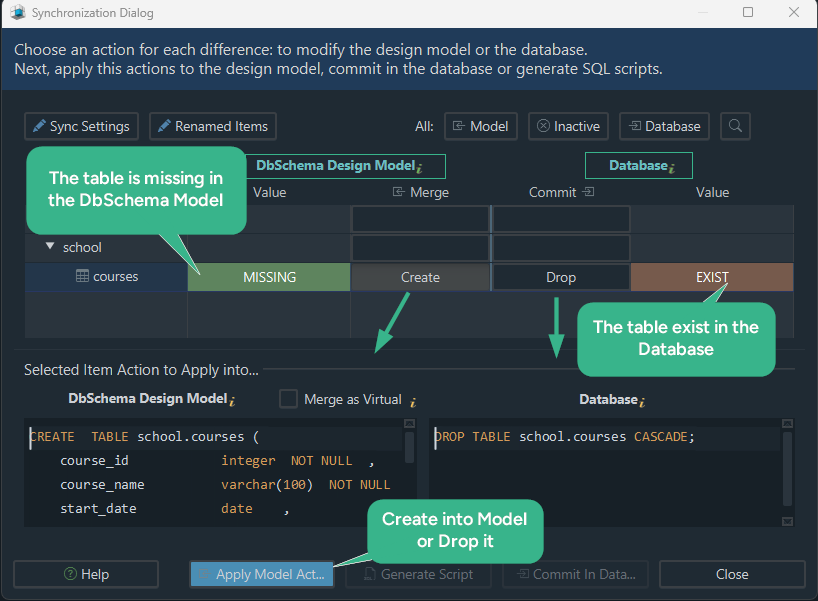
The live database does not have to be the only place a change can exist while you are still deciding. Work on the model, then bring the two together when you are ready: in Schema → Compare Model with Database, DbSchema lists every object that differs, table by table and column by column, and for each difference you choose to update the model, push the change to the database, or skip it.
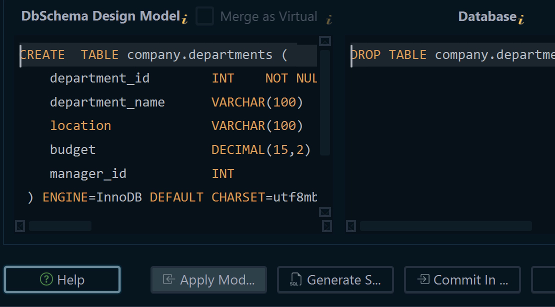
Schema → Synchronize Model with Database then opens the Synchronization Dialog, where DbSchema generates the SQL migration statements that bring the database in line with the model. For the foreign key dragged onto the diagram earlier, the change the script has to carry is one constraint on orders:
ALTER TABLE orders ADD CONSTRAINT orders_customer_fk
  FOREIGN KEY (customer_id) REFERENCES customers (customer_id);
That is the statement you would write by hand for the same change, with a constraint name of your choosing. DbSchema shows the generated statements before any of them runs, and you can edit them in the dialog. Save the .dbs file at that point, so the previous state of the design is recoverable from the file. Clicking Execute is then the moment PostgreSQL changes. Schema synchronization is a Pro edition feature. That order, review then execute, is what makes the workflow safe for staging a redesign, for comparing a development database against a shared one, and for walking a team through a structural change in a meeting before anybody runs it. On a database with hundreds of tables the review list carries even more weight, which is the subject of handling large PostgreSQL schemas.
Keep the schema workflow in Git
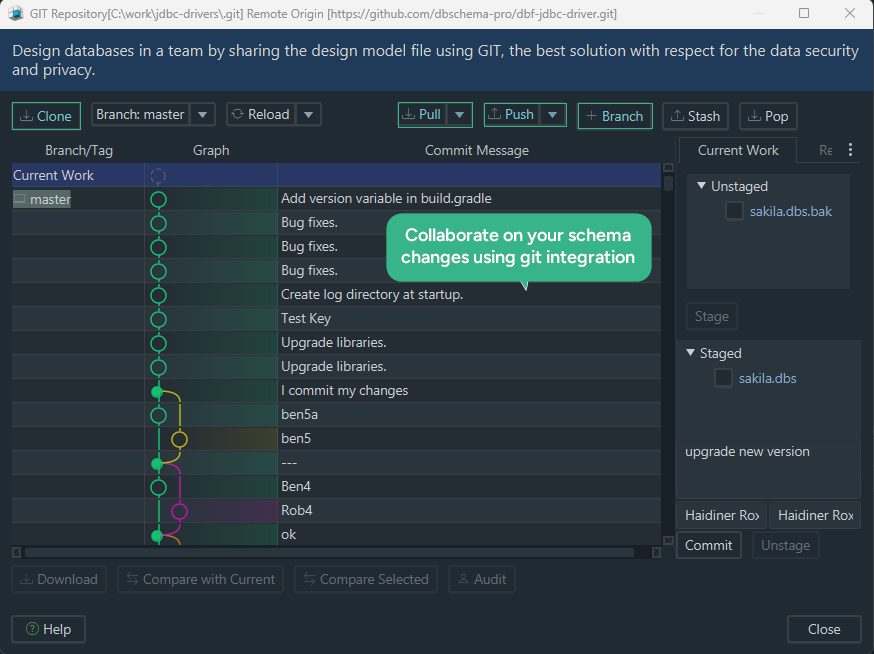
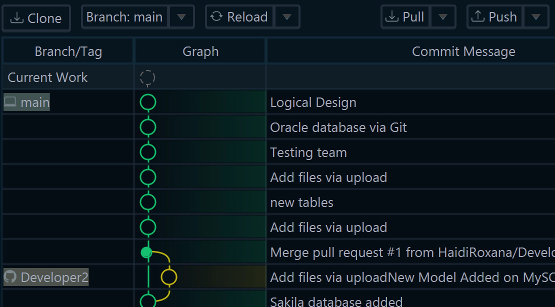
The .dbs file is XML, so it branches, diffs and merges like the rest of the repository. DbSchema has a Git client of its own: open the Model menu and choose Git — Collaborative Design to enter the remote URL and clone it into an empty local folder, then Stage, Commit and Push the model the way you would any file. GitHub and Bitbucket want a personal access token rather than an account password.
That gives PostgreSQL teams the same loop they use for code:
- reverse-engineer or revise the design in the diagram
- commit the
.dbsfile on a branch - review the change with the rest of the team
- merge once it is approved
- synchronize with PostgreSQL when the deployment window arrives
Pull is where it pays off. After pulling a teammate's model, Compare with Current opens the Synchronization Dialog against your own database, so you can see precisely what their change would do before you apply it. Schema work stays collaborative even when one person runs the final deployment, and Git is what gives the proposal, the correction and the approval a history. The Git documentation covers stash, branch creation and SSH keys, and the wider feature tour is in Improve Your PostgreSQL Database Design and Management with DbSchema.
Publish the design as documentation
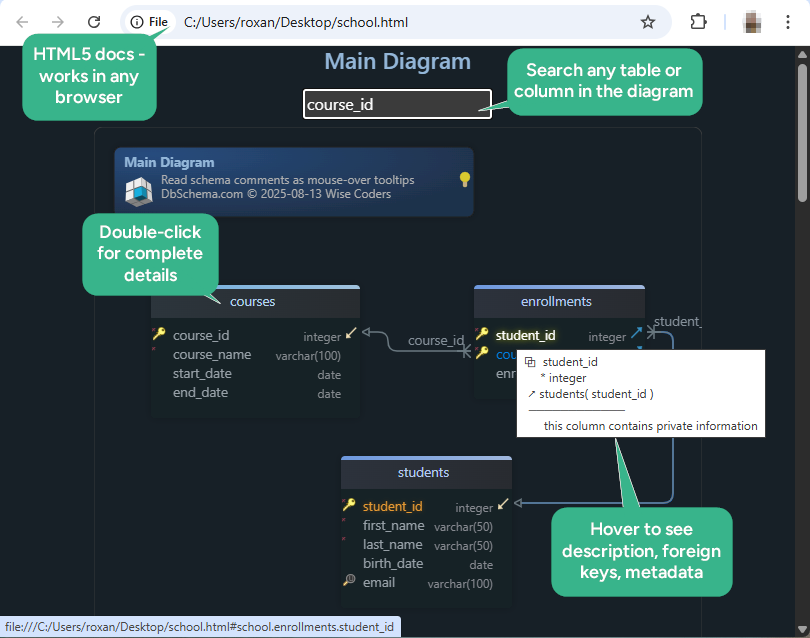
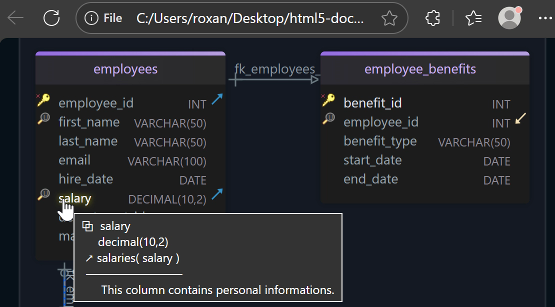
A design only the database team can see is a design that gets asked about instead of read. Export it: Diagram → Export HTML5 or PDF Documentation in DbSchema writes one interactive HTML5 file holding a searchable list of tables, the columns, indexes and foreign keys you selected, the diagrams as vector images, and every description you typed as a tooltip over the column it belongs to.
PDF and Markdown come out of the same dialog: PDF when the review has to be archived as a document, Markdown when the schema reference belongs in the repository beside the code. Nobody on the receiving end needs DbSchema installed to open the HTML5 file, which turns onboarding, an architecture review or a QA handover into a link rather than a screen-share. A second worked example is in How to Document a PostgreSQL Schema.
When this workflow is the right fit
The workflow suits a team that owns its PostgreSQL schema and changes it regularly: software teams that deploy their own migrations, architects reviewing module boundaries, and mixed groups where a developer, a DBA and an analyst all read the same structure for different reasons.
SQL still does the executing. What the model adds is the step before that, where the change is drawn, reviewed against the current database, and turned into statements you read before they run. DbSchema generates that SQL and shows it to you rather than hiding it, so the diagram and the PostgreSQL schema never drift into two separate accounts of the same database.
Start with the database you already have. Download DbSchema, point it at PostgreSQL from the connection page for the engine, let it reverse-engineer the schema into diagrams, and put the model file on a branch. The design model is where the Pro edition earns its place: saving the .dbs file that the Git client commits, comparing the model with the database and exporting the documentation all sit there, and a new installation starts with a 15-day Architect trial that covers them. Connecting and reverse-engineering into diagrams cost nothing at all, in the free Community Edition.
FAQ
Can DbSchema reverse-engineer an existing PostgreSQL schema into an ER diagram?
DbSchema connects to PostgreSQL over JDBC and reads the schema into diagrams, with tables, columns and foreign key lines already drawn. The PostgreSQL JDBC driver is downloaded when you create the connection.
Can I design a PostgreSQL schema offline before connecting to the database?
DbSchema works disconnected from any database. Changes are saved to the .dbs model file alone until you reconnect and synchronize. Saving the model file and schema synchronization are in the Pro edition.
How does DbSchema help with PostgreSQL foreign keys and relationships?
Foreign keys read from the database are drawn as lines on the DbSchema diagram, and dragging one column onto another creates a new one. Where PostgreSQL does not declare a relationship, a virtual foreign key records it in the model file, and DbSchema then uses it for data browsing and query building.
Can I compare a DbSchema model with a live PostgreSQL database?
In Schema → Compare Model with Database, DbSchema lists every object that differs and lets you decide per difference whether the model or the database wins. Schema → Synchronize Model with Database is where DbSchema generates the SQL for what you chose, and you can edit it before executing it.
Can I version-control PostgreSQL schema design files with Git?
The DbSchema .dbs file is XML, so it branches and merges like source code. The Git client is in the Model menu under Git — Collaborative Design, and it stages, commits, pushes and pulls without leaving DbSchema.
Can DbSchema export PostgreSQL schema documentation?
Diagram → Export HTML5 or PDF Documentation writes interactive HTML5, PDF or Markdown from the model, covering the diagrams, tables, columns, relationships and descriptions. Documentation export is in the DbSchema Pro edition.